 ProMapRanker
Best CarPlay Apps in 2026: 10 Apps Compared

Key takeaways
- Every app here genuinely supports Apple CarPlay, and installing it on your iPhone is what makes it appear on your car screen.
- Google Maps and Waze are the strongest navigation pair, while Apple Maps suits iPhone users who want the simplest setup.
- Spotify, Apple Music, and Audible cover most in-car listening, and WhatsApp covers hands-free messaging.
- PlugShare and GasBuddy add real driving utility for electric and petrol cars, beyond music and maps.
Quick comparison
| Pick | Great for | Pricing starts at | Free tier | |
|---|---|---|---|---|
 Apple Maps | Simplest iPhone navigation | Free | Yes | Visit |
 Google Maps | Detailed traffic and places | Free | Yes | Visit |
 Waze | Crowd-reported hazards | Free | Yes | Visit |
 Spotify | Music and podcasts | Free | Yes | Visit |
 Apple Music | Apple ecosystem music | See website | Free trial | Visit |
 Audible | Audiobooks on long drives | See website | Free trial | Visit |
 WhatsApp | Hands-free messaging | Free | Yes | Visit |
 Overcast | Podcast listening | Free | Yes | Visit |
 PlugShare | EV charging stations | Free | Yes | Visit |
 GasBuddy | Cheap fuel nearby | Free | Yes | Visit |
The best CarPlay apps
CarPlay only shows apps that Apple allows for driving, in categories such as navigation, audio, messaging, and charging, so not every iPhone app will appear on your car screen. We compared Apple support pages, vendor CarPlay pages, and app store listings, and we kept only apps with genuine CarPlay support in October 2026. To add an app, install it on your iPhone and connect to CarPlay; it should appear automatically if CarPlay is enabled for it.
Apple Maps is the navigation app iPhone users already own, and on CarPlay it is the simplest to use. It offers lane guidance, real-time traffic, and Siri voice control without any setup, and it integrates with contacts, calendar events, and Apple Wallet where those features are supported. For drivers who want navigation that just works, it is the default to try first.
The honest weakness is crowd reporting. Waze gives more driver-reported hazards, police alerts, and road closures, while Apple Maps relies more on its own traffic data. Place information can also feel thinner in smaller towns. If you want the most detailed live road reports, add Waze. If you want the cleanest iPhone setup, Apple Maps is enough.
- Built into iPhone at no extra cost
- Siri voice control on CarPlay
- Lane guidance and real-time traffic
- Fewer crowd-reported hazard details than Waze
- Place data can be thinner outside major cities
- No Android version
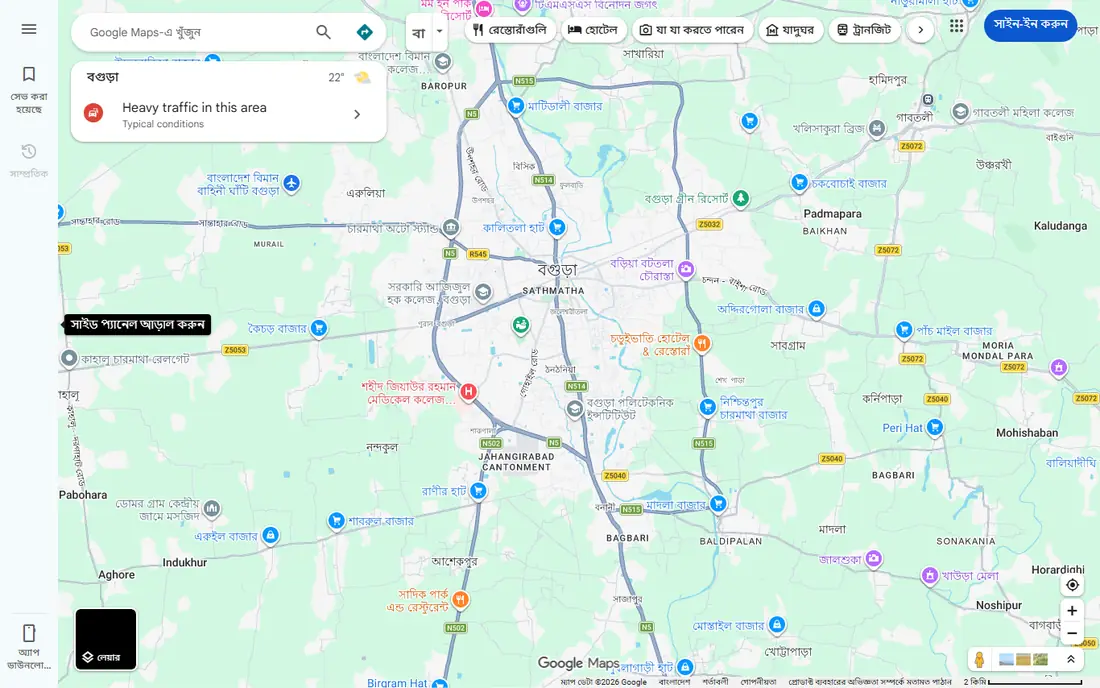
Google Maps is the navigation pick for drivers who want the most place detail and the most reliable rerouting. Its traffic data, business hours, reviews, and photos help you judge a stop before you arrive, and its rerouting around congestion is consistently strong. On CarPlay, it behaves like a full navigation app, not a limited companion.
The trade-offs are data use and clutter. Google Maps can use more mobile data than Apple Maps, and its screen can feel busy when many place labels appear at once. It also works best with a Google account signed in. For most drivers, those costs are worth the better traffic and place data.
- Strong traffic data and rerouting
- Detailed place information and reviews
- Multiple stops and offline maps in some areas
- Uses more data than Apple Maps on long trips
- Some features need a Google account
- Interface can feel busy on a small car screen
Waze stands out for one reason: other drivers report what is ahead. Hazards, stopped cars, roadworks, and police sightings appear as alerts on CarPlay, often before they show up in other navigation apps. That crowd reporting makes Waze the best second navigation app to run alongside Google Maps or Apple Maps.
The weakness is that Waze is less polished for place search and trip planning than Google Maps, and its map can look crowded on a car screen. It also depends on active reporters, so quiet rural roads may have fewer alerts. For city and highway driving with live hazards, Waze earns its place.
- Real-time driver reports for hazards, traffic and police
- Fast rerouting
- Playful but clear voice alerts on CarPlay
- Map design is busier than Apple Maps
- Place search is weaker than Google Maps
- Relies on other drivers reporting incidents
Spotify is the most popular music choice on CarPlay for good reason. Its catalog covers music and podcasts, its playlists and recommendations travel with your account, and its free tier works on CarPlay, with ads and mobile playback limits. For drivers who want one audio app for music and podcasts, Spotify is the natural first install.
The free tier is the limit to note. Ads interrupt listening, and mobile playback has shuffle limits that do not apply in the same way on desktop. Offline downloads need a paid plan, which matters on long trips with weak signal. If you already pay for music, Spotify's paid plan removes those limits. If you do not, the free tier still covers most drives.
- Huge music and podcast catalog
- Playlists and recommendations on CarPlay
- Free tier works on CarPlay with ads
- Free tier includes ads and shuffle limits on mobile
- Offline listening needs a paid plan
- CarPlay controls are simpler than the phone app
Apple Music suits drivers who already live in Apple's system. On CarPlay, it responds well to Siri, syncs your library and playlists from iPhone, and offers curated playlists and radio. Sound quality is strong where lossless audio is supported, and the CarPlay interface is clean and easy to use while driving.
The catch is that Apple Music has no ongoing free tier, only a trial, so full access needs a paid subscription, with current pricing on Apple's site. If you already use Apple devices and services, that cost may already be part of your setup. If you want a free music option, Spotify's free tier is the better pick.
- Deep integration with iPhone and Siri on CarPlay
- Large catalog and curated playlists
- Lossless audio where supported
- No free tier beyond a trial
- Subscription needed for full access
- Best value is inside the Apple ecosystem
Audible is the best CarPlay app for drivers who prefer books to music on long trips. Its CarPlay controls handle play, pause, bookmarking, and playback speed, and its catalog covers fiction, nonfiction, and podcasts. A single audiobook can cover a whole road trip, which makes it ideal for highway driving.
The cost model is different from music streaming. Most books need a credit or a purchase, and the subscription price and trial terms are listed on Audible's site, so we do not guess a single figure here. Audible also does not replace a music app. Pair it with Spotify or Apple Music, and use Audible for the long stretches between stops.
- Large audiobook catalog on CarPlay
- Bookmarking and playback speed controls
- Good for long highway drives
- Most books cost credits or a subscription
- Free trial is limited
- Not a music app, so pair it with Spotify or Apple Music
WhatsApp is the messaging app most drivers will actually use on CarPlay, because it is free and widely used for family and group chats. On CarPlay, Siri can read incoming messages aloud and let you reply by voice, which keeps your hands on the wheel. Calls also work through CarPlay's audio system.
The limit is intentional. CarPlay shows WhatsApp in a limited, audio-first way, so you will not browse full chat histories or media while driving. Group features are also reduced compared with the phone app. That restraint is a safety feature, not a flaw, and for hands-free messaging it makes WhatsApp the clear pick.
- Free messaging and calls
- Siri can read and reply to messages on CarPlay
- Widely used for family and group chats
- CarPlay shows messages in a limited, audio-first view
- Group chat features are reduced while driving
- Needs a phone connection
Overcast is a favorite among podcast listeners, and its CarPlay support is clean and focused. It plays podcasts with smart speed, which shortens silences, and voice boost, which makes speech clearer in a noisy car. The free tier covers core listening, so you can try it without paying.
The limits are platform and discovery. Overcast is iOS only, so Android users cannot use it, and its discovery tools are simpler than Spotify's. Some features also need a paid upgrade. For iPhone users who listen to podcasts daily, Overcast is a better CarPlay experience than a general music app.
- Clean CarPlay podcast playback
- Smart speed and voice boost features
- Free tier covers core listening
- IOS only, no Android version
- Some features need a paid upgrade
- Podcast discovery is simpler than Spotify
PlugShare is the utility app electric car drivers should install first. On CarPlay, it maps charging stations, filters by connector type and network, and shows user reports on whether a station is working. That information matters on a road trip, where a closed or broken charger can change your route.
The obvious limit is that it only helps electric cars, and station data still depends on user reports, so a station marked available may be busy when you arrive. Starting a charge may also need the network's own app. For EV drivers, though, PlugShare's CarPlay map is more useful than a general navigation app for charging stops.
- Large charging station map on CarPlay
- Filters by connector and network
- User reports on station status
- Only useful for electric cars
- Station data depends on user reports
- Some stations need a separate network app to start charging
GasBuddy is the petrol equivalent of PlugShare, and it earns its place for drivers who want the cheapest fuel nearby. On CarPlay, it shows nearby stations and reported prices, and its trip tools can plan fuel stops along a route. For long highway drives, that can save real money over a tank.
The weakness is data freshness. Prices rely on community reports, so a station price may have changed since the last report, and the app includes offers and ads around its core map. Check the price at the station before you fill up. As a free CarPlay utility for petrol and diesel drivers, GasBuddy is still worth installing.
- Finds nearby fuel prices on CarPlay
- Community-reported prices
- Trip planning with fuel stops
- Only useful for petrol and diesel cars
- Prices depend on community reports and can be out of date
- App includes offers and ads
How we picked these
We checked Apple support guidance on CarPlay categories, vendor CarPlay pages, and app store listings, and we kept only apps with genuine CarPlay support in October 2026. We favored apps that cover the main driving needs, navigation, music, audiobooks, messaging, podcasts, and fuel or charging, rather than listing every CarPlay-compatible app. Prices reflect free tiers where they exist, and we wrote See website for subscription apps whose pricing varies by plan and region.
Setting up CarPlay and choosing free options
Setup is simpler than most drivers expect. Install the app on your iPhone, connect your phone to your car by cable or wireless CarPlay if your car supports it, and the app icon should appear on the car screen. If an app does not appear, check that it is updated, that CarPlay is enabled for it in your iPhone settings, and that your car's system supports that app category.
For the best free CarPlay apps, start with Apple Maps or Google Maps for navigation, Waze for hazard reports, Spotify's free tier or Overcast for audio, WhatsApp for messages, and PlugShare or GasBuddy depending on your car type. That free set covers a full drive without a subscription. Add Audible or Apple Music only if you want audiobooks or a paid music catalog on top of that free base.
Frequently asked questions
What are the best free CarPlay apps?
The best free CarPlay apps are Apple Maps, Google Maps, and Waze for navigation, Spotify's free tier and Overcast for audio, WhatsApp for messaging, and PlugShare or GasBuddy for charging or fuel. All of these work on CarPlay without a paid subscription, though some have ads or limits on free tiers.
How do I add apps to CarPlay?
Install the app on your iPhone and connect to CarPlay. Compatible apps appear automatically on the car screen, and you can arrange or hide them in your iPhone's CarPlay settings. You do not download apps directly to the car.
Why does an app not show up on CarPlay?
Apple limits CarPlay to apps in driving-safe categories, such as navigation, audio, messaging, and charging, so many iPhone apps will never appear. Also check that the app is updated, that it supports CarPlay, and that CarPlay is enabled in your iPhone settings.
Is Waze better than Google Maps on CarPlay?
Waze is better for crowd-reported hazards and police alerts, while Google Maps is better for place search, reviews, and trip planning. Many drivers run both, using Google Maps for the route and Waze for live hazard reports.
Can I use Spotify for free on CarPlay?
Yes, Spotify's free tier works on CarPlay, with ads and mobile playback limits. Offline downloads and ad-free listening need a paid plan, so download playlists before a long trip if you subscribe.
Does CarPlay work with Android phones?
No, CarPlay is Apple's system for iPhones. Android phones use Android Auto instead, and many of the same apps, such as Google Maps, Waze, and Spotify, support both systems.
Sources
See where you really rank - block by block
ProMapRanker scans Google Maps across a grid of your service area. Simple monthly plans from $19, white-label on every plan.
Start freeKeep reading
 zyte alternatives
Best Zyte Alternatives in 2026
These zyte alternatives cover managed scraping APIs, proxy networks and no code tools for lawful collection from your own or consented sources only in 2026.
Read → zerto alternatives
Best Zerto Alternatives in 2026
Compare the best zerto alternatives for disaster recovery and replication, with recovery targets, cloud options and honest trade-offs for teams in 2026.
Read → zerofox alternatives
Best ZeroFox Alternatives in 2026
We compared 9 zerofox alternatives for brand protection, phishing takedowns, dark web monitoring, and social impersonation, with clear coverage notes.
Read →