 ProMapRanker
Best Card App in 2026: 10 Apps Compared

Key takeaways
- The best card app depends on the card type you use: Apple Card suits iPhone users, Cash App Card suits debit spending, and Privacy.com suits virtual cards.
- Virtual card apps give the strongest control for online subscriptions and trials, because you can pause or close a card per merchant.
- No annual fee does not mean no cost: credit cards charge interest on unpaid balances, and some apps charge for premium tiers or instant transfers.
- Card controls such as instant lock, transaction alerts, and spend limits matter more day to day than a long rewards list.
Quick comparison
| Pick | Great for | Pricing starts at | Free tier | |
|---|---|---|---|---|
 Apple Card | iPhone and Apple Pay users | Free | Yes | Visit |
 Cash App Card | Debit spending and Boosts | Free | Yes | Visit |
 Privacy.com | Virtual cards for online spending | Free | Yes | Visit |
 Revolut | Travel and multi currency cards | Free | Yes | Visit |
 Wise | Multi currency debit card | Free | Yes | Visit |
 Venmo Credit Card | Venmo users and cashback | Free | Yes | Visit |
 Chime Card | Fee free debit banking | Free | Yes | Visit |
 Capital One | Card controls and rewards | Free | Yes | Visit |
 PayPal | PayPal card and checkout | Free | Yes | Visit |
 Google Wallet | Storing and paying with cards | Free | Yes | Visit |
The best card app
We compared card apps on card type, fees, rewards, security controls, and how well each app manages everyday spending. The list covers credit cards, debit cards, virtual cards, and wallet apps, because readers searching for a card app may mean any of those. This is not financial advice, and credit cards carry interest risk if balances are not paid in full.

Apple Card is a Mastercard credit card issued by Goldman Sachs and managed in the iPhone Wallet app. It earns 3 percent Daily Cash at Apple and select partners when using Apple Pay, 2 percent on Apple Pay purchases, and 1 percent on physical card purchases. There is no annual fee, no late fee, and no foreign transaction fee, though interest still accrues on unpaid balances.
The app experience is the strength: spending is categorised in Wallet, Daily Cash appears quickly, and a virtual card number can be used where Apple Pay is not accepted. The limits are clear too. You need an iPhone, US residence, and credit approval, and rewards fall behind flat rate 2 percent cards for mixed spending. Apple Card fits iPhone users who pay mostly with Apple Pay and who pay balances in full.
- No annual fee, late fee, or foreign transaction fee
- Daily Cash rewards
- Deep Apple Wallet integration
- US only and needs credit approval
- Physical card earns only 1 percent Daily Cash
- IPhone required
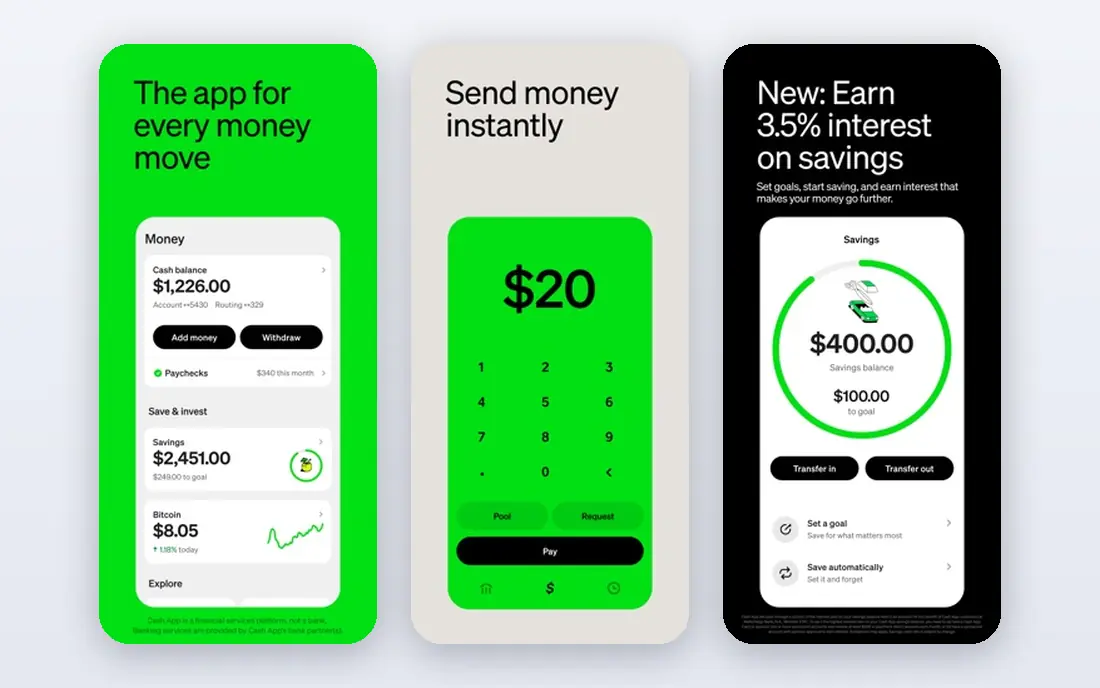
Cash App Card is a free, customisable Visa debit card that spends your Cash App balance anywhere Visa is accepted. It includes a virtual card option for online and wallet payments, and Boosts that give instant discounts at select merchants when activated before you pay. The card can be added to Apple Pay and Google Pay, and the app shows balance and transactions in real time.
Because it is a debit card, it does not extend credit and does not build a credit history in the way a credit card does. ATM access has limits and possible fees, and you must keep funds in Cash App to spend. Cash App Card fits people who already use Cash App for payments and who want a simple debit card with discounts, without a credit application.
- Free Visa debit card linked to Cash App balance
- Boosts give instant discounts
- Works with Apple Pay and Google Pay
- Spends only your Cash App balance, not credit
- ATM withdrawals have limits and possible fees
- No credit building
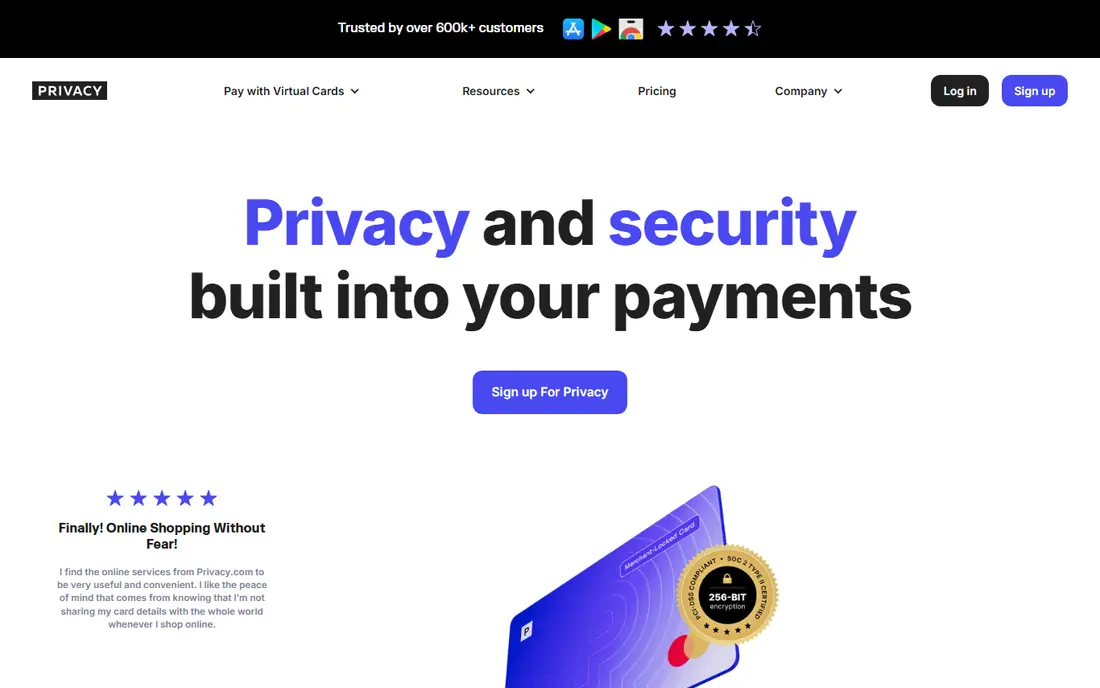
Privacy.com creates virtual cards that can be tied to a single merchant, with a set limit, and paused or closed at any time. That control is ideal for free trials, subscriptions, and online shopping, because a merchant cannot charge beyond the limit you set, and a forgotten trial cannot keep billing an old card number. The free plan covers basic virtual cards, with paid plans from $5 to $25 per month for more cards and features.
Privacy.com is US only and is funded from a linked US bank account or debit card, so it is not a credit card and does not offer credit rewards. It also requires care: a paused card does not cancel a contract with a merchant, so you must still cancel the service itself. Privacy.com fits online shoppers who want strong control over subscriptions and card numbers.
- Virtual cards per merchant
- Pause or close cards instantly
- Limits help control subscriptions and trials
- US residents only
- Funded from a linked bank account or debit card
- Paid plans from $5 per month for more features
Revolut is a financial app with multi currency accounts, physical and virtual cards, and spending controls in one place. Travellers benefit most, because they can hold and spend in different currencies, freeze a card instantly, and get instant transaction notifications. Virtual cards add a layer of safety for online shopping, similar to Privacy.com, but inside a broader banking style app.
The free plan covers basic cards and accounts, while US paid plans start from $9.99 per month for extra benefits. Features and card availability vary by country, so check the US feature list before you rely on a specific benefit. Revolut fits travellers and online shoppers who want one app for cards, currency, and spending controls.
- Multi currency accounts and cards
- Virtual cards included
- Spending controls and instant notifications
- US paid plans start from $9.99 per month for premium tiers
- Features vary by country
Wise offers a multi currency account with a debit card that can hold and spend in many currencies, using a transparent fee model for conversion. A virtual card is free after ordering a physical card in the US, which costs $9 in published comparisons. Instant notifications, card freezing, and spending limits are included in the app.
Wise is a debit product, not a credit card, so it does not offer credit card rewards or credit building. It also suits travellers and people who pay in other currencies more than everyday US only shoppers. Wise fits users who send, hold, or spend money across currencies and who want clear conversion fees.
- Real exchange rate approach for currency conversion
- Virtual card free after a physical card in the US
- Clear fees
- Physical card in the US costs $9 in comparisons
- Not a credit card, so no credit rewards
Venmo Credit Card is a Visa credit card with no annual fee, managed inside the Venmo app that many users already use for peer payments. Cashback is earned in your top spending categories each month, with a higher rate in your top category, a middle rate in the next, and a base rate elsewhere. That structure rewards people whose spending clusters in a few categories, such as dining or groceries.
Category based rewards can disappoint if your spending spreads evenly, and credit approval is required. Interest applies to any balance not paid in full, so the card only makes sense if you pay monthly. Venmo Credit Card fits regular Venmo users who want cashback without a separate bank app and who pay balances in full.
- No annual fee
- Cashback in top spending categories
- Managed in the Venmo app
- Rewards depend on monthly categories
- Needs credit approval
- Interest applies to unpaid balances
Chime Card is the Visa debit card linked to a Chime checking account, an online banking product with no monthly fees and no overdraft fees in its standard model. The app offers instant transaction alerts, card locking, and early direct deposit for eligible users. For everyday debit spending, Chime is simple and low cost.
Chime has no physical branches, so cash deposits and in person help work differently from a traditional bank. It is also a debit card, so it does not build credit or earn credit card cashback. Chime fits people who want a fee free debit account and card managed entirely in an app, and who are comfortable banking online.
- No monthly fees in the Chime model
- Visa debit card
- Early direct deposit and instant alerts
- Online only banking, no branches
- Debit only, so no credit card rewards
- ATM network limits apply
Capital One is a bank app that manages a wide range of credit and debit cards, with controls such as instant card lock, transaction alerts, and virtual card numbers through its Eno assistant for eligible cards. That range matters, because a user can pick a no annual fee cashback card, a travel card, or a secured card for building credit, all managed in the same app.
The app is broader than a card only app, since it also covers bank accounts, which some users may find busy. Rewards, annual fees, and interest rates vary by card, so the app alone does not tell you which card is best. Capital One fits users who want a major bank app with strong card controls and a choice of cards under one login.
- Strong app card controls
- Virtual card numbers through Eno for eligible cards
- Wide card range
- Rewards and fees vary by card
- Credit approval required for credit cards
- App covers banking too, not cards alone
PayPal manages both a debit card linked to a PayPal balance and the PayPal Cashback Mastercard, a credit card with no annual fee in published comparisons. The credit card earns 3 percent cashback when checking out with PayPal and a lower rate elsewhere, which suits shoppers who already pay through PayPal often. The app also shows transactions, lets you lock cards, and manages linked bank accounts and cards.
Rewards fall if you rarely check out with PayPal, and credit approval and interest rules apply to the credit card. PayPal also charges fees for some transaction types, so check the fee schedule for your use. PayPal fits frequent PayPal shoppers who want a card and checkout account in one app.
- PayPal Cashback Mastercard with 3 percent on PayPal checkout in comparisons
- Debit card option
- Buyer protection on eligible purchases
- Rewards depend on PayPal checkout use
- Credit approval for the credit card
- Fees vary by transaction type
Google Wallet is not a card issuer, but it is one of the best card apps for managing cards you already own on Android. You can store credit and debit cards, transit cards, and loyalty cards, tap to pay in stores, and switch cards quickly at checkout. Transaction history and card controls vary by the issuing bank, but the wallet itself is free and simple.
Because Google Wallet does not issue cards, it offers no rewards of its own and no credit approval path. iPhone users should use Apple Wallet instead, since Google Wallet is Android focused. Google Wallet fits Android users who want one clean place to store, choose, and pay with their existing cards.
- Free
- Stores credit, debit, transit, and loyalty cards
- Tap to pay on Android
- Quick card switching
- Not a card issuer itself
- Rewards depend on the underlying card
- Android focused
How we picked these
We compared official product pages, app store listings, and fee and rewards descriptions, focusing on card type, fees, rewards, security controls, and everyday usability. We kept only card apps and wallet apps that are live in the United States in 2026 and that manage real payment cards, rather than gift card marketplaces alone. Fees, rewards, and interest rates change by card and credit profile, so check the terms for the exact card you apply for before you use it.
How to choose a card app
Start with the card you actually use. If you pay with Apple Pay, Apple Card or Apple Wallet makes sense. If you spend from a Cash App balance, Cash App Card makes sense. If you shop online a lot, Privacy.com or Revolut virtual cards give the best control. If you travel, Wise or Revolut give the best currency handling. A card app should fit your existing money habits, not force you into a new bank for a small reward.
Security and spending controls
Turn on transaction alerts, use instant lock when a card goes missing, and set limits on virtual cards for trials and subscriptions. Check statements weekly, even with alerts on, because small recurring charges are easy to miss. For credit cards, set autopay for at least the minimum, and aim to pay in full to avoid interest. For debit cards, keep a buffer in the account, since debit holds and pending transactions can affect available funds.
Rewards without debt
Rewards are only a gain if you pay the balance in full and do not spend extra to chase them. Compare the annual fee, interest rate, and reward rate together, not the reward rate alone. A no annual fee card with a modest reward often beats a premium card with a high fee if you do not use the premium benefits. If a card tempts you to overspend, a debit card or a virtual card with a strict limit is the safer choice.
Frequently asked questions
What is the best card app?
Apple Card is best for iPhone and Apple Pay users, Cash App Card is best for debit spending, and Privacy.com is best for virtual cards. For travel, Revolut and Wise lead, while Google Wallet is best for storing existing cards on Android. Match the app to your card type and spending habits.
What are the best card apps for virtual cards?
Privacy.com is the most focused virtual card app, with per merchant cards and limits. Revolut and Wise also offer virtual cards inside broader apps, and Capital One offers virtual numbers for eligible cards through Eno. Use virtual cards for trials and subscriptions, but still cancel the service itself when you stop using it.
What is the best app for cards if I want cashback?
Venmo Credit Card and PayPal Cashback Mastercard offer no annual fee cashback, with rates that depend on categories or PayPal checkout use. Apple Card offers Daily Cash for Apple Pay users. Compare the reward structure against your actual spending, and pay balances in full to keep rewards from being eaten by interest.
Are card apps safe?
Major card apps use encryption, transaction alerts, and instant card locking, which help limit fraud. Safety also depends on you: use strong passwords, turn on two factor authentication, and never share card numbers or verification codes. Report lost cards and suspicious transactions to the issuer at once, and check statements regularly.
Do card apps charge fees?
Many card apps are free to download and use, but the underlying card may have fees. Credit cards may charge interest, and some premium tiers charge monthly fees. Debit apps may charge for instant transfers or out of network ATM use. Read the fee schedule for your exact card before you rely on a free headline.
Sources
See where you really rank - block by block
ProMapRanker scans Google Maps across a grid of your service area. Simple monthly plans from $19, white-label on every plan.
Start freeKeep reading
 zscaler alternatives
Best Zscaler Alternatives in 2026
Looking for zscaler alternatives? We compare 9 SASE and zero trust platforms on architecture, data protection, pricing, and fit for your network and team.
Read → zapier alternatives free
Best Zapier Alternatives Free in 2026
Nine automation tools for zapier alternatives free in 2026, all with genuinely free tiers, plus free plan limits, starting prices and upgrade paths explained.
Read → which platform is best for online reputation
Which Platform Is Best for Online Reputation in 2026
Wondering which platform is best for online reputation? We compare 8 review, listing, and response tools for small and multi-location businesses and agencies.
Read →