 ProMapRanker
Best Car Scanner Diagnostic Tool in 2026

Key takeaways
- BlueDriver is our first pick for most drivers because it gives full code reading and repair guidance without a yearly subscription.
- FIXD suits drivers who want plain English explanations, while Carly, Carista, and OBDeleven suit owners who want coding and brand-specific features.
- Handheld scanners such as the Innova 5610 and FOXWELL NT301 work without a phone and suit garage use.
- Always check that a scanner supports your car year, make, and model before you buy, since depth of coverage varies a lot by brand.
Quick comparison
| Pick | Great for | Pricing starts at | Free tier | |
|---|---|---|---|---|
 BlueDriver | Most drivers, no subscription | See website | Yes | Visit |
 FIXD | Plain English code explanations | See website | Yes | Visit |
 Carly | Coding and checks for European cars | See website | Free trial | Visit |
 OBDLink MX+ | App flexibility and data logging | See website | Yes | Visit |
 Carista | Coding and service functions | See website | Free trial | Visit |
 OBDeleven | Volkswagen Group cars | See website | Yes | Visit |
 Autel MaxiCOM MK808Z | Serious DIY and small shops | See website | No | Visit |
 Innova 5610 | Handheld all-system scanning | See website | Yes | Visit |
 FOXWELL NT301 | Simple, low-cost code reading | See website | No | Visit |
The best car scanner diagnostic tools
A check engine light can mean a loose fuel cap or a costly repair, and a scanner helps you tell the difference before you visit a shop. These tools range from small Bluetooth dongles that pair with a phone to handheld units with their own screens.

BlueDriver pairs a Bluetooth dongle with a phone app and reads codes across all major systems on many cars, not just the engine. Its repair reports link a code to verified fixes, which helps you judge if a repair is urgent, simple, or best left to a shop. Live data and freeze frame data show what the car was doing when a fault was recorded.
The main limit is that BlueDriver is a diagnostic tool, not a coding tool. You cannot use it to change vehicle settings in the way Carly or OBDeleven allow. For most drivers, that trade is worth it, because you get strong diagnostics with no yearly fee eating into the saving from avoiding one unnecessary shop visit.
- No subscription for the app
- Verified repair reports
- Live data and freeze frame data
- No coding features
- Some brand-specific systems are not covered in depth
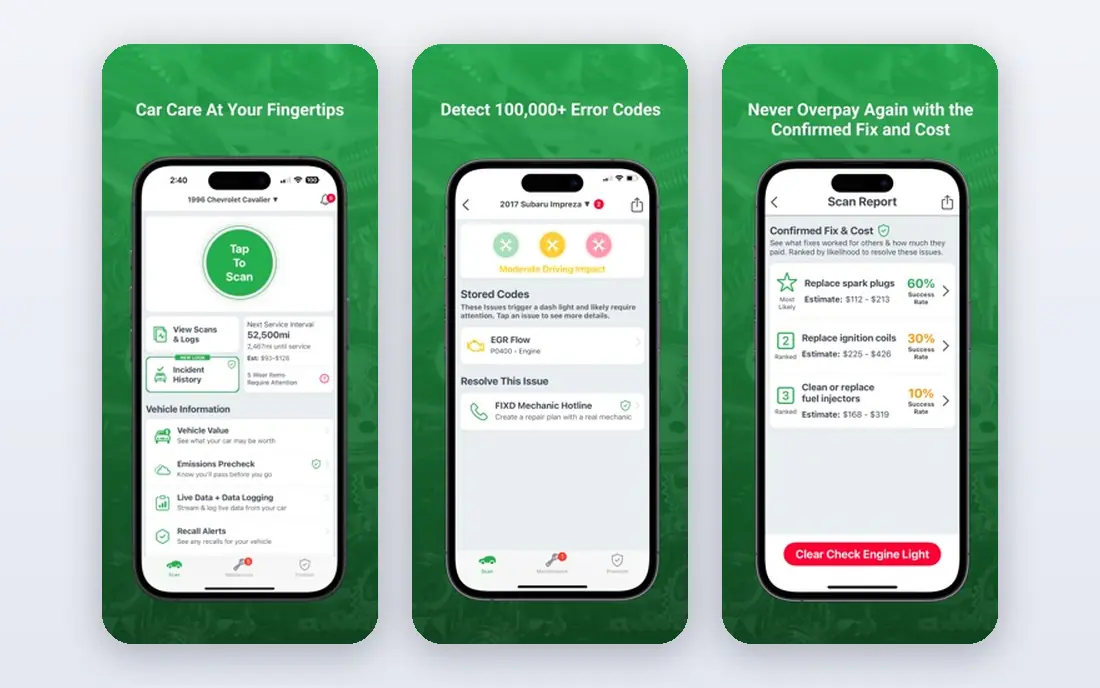
FIXD is built for drivers who do not want to learn diagnostic jargon. The app translates codes into plain English, rates severity, and sends maintenance reminders based on mileage and schedule. That makes it easy to decide if you can keep driving, book a shop soon, or stop and call for help.
The free tier reads and clears basic engine codes, but full-system diagnostics, repair cost estimates, and the mechanic hotline sit behind FIXD Premium. If you only need an occasional check, the free tier may be enough. If you want the full guidance, factor the yearly subscription into the total cost before you compare it with a no-subscription tool.
- Clear severity ratings
- Maintenance reminders
- Mechanic hotline on Premium
- Best features need a Premium subscription
- Free tier covers engine codes only
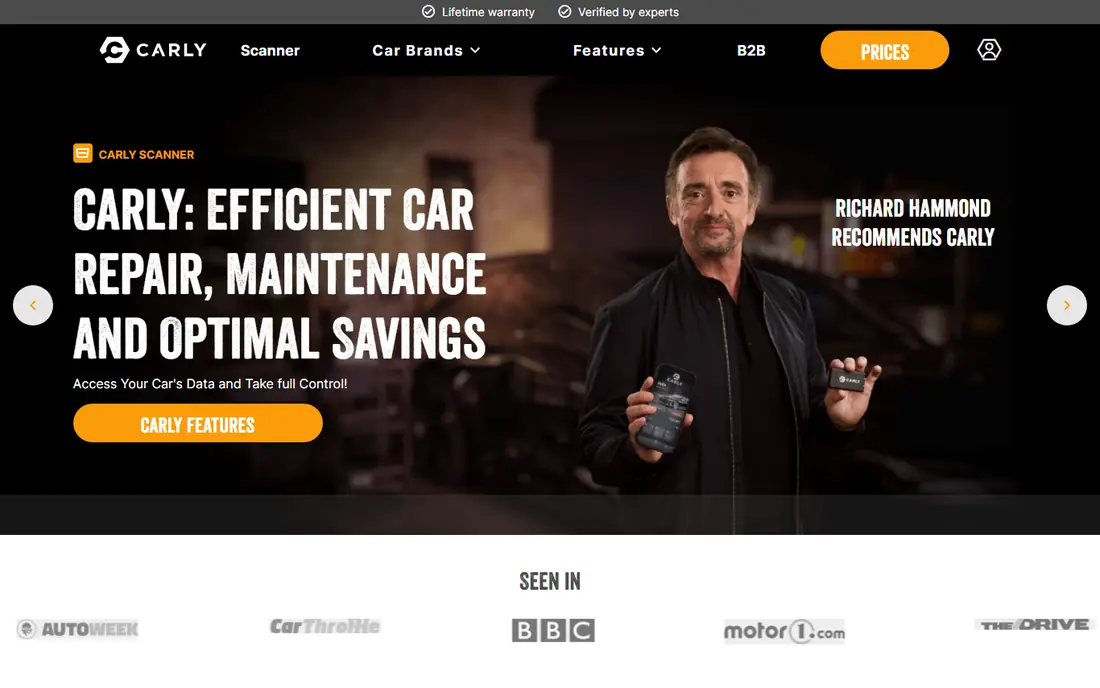
Carly combines diagnostics with coding, so owners can change settings, check battery health, and run a used car check that looks for mileage issues. It is strongest for BMW, Mercedes, Audi, and Volkswagen models, where its brand-specific features go beyond generic code reading. That depth is why many European car owners pick it over a generic dongle.
Carly needs its own adapter and a yearly subscription, so the total cost over a few years is higher than a one-time dongle. Depth also varies, so check the supported functions for your exact model before you buy. If coding is not something you will use, a simpler scanner will give you the same basic answers for less.
- Coding and customization on many brands
- Used car check with mileage data
- Battery registration
- Yearly subscription
- Depth varies by car brand and model
OBDLink MX+ is a Bluetooth adapter that works with a wide range of third-party apps, including tools for Ford and BMW models as well as general scan apps. That flexibility appeals to owners who already like a particular app, or who want to log data, graph sensors, or use a specialist app for their car brand. The hardware itself is compact and stays plugged in without draining attention.
The trade-off is that you must choose and sometimes pay for the app separately, and feature quality depends on that app. If you want one app that does everything out of the box, BlueDriver or FIXD is simpler. If you want to mix apps for different jobs, the MX+ is the most flexible dongle in this list.
- Works with many third-party apps
- Fast Bluetooth connection
- Good for data logging
- App choice can be confusing
- Some apps need separate purchase
Carista started as a coding app and now covers diagnostics, service resets, and live data for supported brands. It can handle tasks such as electronic parking brake service, tire pressure resets, and battery registration on some models, which saves a shop visit for routine work. It also works with its own adapter and with some third-party adapters.
A subscription is needed for the full feature set, so check the free tier first to see which functions your car supports. Coding is powerful, but it can also change settings you may not want to change, so use it with care and note your original settings where the app allows it.
- Coding across many brands
- Service functions such as resets
- Works with third-party adapters
- Yearly subscription for full features
- Coding depth varies by brand
OBDeleven is the specialist pick for Volkswagen, Audi, Skoda, and Seat owners. It reads full-system codes, offers coding through one-click apps, and supports service functions for those brands at a depth generic tools cannot match. The basic app is free, with a Pro plan and credits for more advanced work.
Outside Volkswagen Group cars, OBDeleven has far less to offer, so it is not a good general household scanner if your cars come from different makers. For a Volkswagen Group household, though, it often replaces several generic tools and gives you dealer-style access at a fraction of dealer prices.
- Deep Volkswagen Group coverage
- Coding with one-click apps
- No subscription for basic use
- Limited value outside Volkswagen Group
- Some advanced features use credits or a Pro plan
The Autel MaxiCOM MK808Z is a tablet scanner for owners and small shops that work on many cars. It scans all systems, runs service functions, and shows live data on a large screen, without needing a phone. That makes it practical in a workshop where a phone is not ideal, and where you need to move between cars quickly.
Price and update costs are the main limits. Tablet scanners cost far more than dongles, and coverage for newer models can depend on keeping software current. For a home user with one car, it is more tool than you need. For a serious DIY owner or a small shop, the breadth and speed can justify the outlay.
- All-system scanning on many brands
- Many service functions
- Tablet with its own screen
- Higher price
- Software updates may need a paid renewal after the first period
The Innova 5610 CarScan Pro is a handheld scanner with a color screen, physical buttons, and a cable, plus Bluetooth linking to the Innova RepairSolutions2 app. It reads all systems, shows graphed live data, and includes battery and alternator tests. The app adds verified fix information, recall notices, and repair difficulty guidance without a subscription.
A handheld suits garage work where you do not want to balance a phone, and where gloves and grease make a touchscreen awkward. The downside is size and price: it costs much more than a dongle, and a phone-based tool may be enough if you only scan one car now and then.
- Handheld with color screen and Bluetooth app link
- All-system scans
- No app subscription for RepairSolutions2
- Bulkier than a dongle
- Price sits close to tablet scanner territory
The FOXWELL NT301 is a basic handheld code reader for drivers who want a simple answer at a low price. Plug it in, read the code, clear it if needed, check live data, and run a smog readiness check. It needs no phone, no app, and no subscription, which keeps it simple for a glovebox tool.
It will not scan ABS, airbag, or other systems on most cars, and it cannot code or run service functions. That is fine if your goal is to check an engine light before a shop visit. If you need deeper diagnostics, spend more on BlueDriver, the Innova 5610, or an Autel tablet instead.
- Low price
- No phone or subscription needed
- Smog check and live data
- Engine codes only on most cars
- No coding or all-system depth
How we picked these
We compared official product pages, app store listings, and public product guides for scanners that are sold and supported in October 2026. We kept tools that read standard OBD-II codes on 1996 and newer US cars, and we favored tools with clear coverage notes for common makes. We noted subscription costs and update costs where they affect the total price, and we did not claim hands-on testing.
How to choose a car scanner
Start with your car, not with the scanner. Check the year, make, model, and engine, then confirm on the vendor site that the scanner supports the systems you care about. A tool that reads every system on a Toyota may only read engine codes on a BMW, so brand coverage matters more than a long feature list.
Dongle or handheld
A Bluetooth dongle is small, cheap, and easy to leave plugged in, and the phone screen makes graphs and reports easy to read. A handheld works without a phone, survives garage use better, and often includes its own cable and screen. If you scan cars for friends or run a small shop, a handheld or tablet is more practical. If you scan your own car a few times a year, a dongle is enough.
Check the ongoing cost
Add the adapter or device price, any app subscription, and any software renewal fee. A $20 dongle with a $99 yearly subscription costs more over three years than a $120 dongle with no subscription. Also check update policy: tools that stop updating for new models lose value as cars change, even if the hardware still works.
Use codes with care
A code points to a system, not always to a failed part. Check live data, freeze frame data, and the repair guidance before you replace parts. Clear a code only after you note it, and if a safety system such as brakes or airbags is involved, get a qualified shop to inspect the car. A scanner helps you ask better questions, but it does not replace a physical inspection.
Frequently asked questions
What is the best auto diagnostic software for a beginner?
FIXD and BlueDriver are the easiest starts for beginners. FIXD explains codes in plain English with severity ratings, while BlueDriver gives repair reports and live data without a subscription. Both use a phone app, so setup is quick.
What is the best auto scanner tool for coding?
Carly, Carista, and OBDeleven are the coding picks in this list. Carly suits a mix of European brands, Carista covers many brands with service functions, and OBDeleven is best for Volkswagen Group cars. Check supported coding functions for your exact model before you buy.
Do I need a subscription for a car scanner?
Not always. BlueDriver, the Innova 5610 app, and basic handheld readers work without a yearly app fee. FIXD Premium, Carly, and Carista need subscriptions for their best features. Compare the three-year total cost, not just the adapter price.
Will these scanners work on my car?
Most tools in this list work on 1996 and newer gasoline cars sold in the US through the standard OBD-II port, which is usually under the dashboard. Depth of coverage, especially for ABS, airbag, and transmission systems, varies by make and model. Confirm your car on the vendor site before ordering.
Can a scanner clear a check engine light?
Yes, most scanners can clear engine codes after reading them. Clearing a code does not fix the cause, and the light may return if the fault is still present. Note the code and freeze frame data first, and fix the cause before you clear it for good.
Sources
See where you really rank - block by block
ProMapRanker scans Google Maps across a grid of your service area. Simple monthly plans from $19, white-label on every plan.
Start freeKeep reading
 zscaler alternatives
Best Zscaler Alternatives in 2026
Looking for zscaler alternatives? We compare 9 SASE and zero trust platforms on architecture, data protection, pricing, and fit for your network and team.
Read → zapier alternatives free
Best Zapier Alternatives Free in 2026
Nine automation tools for zapier alternatives free in 2026, all with genuinely free tiers, plus free plan limits, starting prices and upgrade paths explained.
Read → which platform is best for online reputation
Which Platform Is Best for Online Reputation in 2026
Wondering which platform is best for online reputation? We compare 8 review, listing, and response tools for small and multi-location businesses and agencies.
Read →