 ProMapRanker
Best Call Tracking Software for Home Services in 2026

All-round tracking for local service businesses · Pricing starts at: See website
Direct answer
CallRail is my top pick for home services because it ties every inbound call to the ad, keyword, landing page or Google Business Profile listing that produced it, and it routes calls to the right crew. It offers a free trial, so you can test the call flow before committing. If you mainly want to see which marketing produces booked jobs, look at WhatConverts; if you need deep routing and IVR for a multi-location operation, look at CallTrackingMetrics.
I compared these tools from vendor documentation and public sources, not from hands-on testing. I looked at how each one handles dynamic number insertion, call routing, recording, Google Ads and Google Business Profile attribution, and reporting that a plumbing, HVAC, roofing or electrical business would actually use. The order reflects fit for home services, not a lab benchmark.
Key takeaways
- Home service businesses live on phone calls, so tracking which ad, keyword or listing produced each call matters more than most dashboard features.
- Dynamic number insertion swaps the number on your site per visitor source, which keeps your main business number intact in Google Business Profile.
- Call recording and lead scoring help you separate real job inquiries from spam and supplier calls.
- Routing rules matter when you run dispatch, on-call rotations or several locations.
- Check how each vendor handles Google Ads integration and consent rules before you buy.
Quick comparison
| Pick | Great for | Pricing starts at | Free tier | |
|---|---|---|---|---|
| CallRail | All-round tracking for local service businesses | See website | Free trial | Visit |
 WhatConverts | Lead attribution across calls and forms | See website | Free trial | Visit |
 CallTrackingMetrics | Multi-location routing and contact center features | See website | Free trial | Visit |
 Invoca | Larger home service brands with sales teams | See website | Not stated | Visit |
 Marchex | Conversation analytics at scale | See website | Not stated | Visit |
 Ringba | Pay-per-call and lead-gen setups | See website | Free plan | Visit |
 Phonexa | Combined call and lead management | See website | Not stated | Visit |
The best call tracking software for home services compared
CallRail is the tool I would point most home service owners to first. It tracks calls from your website, Google Ads, Google Business Profile and offline sources, then shows which one produced the call. For a plumbing or HVAC company that gets most jobs by phone, that answers the question of where the work comes from.
In daily use, you set up tracking numbers per source, turn on dynamic number insertion so website visitors see the right number, and route calls to dispatch or the on-call tech. Call recording and lead scoring help you spot missed jobs and junk calls, and the Google Ads integration feeds call conversions back into your campaigns. Reports can be shared with whoever handles your marketing.
The limits are practical. Each tracking number and each minute has a cost, so a business with many locations and campaigns should map out volume first. A one-van operator who only wants basic call counts may find a simpler tool cheaper.
- Clear call-to-source attribution
- dynamic number insertion for websites
- Google Ads and Google Business Profile call reporting
- call recording and lead scoring
- Costs rise with numbers and minutes
- advanced features sit on higher tiers
WhatConverts treats every inquiry as a lead, whether it arrives by phone, web form or chat. For a home service business that gets a mix of calls and quote requests, that single view is useful because it shows the full picture rather than just the phone side.
The workflow suits owners who want to know which keyword or campaign produced a booked estimate. You tag leads, mark which ones turned into jobs, and export reports. For an agency running local campaigns for a roofer or electrician, the client-facing reports are a practical feature.
The trade-off is setup time. You need to plan tracking numbers, form tracking and lead statuses before the data gets useful. A small business that only wants call counts may find it more than needed.
- Combines calls, forms and chats in one lead view
- strong keyword and campaign attribution
- lead reports you can send to clients
- Setup requires planning
- interface has a learning curve
CallTrackingMetrics
Great for: Multi-location routing and contact center features
CallTrackingMetrics is built for operations that need real call handling, not just counting. A home service company with several branches, a dispatch desk and after-hours on-call rotations can route calls by location, service type or time of day.
The IVR and queue features let you send emergency calls to the right person and keep routine inquiries in a queue. Recording and reporting help managers review how calls were handled. It also connects to common CRMs and ad platforms.
The downside is complexity. Setting up routing trees and queues takes time, and the pricing reflects usage. A single-location business with one phone line will likely be over-served.
- Detailed routing and IVR
- agent and queue management
- call recording and reporting
- More configuration than small crews need
- pricing scales with usage
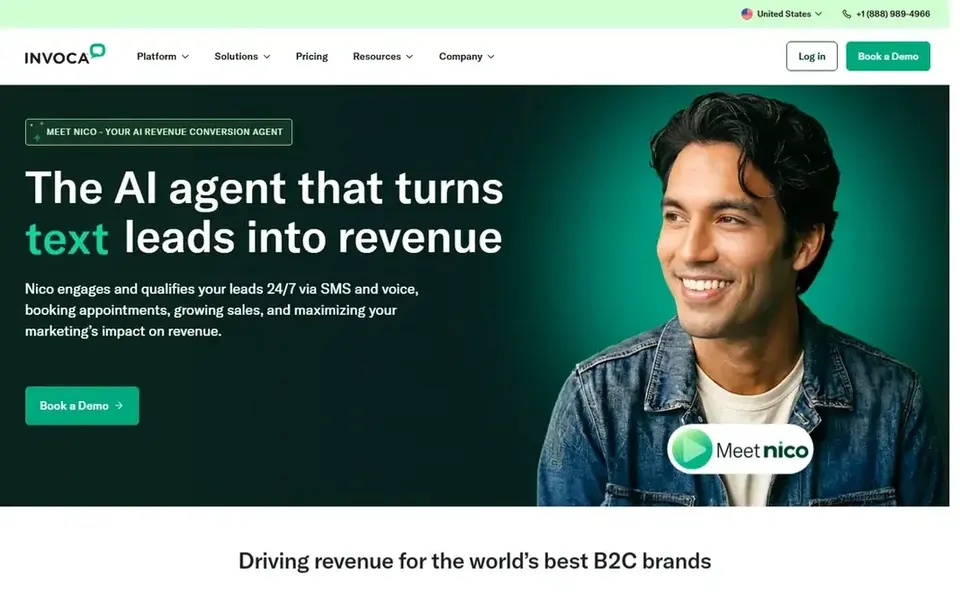
Invoca leans toward larger advertisers and brands with sales teams. It analyzes call conversations and connects them to marketing campaigns, which suits a regional home service brand running paid search and display across many markets.
For home services, the value is in understanding which campaigns produce qualified calls, not just any call. It integrates with ad platforms and CRMs so call outcomes feed back into bidding and reporting.
It is not aimed at a single-crew business. Pricing is quote-based and the setup assumes a marketing team. Smaller operators should look at the simpler tools above.
- Conversation analytics
- integrations with major ad and CRM platforms
- reporting for larger teams
- Enterprise focus
- quote-based pricing
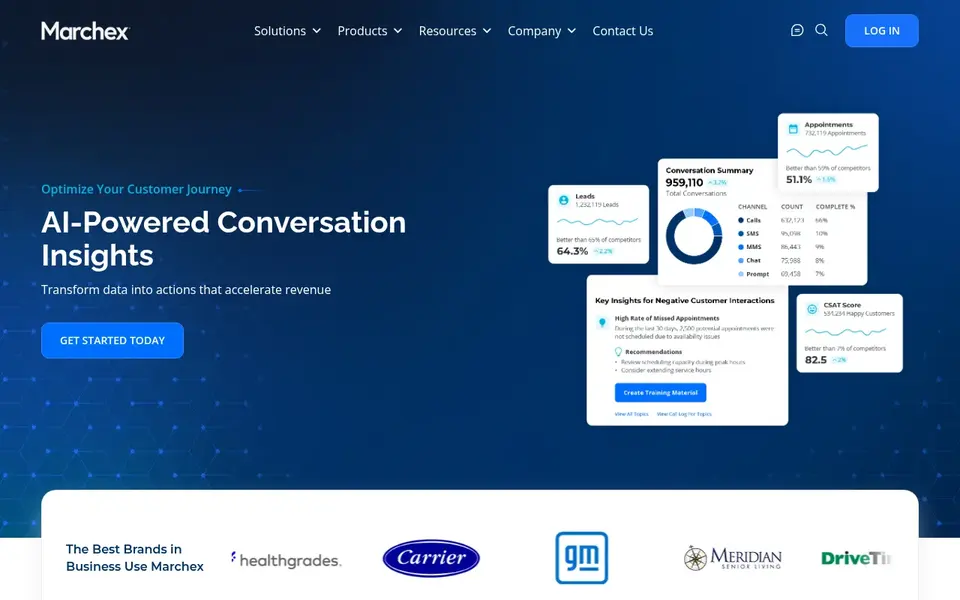
Marchex focuses on conversation analytics for larger advertisers. A home service brand spending across many markets can use it to see which campaigns produce real job inquiries and which produce noise.
The product is built around analyzing calls at volume, so it fits companies with marketing teams and agencies managing budgets. It is not a quick self-serve tool for a small contractor.
If you run a single location or a small crew, skip it. The value shows up at scale, and pricing is quote-based.
- Call analytics and conversation insights
- built for larger advertisers
- reporting for multi-market campaigns
- Enterprise-oriented
- quote-based pricing
Ringba is built around pay-per-call and lead-generation workflows. That fits home service businesses that buy or sell calls, or agencies that run call campaigns for contractors and need to route and track them.
For a contractor who simply wants to know which ad produced a call, Ringba is more machinery than needed. It shines when calls are bought, sold or distributed among buyers.
The free plan makes it easy to try, but the model assumes a call marketplace. Traditional dispatch-focused businesses should look at CallRail or CallTrackingMetrics instead.
- Built for call marketplace workflows
- routing and tracking tools
- free plan to start
- Oriented to lead-gen, not typical contractor dispatch
- setup assumes call-selling model
Phonexa combines call tracking with lead management and marketing tools. It suits agencies and marketers running multiple channels for home service clients, where calls and leads need one system.
For a contractor, the appeal is having calls, leads and reporting in one place. The breadth is also the drawback: there is a lot to configure, and pricing is quote-based.
A small home service business that only needs call attribution will find lighter tools faster to set up.
- Call tracking plus lead management
- routing and reporting
- suits agencies and multi-channel marketers
- Broad feature set can feel heavy
- quote-based pricing
How I chose
I built this list from vendor documentation and public sources, not from hands-on testing. I read each vendor's product pages, feature lists and integration notes, then judged fit for home service businesses: plumbers, HVAC, roofing, electrical, pest control, garage door and similar trades that depend on inbound calls. I weighted call attribution to ads and Google Business Profile, routing, recording, reporting and how much setup a small crew can handle.
I also weighed limits. Some tools are built for enterprise advertisers, some for pay-per-call marketplaces, and some for everyday local service businesses. The order reflects that fit, not a lab score. Where pricing is quote-based or a free plan is unclear, I say so rather than guess, and I left out any figure I could not confirm.
What to check before you buy
- Confirm dynamic number insertion works with your website platform so your Google Business Profile number stays consistent.
- Check how the tool attributes calls to Google Ads and Google Business Profile, since those are common sources for home service leads.
- Ask how tracking numbers and minutes are billed, because a busy dispatch line can add up.
- Test call routing for after-hours and emergency calls before you commit.
- Confirm call recording consent rules for your state and how the vendor handles them.
- Check whether reports are simple enough for your office manager or marketing agency to use without training.
Frequently asked questions
Do I need call tracking if I already use Google Ads?
Yes, if calls are a main lead source. Google Ads reports calls from ads, but a call tracking tool shows which keyword, campaign or landing page produced the call and whether it became a job. That helps you cut spend on campaigns that produce junk calls and put budget where booked work comes from.
Will call tracking change the number on my Google Business Profile?
It can if you use a static tracking number there. The safer approach is to keep your main business number on Google Business Profile and use dynamic number insertion on your website and ads. Check each vendor's guidance on Google Business Profile numbers before you set anything up.
Can call tracking show which calls turned into jobs?
Some tools let you tag calls as leads or jobs, and some connect to a CRM so outcomes flow back. CallRail, WhatConverts and CallTrackingMetrics all offer lead status or CRM connections. You still need someone to mark outcomes, so plan a simple process for your office staff.
Is call recording allowed for home service businesses?
Rules vary by state, and some require all-party consent. Check your state's rules and how the vendor handles consent notices. A common approach is a short recorded greeting that tells callers the call may be recorded. Confirm the details with the vendor and your own adviser before recording.
What is the cheapest way to start with call tracking?
Start with one tool that offers a free trial, set up a few tracking numbers for your main sources, and measure for a month before adding more. CallRail and WhatConverts both offer trials. Avoid buying many numbers up front, because unused numbers and minutes still cost money.
Sources
See where you really rank - block by block
ProMapRanker scans Google Maps across a grid of your service area. Simple monthly plans from $19, white-label on every plan.
Start freeBrowse all guides
← Best Review Request Software for Window Cleaning Companies in 2026Best Call Tracking Software for Med Spas in 2026 →
 best review request software for tree service companies
Best Review Request Software for Tree Services in 2026
A first-person guide to review request software for tree service companies, compared from vendor docs and public sources, with pricing and fit notes.
Read → best review request software for solar installers
Best Review Request Software for Solar Installers in 2026
A practical guide to the best review request software for solar installers in 2026, comparing request timing, follow-ups, and Google review workflows.
Read → best review request software for junk removal companies
Best Review Request Software for Junk Removal Companies in 2026
A practical guide to the best review request software for junk removal companies in 2026, compared from vendor documentation and public sources.
Read → google maps seo optimization
Google Maps SEO Optimization: A Pro-Level Checklist
A pro-level Google Maps SEO optimization checklist to maximize local visibility and conversions.
Read → local seo for dentists
Local SEO for Dentists: How to Fill Your Chairs From Google Maps
A local SEO playbook for dentists: GBP optimization, reviews, and geo-grid tracking to win the map pack.
Read → local seo for bakeries
Local SEO for Bakeries
A local SEO guide for bakeries: Google Business Profile setup, reviews, and custom-order and walk-in local SEO for bakeries.
Read →More in Local SEO & Google Maps · All guides A to Z by date · Latest guides