 ProMapRanker
Best Calendar App in 2026: 8 Apps Compared


Most people and cross-platform scheduling · Pricing starts at: Free
Key takeaways
- Google Calendar is the best calendar app for most people, since it is free, cross-platform and deeply integrated with Gmail and Meet.
- Apple Calendar suits Apple users best, with free built-in scheduling across iPhone, Mac and Watch.
- Fantastical is the best premium calendar for Apple users, thanks to natural language event creation and calendar sets.
- Calendly is not a full calendar, but it is the best tool for letting other people book time with you without email back-and-forth.
- Reclaim and Motion suit busy professionals who want tasks and focus time scheduled automatically around meetings.
Quick comparison
| Pick | Great for | Pricing starts at | Free tier | |
|---|---|---|---|---|
| Google Calendar | Most people and cross-platform scheduling | Free | Yes | Visit |
 Apple Calendar Apple Calendar | Apple ecosystem users | Free | Yes | Visit |
 Microsoft Outlook Calendar Microsoft Outlook Calendar | Microsoft 365 teams and work scheduling | Free | Yes | Visit |
 Fantastical Fantastical | Apple power users and natural language input | Free | Yes | Visit |
 Calendly Calendly | Letting others book time with you | Free | Yes | Visit |
 Notion Calendar Notion Calendar | Notion users who plan in one workspace | Free | Yes | Visit |
 Reclaim Reclaim | Automatic time blocking and focus protection | Free | Yes | Visit |
 Motion Motion | AI scheduling for overloaded professionals | See website | No | Visit |
The best calendar apps
We compared official feature pages, pricing pages, app store listings and public reviews for leading calendar tools. The best calendar software for you depends on your email system, your devices, and whether you need a personal calendar, a booking tool or an AI planner. All eight tools below are actively maintained and available in 2026.
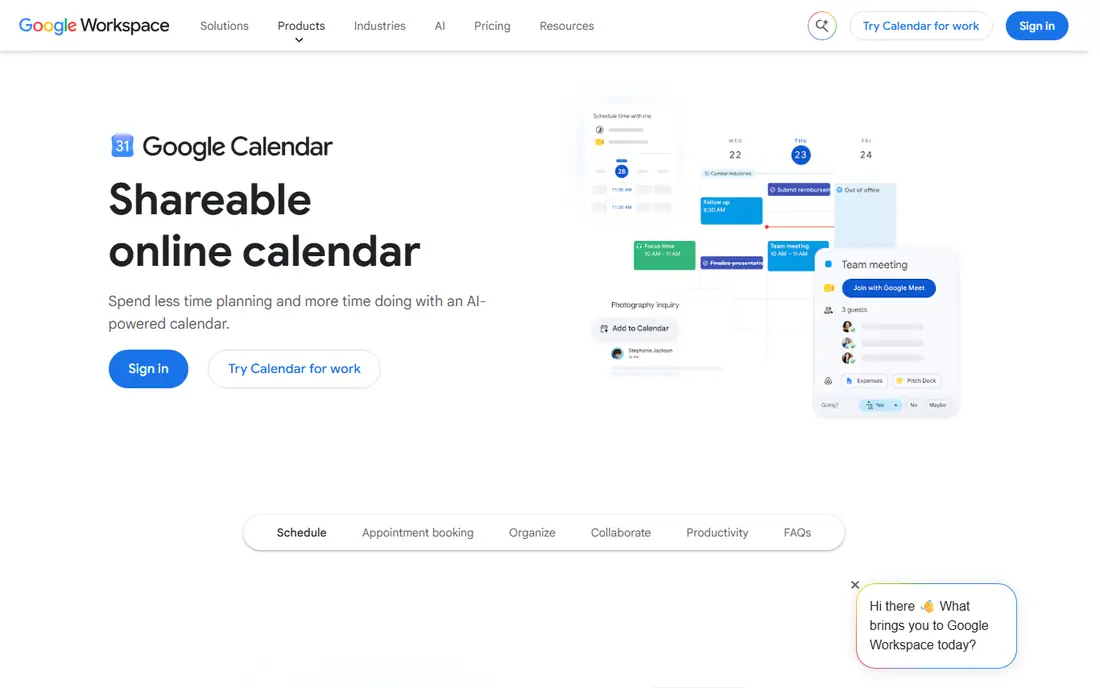
Google Calendar is our pick for most people, and its strength is ubiquity. It is free with any Google account, works on web, iPhone and Android, and pulls events from Gmail automatically. Sharing calendars, inviting guests and checking colleagues availability is simple, and integration with Meet makes video calls one tap away.
The honest catch is depth. Google Calendar handles events well, but its built-in task management is basic compared with Motion or Reclaim, and advanced admin controls require a paid Workspace plan. For personal scheduling, family sharing and small teams on Google, though, it is the best calendar app to start with, and it costs nothing to keep.
- Free with any Google account
- Works on web, iOS and Android
- Gmail and Meet integration
- Task management is basic compared with dedicated planners
- Advanced team features need Workspace
Apple Calendar is the best app calendar for people who live on iPhone and Mac. It is built in, free, and syncs through iCloud across iPhone, iPad, Mac and Apple Watch, with family sharing and Focus filters that tie calendars to work or personal modes. Siri can create events by voice, and invitations arrive cleanly in Mail.
The limit is platform. Apple Calendar works best inside Apple devices, and Windows or Android users will find Google Calendar or Outlook more natural. Power users may also miss Fantastical natural language input and calendar sets. If your devices are Apple, Apple Calendar covers daily scheduling well without a subscription, and it pairs neatly with Reminders for tasks.
- Free and built into iOS and macOS
- ICloud sync and family sharing
- Siri and Focus integration
- Apple devices only for full experience
- Fewer power features than Fantastical
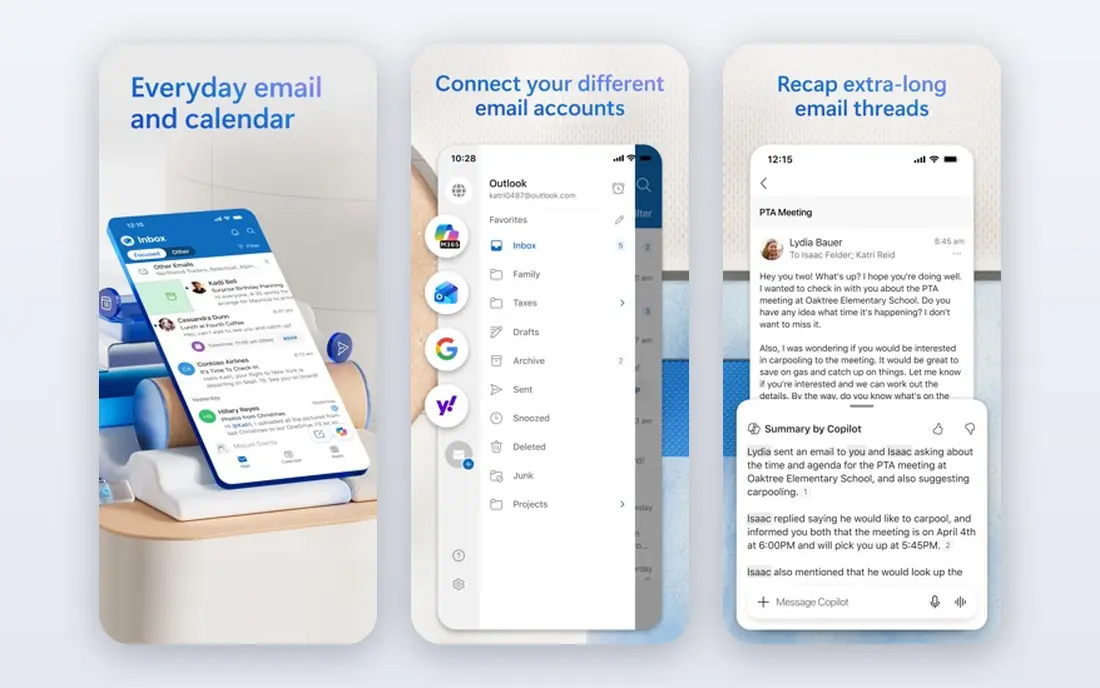
Outlook Calendar suits workplaces that run on Microsoft 365. It shares email, calendar and Teams in one app, supports delegate access so an assistant can manage a diary, and handles room booking, scheduling polls and shared team calendars well. A free version exists with a Microsoft account, and paid Microsoft 365 plans add storage and admin controls.
The downside is elegance for personal use. Outlook Calendar can feel busy compared with Google or Apple Calendar, and its mobile app carries email and calendar together, which some users dislike. If your job already uses Outlook and Teams, Outlook Calendar is the natural work calendar. If you want a simple personal calendar, Google Calendar will feel lighter.
- Deep Outlook email and Teams integration
- Delegate access for assistants
- Strong work scheduling features
- Interface can feel busy
- Personal use is less elegant than Google or Apple Calendar
Fantastical is the best premium calendar app for Apple users. Type a sentence such as lunch with Sam on Friday at noon, and Fantastical turns it into a structured event with location and alerts. Calendar sets let you switch between work, personal and family views in one tap, and widgets, weather and interesting calendars add polish.
The catch is price and platform. The best features need a Fantastical Premium subscription, and there is no Android version, so cross-platform households need another tool. Free users still get a solid calendar, but the premium experience is the reason to choose Fantastical. If you schedule many events on Apple devices, its input speed alone can justify the cost.
- Natural language event creation
- Calendar sets for work and personal views
- Weather and interesting calendars
- Premium features need a subscription
- Apple platforms only
- No Android version
Calendly is different from the other apps here: it is a scheduling tool, not a full calendar. Share a link, and clients or colleagues pick a time that fits your actual availability, without the usual email chain. It syncs with Google, Outlook and Apple calendars, so booked events appear in your main calendar automatically.
The limit is scope. Calendly does not replace Google Calendar or Apple Calendar for daily planning, and team routing, round-robin booking and advanced workflows need paid plans. For sales, recruiting, coaching or any role with frequent external meetings, Calendly is the best work calendar app companion, and its free plan covers basic booking well.
- Simple booking links
- Syncs with Google, Outlook and Apple calendars
- Reduces scheduling emails
- Not a full calendar app
- Advanced routing and team features need paid plans
Notion Calendar, formerly Cron, suits people who already plan life in Notion. It connects your Google calendars with Notion pages and databases, so meeting notes, projects and schedules sit in one workspace. The design is clean, scheduling links are included, and time zone handling is strong for distributed teams.
The trade-off is dependence on Notion. If you do not use Notion, Google Calendar offers a simpler experience, and Notion Calendar task depth trails Motion or Reclaim for automatic planning. For Notion users, though, it removes the split between notes and calendar, and that single-workspace benefit is real. It is also one of the best digital planner apps for people who like visual planning.
- Free
- Connects calendars with Notion docs and databases
- Clean timeline and scheduling views
- Needs a Notion account for full value
- Task and calendar depth trails dedicated planners
Reclaim is the best calendar app for people whose days are eaten by meetings. It automatically finds time for tasks, habits, lunch and focus blocks, and reschedules them when meetings move. That automation protects deep work without manual calendar Tetris, and its free plan covers basic scheduling for individuals.
The limit is ecosystem. Reclaim works best with Google Calendar, so Outlook-only users get less value, and team features need paid plans. It also takes a week or two to learn your patterns before it feels smart. If you use Google Calendar and struggle to protect focus time, Reclaim is a strong upgrade, and it pairs well with Calendly for external bookings.
- Auto-schedules tasks, habits and focus time around meetings
- Free plan available
- Google Calendar integration
- Google Calendar only for full integration
- Advanced features need paid plans
Motion is the most powerful planner on this list, and the most expensive. It combines calendar, tasks and project management, then uses AI scheduling to build each day around priorities and deadlines, rescheduling automatically when meetings shift. For overloaded managers, founders and teams juggling many projects, that automation can reclaim hours each week.
The catch is price and setup. Motion has no free plan, costs more than a standard calendar, and needs careful setup before it helps rather than hinders. Casual users will find Google Calendar or Reclaim simpler and cheaper. If your calendar is constantly overbooked and tasks slip, Motion is the tool most likely to fix the system rather than just display it.
- Combines calendar, tasks and projects
- Auto-reschedules when plans change
- Strong for teams with heavy workloads
- Higher price than other calendars
- No free plan
- Learning curve for setup
How we picked these
We compared official feature pages, pricing pages, app store listings and public reviews for leading calendar apps. We favoured tools that are actively maintained, work across current devices, and serve a distinct need: everyday scheduling, Apple or Microsoft ecosystems, premium input, booking links, Notion planning, automatic time blocking or AI scheduling. We treated pricing as a snapshot, since calendar vendors change plans often, and we noted where a tool is a companion rather than a full calendar replacement.
How to choose a calendar app for work and life
Start with your email and devices. Google users should start with Google Calendar, Apple users with Apple Calendar, and Microsoft 365 teams with Outlook Calendar, since native integration beats any feature list. Switching ecosystems for a calendar app rarely pays off unless you also switch email.
Next, decide whether you need a calendar, a booking tool or a planner. A calendar shows time, a booking tool such as Calendly lets others claim time, and a planner such as Reclaim or Motion decides how tasks fit into time. Many people need a calendar plus one companion, not three calendars. Finally, test time zones, sharing and mobile widgets in your real routine, since those everyday details matter more than a polished marketing page.
Frequently asked questions
What is the best calendar app overall?
Google Calendar is the best calendar app for most people, since it is free, cross-platform and integrated with Gmail and Meet. Apple Calendar is better for Apple-only users, and Outlook Calendar is better for Microsoft 365 teams.
What is the best free calendar app?
Google Calendar and Apple Calendar are the best free calendar apps, since both are free, reliable and built into their ecosystems. Notion Calendar and Reclaim also offer free plans, while Fantastical offers a free tier with premium features behind a subscription.
What is the best calendar app for work?
Outlook Calendar suits Microsoft 365 workplaces, Google Calendar suits Google Workspace teams, and Reclaim suits busy professionals who need focus time protected. Calendly is the best companion for external meeting booking.
What is the best cross platform calendar app?
Google Calendar is the best cross platform calendar app, with full apps on web, iOS and Android plus sync with Outlook and Apple calendars. Notion Calendar also works across platforms for Notion users.
Is Fantastical worth paying for?
Fantastical is worth paying for if you schedule many events on Apple devices and value natural language input, calendar sets and polished widgets. If you schedule few events or use Android, Google Calendar covers the basics free.
What is the best app for calendar and tasks together?
Motion combines calendar, tasks and projects with automatic rescheduling, while Reclaim auto-schedules tasks and focus time inside Google Calendar. Google Calendar with Tasks and Apple Calendar with Reminders cover simpler task needs free.
Sources
See where you really rank - block by block
ProMapRanker scans Google Maps across a grid of your service area. Simple monthly plans from $19, white-label on every plan.
Start freeKeep reading
 youtube alternatives
Best YouTube Alternatives in 2026
Looking for youtube alternatives in 2026? We compare Vimeo, Dailymotion, Twitch, Rumble, and more on price, audience, monetization, control and privacy.
Read → what's the best ai tool for photo editing
What Is the Best AI Tool for Photo Editing in 2026
What is the best AI tool for photo editing? We compare ten tools for 2026, from Photoshop and Lightroom to Luminar, Topaz, Canva and mobile editors today.
Read → twitter alternatives
Best Twitter Alternatives in 2026
Compare the best twitter alternatives for 2026, from Bluesky, Threads, and Mastodon to Reddit, Tumblr, and Micro.blog, with free plans and audience notes.
Read →