 ProMapRanker
Best Business Scheduling Software in 2026


Meeting booking for teams · Pricing starts at: $10 per seat per month
Key takeaways
- Calendly is our pick for most businesses that book meetings, thanks to a simple booking link, broad integrations and a free plan.
- Acuity Scheduling suits service businesses that need intake forms, packages, payments and multi-staff booking in one place.
- Setmore is the best low-cost option for small staff teams, with a free plan and a paid plan from $5 per user per month on annual billing.
- Cal.com is a strong choice for teams that want control, customisation and an open-source option.
- Square Appointments is the natural pick for businesses already taking card payments through Square.
Quick comparison
| Pick | Great for | Pricing starts at | Free tier | |
|---|---|---|---|---|
| Calendly | Meeting booking for teams | $10 per seat per month | Yes | Visit |
 Acuity Scheduling | Service appointments and payments | $16 per month | Free trial | Visit |
 Setmore | Small staff teams on a budget | $5 per user per month | Yes | Visit |
 Cal.com | Customisable team scheduling | $12 per user per month | Yes | Visit |
 Square Appointments | Square sellers with services | Free | Yes | Visit |
 SimplyBook.me | Service businesses with varied needs | $11.90 per month | Yes | Visit |
 Zoho Bookings | Zoho users | $6 per user per month | Yes | Visit |
 Doodle | Group scheduling and polls | $11 per month | Yes | Visit |
 YouCanBookMe | Simple calendar booking pages | $8.10 per month | Yes | Visit |
The best business scheduling software
Business scheduling software should cut the back-and-forth of booking, prevent double bookings and collect the details you need before the meeting or appointment. The tools below cover meetings, services and team booking, and we compared their official pricing pages, feature pages and public reviews to sort them by business type.
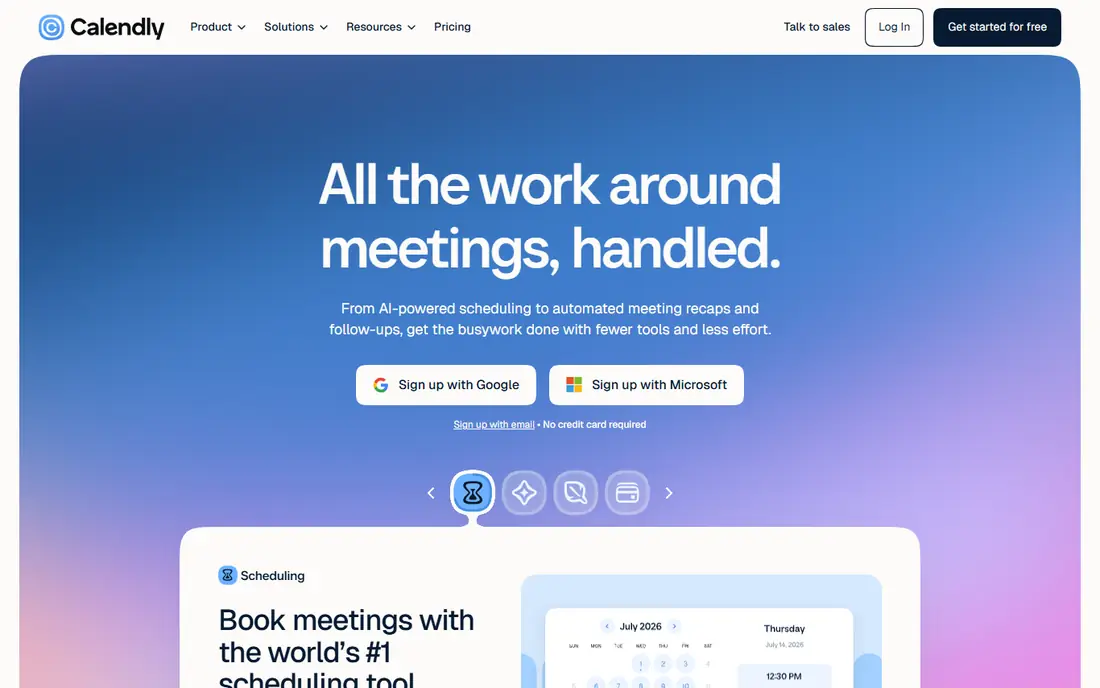
Calendly is the default for a reason: send a link, let the other person pick a time that works, and the meeting lands on both calendars without email ping-pong. Event types cover one-to-one meetings, group sessions and team routing, and integrations with Google Calendar, Outlook, Zoom and major CRMs keep bookings in step with the rest of your workflow.
The free plan covers one event type, which suits a solo user with a single meeting type. Paid plans start at $10 per seat per month on annual billing for Standard, with Teams adding round-robin routing. Businesses that sell services with payments, packages and intake forms should also compare Acuity, which is built more for that job.
- Simple booking links and event types
- Broad integrations with calendars, video tools and CRMs
- Round-robin routing on team plans
- Per-seat pricing adds up for large teams
- Service features such as packages are thinner than Acuity

Acuity Scheduling, part of Squarespace, is built for service businesses: salons, clinics, coaches, consultants and studios. Clients pick a service, a staff member and a time, fill in an intake form, and pay or leave a deposit at booking. Packages, memberships, gift certificates and coupons add commerce features that meeting tools do not offer.
Pricing is flat per account rather than per user, starting at $16 per month on annual billing, with higher tiers adding more calendars and features. The setup is heavier than Calendly, because services, staff, forms and payments all need configuring. For a service business, that setup pays off in fewer no-shows and less admin.
- Intake forms, packages, gift certificates and coupons
- Payments through Stripe, Square and PayPal
- Flat per-account pricing for teams
- No free plan, only a trial
- Setup takes longer than a simple meeting link

Setmore is the budget pick for service teams that want online booking without a large monthly bill. The free plan covers small teams and a set number of appointments, while Pro adds more features from $5 per user per month on annual billing. Staff booking pages, calendar sync and payment options cover the basics well.
The limits show up as teams grow. Reporting is thinner than Calendly or Acuity, and booking logic is built around staff pages rather than lead routing. For a small salon, clinic or repair business starting online booking, Setmore gives a solid, low-cost start.
- Free plan for small teams
- Staff calendars and booking pages
- Payments through Square, Stripe, PayPal and others
- Reporting and routing logic are thinner than paid rivals
- Team routing is staff-page based rather than true round-robin
Cal.com suits teams that want to shape scheduling around their own workflow. Individuals can use a free plan, while Teams adds round-robin routing, collective availability and team analytics from $12 per user per month on annual billing in recent listings. Being open-source also means teams with developers can self-host and adapt it.
That flexibility comes with effort. Cal.com rewards teams willing to configure event types, routing rules and branding, while a business that just needs a quick booking link may prefer Calendly. For product, sales and support teams with specific routing needs, Cal.com is a strong, future-proof choice.
- Open-source option and self-hosting
- Team routing, collective availability and analytics
- Free plan for individuals
- Team features need a paid plan
- Setup and customisation take more effort than a simple link tool
Square Appointments makes sense if your business already uses Square for payments. Booking, client records, staff schedules and card payments sit in the same system, so a salon or barbershop can book, charge and track clients without syncing separate tools. The free plan suits individuals, with paid tiers for locations and larger teams.
The trade-off is lock-in. Every card payment runs through Square, so businesses that want a different processor should look at Setmore or Acuity. For Square sellers, the combined booking and payments workflow is a clear time saver.
- Booking plus point-of-sale and payments in one system
- Free plan for individuals
- Staff and multi-location support on paid tiers
- Payments are tied to Square processing
- Less flexible for businesses outside the Square system
SimplyBook.me covers an unusually wide range of service businesses, from clinics and salons to classes, rentals and consultations. Add-on features let you build the booking flow you need, including memberships, packages, multiple locations and staff schedules, without switching tools as needs change.
Pricing needs care. Plans are based on booking volume, with Basic from $11.90 per month in recent listings, so a busy month costs more than a quiet one. Businesses with steady, predictable volume will find it good value, while highly seasonal businesses should model the cost across a full year.
- Wide feature set with many add-on options
- Multi-staff and multi-location support
- Membership and package features
- Pricing is based on bookings, so busy months cost more
- The feature list can feel overwhelming at first
Zoho Bookings is the natural scheduling choice inside the Zoho system. Bookings sync with Zoho CRM and other Zoho apps, so customer records, meetings and follow-ups stay connected. Team scheduling offers several routing methods, and the starting price is low compared with many rivals.
Outside Zoho, the case is weaker. A business that does not use Zoho CRM or Zoho Mail may find Calendly or Cal.com simpler. For Zoho users, though, the native connection saves the integration work that other tools need.
- Native links to Zoho CRM, Mail and other Zoho apps
- Team scheduling with several routing methods
- Low starting price
- Best value depends on already using Zoho
- Standalone users may prefer a simpler tool
Doodle solves a different problem: finding a time that works for a group. Instead of offering fixed slots, you send a poll with options and participants vote, which suits team meetings, interviews and group sessions where no single host controls the calendar. Booking pages cover simpler one-to-one meetings as well.
Service businesses that need staff calendars, packages and intake forms should look at Acuity or Setmore instead. For businesses whose main pain is coordinating groups, Doodle is the simplest tool here, with a free tier for basic polls and paid plans from around $11 per month.
- Group polls that find a time everyone can make
- Simple booking pages
- Payment options on paid plans
- Not built for service packages or staff calendars
- Team routing is limited compared with Calendly
YouCanBookMe is a straightforward booking page tool for freelancers and small teams. Connect a calendar, set availability and services, share a link, and bookings appear without manual entry. Paid plans from $8.10 per month on annual billing add more calendars, pages and team features.
Check tier limits before choosing. The number of calendars and booking pages you can connect varies by plan, and there is no custom domain option. For a solo consultant or a small team that wants a tidy booking page without extra commerce features, YouCanBookMe is a dependable, low-fuss pick.
- Clean booking pages synced to your calendar
- Team plans with routing
- Free plan for basic use
- Custom domain is not offered
- Calendar and page limits vary by tier
How we picked these
We compared official pricing pages, feature pages and public reviews for scheduling tools that work for US businesses in October 2026. We kept tools with real calendar sync and booking pages, not just a shared calendar, and we covered meetings, services and group scheduling so different business types can find a fit. Prices are starting prices on annual billing where vendors publish them, and we wrote Free trial where no free plan is offered.
How to choose scheduling software for your business
Start with who books and what they book. A sales team needs routing and CRM sync, a salon needs staff, services and payments, and a consultancy needs simple meeting links with intake questions. Matching the tool to that booking type matters more than picking the tool with the longest feature list.
Next, test the booking experience as a customer. Book a test appointment on your phone, check the confirmation and reminder emails, and see how easy it is to reschedule or cancel. Customers judge your business on that flow, and a clunky page will cost bookings even if the admin side looks good.
Finally, check the cost at your real team size and booking volume. Per-seat, flat-account and per-booking pricing behave very differently, and features such as payments, reminders and routing may sit on different tiers. Add the tier that covers your must-have features, then compare that total across your shortlist.
Frequently asked questions
What is the best business scheduling software for most companies?
Calendly is our pick for most meeting-led businesses, while Acuity Scheduling is the stronger choice for service businesses that need payments and intake forms.
What is the best app for business scheduling on a budget?
Setmore is the best low-cost option here, with a free plan for small teams and Pro from $5 per user per month on annual billing.
What is the best scheduling software for business teams?
Calendly Teams and Cal.com Teams both offer round-robin routing and team availability, with Cal.com giving more control and Calendly giving a faster setup.
Do these tools prevent double bookings?
Yes, all nine sync with connected calendars and block times that are already booked, though you should still test the sync with your own calendar before going live.
Can customers pay when they book?
Yes, Acuity, Square Appointments, Setmore, SimplyBook.me and others support payment at booking through processors such as Stripe, Square or PayPal, depending on the plan.
Is there free business scheduling software?
Yes, Calendly, Setmore, Cal.com, Square Appointments, SimplyBook.me, Zoho Bookings, Doodle and YouCanBookMe all offer free plans or free tiers with limits.
Sources
See where you really rank - block by block
ProMapRanker scans Google Maps across a grid of your service area. Simple monthly plans from $19, white-label on every plan.
Start freeKeep reading
 zscaler alternatives
Best Zscaler Alternatives in 2026
Looking for zscaler alternatives? We compare 9 SASE and zero trust platforms on architecture, data protection, pricing, and fit for your network and team.
Read → zapier alternatives free
Best Zapier Alternatives Free in 2026
Nine automation tools for zapier alternatives free in 2026, all with genuinely free tiers, plus free plan limits, starting prices and upgrade paths explained.
Read → which platform is best for online reputation
Which Platform Is Best for Online Reputation in 2026
Wondering which platform is best for online reputation? We compare 8 review, listing, and response tools for small and multi-location businesses and agencies.
Read →