 ProMapRanker
Best Business Intelligence Tools in 2026


Microsoft 365 teams · Pricing starts at: $14 per month
Key takeaways
- Microsoft Power BI is the best pick for Microsoft 365 shops, with low per-user pricing and strong Excel and Azure links.
- Tableau is the best pick for analyst-led teams that need polished, interactive dashboards and deep visual exploration.
- Looker Studio is the best free pick for small teams doing simple Google-based reporting without a large budget.
- Looker is the best pick for governed, code-based metrics on BigQuery, when a data team can own the semantic layer.
- Metabase is the best open-source pick for budget teams that want self-serve dashboards without enterprise pricing.
Quick comparison
| Pick | Great for | Pricing starts at | Free tier | |
|---|---|---|---|---|
| Microsoft Power BI | Microsoft 365 teams | $14 per month | Yes | Visit |
 Tableau Tableau | Polished interactive dashboards | $15 per month | Free trial | Visit |
 Looker Studio Looker Studio | Free Google-based reporting | Free | Yes | Visit |
 Looker Looker | Governed metrics on BigQuery | See website | No | Visit |
 Qlik Sense Qlik Sense | Associative exploration | See website | Free trial | Visit |
 ThoughtSpot ThoughtSpot | Search-driven self-serve analytics | $25 per month | No | Visit |
 Metabase Metabase | Open-source self-serve BI | Free | Yes | Visit |
 Zoho Analytics Zoho Analytics | Budget BI for small teams | $24 per month | Yes | Visit |
The best business intelligence tools
We compared official feature pages, pricing pages and public reviews for BI platforms that connect to databases and warehouses, build dashboards and share metrics in October 2026. The list below covers Microsoft, Google, open-source and search-driven options, so you can match the platform to your data stack and team skills.
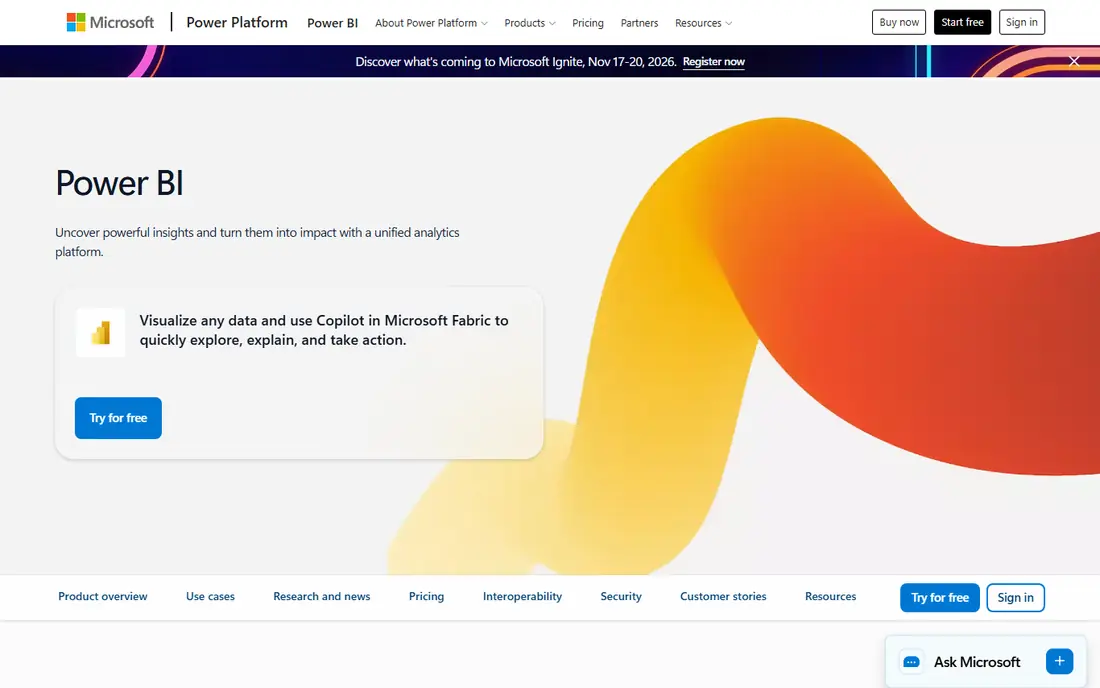
Microsoft Power BI is the default BI choice for teams already on Microsoft 365, because it fits how those teams already work with Excel, Teams and Azure. You can connect to hundreds of sources, build dashboards with drag-and-drop visuals, and share reports inside Microsoft tools without a separate login for many users. That familiarity shortens training time for business users who already use Excel. Pricing in recent comparisons starts at 14 dollars per user per month for Pro, with Premium per user at 24 dollars per month and Fabric capacity from around 263 dollars per month. A free Desktop version exists for building reports, but sharing and collaboration usually need paid licences. Power BI is best when your data lives in Microsoft tools or Azure, and when per-user pricing fits your team size. Large deployments should model capacity costs, not just per-user fees.
- Low per-user entry price
- Strong Microsoft 365, Excel and Azure links
- Wide data connector library
- Full sharing needs paid licences for viewers in many cases
- Advanced AI features may need Fabric capacity
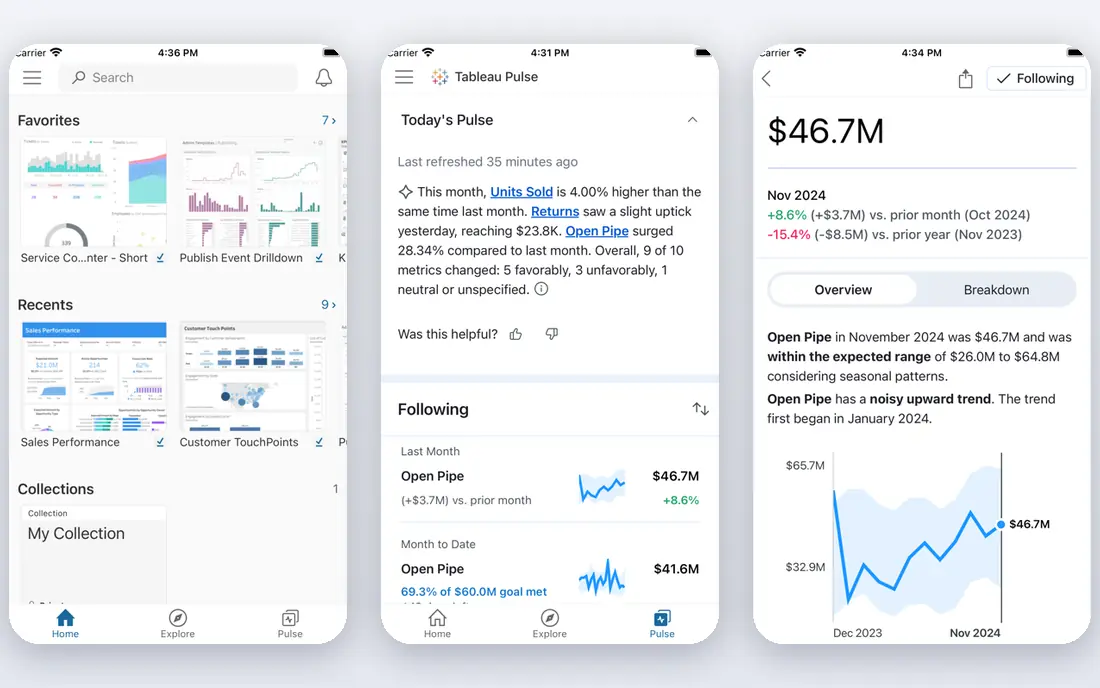
Tableau is the strongest pick for teams that care about dashboard quality and visual exploration. Analysts can build interactive dashboards that let business users filter, drill down and explore data without writing code, and the visual design tools give more polish than most rivals. That strength is why Tableau remains popular for executive reporting and analyst-led teams, even as cheaper tools improve. Pricing in recent comparisons starts at 15 dollars per user per month for Viewer, with Creator licences at 75 to 115 dollars per user per month depending on tier. That gap matters: count how many Creators you actually need, since most business users only need Viewer access. Tableau also offers AI features such as Tableau Agent and Pulse, but check which tier includes them. Tableau fits best when dashboard quality and analyst freedom justify the higher Creator cost.
- Strong visual exploration and dashboard design
- Large community and learning resources
- Works with many data sources
- Creator licences cost far more than Viewer licences
- Governance needs care at scale
Looker Studio, formerly Data Studio, is the best free BI tool for small teams that report mainly from Google sources. You can connect Google Sheets, Analytics, Ads and BigQuery, build dashboards and share them with a link, all without a paid licence. That low barrier makes it ideal for a small business, a marketing team or a department that needs weekly reporting without an enterprise project. The trade-off is governance: Looker Studio does not enforce one shared metric definition the way Looker does, so different dashboards can define the same metric differently. For simple reporting that risk is manageable, but for company-wide KPIs you need a governed layer. Looker Studio is best for low-cost departmental reporting, and as a stepping stone before you invest in Looker or Power BI.
- Free for core reporting
- Easy Google Sheets, Analytics and Ads links
- Simple sharing with a Google account
- Weaker governance and metric control than Looker
- Limited for large, complex data models
Looker, from Google Cloud, is built around a governed semantic layer: metrics are defined once in LookML, version-controlled and reused across dashboards, so teams trust that they see the same numbers. That control is valuable for larger companies where finance, sales and product must agree on revenue, churn or active users. Looker also integrates deeply with BigQuery, which suits teams already on Google Cloud. Pricing is platform-based and quote-driven, with recent comparisons listing around 60,000 dollars per year for a standard platform fee and far higher enterprise costs. That makes Looker a poor fit for a small team, but a strong fit for a BigQuery-first company with data engineering support. If you do not have a team to own LookML, Power BI or Tableau will be faster to run, even if metric governance is lighter.
- Strong semantic layer with LookML
- Version control for metric definitions
- Deep BigQuery integration
- Platform pricing is high and quote-based
- Needs data engineering support to run well
Qlik Sense uses an associative engine that lets users explore data freely, selecting values and seeing related and unrelated data update at once. That approach helps analysts and business users find patterns they would not find with a fixed dashboard filter, such as which products sell together or which segments behave differently. Qlik also supports AI-assisted insights and a wide connector set. Pricing in recent comparisons is capacity-based, with standard bundles around 825 dollars per month for 20 users and premium bundles higher, but current Qlik Cloud pricing should be checked on the vendor page. Qlik fits teams that value exploration over fixed reporting, and that have data modelling skills to set up apps well. For simple dashboards, Power BI or Looker Studio will be faster and cheaper.
- Associative engine for exploring data without fixed queries
- Strong for finding hidden patterns
- Good for analyst and business user mix
- Pricing is capacity-based and needs a quote
- Learning curve for data modelling
ThoughtSpot lets business users type a question in plain language and get a chart or table, rather than waiting for an analyst to build a dashboard. That search-driven model suits teams where many people need answers fast, and where dashboard backlogs slow decisions. Spotter, its AI assistant, helps with follow-up questions and explanations, which can help non-technical users explore safely. Pricing in recent comparisons starts at 25 dollars per user per month for some plans, while other guides list much higher mid-market and enterprise costs based on consumption. Check the current ThoughtSpot pricing page for your deployment size, since consumption pricing can rise with usage. ThoughtSpot fits best when self-serve search is the main need and your data model is clean enough for business users to trust the answers.
- Search-like interface for business users
- Spotter AI for conversational analysis
- Good for teams that want self-serve without dashboard building
- Entry pricing in comparisons varies widely by deployment
- Needs a clean data model to work well
Metabase is the best open-source BI pick for budget teams that want self-serve dashboards without enterprise pricing. Non-technical users can ask questions with a visual builder, save them as dashboards and share them, while analysts can write SQL when they need more control. That mix makes Metabase popular with startups and small data teams that need reporting fast. The self-hosted open-source version is free, while cloud pricing in recent comparisons starts at around 85 to 100 dollars per month for small teams, depending on users. Check the current Metabase pricing page for cloud and enterprise tiers. Metabase lacks some enterprise governance and AI depth of larger platforms, but for a small team that needs clean dashboards on a budget, it is hard to beat. It also works well as a first BI tool before you move to Power BI or Tableau.
- Free self-hosted open-source version
- Easy question builder for non-technical users
- Low-cost cloud option for small teams
- Less enterprise governance than Looker or Power BI
- Advanced features need paid cloud or enterprise plans
Zoho Analytics is a budget BI tool for small businesses that want dashboards without a data team. You can connect spreadsheets, databases and Zoho apps, build dashboards with drag-and-drop tools, and share reports with your team. The interface is designed for non-technical users, which helps when the person building reports is also running sales or operations. Pricing in recent comparisons starts at 24 dollars per month for two users, with a free tier for basic use. Check the current Zoho Analytics pricing page for user limits and row limits, since those affect cost as data grows. Zoho Analytics fits small teams, especially those already on Zoho CRM or Zoho Books, that need affordable reporting. Larger teams with complex models or governed metrics will likely need Power BI, Tableau or Looker.
- Low-cost plans for small teams
- Easy setup for non-technical users
- Good Zoho app integrations
- Less depth than Tableau or Power BI for complex analysis
- Some advanced features need higher tiers
How we picked these
We started with BI platforms that connect to databases, warehouses or spreadsheets, build dashboards and share metrics, and were active in October 2026. We compared official feature pages, pricing pages and public reviews, and we kept platforms that cover different needs: Microsoft shops, polished dashboards, free Google reporting, governed metrics, associative exploration, search-driven self-serve, open-source self-serve and budget small-team BI. Where pricing was platform or consumption-based, we marked it as See website or gave the published entry figure with a note to verify. We did not claim hands-on testing that did not happen. We focused on facts you can check: entry price, free tier, data connectors, governance model and whether sharing needs paid licences. We left out tools that could not be verified as active BI platforms in October 2026, and we left out ProMapRanker itself, since this list is about BI tools you can use.
How to choose a business intelligence tool
Start with your data stack, not with charts
If your data lives in Microsoft 365 and Azure, Power BI will integrate fastest. If it lives in BigQuery, Looker or Looker Studio will fit better. If it lives in spreadsheets and Zoho apps, Zoho Analytics or Metabase may be enough. A tool that matches your stack will save more time than a tool with prettier charts but painful connections.
Count total cost at your real user count
Per-user pricing looks cheap for ten users and costly for 300 users, while platform pricing looks costly for ten users and cheaper per user at scale. Model cost for viewers, creators and analysts separately, and include capacity or consumption fees. A free tool such as Looker Studio can also cost time in metric errors if governance matters, so include that risk in your decision.
Test with one real KPI before you buy
Pick one KPI your team argues about, such as monthly revenue or active users, and build it in two shortlisted tools. Check whether both tools give the same number, whether business users can explore it without help, and whether the dashboard loads fast enough to use daily. That one-KPI test reveals governance, usability and performance gaps faster than a feature checklist.
Frequently asked questions
What is the best business intelligence software for a small business?
For a small business, Looker Studio is best if you report mainly from Google sources and want a free tool. Metabase is best if you want open-source self-serve dashboards, and Zoho Analytics is best if you want low-cost BI with easy setup. Power BI is also strong for small Microsoft shops, starting at 14 dollars per user per month.
What is the best BI tool for Microsoft teams?
Microsoft Power BI is the best BI tool for Microsoft teams, because it links tightly with Excel, Teams, SharePoint and Azure, and starts at 14 dollars per user per month for Pro. Tableau can also work for Microsoft teams, but Power BI usually needs less setup and training when your data already lives in Microsoft tools.
What is the best business intelligence platform for governed metrics?
Looker is the best platform for governed metrics, because LookML defines metrics once, with version control, so all dashboards use the same definition. Power BI also offers strong semantic models when set up well, but Looker gives stricter code-based control. Governance matters most when finance, sales and product must agree on the same KPIs.
What is the best free business intelligence tool?
Looker Studio is the best free business intelligence tool for simple reporting, and Metabase open-source is the best free tool for self-hosted self-serve BI. Both cover dashboards and sharing at no licence cost, but they differ on governance and data modelling. Try Looker Studio for Google data and Metabase for database dashboards.
How do BI tools differ from spreadsheets?
BI tools connect live to databases and warehouses, refresh dashboards automatically, enforce shared metric definitions and let many users explore the same data safely. Spreadsheets are useful for one-off analysis, but they break when data grows, versions multiply and definitions drift. Use spreadsheets for analysis, and BI tools for shared, repeatable reporting.
What is the best tool for business intelligence for non-technical users?
ThoughtSpot is strong for non-technical users who want to search for answers, while Zoho Analytics and Metabase are strong for users who want drag-and-drop dashboards. The best test is whether a business user can get a correct answer without analyst help. Run a short trial with real questions from your team before you choose.
Sources
See where you really rank - block by block
ProMapRanker scans Google Maps across a grid of your service area. Simple monthly plans from $19, white-label on every plan.
Start freeKeep reading
 zendesk alternatives
Best Zendesk Alternatives in 2026
Compare the best Zendesk alternatives in 2026, from budget help desks to AI-first support tools, with current pricing, free plans, and honest trade-offs.
Read → wordpress alternatives
Best WordPress Alternatives in 2026
Looking for the best WordPress alternatives? We compare 8 free and paid options for blogs, business sites, stores, and developer-led projects in 2026.
Read → which real estate company has the best training
Best Real Estate Company Training in 2026
Compare which real estate company has the best training, from Keller Williams and eXp to Compass and Coldwell Banker, by program, mentor, and fit in 2026.
Read →