 ProMapRanker
Best Budgeting Apps for Beginners in 2026

Key takeaways
- Goodbudget, PocketGuard and Rocket Money are the easiest low cost starts, with free tiers that cover a first budget.
- YNAB and EveryDollar teach a clear method, which helps beginners who want rules rather than just tracking.
- Monarch Money and Copilot suit beginners who want a full money dashboard, but both cost more and offer more than a first budget needs.
- Quicken Simplifi is a strong value pick for automatic tracking with a cash flow forecast.
- This is not financial advice. Check local terms and bank compatibility before you subscribe, and start with a simple budget you can maintain.
Quick comparison
| Pick | Great for | Pricing starts at | Free tier | |
|---|---|---|---|---|
 Goodbudget | Simple envelope budgeting | Free | Yes | Visit |
 PocketGuard | Simple safe to spend number | $12.99 per month | Yes | Visit |
 Rocket Money | Subscriptions and simple tracking | Free | Yes | Visit |
 YNAB | Learning a budgeting method | $14.99 per month | Free trial | Visit |
 EveryDollar | Simple zero based budgeting | Free | Yes | Visit |
 Monarch Money | Full household dashboard | $14.99 per month | Free trial | Visit |
 Copilot Money | Apple focused money tracking | $13 per month | Free trial | Visit |
 Quicken Simplifi | Value tracking and forecast | $5.99 per month | Free trial | Visit |
The best budgeting apps for beginners
A first budget should be simple enough to maintain after the excitement fades. That means clear categories, a view of what is left to spend, and as little setup as possible. The apps below range from free envelope tools to full dashboards, so beginners can start small and move up only if they need more. We compared official feature pages, pricing pages and app listings, not personal bank data.
This is not financial advice. Check local terms, bank compatibility and renewal prices before you subscribe. A budgeting app helps you see spending and plan ahead, but it does not change income, debt terms or interest rates on its own.
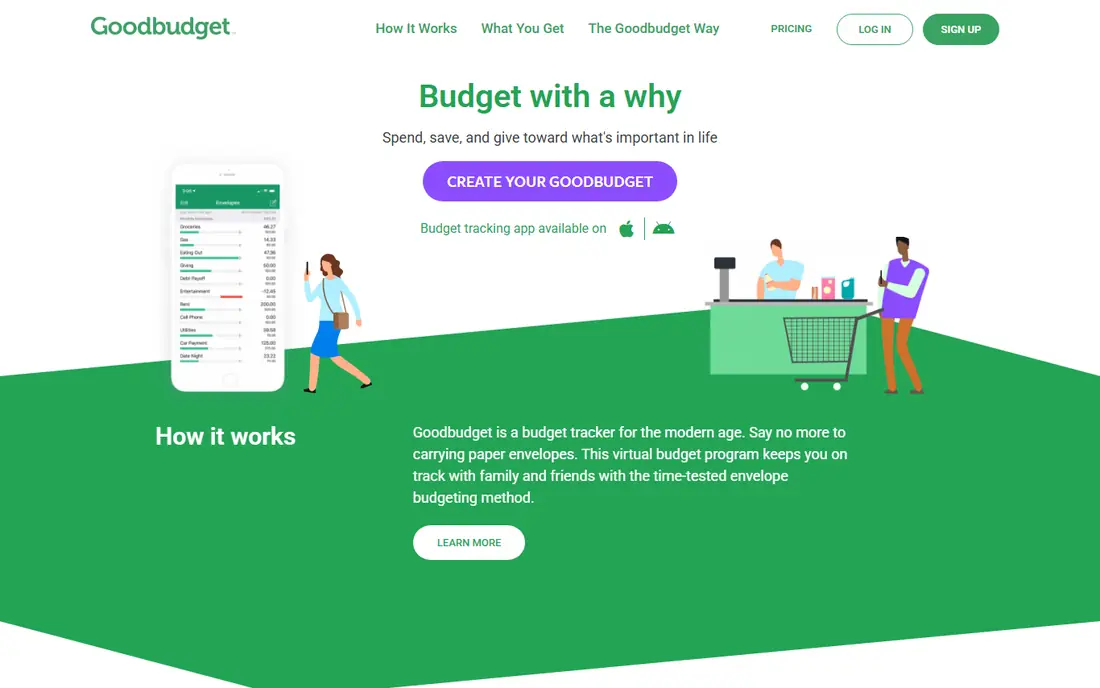
Goodbudget turns the classic envelope method into an app. You divide money into envelopes for rent, food, transport and fun, then record spending against each envelope. That visual limit helps beginners who overspend in one category without noticing, since an empty envelope is a clear signal to stop. The free tier covers 20 envelopes, one account and two devices, which is enough for a first budget.
Bank sync needs the Plus plan, priced at 10 dollars per month or 80 dollars per year, so free users enter transactions by hand. Manual entry takes a few minutes a day, but it also teaches spending awareness faster than automatic import for many beginners. Choose Goodbudget when you want a simple, deliberate method and you do not mind entering spending yourself at first.
- Easy envelope method
- Free tier to start
- Shared budgets for households
- Manual entry on free tier
- Bank sync needs Plus in the US

PocketGuard answers one beginner question better than most apps: how much can I spend right now. It subtracts bills, goals and set budgets from income, then shows a safe to spend number for the rest of the period. That single figure helps beginners avoid the common mistake of spending money already needed for a bill later in the month.
Plus costs 12.99 dollars per month or 74.99 dollars per year, with a limited free tier for testing. PocketGuard offers less hands-on planning depth than YNAB, so method focused budgeters may find it light. Pick it when you want a simple guardrail on spending, with automatic tracking doing most of the work.
- Clear safe to spend figure
- Bill and subscription tracking
- Automatic bank sync on paid plans
- Less planning depth than YNAB
- Full features need Plus
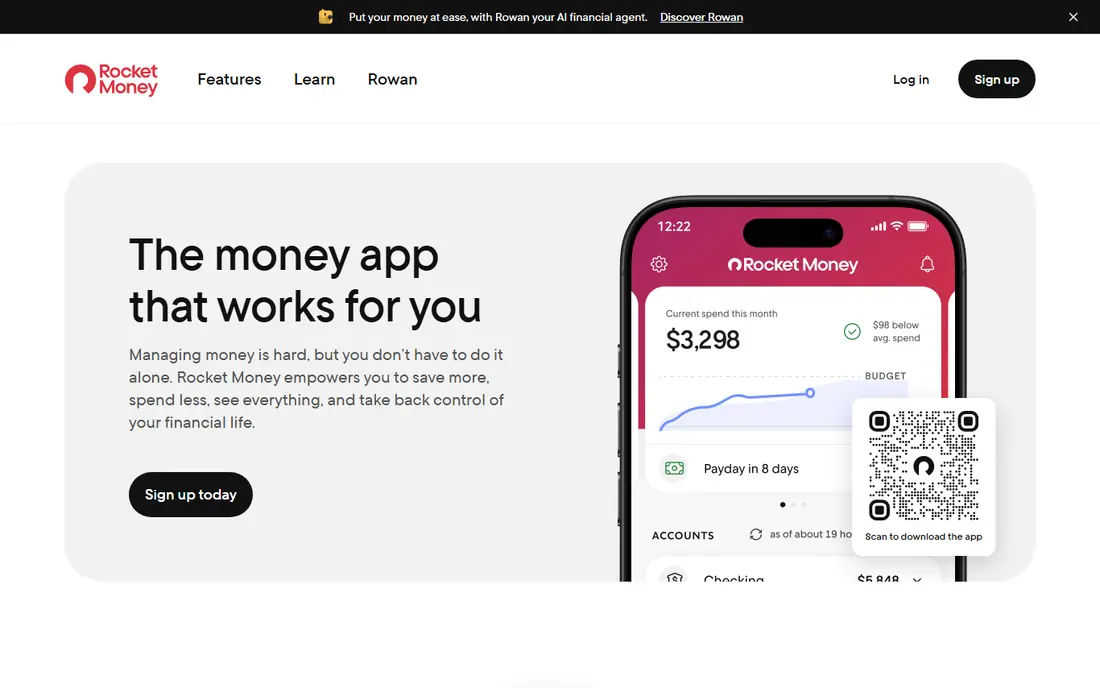
Rocket Money starts free with basic spending tracking and a subscription finder that lists recurring charges in one place. That makes it a good first step for beginners whose main leak is forgotten subscriptions, streaming services and app renewals. Cancelling or tracking those charges from one dashboard can free money without changing daily habits.
Premium adds bill negotiation help, advanced budgeting and more tracking tools, with a pay what you want model roughly between 4 and 12 dollars per month when billed annually in 2026 roundups. Check the current Premium range on the official site, since it can change. Choose Rocket Money when subscriptions are your first problem, and you want a free tool that grows with you.
- Free basic tracking
- Subscription finder
- Spending insights in one dashboard
- Key tools sit behind Premium
- Premium price is pay what you want within a range
YNAB, short for You Need A Budget, teaches a method rather than just tracking spending. You assign every dollar you already have to a job, plan for true expenses such as annual bills, and adjust when life changes. That discipline helps beginners who want to change habits, pay down debt or build savings with intent, rather than just watching transactions arrive.
The method takes time to learn, and the price is 14.99 dollars per month or 109 dollars per year, with a 34 day trial and a free year for eligible students. Beginners who want autopilot tracking may find YNAB demanding at first. Pick it when you are ready to learn a method and spend a few minutes on your budget most days.
- Clear zero based method
- Strong education and guides
- Good for debt payoff planning
- Learning curve
- Higher price for a first app
- No lasting free tier
EveryDollar offers a simple zero based budget: income minus planned spending equals zero, with every dollar assigned before the month starts. The free version covers manual entry, which suits beginners who want a clean monthly plan without bank links. The layout is easy to read, with categories and a remaining amount that stays visible as you plan.
Bank sync and automatic import need Premium, priced at 17.99 dollars per month or 79.99 dollars per year, so free users must enter transactions themselves. The method is also more rigid than flexible tools such as Monarch, which may frustrate households with variable income. Choose EveryDollar when you like a simple, rule based plan and you are happy to enter spending by hand on the free tier.
- Free manual budgeting
- Simple zero based layout
- Clear monthly plan view
- Bank sync needs Premium
- Method is more rigid than flexible budget tools
Monarch Money is a full money dashboard, with budgeting, account tracking, net worth, investments and goals in one place. Households can share access with separate logins, set flexible or category budgets, and see cash flow across accounts. That breadth suits couples and households who want one place for money, not just a budget app.
Core costs 14.99 dollars per month or 99.99 dollars per year, with a 7 day trial and no lasting free tier. That is a lot for a first budget, and beginners may feel overwhelmed by features they do not yet need. Pick Monarch when you already track money in several places and want one dashboard, rather than when you are writing your very first budget.
- Budgeting plus net worth and investments
- Strong household collaboration
- Flexible budgets
- Higher price for a first budget
- More features than many beginners need
Copilot Money is designed for iPhone, iPad and Mac users who value clean design and smart categorisation. Transactions sort into categories with little manual work, budgets show progress at a glance, and net worth views sit alongside spending. The polished interface helps beginners who find other finance apps cluttered or hard to read.
Copilot costs 13 dollars per month or 95 dollars per year, with a trial rather than a free tier, and its platform focus suits Apple households best. Android and Windows users should check current platform support on the official site before subscribing. Choose Copilot when you live in the Apple ecosystem and want a beautiful, low friction tracker.
- Polished design for Apple users
- Smart categorisation
- Budgeting and net worth views
- Apple focused platform coverage
- No lasting free tier
Quicken Simplifi offers automatic tracking, a spending plan and a cash flow forecast at a lower price than most full dashboards. The spending plan subtracts bills, subscriptions and goals from income, then shows what remains for flexible spending. Projected cash flow helps beginners see if a slow week or a large bill will cause a shortfall later in the month.
Simplifi costs 5.99 dollars per month when billed annually in 2026 roundups, with promotional prices sometimes lower and a trial rather than a free tier. It offers less envelope or zero based structure than YNAB or Goodbudget, so method focused beginners may prefer those tools. Pick Simplifi when you want automatic tracking, a forecast and a low price in one app.
- Low cost for a full tracker
- Spending plan with bills and goals
- Cash flow forecast
- No lasting free tier
- Less envelope and zero based structure than YNAB or Goodbudget
How we picked these
We compared official feature pages, pricing pages and app listings for budgeting apps with a real free tier, trial or low entry price, and a workflow a beginner can learn in a week. We kept only apps that are live in October 2026 and that cover budgeting, not just net worth or investment tracking alone. We favoured a mix of free starts, method based tools and full dashboards, since beginners differ in how much structure they want. This is not financial advice. Prices are starting prices from vendor pages and roundups checked in October 2026, and they can change, so confirm the current plan before you subscribe.
What to check before you choose
Start with one month, not a perfect system
Write a simple budget for one month with rent, bills, food, transport and fun, then track spending against it. Do not build dozens of categories in week one, since a complex budget is easy to abandon. Add categories only when a spending pattern shows you need them.
Decide on bank sync or manual entry
Bank sync saves time and catches every transaction, but it needs a compatible bank and a paid plan on many apps. Manual entry takes minutes a day and teaches awareness, but it fails if you skip days. Beginners who struggle with consistency often do better with sync, while beginners who want to learn habits often benefit from a short period of manual entry.
Check bank and device compatibility
Confirm the app supports your banks, your phone and your computer before you pay. Some apps focus on Apple devices, some on US banks, and some offer limited sync outside the US. A trial week with your real accounts shows connection problems before a yearly subscription locks you in.
Review the budget weekly, not daily
Check your budget once a week for ten minutes, adjust categories that were unrealistic, and move money between envelopes or categories as needed. Daily checking can feel like a chore, while monthly checking leaves problems too late to fix. A weekly rhythm keeps a first budget alive long enough to become a habit.
Frequently asked questions
Which budgeting app is best for beginners?
Goodbudget is the easiest free start for envelope budgeting, while PocketGuard is the easiest start for a simple safe to spend number. YNAB suits beginners who want to learn a method, and Rocket Money suits beginners whose first problem is subscriptions. The best app is the one you will still open in month three, so start with the simplest option that fits your main problem.
What is the best budgeting app for beginners that is free?
Goodbudget, PocketGuard with limits, Rocket Money basic tools and EveryDollar manual budgeting all offer free options. Goodbudget suits envelope budgeting, EveryDollar suits zero based planning, and Rocket Money suits subscription tracking. Try a free tier for a full month before paying, since a free app you use beats a paid app you abandon.
Which budgeting app is best for beginners with irregular income?
YNAB suits irregular income well, since it asks you to assign money you already have rather than forecast income you have not received. Goodbudget also works, since envelopes hold money until it is needed. Flexible budget tools such as Monarch can help too, but beginners with variable income should prioritise a method that plans from cash on hand.
Do budgeting apps need my bank login?
Many apps offer bank sync, which needs secure bank connections through their provider, while others work with manual entry and need no bank login at all. Goodbudget free and EveryDollar free work manually, so they suit beginners who prefer not to link accounts. Check the app security and data policy, and use a trial with a secondary account if you want to test sync safely.
How much should a beginner pay for a budgeting app?
Start free if you can, since free tiers cover a first budget well. If you pay, Quicken Simplifi is a low cost full tracker, while YNAB and Monarch cost more for method and dashboard depth. Pay only when a paid feature, such as bank sync or a forecast, solves a problem you actually have after a month of free use.
What is the best budgeting software for beginners on Apple devices?
Copilot Money is the strongest Apple focused pick, with a polished iPhone, iPad and Mac experience. Monarch Money and YNAB also work well on Apple devices, with web apps alongside mobile apps. Check current platform support and trial terms on the official site before you subscribe, since device coverage can change.
Sources
See where you really rank - block by block
ProMapRanker scans Google Maps across a grid of your service area. Simple monthly plans from $19, white-label on every plan.
Start freeKeep reading
 zscaler alternatives
Best Zscaler Alternatives in 2026
Looking for zscaler alternatives? We compare 9 SASE and zero trust platforms on architecture, data protection, pricing, and fit for your network and team.
Read → zapier alternatives free
Best Zapier Alternatives Free in 2026
Nine automation tools for zapier alternatives free in 2026, all with genuinely free tiers, plus free plan limits, starting prices and upgrade paths explained.
Read → which platform is best for online reputation
Which Platform Is Best for Online Reputation in 2026
Wondering which platform is best for online reputation? We compare 8 review, listing, and response tools for small and multi-location businesses and agencies.
Read →