 ProMapRanker
Best Broker Apps in 2026: 9 Apps Compared

Key takeaways
- Most major US broker apps now charge $0 commission on online stock and ETF trades, so the real differences are research, account types, options fees, and transfer fees.
- Fidelity is our pick for most investors, thanks to $0 stock and ETF commissions, fractional shares, retirement accounts, and broad research in one app.
- Robinhood suits people who want the simplest first app, while Webull suits people who want charts and paper trading from the start.
- Charles Schwab is a strong alternative for education and practice trading, now that thinkorswim sits inside Schwab.
- This is general information only, not financial advice. Trading carries risk, and you can lose money, so check fees and terms on each broker's own site before you fund an account.
Quick comparison
| Pick | Great for | Pricing starts at | Free tier | |
|---|---|---|---|---|
 Fidelity | Most investors overall | $0 commission | Yes | Visit |
 Charles Schwab | Education and practice trading | $0 commission | Yes | Visit |
 Robinhood | Simplest first trades | $0 commission | Yes | Visit |
 Webull | Charts and paper trading | $0 commission | Yes | Visit |
 Interactive Brokers | Global and active traders | $0 commission | Yes | Visit |
 E*TRADE | Balanced research and tools | $0 commission | Yes | Visit |
 SoFi Invest | Simple investing plus banking | $0 commission | Yes | Visit |
 Public | Multi-asset investing in one app | $0 commission | Yes | Visit |
 Moomoo | Mobile charts and learning | $0 commission | Yes | Visit |
The best broker apps
These apps all offer $0 commission stock and ETF trades in the US, but they serve different investors. We compared commissions, account types, research, and ease of use, using each broker's own pricing and product pages.
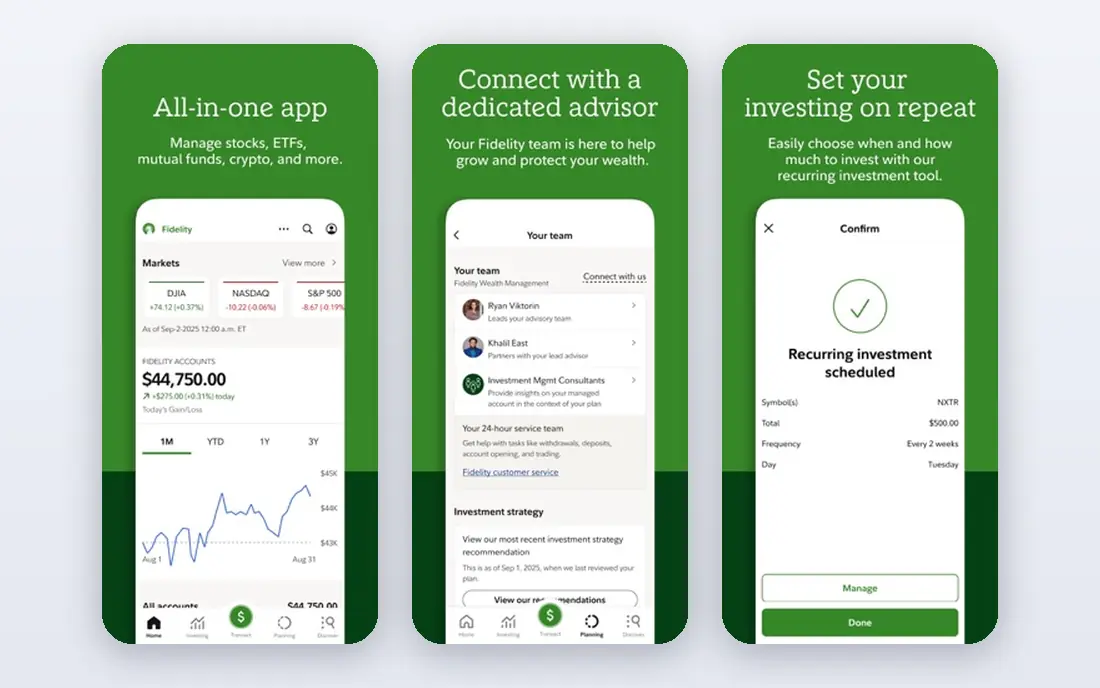
Fidelity is our pick for most people. It combines $0 commissions on US stocks and ETFs with fractional shares from $1, so you can start with a small amount and still buy part of a high-priced stock. Retirement accounts, including IRAs, sit in the same app as taxable accounts, which keeps long-term saving and everyday investing in one place.
Research is another strength. Fidelity offers analyst reports, screeners, and learning material that go well beyond a price chart. That depth helps as you move from a first trade to a broader plan, without needing to switch brokers to get better tools.
The catch is breadth. The app and desktop tools cover so much that a new investor may feel overwhelmed at first. Start with the basic trade ticket and a watchlist, and add research tools only when you need them.
- $0 stock and ETF commissions
- Fractional shares from $1
- Retirement accounts and broad research
- The full desktop platform can feel busy for a first-time investor
- Some advanced tools take time to learn
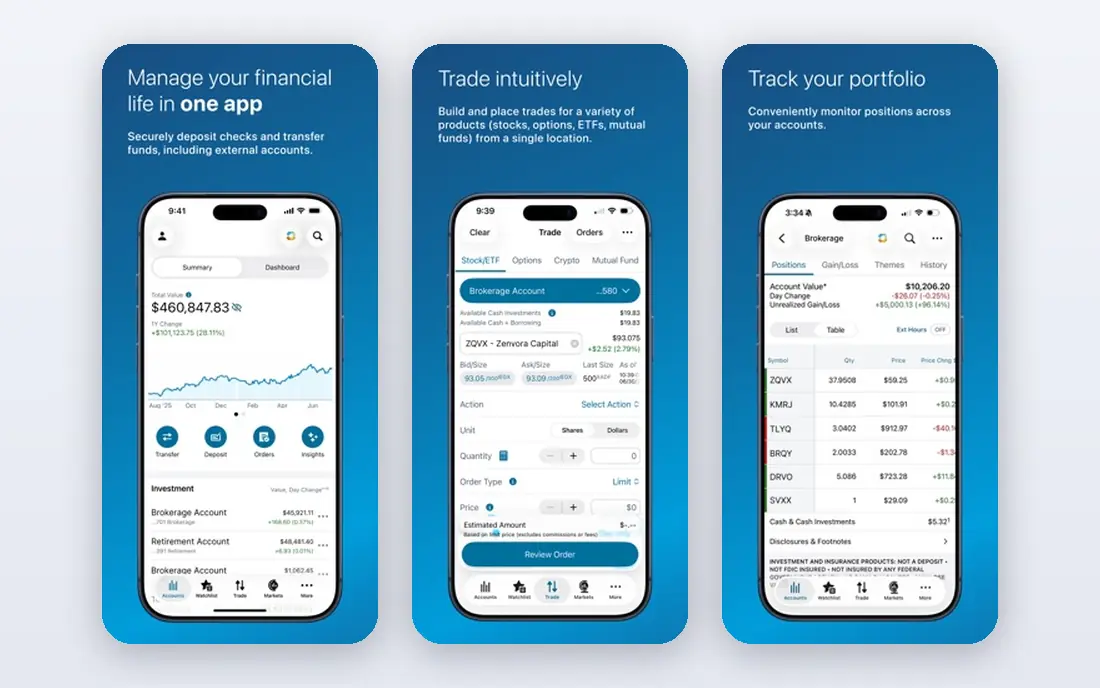
Charles Schwab is a close alternative to Fidelity, and a better pick if education matters most to you. It offers $0 commissions on online US stock and ETF trades, no minimum to open a brokerage account, and a large library of courses and articles for new investors.
Thinkorswim, now part of Schwab, adds paper trading and advanced charting. Paper trading lets you practise with virtual money before you risk real funds, which is a sensible step for anyone learning how orders work. The main Schwab app stays simpler for everyday trades.
The trade-off is options pricing. Schwab charges a per-contract fee on options, so active options traders should compare that cost with brokers that charge $0 per contract. Check the current fee schedule on Schwab's site before you place options trades.
- $0 stock and ETF commissions
- Thinkorswim paper trading
- Extensive education
- Options trades carry a per-contract fee
- The range of platforms can confuse new users
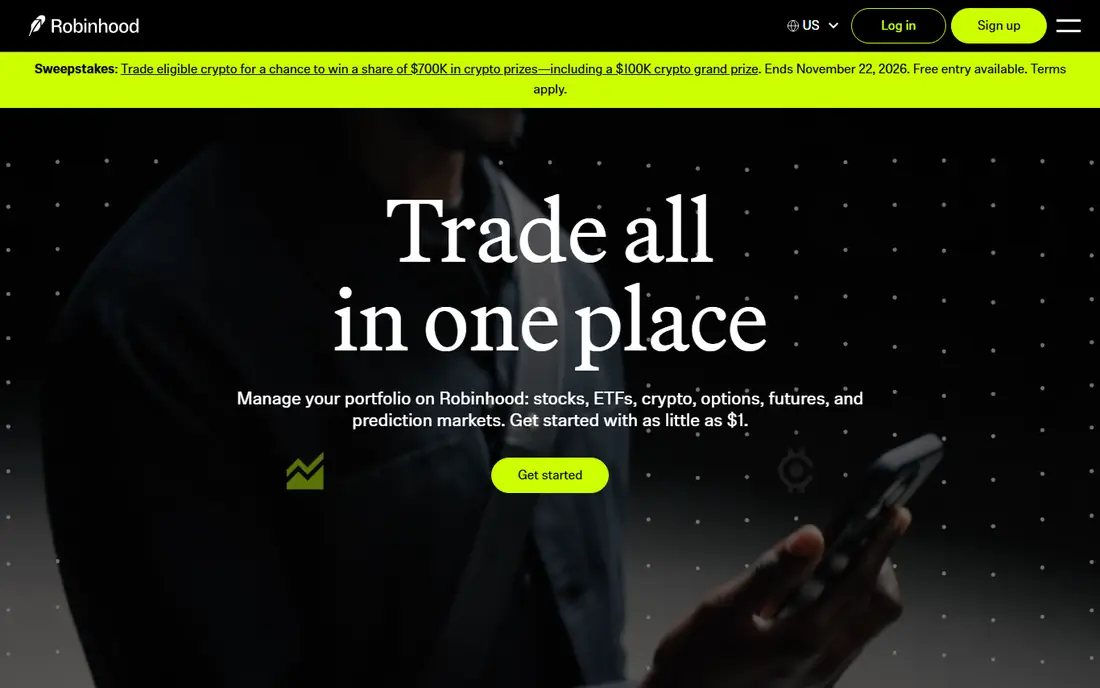
Robinhood remains the simplest first broker app for many people. The mobile app keeps buying and selling to a few taps, and it charges $0 commission on stocks, ETFs, and options. Fractional shares from $1 also make it easy to start small.
Crypto trading sits in the same app for users who want it, alongside stocks and ETFs. That single-app setup appeals to people who want one account for several asset types, though crypto prices and fees work differently from stock trades, so read the terms carefully.
The limits are research and exit costs. Research tools are thinner than those at Fidelity or Schwab, and Robinhood charges a fee to transfer an account out in full. If you may move brokers later, factor that fee into your choice.
- Very simple mobile app
- $0 stock, ETF, and options commissions
- Fractional shares from $1
- Research is thinner than Fidelity or Schwab
- Transfer-out fees can be high if you later move accounts
Webull suits investors who want professional-looking charts without paying for a separate data tool. The app includes technical indicators, extended-hours trading, and paper trading, all with $0 commissions on stocks, ETFs, and options. That combination is rare at this price.
Paper trading is the best starting point here. You can test an idea with virtual money, learn how orders fill, and build confidence before you commit real funds. The desktop app extends the same tools to a larger screen.
The gaps are mutual funds and full-service banking. If you want to hold mutual funds in the same account, or you want branch support and a broad banking relationship, Fidelity or Schwab fit better. Webull is strongest as a trading-focused app.
- Advanced charts at no extra cost
- Paper trading included
- $0 stock, ETF, and options commissions
- No mutual funds
- Customer support and banking features are thinner than full-service brokers
Interactive Brokers is the pick for investors who outgrow a simple app. Its Lite plan offers $0 commissions on US stock and ETF trades, while its broader platform covers a wide range of global markets, currencies, and order types. Active traders also get depth in margin, options, and futures tools.
The desktop Trader Workstation is powerful, with custom layouts, screeners, and risk tools. That power is the point for serious traders, and it is also the main drawback for beginners, since setup takes real time.
If you only trade US stocks a few times a month, a simpler broker will feel easier. Choose Interactive Brokers when global access or advanced order control matters more than a simple first-run experience.
- Access to many global markets
- IBKR Lite offers $0 US commissions
- Advanced trading tools
- The platform has a steep learning curve
- The interface can overwhelm new investors
ETRADE offers a balanced mix of research, retirement accounts, and trading tools. It charges $0 commission on online US stock and ETF trades, and its Power ETRADE platform gives options traders charting, strategy tools, and risk views in one place.
The mobile app covers everyday trades well, while the desktop tools add depth for people who trade more often. Retirement accounts, including IRAs, sit alongside taxable accounts, so long-term savers do not need a second broker.
The main cost to watch is options pricing. Most users pay a per-contract fee, with a lower rate for frequent options traders. If options are your main activity, compare that fee with Webull and Robinhood before you choose.
- $0 stock and ETF commissions
- Power E*TRADE for options
- Retirement accounts
- Options carry a per-contract fee for most users
- The app lineup can feel split across products
SoFi Invest suits people who want investing to sit next to banking, loans, and budgeting in one company. It offers $0 commissions on stock and ETF trades, active investing from a small amount, and automated investing for people who would rather set a plan than pick stocks.
The app is clean and easy to follow, which helps first-time investors. Automated portfolios handle allocation and rebalancing, so you can invest regularly without watching the market each day.
The trade-off is depth. Research, charting, and advanced order types are thinner than at Fidelity, Schwab, or Webull. If you plan to trade actively or study companies in detail, a trading-focused broker will serve you better.
- $0 stock and ETF commissions
- Automated investing option
- Banking and loans in the same company
- Research and advanced trading tools are thinner
- Asset range is narrower than full-service brokers
Public is built around simple multi-asset investing. It offers $0 commissions on stocks and ETFs, plus access to crypto, bonds, and other assets in the same app. That breadth suits investors who want to build a mixed portfolio without opening several accounts.
The app also puts effort into explaining how it makes money, including payment for order flow and other fees, in plain terms. That clarity helps new investors understand that $0 commission does not mean $0 cost in every case.
The limits are research depth and advanced trading tools. Public is not the best pick for heavy options trading or deep technical analysis. It is strongest for steady, long-term investors who value a simple app and a broad asset mix.
- $0 stock and ETF commissions
- Stocks, ETFs, crypto, and bonds in one app
- Clear fee disclosure
- Research and advanced tools are lighter
- Options support is more limited than specialist brokers
Moomoo is a mobile-first broker with charting that rivals desktop tools. It offers $0 commissions on stocks and options, free market data, paper trading, and learning material in the same app. For investors who trade mainly on a phone, that combination is appealing.
The app includes screeners, earnings calendars, and community features that help you follow stocks you own. Paper trading lets you practise before you fund an account, which is a useful step for new traders.
The gaps are mutual funds and full-service support. Like Webull, Moomoo is trading-focused, so retirement savers who want mutual funds and branch help may prefer Fidelity or Schwab. For mobile charting and learning, it is a strong free-to-start option.
- Free market data and pro-level mobile charts
- $0 stock and options commissions
- Paper trading and learning tools
- No mutual funds
- The feature set can feel busy for a first-time investor
How we picked these
We compared official pricing pages, fee schedules, and product pages for major US broker apps available in October 2026. We kept only brokers that offer $0 commissions on online US stock and ETF trades, a working mobile app, and accounts open to ordinary US investors. We did not claim hands-on trading results, and we did not use invented returns or performance claims. Fees for options, transfers, margin, and crypto vary by broker, so check the current fee schedule on each broker's own site before you open or fund an account.
What to check before you open an account
Start with the fees beyond the headline commission. Options per-contract fees, transfer-out fees, margin interest, and crypto spreads can matter more than the $0 stock commission over time. Read the fee schedule, not just the marketing page, and note which fees apply to the trades you actually plan to make.
Next, match the account to your goal. Retirement savers need IRAs and good fund access, while active traders need charts, order types, and extended-hours trading. A broker that is perfect for one goal can be a poor fit for the other, even with the same $0 commission.
Finally, use paper trading and education before you risk real money. Most apps here offer practise trading or learning material, and that step costs nothing. This article is general information only, not financial advice, and trading carries risk, including the risk of losing money you invest.
Frequently asked questions
What is the best broker app?
Fidelity is our pick for most investors, because it pairs $0 stock and ETF commissions with fractional shares, retirement accounts, and broad research. Robinhood suits simpler first trades, and Webull suits chart-focused traders.
What is the best brokers app for beginners?
For beginners, Fidelity and Charles Schwab are strong starting points, thanks to education, $0 commissions, and retirement accounts. Robinhood is simpler still, but its research is thinner, so beginners who want to learn may outgrow it sooner.
Is there a best brokers app review shortcut for choosing?
Compare four things: stock and ETF commissions, options fees, transfer-out fees, and the account types you need. A broker can win on commission and still cost more if you trade options often or move your account later.
What is the best broker software for active traders?
Webull, Interactive Brokers, and thinkorswim at Schwab are strong for active traders, thanks to charts, paper trading, and advanced order tools. The best choice depends on whether you trade mainly on mobile, desktop, or global markets.
Do $0 commission brokers have hidden fees?
They can have other fees, even with $0 stock commissions. Check options per-contract fees, transfer fees, margin interest, spreads on crypto, and cash sweep terms. The fee schedule on each broker's own site is the reliable source.
Can I hold retirement accounts and taxable accounts in one broker app?
Yes, at most brokers on this list, including Fidelity, Schwab, E*TRADE, and SoFi Invest. You can open an IRA alongside a taxable account, though contribution limits and tax rules still apply, so check current IRS guidance or ask a qualified adviser.
Sources
- https://www.fidelity.com
- https://www.schwab.com
- https://robinhood.com
- https://www.webull.com
- https://www.interactivebrokers.com
- https://www.etrade.com
- https://www.sofi.com
- https://public.com
- https://www.moomoo.com
- https://rankite.com/blog/best-trading-app-for-beginners
- https://rankite.com/blog/best-software-for-investing
See where you really rank - block by block
ProMapRanker scans Google Maps across a grid of your service area. Simple monthly plans from $19, white-label on every plan.
Start freeKeep reading
 zscaler alternatives
Best Zscaler Alternatives in 2026
Looking for zscaler alternatives? We compare 9 SASE and zero trust platforms on architecture, data protection, pricing, and fit for your network and team.
Read → zapier alternatives free
Best Zapier Alternatives Free in 2026
Nine automation tools for zapier alternatives free in 2026, all with genuinely free tiers, plus free plan limits, starting prices and upgrade paths explained.
Read → which platform is best for online reputation
Which Platform Is Best for Online Reputation in 2026
Wondering which platform is best for online reputation? We compare 8 review, listing, and response tools for small and multi-location businesses and agencies.
Read →