 ProMapRanker
Best Breastfeeding App in 2026

Key takeaways
- Nara Baby is the best free breastfeeding tracker app in this list for simple, ad-free shared logging, while Huckleberry adds sleep predictions on paid tiers.
- Glow Baby suits parents already in the Glow ecosystem, and Baby Connect suits families with many caregivers who need one shared log.
- One-handed logging, left and right side tracking, and caregiver sync matter more at night than extra charts or community features.
- Free plans vary widely, with some apps limiting insights or adding ads, so check what stays free after the first weeks.
- This guide gives general information only, not medical advice. Talk to a pediatrician or lactation professional about feeding, growth, or health concerns.
Quick comparison
| Pick | Great for | Pricing starts at | Free tier | |
|---|---|---|---|---|
 Huckleberry | Tracking plus sleep predictions | Free | Yes | Visit |
 Nara Baby | Free, ad-free shared logging | Free | Yes | Visit |
 Glow Baby | Nursing plus community and insights | Free | Yes | Visit |
 Baby Connect | Many caregivers on one log | $4.99 per month | Free trial | Visit |
 Ovia Parenting | Tracking plus parenting content | Free | Yes | Visit |
 Talli Baby Tracker | Logging without touching a phone | Free | Yes | Visit |
 MilkMode | Simple one-tap feeding timer | $4.99 one-time | Free trial | Visit |
 Baby Daybook | Straightforward newborn tracking | See website | Yes | Visit |
The best breastfeeding apps for tracking feeds and pumping
A breastfeeding app has one main job in the early weeks: record which side, when, and for how long, without waking a sleeping baby or fumbling through menus at 3 a.m. The apps below also track bottles, pumping, diapers, sleep, and growth, but we judged them first on feeding logging, speed, and sharing. We compared official app store listings, vendor pages, and public reviews, and we kept only apps that are still available in October 2026.
Huckleberry fits parents who want one app for feeding and sleep, with the option to add sleep guidance later. The free version tracks breastfeeding on both sides, bottles, diapers, pumping, solids, growth, and medicine, and it syncs across caregivers so a partner can log a feed without a text update. Paid tiers add SweetSpot nap predictions, schedule tools, and expert sleep plans, which many parents value around three to four months. The catch is price. Plus is listed at $11.99 per month or $68.99 per year in recent material, and Premium is higher, so a family should start free and only upgrade when sleep becomes a daily struggle. Huckleberry is still a strong first pick for most parents, because the free logging is complete enough for feeding tracking alone.
- Free logging for feeds, diapers, sleep, and pumping
- Caregiver sync
- SweetSpot sleep predictions on paid tiers
- Best sleep features need Plus or Premium
- Free tier can feel like an upsell path
- Subscription cost adds up over a year
Nara Baby fits parents who want clean, free tracking without ads or subscription pressure. The app logs breastfeeding with a left and right timer, notes which side ended the last feed, and tracks bottles, pumping, diapers, sleep, wake windows, and growth. Sharing across parents, grandparents, and caregivers is built in, and the app also tracks pregnancy and postpartum recovery, which helps keep parent and baby logs in one place. The honest catch is scale. Nara is a smaller company, so feature pace and community size are lower than Huckleberry or Glow. That matters little for core feeding logs, which are the main job here. For parents who dislike ads in baby apps and want a free tracker the whole family can share, Nara Baby is our pick for a free start.
- Free and ad-free
- Left and right feeding timer
- Shared log across parents and caregivers
- Smaller company than Huckleberry or Glow
- Fewer integrations
- No paid sleep expert network
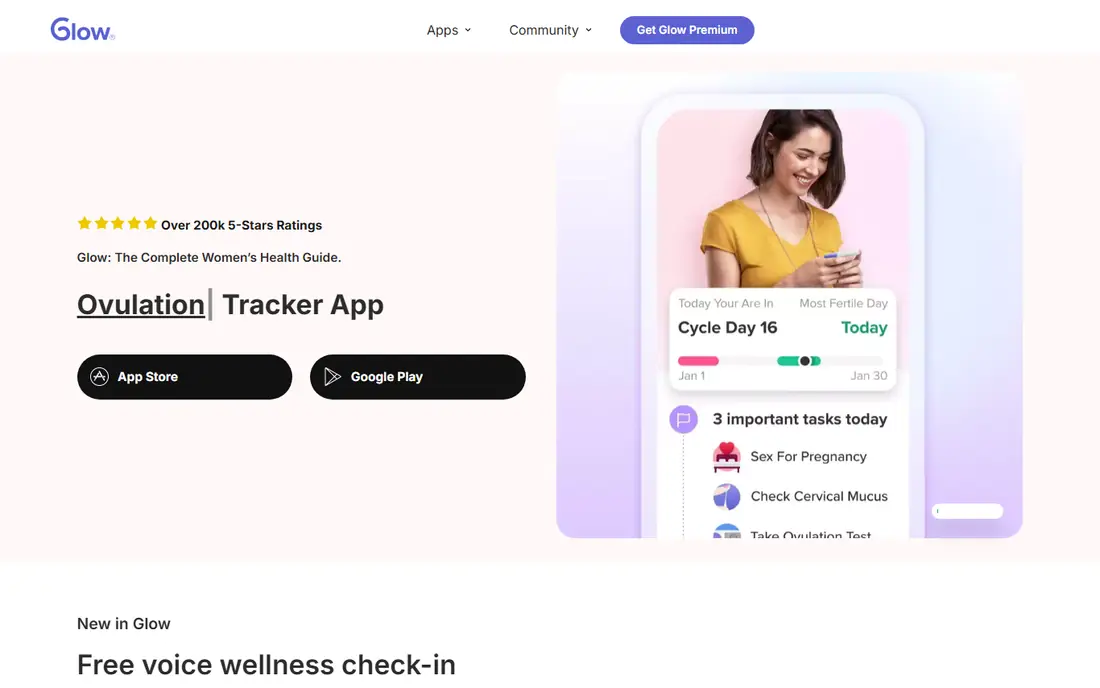
Glow Baby fits parents who already use Glow for fertility or pregnancy tracking and want to stay in one ecosystem. The app logs breastfeeding, bottles, pumping, diapers, and sleep, and it adds community posts, articles, and insights that some parents find reassuring in the early weeks. Data can move with the family across Glow apps as needs change from pregnancy to parenting. The catch is the free experience. Recent reviews note ads between feeds, and premium features such as ad removal and deeper insights need a subscription, listed at $59.99 per year in recent material. Parents who want a calm, ad-free log may prefer Nara Baby, while parents who value community and Glow content may accept the ads. Glow Baby is still a solid pick for families already in the Glow system.
- Feeding, diaper, and sleep tracking
- Community and content
- Links to other Glow apps
- Ads in the free version in recent reviews
- Premium insights need a subscription
- Interface can feel busy
Baby Connect fits families where many people care for the baby: parents, grandparents, nannies, and daycare staff. Everyone sees the same live log, with detailed charts for feeds, diapers, sleep, growth, and medicine that help at pediatric visits. The app works on phone, computer, smartwatch, and voice assistants, so a caregiver can log a feed from the device at hand. The catch is that the free tier is a trial, not a free plan, and a subscription is needed to keep saving entries. Recent material puts the subscription at about $4.99 per month, with per-child pricing in some listings. For a family with many caregivers, that cost can be worth it for one shared truth. For a single household, a free app such as Nara Baby may be enough.
- Strong multi-caregiver sync
- Detailed charts for pediatric visits
- Works on phone, web, and watch
- Subscription required to save entries after the trial
- Per-child costs can add up
- Interface is data-heavy
Ovia Parenting fits parents who want tracking plus reliable reading in one free app. The app logs feeds, diapers, sleep, and milestones, and it pairs those logs with articles and development guides. That combination helps a new parent who wants to check a milestone or a feeding pattern without opening a second app or searching the web at night. The limit is tracking depth. Ovia Parenting covers the basics well, but it does not match Huckleberry for sleep tools or Baby Connect for multi-caregiver charts. For parents who value free access and content over advanced predictions, that trade is fine. Use Ovia Parenting as a free companion to pediatric guidance, not as a replacement for it.
- Free tracking for feeds and milestones
- Clinically reviewed content
- Milestone and development guides
- Tracking is less detailed than Huckleberry or Baby Connect
- Content can feel general
- No paid sleep prediction tool
Talli Baby Tracker fits parents who want to log a feed without reaching for a phone at night. The optional Talli device sits by the changing table or bedside, and one touch logs a feed, diaper, or pumping session, which then appears in the app. That hands-free step matters when a baby is in arms and a phone screen would wake everyone. The app itself is free, with tracking for feeds, diapers, sleep, and pumping. The catch is the device price. The app is free, but the device is listed from $109.99 in recent material, so the total cost is higher than a phone-only app. Parents who are comfortable logging on a phone may not need the device. For parents who want the simplest night logging possible, Talli is the only option in this list with a physical button.
- Physical one-touch device for logging
- App is free
- Good for night feeds without a screen
- Device costs extra, listed from $109.99 in recent material
- Device is an added purchase to manage
- App alone is similar to other trackers
MilkMode fits parents who want a breastfeeding tracker and nothing else. The app offers a one-tap timer, a home screen widget, and live activities, with no account, no ads, and no subscription upsell. After a 7-day trial in recent material, the price is $4.99 once, which is far cheaper over a year than a monthly subscription. Data stays on the phone, which some parents prefer for baby data privacy. The limit is scope. MilkMode does not try to be a full baby tracker, so sleep, diapers, and growth need another app when those logs matter. It also lacks the caregiver sync of Nara Baby or Baby Connect. Pick MilkMode when feeding is the only job and simplicity at night matters most.
- One-tap timer with no account needed
- No ads or subscriptions
- Data stays on the phone
- Feeding only, with less sleep and growth tracking
- IPhone focus in recent listings
- No multi-caregiver sync like larger apps
Baby Daybook fits first-time parents who want a straightforward tracker without a steep learning curve. The app logs breastfeeding, bottles, diapers, sleep, and other daily activities in a clean layout, with reminders for feeds and naps. That simplicity helps when a new parent is learning both the baby and the app at the same time, and the free tier covers core logging. The catch is depth and clarity on pricing. Baby Daybook does not match Huckleberry for sleep predictions or Baby Connect for caregiver charts, and premium details should be checked on the vendor page before paying. For a family that wants simple, daily logging and nothing more, Baby Daybook is a calm, easy start.
- Simple newborn logging for feeds, diapers, and sleep
- Clean interface
- Useful for first-time parents
- Fewer advanced insights than Huckleberry
- Pricing and premium details need checking on the vendor page
- Smaller community
How we picked these
We compared official app store listings, vendor pages, and public reviews for feeding apps, and we checked left and right timers, pumping logs, diaper and sleep tracking, caregiver sync, ads, and free versus paid limits. We kept apps that are still available in October 2026 and that truly support breastfeeding tracking, not just general baby content. We did not claim hands-on testing, and we did not rank apps by a single score, because speed at night, sharing, and sleep tools matter differently to different families. This guide is general information only, not medical advice.
How to choose the right breastfeeding app for your family
Start with who will log feeds. If two parents and a grandparent share care, pick an app with strong sync such as Nara Baby or Baby Connect. If one parent logs most feeds, a simple timer such as MilkMode or a free all-rounder such as Huckleberry may be enough. Test the app during a real night feed, because speed and one-handed use matter more than a long feature list.
Check privacy and ads before you commit
Read the privacy policy for how feeding data is stored, shared, and deleted, and check whether the free version shows ads. Some free apps fund themselves with ads or data use, while others charge a subscription or a one-time fee. A paid or ad-free app can be worth it when baby data privacy is a priority, but a free app with clear privacy terms can also be a good choice.
Use logs as notes for your clinician, not as medical guidance
Bring feeding, diaper, and growth logs to pediatric visits, because a clear record helps a clinician spot patterns and answer questions. Do not use an app prediction or a community post to judge whether feeding is going well on its own. If feeding, weight gain, or milk supply is a concern, talk to a pediatrician or a lactation professional promptly, and use the app only to record what you discuss.
Frequently asked questions
What is the best breastfeeding tracker app?
The best breastfeeding tracker app for most parents is Huckleberry for full tracking, or Nara Baby for a free, ad-free option. Huckleberry covers feeds, sleep, diapers, and pumping with caregiver sync, while Nara Baby covers the same core logs for free without ads. The right pick depends on whether sleep predictions or a free, simple log matters more.
What is the best free breastfeeding tracker app?
Nara Baby is the best free breastfeeding tracker app in this list, because it is free and ad-free with shared logging across caregivers. Huckleberry also offers a strong free tier, but its best sleep features need a paid plan. Ovia Parenting is another free option that adds parenting content beside basic tracking.
What is the best app for breastfeeding and pumping?
Huckleberry and Nara Baby both track pumping on each side beside breastfeeding, with timers and logs that show patterns over days. Baby Connect also tracks pumping well for families with many caregivers. Pick the app that already fits your feeding workflow, because a pumping log that is hard to open at night will be skipped.
Are breastfeeding apps medical devices?
No, most breastfeeding apps in this list are tracking tools, not medical devices, and they do not diagnose feeding problems or give medical advice. They record times, sides, amounts, and patterns that a parent can share with a clinician. If you have concerns about feeding, growth, or health, talk to a pediatrician or lactation professional rather than relying on an app alone.
Can partners and grandparents use the same breastfeeding app?
Yes, with apps such as Nara Baby, Huckleberry, and Baby Connect, which offer caregiver sync so everyone sees the same log. MilkMode is more limited here, because it focuses on a single phone timer without multi-caregiver sync. Check sync and privacy settings when you invite a caregiver, so only the people you choose can see the log.
What is the best breastfeeding app free of ads?
Nara Baby is free and ad-free in its vendor description and recent reviews, which makes it the clearest ad-free pick here. MilkMode also avoids ads, with a one-time price after a trial. Glow Baby and other free apps may show ads unless a premium plan is bought, so check the free experience before committing.
Sources
See where you really rank - block by block
ProMapRanker scans Google Maps across a grid of your service area. Simple monthly plans from $19, white-label on every plan.
Start freeKeep reading
 zscaler alternatives
Best Zscaler Alternatives in 2026
Looking for zscaler alternatives? We compare 9 SASE and zero trust platforms on architecture, data protection, pricing, and fit for your network and team.
Read → zapier alternatives free
Best Zapier Alternatives Free in 2026
Nine automation tools for zapier alternatives free in 2026, all with genuinely free tiers, plus free plan limits, starting prices and upgrade paths explained.
Read → which platform is best for online reputation
Which Platform Is Best for Online Reputation in 2026
Wondering which platform is best for online reputation? We compare 8 review, listing, and response tools for small and multi-location businesses and agencies.
Read →