 ProMapRanker
Best Free Bookkeeping Software in 2026

Key takeaways
- Wave and Zoho Books give the clearest free cloud bookkeeping, but their limits are different, so check invoices, users, and bank imports before you commit.
- GnuCash, Manager, and Akaunting cost nothing in their free editions, yet they ask more of you in setup and day-to-day upkeep.
- QuickBooks Free is a limited starter plan, not a full replacement for paid QuickBooks, and paid-only tools do not belong in a free list.
- Payroll, inventory, and multi-user access are usually where a free plan ends, so pick the tool whose paid step matches your next year of growth.
Quick comparison
| Pick | Great for | Pricing starts at | Free tier | |
|---|---|---|---|---|
 Wave | Freelancers who invoice | Free | Yes | Visit |
 Zoho Books | Micro businesses that may grow | Free | Yes | Visit |
 GnuCash | Offline double-entry books | Free | Yes | Visit |
 Manager | Single-user desktop books | Free | Yes | Visit |
 Akaunting | Self-hosted invoicing | Free | Yes | Visit |
 ZipBooks | Simple cloud books | Free | Yes | Visit |
 QuickBooks Free | A limited QuickBooks start | Free | Yes | Visit |
 Found | Banking with basic books | Free | Yes | Visit |
The best free bookkeeping software
Free bookkeeping only helps when the free plan covers the work you actually do each month. We compared official pricing pages, plan limits, and feature pages, and we kept only tools with a real free plan or free edition.

Wave suits a solo owner whose main jobs are sending invoices, recording expenses, and checking a basic profit picture. The free Starter plan covers unlimited invoices, bills, and bookkeeping records, which is generous for a cloud tool at no monthly cost. You can run a small service business on it without hitting a client cap in the free tier.
The catch is automation. If you want automatic bank imports, auto-categorization, and late-payment reminders, you move to Wave Pro, listed at 19 dollars per month. Card payments also carry transaction fees. For owners who do not mind entering or uploading transactions by hand, Starter stays genuinely useful.
- Unlimited invoices and bookkeeping records on the free Starter plan
- Simple layout for solo owners
- Card payments built in
- Automatic bank imports sit in paid Pro
- Payroll is a paid add-on
- No inventory tracking

Zoho Books is our pick for a micro business that expects to grow inside one system. The free plan includes invoicing, expenses, bank reconciliation, and a wide report set, so the books look like proper accounting from the start. It also sits inside the wider Zoho suite, which helps if you later add invoicing, CRM, or inventory tools.
Limits matter here. The free plan is aimed at solopreneurs and micro businesses, with one user plus one accountant, and published limits include 1,000 invoices and 1,000 expenses per year. Paid plans start at 20 dollars per month, or less when billed annually, so the upgrade path is clear and not a jump to enterprise pricing.
- Real double-entry accounting on the free plan
- Bank reconciliation included
- More than 50 reports on the free plan
- Free plan is limited to one user plus one accountant
- Annual revenue limit applies
- Inventory needs a paid plan
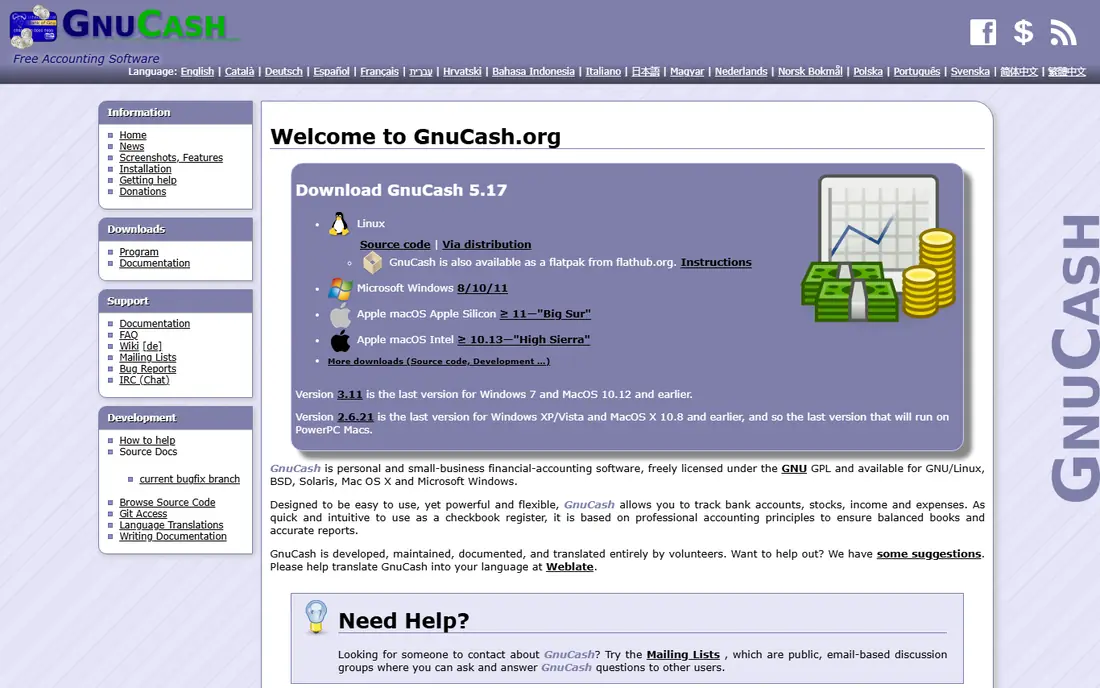
GnuCash is the classic free desktop choice for owners who want full control and no monthly bill. It handles double-entry accounting, accounts receivable and payable, reconciliation, scheduled transactions, and financial reports. Because it is open source, there is no paid accounting tier waiting behind a paywall.
That freedom comes with work. You install and maintain it yourself, you back up your own data file, and you will not get the polished cloud onboarding of Wave or Zoho Books. For an accounting-savvy owner, or a student learning double entry, that trade is worth it. For a team that needs shared cloud access, it is the wrong shape.
- Full double-entry accounting with no subscription
- Invoicing, bills, and scheduled transactions
- Runs on Windows, macOS, and Linux
- Desktop only, with no official mobile app
- Learning curve for new bookkeepers
- No built-in cloud sharing
Manager gives a single owner a surprisingly complete set of books for free. The desktop edition covers invoicing, expenses, inventory, and reports, and it runs offline, which suits owners with patchy internet or a fixed office computer. It feels closer to a paid small-business package than a stripped demo.
The limit is sharing. The free desktop edition is single-user, so an accountant or a second staff member cannot log in alongside you in the same way a cloud tool allows. The cloud edition is paid, starting at a higher monthly price than the paid tiers on this list. If you work alone and keep your own books, Manager is hard to beat for value.
- Full-featured free desktop edition
- Invoicing, inventory, and reports included
- Works offline on major desktop systems
- Desktop edition is single-user
- Cloud edition is paid
- Support is mainly community and documentation based
Akaunting fits owners who are comfortable running web software on their own hosting. The self-hosted edition is free and covers invoicing, expenses, and basic accounting, with add-ons for extra functions. You keep your data on your own server, which some owners prefer to a vendor cloud account.
Be clear about the two versions. The free part is the self-hosted edition, not the hosted cloud service, which is paid. You also take on updates, backups, and security for the install. If that sounds like a chore, pick Wave or Zoho Books instead. If you already manage a website, Akaunting gives you a free, flexible ledger.
- Free self-hosted edition with invoicing and expenses
- Open source code you can inspect
- Add-ons extend the core system
- Self-hosting needs technical setup and upkeep
- Hosted cloud plans are paid
- Some features need paid add-ons
ZipBooks is a good fit for an owner who wants cloud bookkeeping without learning accounting terms first. The Starter plan covers core bookkeeping, invoicing, and basic reports, with a layout that reads more like a dashboard than a ledger. For a very small business, that simplicity keeps weekly bookkeeping short.
Paid plans add the depth that growing businesses need, including fuller reconciliation, smarter tagging, and advanced reports. Time tracking is not part of Starter, and owners with several bank accounts will hit the paid boundary sooner. Use ZipBooks when simplicity matters more than advanced features, and check the paid step before you build a year of records in it.
- Clean cloud interface for beginners
- Free Starter plan covers core bookkeeping
- Invoicing and basic reports included
- Advanced reconciliation and reporting need paid plans
- Multiple bank connections need a paid plan
- No time tracking on Starter
QuickBooks Free is worth listing only with its limits stated plainly. It tracks income and expenses, sends a limited number of invoices, connects one bank account, and includes a small set of core reports. That is enough to test if you like QuickBooks, or to run a tiny side income stream.
It is not a free version of full QuickBooks Online. The free plan has no accountant access, no mobile app, and no third-party integrations, so most businesses with an accountant will need Simple Start or a higher paid plan. Treat this as a trial-shaped starting point, not as a long-term free home for a growing business.
- Familiar QuickBooks layout for owners and accountants
- Tracks income and expenses
- Connects one bank account on the free plan
- Free plan is limited, with no accountant access, mobile app, or third-party integrations
- Paid plans start higher than most free rivals
Found takes a different route: it pairs a business banking account with bookkeeping features, so income, expenses, and invoices sit next to the money itself. For a freelancer or sole proprietor who wants one place for banking and basic books, that pairing cuts down on separate logins and manual matching.
The trade is scope. Found is not a general ledger you can point at any bank, and it is not built for a multi-person finance team. Tax features are aimed at self-employed owners, which is helpful, but owners with inventory, payroll, or complex reporting will still need a fuller accounting tool. Use Found when banking and simple books together matter more than a standalone system.
- Core banking and bookkeeping features at no monthly cost
- Expense tracking and invoicing built in
- Tax tools aimed at self-employed owners
- Built around its banking account, not a standalone ledger for any bank
- Advanced features are paid
- Not a fit for larger teams
How we picked these
We compared official pricing pages, plan limits, and feature pages for each tool, and we kept only options with a real free plan or free edition in October 2026. Paid-only tools, trial-only tools, and tools whose free tier had ended were left out, even when they are well known. Where a vendor did not publish a price, we used See website in other articles, but every tool here states a free plan or free edition on its own site or in its own documentation.
What to check before you pick a free plan
Start with your monthly volume, not the headline price. Count invoices, bank accounts, users, and if you need payroll or inventory, then match those numbers against the free limits. A tool that is free for 20 invoices a month is not free for a business sending 200.
Next, test the upgrade path. Open the paid pricing page and note the first paid price, what it adds, and how data moves if you leave. A free tool that exports cleanly is safer than one that locks reports behind a paid tier. Finally, run one real month in parallel with your old method before you switch fully, so errors show up while you can still fix them.
Frequently asked questions
What is the best free bookkeeping software?
For most solo owners, Wave is the simplest free cloud pick, because its Starter plan includes unlimited invoices and bookkeeping records. Zoho Books is the better pick if you want double-entry reports and a clear paid upgrade path. Owners who want offline control should look at GnuCash or Manager instead.
Is Wave really free?
Yes, Wave Starter is free for core accounting, invoicing, bills, and bookkeeping records. Wave earns money from card payment fees and from paid add-ons such as Pro, which adds automatic bank imports. Check the current Pro price before you assume bank imports are included.
Is Zoho Books free?
Yes, Zoho Books has a free plan for one user plus one accountant, aimed at solopreneurs and micro businesses. It includes invoicing, expenses, bank reconciliation, and many reports, with published annual limits on invoices and expenses. Paid plans start at 20 dollars per month.
Can free bookkeeping software handle payroll?
Usually not for free. Most tools on this list offer payroll as a paid add-on or through a partner, and the accounting may be free while payroll is not. If payroll matters, price that add-on before you pick, and check if it covers your state and worker types.
When should I move from a free plan to a paid plan?
Move when workarounds cost more time than the paid price saves, or when you need extra users, inventory, payroll, or deeper reports. A common trigger is hitting an invoice, user, or bank-connection limit in two months running. At that point, a paid plan in the 15 to 30 dollar range often pays for itself in saved hours.
Is free bookkeeping software safe for a small business?
Reputable free tools use standard account security and proper double-entry records, and they are used by many small businesses. The main risks are your own habits: weak passwords, no backups for desktop tools, and no export plan if you leave. Use two-factor sign-in where offered, back up desktop files, and export your records regularly.
Sources
See where you really rank - block by block
ProMapRanker scans Google Maps across a grid of your service area. Simple monthly plans from $19, white-label on every plan.
Start freeKeep reading
 zscaler alternatives
Best Zscaler Alternatives in 2026
Looking for zscaler alternatives? We compare 9 SASE and zero trust platforms on architecture, data protection, pricing, and fit for your network and team.
Read → zapier alternatives free
Best Zapier Alternatives Free in 2026
Nine automation tools for zapier alternatives free in 2026, all with genuinely free tiers, plus free plan limits, starting prices and upgrade paths explained.
Read → which platform is best for online reputation
Which Platform Is Best for Online Reputation in 2026
Wondering which platform is best for online reputation? We compare 8 review, listing, and response tools for small and multi-location businesses and agencies.
Read →