 ProMapRanker
Best Blog Software for SEO in 2026

Key takeaways
- The best SEO blog platform gives you control over titles, meta descriptions, URLs, redirects, sitemaps, and structured data, plus fast pages.
- WordPress.org offers the most control, but it needs hosting, maintenance, and plugin discipline to stay fast.
- Ghost and Webflow offer strong built-in SEO with less plugin work, while Wix and Squarespace suit simpler sites.
- Speed, internal linking, and clean URLs matter as much as any single SEO feature, so test real page speed before you commit.
- Our pick for most bloggers is WordPress.org for control, with Ghost as the simpler managed alternative.
Quick comparison
| Pick | Great for | Pricing starts at | Free tier | |
|---|---|---|---|---|
 WordPress.org | Maximum SEO control | Free | Yes | Visit |
 Ghost | Fast publishing blogs | See website | No | Visit |
 Webflow | Design-led SEO sites | $14 per month | Yes | Visit |
 Wix | Beginner all-in-one sites | $17 per month | Yes | Visit |
 Squarespace | Design-led brand blogs | See website | Free trial | Visit |
 HubSpot Content Hub | B2B teams on HubSpot | $20 per seat per month | Yes | Visit |
 Framer | Fast marketing blogs | $5 per month | Yes | Visit |
 Superblog | SEO-focused blogging | $29 per month | Free trial | Visit |
 Blogger | Free simple blogging | Free | Yes | Visit |
The best blog software for seo
We compared blog platforms on technical SEO controls, speed, content workflow, and total cost. The nine below cover self-hosted, managed, and free options.
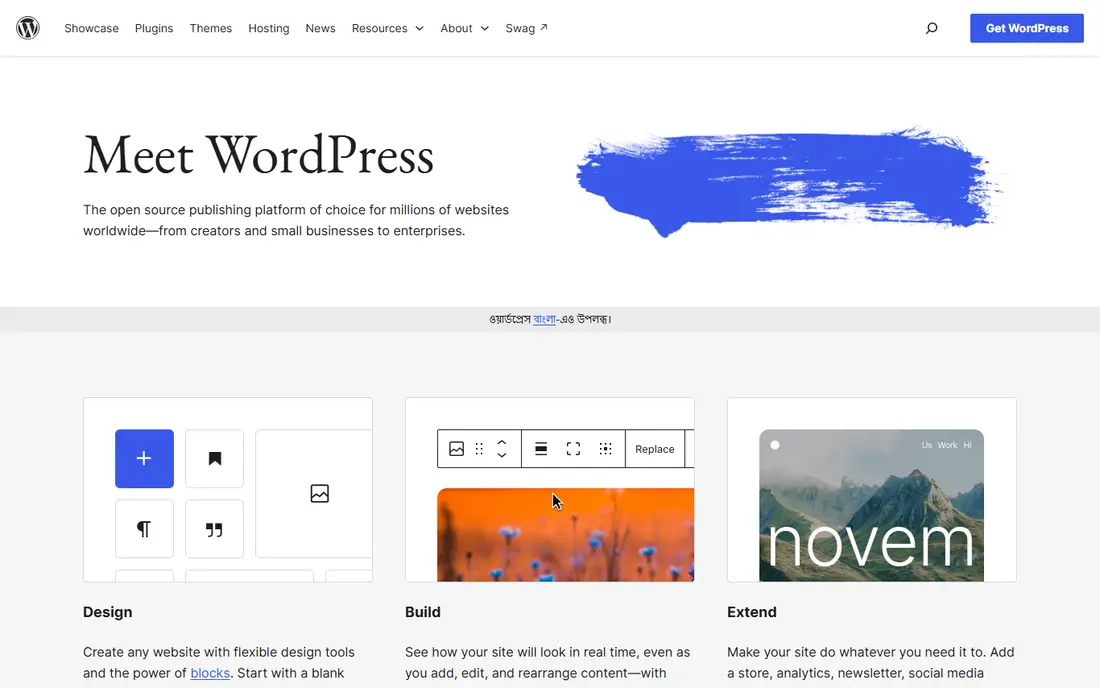
WordPress.org is the self-hosted version of WordPress, and it remains the most flexible blog platform for SEO. With plugins, a site owner can control meta titles and descriptions, add schema markup, manage redirects, edit robots rules, and build custom site architecture. That control helps content teams that run large blogs, use custom post types, or need precise technical fixes. The theme and plugin ecosystem also means most SEO jobs already have a tested solution.
Flexibility brings responsibility. WordPress only performs well when hosting is solid, plugins are kept lean, and updates are applied on time. A bloated theme or too many plugins can slow pages and hurt rankings. For teams willing to manage that discipline, or to pay for managed WordPress hosting, WordPress.org is still the strongest SEO choice.
- Full control over URLs, redirects, schema, and sitemaps with plugins
- Largest theme and plugin ecosystem
- Self-hosted data ownership
- Software is free but hosting, themes, and plugins add cost
- Speed and security need ongoing care
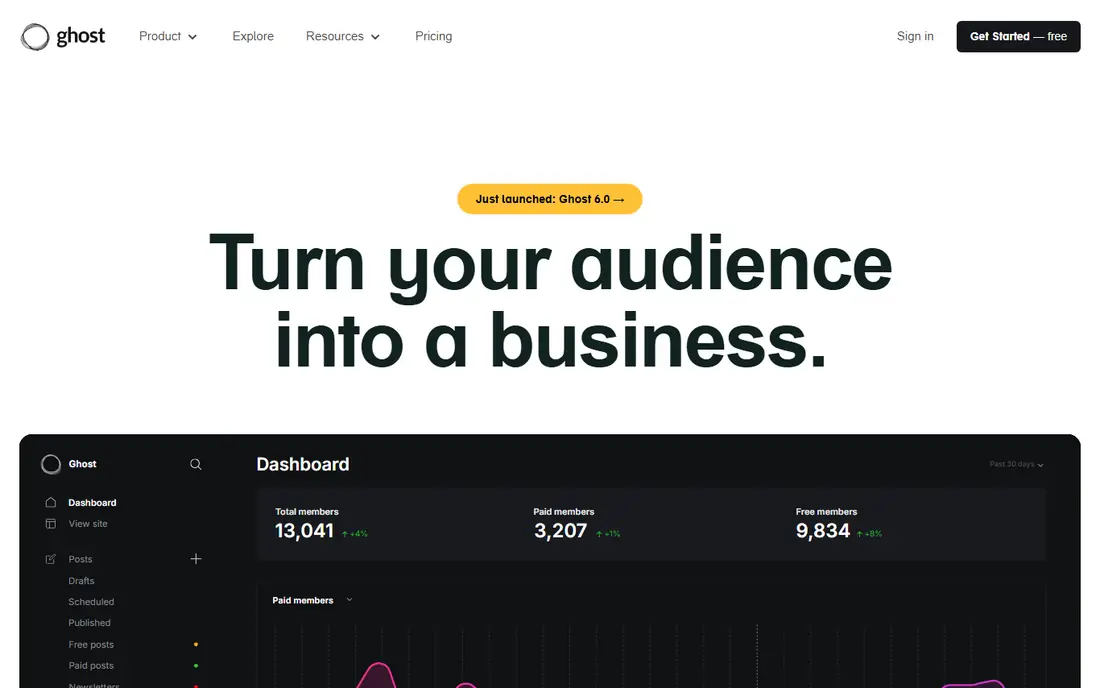
Ghost is an open source publishing platform built for blogs, newsletters, and membership sites. Its pages are fast by default, and core SEO basics such as XML sitemaps, meta tags, canonical URLs, and structured data are built in without plugins. Writers get a clean editor, scheduled posts, and member management in one dashboard. That focus suits publishers who want to write and rank without maintaining a plugin stack.
Managed Ghost hosting is paid, though self-hosting the open source software is free for teams with server skills. Theme choice is narrower than WordPress, and complex site types beyond publishing need custom work. For publishers whose main job is writing and growing search traffic, Ghost is the cleanest managed alternative to WordPress.
- Fast pages by default
- Built-in sitemaps, meta controls, and structured data
- Membership and newsletter tools included
- Managed hosting has no free plan
- Theme choice is smaller than WordPress
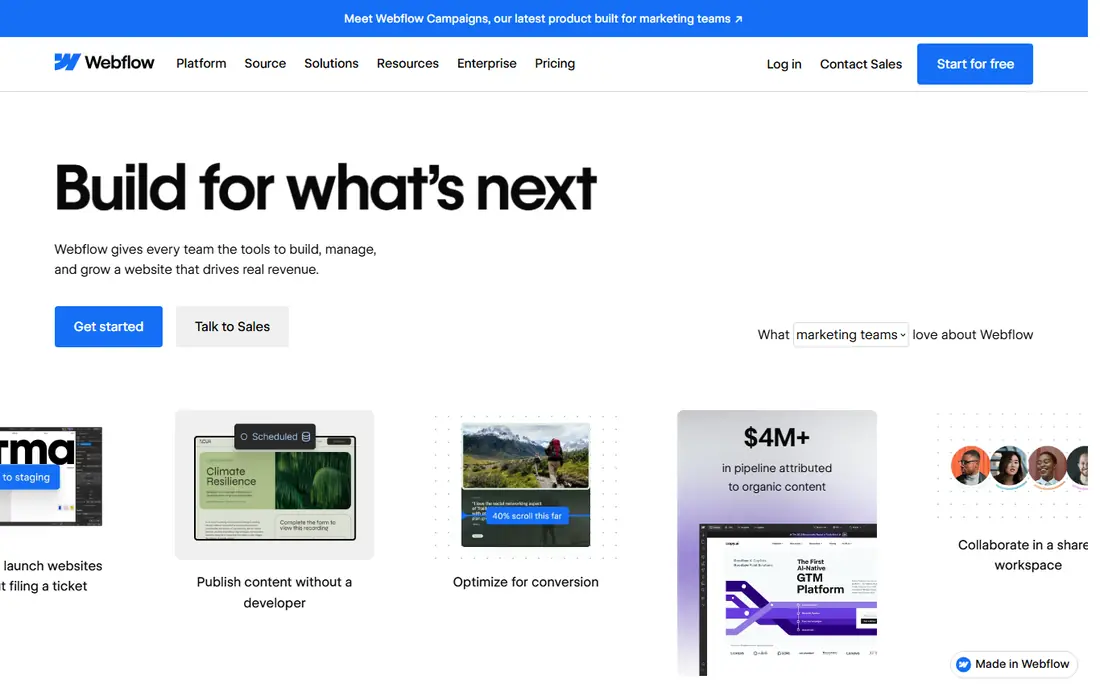
Webflow combines visual design with strong technical SEO controls. Designers can set meta titles and descriptions, add schema, manage redirects, control sitemap settings, and publish clean code from a hosted platform. Pages load fast on Webflow hosting, which helps Core Web Vitals, and the CMS handles blog posts, authors, and categories without a plugin stack. That mix appeals to B2B and SaaS teams that want a polished site and solid SEO in one tool.
Webflow is not as simple as Wix for a first-time blogger, and larger content sites should check CMS item limits and plan costs. Custom functionality beyond the CMS may need extra code or integrations. For design-led teams that want SEO control without WordPress maintenance, Webflow is a top pick.
- Clean code output
- Native meta, schema, and redirect controls
- Visual design without heavy plugins
- Learning curve for new designers
- CMS limits and pricing rise with larger content sites
Wix suits small businesses and new bloggers who want a site live fast. Its editor, templates, and built-in SEO panel cover titles, descriptions, URLs, sitemaps, and basic structured data without code. Hosting and security are handled by Wix, so owners do not manage updates or server settings. That simplicity is a real advantage for a team with no developer.
Advanced SEO work shows the limits. Custom schema, complex redirects, and granular crawl control are harder than on WordPress or Webflow, and large content strategies may outgrow the platform. For a small blog with local or niche search goals, Wix can rank well. For a large publishing operation, a more flexible platform is safer.
- Easy drag-and-drop editor
- Built-in SEO tools and guides
- Hosting, domain, and site tools in one account
- Less granular control than WordPress or Webflow
- Advanced structured data and architecture options are limited
Squarespace is known for clean templates and a simple editing experience. Its blog tools include meta controls, sitemaps, social sharing, and built-in analytics, and hosting is included in the plan. That package suits creatives, consultants, and small brands that want a beautiful blog without managing plugins or servers. Support is also straightforward, because the whole stack comes from one vendor.
Technical SEO flexibility is narrower than WordPress or Webflow. Custom schema, advanced redirects, and deep site architecture changes are limited, and template constraints can affect layout choices. For a brand-led blog with moderate search goals, Squarespace works well. For a content-heavy SEO programme, WordPress or Ghost will offer more room to grow.
- Polished templates
- Built-in SEO basics and analytics
- Hosting and support included
- Less flexible than WordPress for technical SEO
- Template-bound design can limit custom layouts
HubSpot Content Hub combines a CMS, blog, and SEO tools with HubSpot CRM data. Writers see SEO recommendations while drafting, can manage topics and pillar pages, and can link content performance to leads and campaigns. That closed loop helps B2B teams prove which posts drive pipeline, not just traffic. Workflow, scheduling, and permissions suit larger marketing teams.
Pricing is per seat and varies by hub, so total cost can exceed a simple blog platform once CRM, marketing, and content tools are combined. Teams outside HubSpot gain less from the integration. For companies already on HubSpot, Content Hub is the natural SEO blog choice.
- SEO recommendations built into the editor
- CRM and campaign data in one place
- Strong content workflow and approvals
- Cost rises with seats and hubs
- Best value stays inside the HubSpot ecosystem
Framer started as a design tool and now offers a hosted site builder with blog and CMS features. Its pages are fast, its editor is visual, and its SEO panel covers meta tags, sitemaps, and redirects for typical marketing sites. The low entry price and free tier make it easy to test a small blog or startup site without a large commitment. Designers who already use Framer will find the workflow familiar.
Content depth is the limit. Framer suits marketing blogs and startup sites better than large publishing operations with complex categories, authors, and archives. Teams should check CMS limits, collaboration features, and export options before committing a large archive. For a fast, design-led marketing blog, Framer is a strong value option.
- Very fast hosted pages
- Visual design with SEO controls
- Low entry price for small sites
- CMS depth is shallower than WordPress
- Larger blogs should check limits and workflow
Superblog is built specifically for SEO blogging. It automates schema markup, sitemaps, internal link suggestions, and search engine indexing signals, and it can host a blog on a subdirectory of an existing site. That subdirectory option matters, because it lets a company blog benefit from the main domain authority instead of starting on a separate subdomain. Lead forms and analytics are included, so a blog can capture enquiries without extra tools.
Superblog is not a full website builder, so teams that need complex pages, shops, or memberships will need another platform alongside it. The monthly price is also higher than a free WordPress install, though hosting and SEO automation are included. For teams whose main goal is search traffic from a blog, Superblog is a focused and practical pick.
- SEO automation including schema, sitemaps, and IndexNow
- Subdirectory hosting option
- Lead forms built in
- Narrower than a full CMS
- Pricing is higher than a basic blog tool for a small hobby blog
Blogger, owned by Google, remains a free way to start a blog in minutes. Setup is simple, hosting is included, and a custom domain can be connected. For a hobby blog or a simple personal site, that zero cost and low maintenance are hard to beat. Posts support basic labels, scheduling, and sharing, and the platform is stable for simple use.
SEO and design control are limited compared with WordPress, Ghost, or Webflow. Templates are dated, plugin options are minimal, and advanced schema or redirect control is not a strength. Blogger also receives fewer new features than modern platforms. For a free first blog, it works. For a serious SEO programme, a more capable platform is a better investment.
- Free with Google hosting
- Simple setup
- Custom domain support
- Limited SEO controls and design options
- Fewer updates and features than modern rivals
How we picked these
We compared official pricing pages, product documentation, and public 2026 SEO platform comparisons, and we kept only blog tools that are live and able to publish searchable posts with meta and sitemap controls. We used See website where pricing varies by plan or has changed across sources, rather than presenting a disputed figure as fact. We did not claim hands-on testing, and we weighed SEO control, speed, workflow, and total cost together.
What to check before you choose a blog platform for SEO
Start with technical controls. Confirm you can edit titles, meta descriptions, URLs, canonical tags, and redirects, and that the platform generates a clean XML sitemap. Check schema support for articles, authors, and breadcrumbs, and confirm you can add custom code where needed. A platform that hides those controls will limit your SEO work later.
Next, test speed on a real post. Publish a test article with images, check mobile speed, and review Core Web Vitals. A beautiful template that loads slowly will hurt rankings and reader patience. Also check image handling, caching, and hosting location, because those factors shape speed more than any single SEO checkbox.
Finally, plan content workflow and migration. Confirm roles, scheduling, categories, and internal linking tools fit your team. Check export options before you commit a large archive, because moving hundreds of posts later is painful. Choose the platform your team will actually use weekly, not just the one with the longest feature list.
On-page basics that still matter
Write a clear title and meta description for each post, use one main heading, and structure subheadings around the reader question. Add internal links to related posts, use descriptive image alt text, and keep URLs short and readable. Those basics help on every platform in this list.
Technical checks before launch
Set up Search Console, submit your sitemap, and check that only one version of each URL is indexed. Fix redirect chains, remove thin or duplicate posts, and review crawl errors monthly. A platform with good controls still needs regular checks to stay healthy in search.
Frequently asked questions
What is the best blog software for SEO?
WordPress.org offers the most SEO control for teams that can manage hosting and plugins, while Ghost offers strong built-in SEO with less maintenance. Webflow suits design-led teams that want clean code and native controls. The best pick depends on team size, technical skill, and how large your content programme will grow.
What is the best SEO blog platform for beginners?
Wix and Squarespace are the easiest starting points for beginners, because hosting, templates, and SEO basics are included. Ghost is also beginner-friendly for writers who want a fast, focused blog. Beginners should start simple, publish consistently, and move to WordPress only when they need deeper control.
Is WordPress still the best platform for SEO in 2026?
For maximum control, yes. WordPress still leads for schema, redirects, site architecture, and plugin choice, but it only performs when hosting is solid and plugins stay lean. Managed WordPress hosting or a disciplined setup helps teams keep that advantage without constant maintenance work.
Does a free blog platform hurt SEO?
Not automatically. A free platform can rank if content is strong, pages are fast, and technical basics are covered. Limits appear when you need custom domains, advanced schema, redirects, or full data ownership. For a serious business blog, a paid platform with those controls is usually worth the cost.
What SEO tools for blogs matter most?
Title and meta controls, clean URLs, sitemaps, canonical tags, redirects, schema, and fast hosting matter most. Internal linking and image optimisation also help. A tool that automates schema and sitemaps, such as Superblog or Ghost, saves time, but it does not replace good content and keyword research.
Should my blog live on a subdirectory or subdomain?
A subdirectory usually helps a blog benefit from the main site domain authority, while a subdomain is treated more separately in search. Superblog and WordPress both support subdirectory setups, though implementation varies. If search traffic is a core goal, favour a subdirectory when your platform and site setup allow it.
Sources
- https://wordpress.org
- https://ghost.org
- https://webflow.com/pricing
- https://www.wix.com/pricing
- https://www.squarespace.com
- https://www.hubspot.com/products/content
- https://www.framer.com/pricing
- https://superblog.ai/blog/ghost-vs-wordpress-vs-superblog
- https://www.blogger.com
- https://rankite.com/blog/best-website-platform-for-seo
See where you really rank - block by block
ProMapRanker scans Google Maps across a grid of your service area. Simple monthly plans from $19, white-label on every plan.
Start freeKeep reading
 zscaler alternatives
Best Zscaler Alternatives in 2026
Looking for zscaler alternatives? We compare 9 SASE and zero trust platforms on architecture, data protection, pricing, and fit for your network and team.
Read → zapier alternatives free
Best Zapier Alternatives Free in 2026
Nine automation tools for zapier alternatives free in 2026, all with genuinely free tiers, plus free plan limits, starting prices and upgrade paths explained.
Read → which platform is best for online reputation
Which Platform Is Best for Online Reputation in 2026
Wondering which platform is best for online reputation? We compare 8 review, listing, and response tools for small and multi-location businesses and agencies.
Read →