 ProMapRanker
Best Bitcoin Mining Software in 2026

Key takeaways
- Bitcoin mining in 2026 is dominated by ASIC hardware, so software choice matters for pool support, stability, monitoring and fees, not for creating coins from a phone alone.
- CGMiner and BFGMiner suit experienced ASIC operators who want command-line control, while NiceHash and Cudo Miner suit beginners.
- Hive OS and Awesome Miner suit farms and multi-rig operations with central monitoring and remote control.
- Cloud mining platforms carry added risk, so check contracts, fees, withdrawal rules and company history before paying anything.
- This is not financial advice. Mining profitability depends on electricity cost, hardware efficiency, network difficulty and Bitcoin price, and it can lose money.
Quick comparison
| Pick | Great for | Pricing starts at | Free tier | |
|---|---|---|---|---|
 CGMiner CGMiner | Experienced ASIC operators | Free | Yes | Visit |
 BFGMiner BFGMiner | Advanced ASIC and FPGA miners | Free | Yes | Visit |
 NiceHash NiceHash | Beginners and hashpower marketplace | Free | Yes | Visit |
 Cudo Miner Cudo Miner | Automated GPU and ASIC mining | Free | Yes | Visit |
 Hive OS Hive OS | Farms and multi-rig management | Free | Yes | Visit |
 Awesome Miner Awesome Miner | Large operations, central control | Free | Yes | Visit |
 MultiMiner MultiMiner | Beginner-friendly desktop mining | Free | Yes | Visit |
 ECOS ECOS | Cloud mining without hardware | See website | No | Visit |
The best bitcoin mining software
We compared official product pages, supported hardware, pool options, fees and platform support. The list favors tools that are actively maintained and that genuinely support Bitcoin or Bitcoin mining pools, and it labels cloud mining separately from software you run on your own hardware.
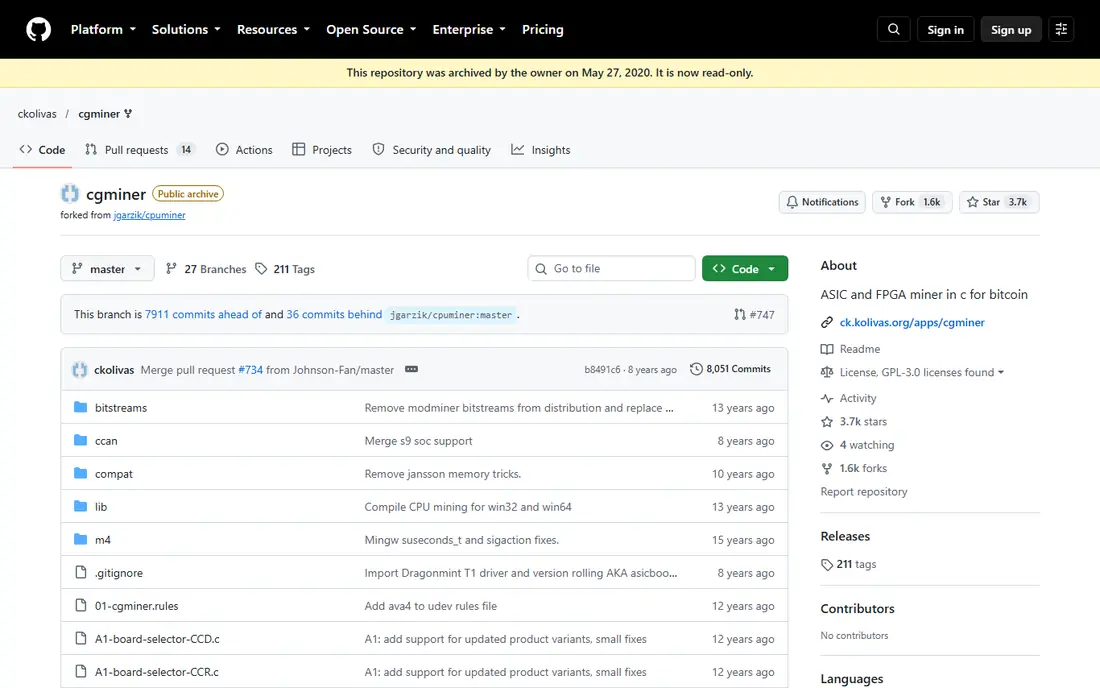
CGMiner is the longest-running serious Bitcoin miner, first released in 2011, and it remains a standard for ASIC operators who want full control. It supports multi-pool failover, fan and clock adjustment and remote monitoring through its interface, with very low system overhead. Versions from 3.10 onward focus on ASIC hardware, while older versions covered GPU mining.
The command line is the barrier. Beginners who expect a dashboard will struggle, and setting up drivers for new ASIC models takes care. CGMiner suits operators who run unattended rigs, value stability and prefer open-source software they can inspect. For a first mining setup, a graphical tool below will feel easier.
- Free and open source
- Multi-pool failover
- Low overhead on Windows and Linux
- Command-line only
- No built-in graphical interface
- Newer ASIC support depends on drivers
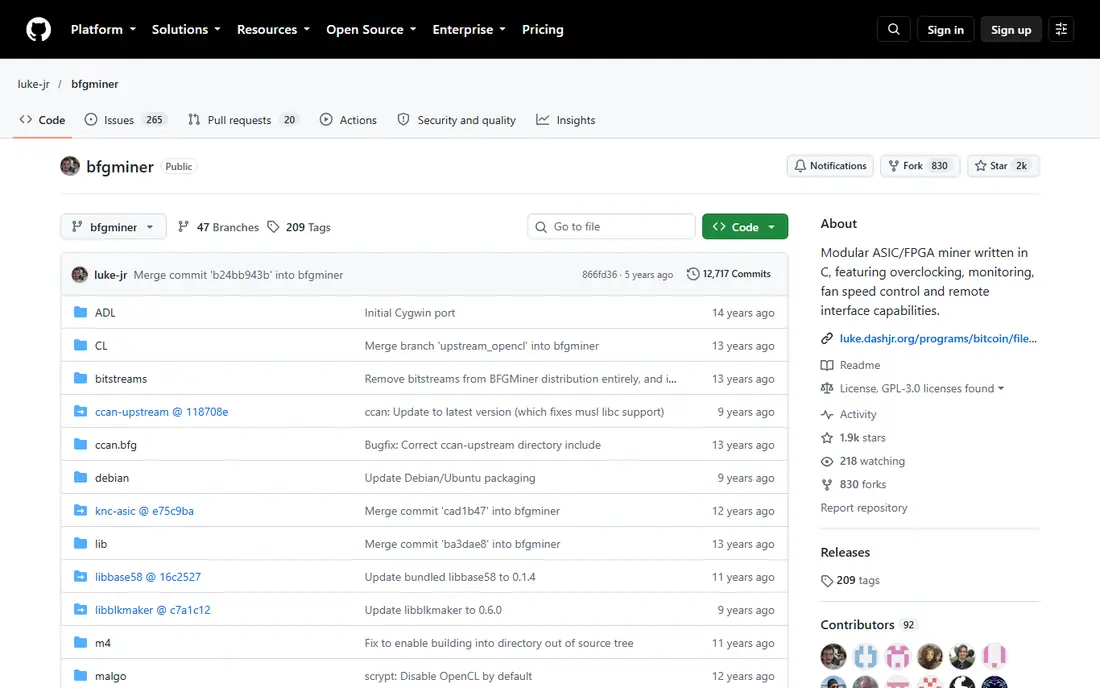
BFGMiner is a modular miner for ASIC and FPGA hardware, with dynamic clocking, multi-pool support and a design that lets advanced users add drivers and features. It shares roots with CGMiner but takes a different approach to hardware control, which appeals to miners who tune rigs closely. Its open-source code also suits users who want transparency about what the software does.
Like CGMiner, it is not beginner software. The interface is text-based, configuration files need care, and troubleshooting often requires reading logs. BFGMiner is best for experienced miners who already understand pools, stratum settings and hardware tuning, and who want a flexible alternative to CGMiner.
- Free and open source
- Modular design
- Dynamic clocking and multi-coin support
- Command-line interface
- Setup takes technical skill
- Documentation is dense

NiceHash is the easiest entry point for many new miners. Its Miner software detects hardware, switches algorithms based on profitability and pays out in Bitcoin, while its marketplace lets users buy or sell hashpower without owning hardware for every algorithm. Remote monitoring through a mobile app helps when rigs run in another room or building.
Fees are the trade-off. NiceHash charges fees on mining payouts and trades, which can exceed direct pool mining costs, and withdrawal minimums matter for small setups. It also centralizes trust in one platform, so enable two-factor authentication and keep only working balances on the service. For beginners who want a guided start, NiceHash is a practical choice.
- Free to download
- Automatic algorithm switching
- Mobile app and remote rig monitoring
- Fees on payouts and trades
- Payouts are in Bitcoin
- Withdrawal minimums can affect small miners
Cudo Miner automates much of the setup that puts beginners off. It benchmarks hardware, picks profitable coins and algorithms, and lets users manage rigs remotely through its web console. That automation suits home miners who want to run a GPU rig or a small ASIC setup without constant manual tuning.
Profitability needs honest expectations. GPU mining for Bitcoin directly is not practical with modern ASIC competition, and Cudo Miner often mines other coins that convert to Bitcoin, with fees taken from earnings. Check electricity cost and hardware efficiency first, since software cannot turn an unprofitable rig into a profitable one.
- Automated benchmarking and coin switching
- Remote management through Cudo Farm
- Works on Windows, Linux and Mac
- Fees apply to earnings
- GPU mining profitability is limited in 2026
- Advanced features need a paid tier for larger setups
Hive OS is a management platform for miners who run several rigs. It installs as a dedicated operating system, monitors temperature, hashrate and errors from one dashboard, and lets operators change pools, overclock settings and firmware remotely. That central control saves hours compared with logging into each rig separately.
Setup takes more effort than a desktop miner, since you need to flash the OS, configure workers and connect rigs to the dashboard. Pricing is free for small setups and paid for larger farms, so check current tiers before scaling. For serious miners with multiple machines, Hive OS is one of the most complete management tools available.
- Central monitoring for ASIC and GPU rigs
- Overclocking and remote control
- Free tier for small setups
- Learning curve for first setup
- Paid pricing for larger farms
- Requires compatible hardware and network setup
Awesome Miner gives large operations a single console for many miners, with profit switching, monitoring, rules and remote actions. It supports ASIC, GPU, FPGA and CPU miners, and its free tier covers two miners, which lets small operators test it before paying. Rules can restart miners, switch pools or send alerts when hashrate drops.
The console is Windows-focused and dense, so beginners may prefer Hive OS or NiceHash for a simpler view. Paid tiers add miners and features, and costs grow with farm size. For operators who manage dozens of machines and want rule-based automation, Awesome Miner is a strong professional choice.
- Central management for ASIC, GPU and CPU miners
- Profitability switching
- Free for up to two miners
- Windows-focused management console
- Paid tiers for larger operations
- Interface is dense
MultiMiner wraps command-line miners in a graphical interface, which makes it one of the friendliest desktop options. It helps beginners choose pools, switch based on profitability and monitor rigs remotely, without learning command-line flags first. Its open-source code and desktop focus suit home miners who want control without a farm platform.
The drawback is pace. MultiMiner receives less frequent updates than NiceHash, Hive OS or Awesome Miner, so support for the newest hardware may lag. It also suits smaller setups better than large farms. For a first desktop mining project, MultiMiner offers a good balance of simplicity and control.
- Free and open source
- Graphical interface
- Automatic profit switching and remote monitoring
- Development updates are less frequent than major platforms
- Best for smaller desktop setups
ECOS is a cloud mining platform that lets users buy mining contracts without owning or maintaining hardware. It offers an integrated wallet, contract options and a mobile app, which appeals to people who want exposure to mining without noise, heat and electricity bills at home. That convenience is the main reason to consider it.
Cloud mining carries distinct risks. Returns depend on Bitcoin price, difficulty and contract terms, and some cloud platforms in this sector have failed or misled users. Before paying, read the contract, check withdrawal rules, research the company and its mining facilities, and only risk money you can afford to lose. Never treat a cloud contract as guaranteed income.
- Cloud mining contracts without buying hardware
- Integrated wallet
- Mobile app access
- Cloud mining returns are not guaranteed
- Contract terms and fees need careful reading
- Regulatory and company risks apply
How we picked these
We compared official product pages, hardware support, pool options, fees, platform availability and maintenance status, favoring tools that are still usable in 2026 and that disclose fees clearly. We excluded mobile apps that promise Bitcoin mining on a phone alone, since phone mining cannot compete with ASIC hardware and often relies on simulated rewards. We did not claim hands-on testing; our comparison rests on vendor pages and public reviews.
How to choose mining software
Start with hardware, not software. ASIC miners need ASIC-focused tools such as CGMiner, BFGMiner, Hive OS or NiceHash, while GPU rigs need GPU-aware tools such as Cudo Miner or NiceHash. Next, calculate profitability honestly, using electricity cost, hardware hashrate, pool fees, software fees and current network difficulty, and remember that difficulty and price change.
Then check pool support, monitoring and security. A good tool should support your chosen pool, alert you to downtime and let you monitor rigs remotely. Use strong passwords, two-factor authentication and a separate wallet for payouts, and never download miners from unofficial links, since fake miners are a common malware risk. Finally, test with a small setup before scaling.
Frequently asked questions
What is the best bitcoin mining app for mobile?
NiceHash offers the most useful mobile app for real miners, since it monitors rigs and manages payouts rather than mining Bitcoin on the phone itself. Apps that claim to mine Bitcoin directly on a phone usually offer simulated rewards or cloud contracts, not real ASIC-level mining. Use mobile apps for monitoring, not for mining power.
What is the best crypto mining software for beginners?
NiceHash and Cudo Miner are the easiest starting points, with automatic setup, algorithm switching and remote monitoring. MultiMiner is a good free desktop alternative for beginners who want a graphical interface. Start small, check electricity costs and learn pool settings before scaling.
What is the best free bitcoin mining software?
CGMiner and BFGMiner are free and open source for experienced ASIC operators, while MultiMiner is free for desktop beginners. NiceHash, Cudo Miner and Hive OS offer free tiers with fees on earnings or limits on rig count. Free software still involves hardware, electricity and pool fees.
Can I mine Bitcoin with a GPU in 2026?
You can mine other coins with a GPU and convert earnings to Bitcoin, but direct Bitcoin mining with a GPU cannot compete with ASIC hardware. Network difficulty is near record highs, and ASIC efficiency has improved sharply. Check profitability calculators before buying GPU hardware for mining.
What are the best cloud mining platforms?
ECOS is one established cloud option, but cloud mining is high risk and returns are not guaranteed. Compare contract length, hashrate, maintenance fees, withdrawal rules and company history, and be wary of platforms that promise fixed daily returns. This article is not financial advice.
Is Bitcoin mining profitable?
It depends on electricity price, hardware efficiency, pool fees, difficulty and Bitcoin price. Many home miners lose money after electricity costs, while large operations with cheap power and efficient ASICs have a better chance. Run the numbers honestly before buying hardware or contracts.
Sources
See where you really rank - block by block
ProMapRanker scans Google Maps across a grid of your service area. Simple monthly plans from $19, white-label on every plan.
Start freeKeep reading
 youtube alternatives
Best YouTube Alternatives in 2026
Looking for youtube alternatives in 2026? We compare Vimeo, Dailymotion, Twitch, Rumble, and more on price, audience, monetization, control and privacy.
Read → what's the best ai tool for photo editing
What Is the Best AI Tool for Photo Editing in 2026
What is the best AI tool for photo editing? We compare ten tools for 2026, from Photoshop and Lightroom to Luminar, Topaz, Canva and mobile editors today.
Read → twitter alternatives
Best Twitter Alternatives in 2026
Compare the best twitter alternatives for 2026, from Bluesky, Threads, and Mastodon to Reddit, Tumblr, and Micro.blog, with free plans and audience notes.
Read →