 ProMapRanker
Best Biometric Authentication Software in 2026


Workforce login in Microsoft environments · Pricing starts at: $6 per user per month
Key takeaways
- Microsoft Entra ID and Okta cover most workforce needs, because they combine biometric sign-in with single sign-on, device checks, and access policy.
- FaceTec, iProov, and Daon suit high-assurance use, such as banking and onboarding, where liveness checks and spoof resistance matter most.
- HID and Aware suit teams that need hardware, readers, or developer toolkits rather than a ready-made login product.
- Biometric data needs clear consent, secure storage, and a fallback login method, so check privacy law and retention policy before deployment.
Quick comparison
| Pick | Great for | Pricing starts at | Free tier | |
|---|---|---|---|---|
| Microsoft Entra ID | Workforce login in Microsoft environments | $6 per user per month | Free trial | Visit |
 Okta | Workforce identity across many clouds | $6 per user per month | Free trial | Visit |
 Auth0 | Customer login for web and mobile apps | See website | Yes | Visit |
 FaceTec | 3D face authentication with liveness checks | See website | No | Visit |
 iProov | High-assurance face verification | See website | No | Visit |
 Daon | Omnichannel biometric identity for banks and telecoms | See website | No | Visit |
 HID | Readers and physical plus logical access | See website | No | Visit |
 Aware | Developer toolkits for biometric matching | See website | No | Visit |
The best biometric authentication software
Biometric authentication replaces or strengthens passwords with a face, fingerprint, voice, or behavior check. The products below serve different jobs, from everyday workforce login to high-assurance identity proofing, and the right pick follows the risk level, not the novelty of the technology. Note on privacy: biometric data is sensitive personal data, so any deployment needs clear user consent, a stated retention limit, and a non-biometric fallback for people who cannot or do not wish to enroll.

Microsoft Entra ID, formerly Azure Active Directory, is the natural biometric choice for organizations already running Microsoft 365. Windows Hello lets users sign in with face or fingerprint, while Entra ID adds single sign-on, multi-factor rules, and conditional access that can require a biometric or compliant device for sensitive apps. For a Microsoft-centered workforce, that combination reduces password resets and gives IT one policy surface.
The catch is fit outside that ecosystem. Organizations with little Microsoft footprint may find Okta more neutral, and the most useful paid tiers sit on top of a Microsoft subscription, so the marginal cost depends on the existing contract. A team should also plan for fallback access, because a failed biometric check must not lock a worker out of critical systems. For Microsoft shops, Entra ID is the default pick.
- Strong fit with Microsoft 365 and Windows Hello
- Conditional access and device policy included
- Widely supported by enterprise apps
- Best value sits inside a Microsoft contract
- Setup for non-Microsoft apps needs more planning
Okta is a workforce identity platform that supports biometric and phishing-resistant sign-in alongside single sign-on and lifecycle management. Its strength is neutrality: it works across Google Workspace, Microsoft, Salesforce, and thousands of other apps, with adaptive policies that can step up authentication when risk rises. A team that runs a mixed cloud estate gets one identity layer instead of a separate login for each vendor.
Pricing starts at 6 dollars per user per month for the Starter workforce tier, with Essentials at 17 dollars, and higher tiers priced on request. That structure suits mid-size and larger teams, but a small team that only needs basic login may find it more than necessary. A trial with the team's real apps, including one legacy app, will show whether the integration catalog justifies the cost.
- Very wide app integration catalog
- Strong adaptive multi-factor options
- Works well across cloud providers
- Price rises with higher tiers and add-ons
- Smaller teams may pay for features they do not use
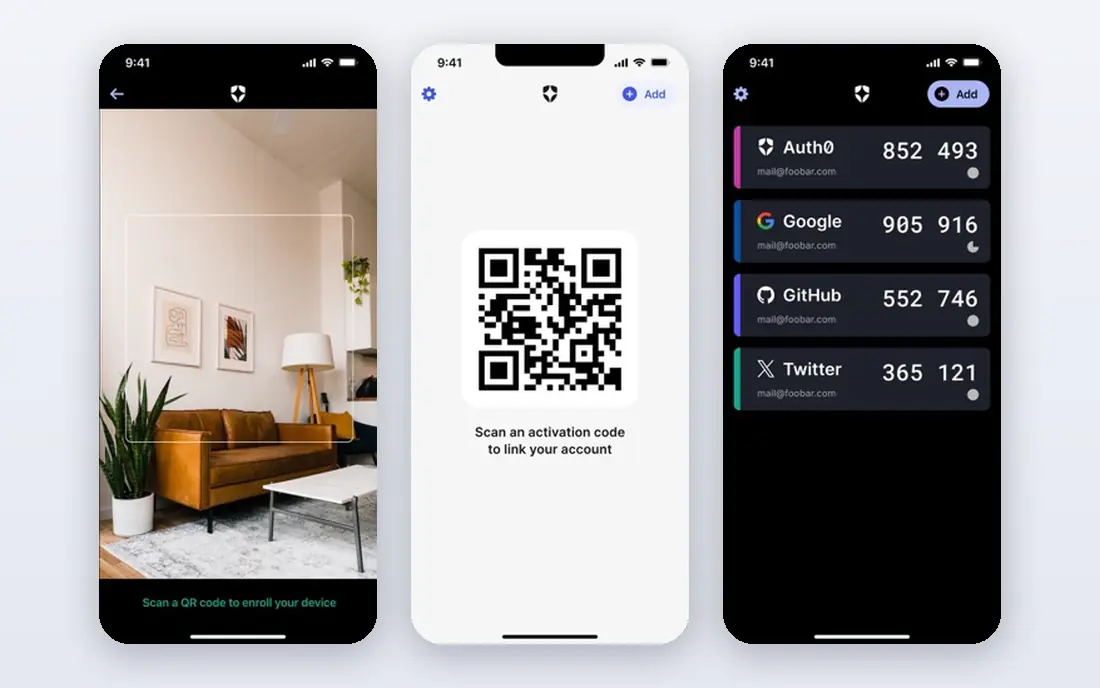
Auth0, now sold as Okta Customer Identity Cloud, is built for customer-facing login rather than workforce login. Developers add hosted login, social sign-on, passwordless email or SMS options, and biometric support through SDKs for web and mobile, without building an identity system from scratch. The free tier helps a small app launch, and the platform scales as monthly active users grow.
The pricing model is the main planning point, because it bills by monthly active users rather than by employee seats, so a consumer app with many occasional users should model cost on real traffic. Enterprise features, such as advanced security and compliance controls, sit on higher tiers. For a product team that wants a polished customer login fast, Auth0 remains a strong default.
- Developer-friendly SDKs and hosted login
- Biometric and passwordless options for customers
- Free tier for getting started
- Costs grow with monthly active users
- Enterprise features sit on higher tiers
FaceTec provides 3D face authentication for onboarding and ongoing login, with liveness detection designed to block photos, videos, and masks. Its approach creates a 3D FaceMap from a short video session, then matches later sessions against that map, which suits banks, fintech apps, and other services that need remote identity assurance. The persistent spoof bounty program is a useful signal, because it invites attackers to test the system in public.
FaceTec is a component, not a complete identity platform, so a buyer needs developers to integrate the SDK and a security team to review data handling, storage, and fallback flows. Pricing is quote-based, which makes early budgeting harder. For a team building high-assurance face login into its own app, FaceTec is one of the most focused options available.
- 3D face matching with certified liveness detection
- Spoof bounty program backs its claims
- Works on phones and webcams
- SDK licensing is quote-based
- Implementation needs developer and security review
iProov specializes in face verification that checks whether a real person is present, not just whether a face matches a photo. That genuine-presence focus matters for government services, banking onboarding, and other cases where an attacker might inject a synthetic video into the verification flow. The cloud service handles the check, so a client app does not need to build liveness technology itself.
The product is enterprise-oriented, with quote-based pricing and implementation support, so a small team with a simple login need should look at Entra ID or Okta first. For a service where a false acceptance could mean fraud or a regulatory failure, iProov's assurance level justifies the extra process. A buyer should still run its own spoof and usability tests with real users before launch.
- Strong focus on genuine presence and injection-attack defense
- Used by government and banking clients
- Cloud-based verification
- Quote-based enterprise pricing
- Overkill for simple workforce login
Daon provides an identity platform that works across channels, so a customer can enroll on a phone, authenticate in an app, and be verified in a call center or branch under one identity. That omnichannel scope suits banks and telecom operators, where the same person interacts through several channels and fraud can move between them. Face, voice, fingerprint, and device signals can be combined under policy, rather than forcing one biometric for every case.
The platform scope is also its cost. Daon is an enterprise purchase with implementation planning, not a quick add-on, and a small team will find it heavier than needed. For a large organization that must keep identity consistent across channels while meeting financial regulation, that breadth is the point, and the vendor's sector experience helps with the compliance conversation.
- Covers mobile, web, call center, and in-person channels
- Strong banking and telecom track record
- Flexible biometric options
- Enterprise platform with quote-based pricing
- Implementation scope is larger than a simple login tool
HID is best known for physical access hardware, and its biometric offer bridges that world with computer login. Fingerprint readers, credentials, and access management let an organization use one identity for a door and a workstation, which helps facilities and IT teams that currently run separate systems. For offices, factories, and campuses, that convergence reduces credential sprawl and lost-card handling.
Budgeting needs care, because hardware, readers, and software licenses are separate lines, and installation involves facilities planning as well as IT setup. A purely remote workforce gains little from HID hardware, and should prefer a software identity platform instead. For a site with real doors, desks, and shared workstations, HID is a practical bridge between physical and digital access.
- Wide reader and credential hardware range
- Bridges building access and computer login
- Long enterprise track record
- Hardware plus license costs need joint budgeting
- Deployment involves facilities as well as IT
Aware supplies biometric software toolkits and platforms for developers and system integrators, rather than a finished login app for end users. Its matching engines support face, fingerprint, and iris use, and its products appear in government and enterprise systems where a builder needs control over enrollment, matching, and data handling. A team with its own product and security requirements gains flexibility that a closed login product cannot offer.
That flexibility comes with work. A buyer needs developers, test data, and a clear privacy and retention design, because Aware provides components, not a turnkey consumer experience. For a team building a custom identity system, or integrating biometrics into an existing platform, Aware is a credible toolkit choice. For a team that wants login working this week, Entra ID, Okta, or Auth0 will be faster.
- Mature biometric SDKs and matching engines
- Suitable for government and builder use
- Flexible modality support
- Toolkit model needs developer effort
- No ready-made consumer login product out of the box
How we picked these
We compared official vendor pages, pricing pages, and public 2026 biometric and identity roundups, and we kept only products that are available now and support biometric authentication as a core function. We weighted assurance level, liveness and spoof defenses, channel coverage, integration breadth, and privacy controls, and we mixed workforce platforms, customer platforms, high-assurance components, and hardware or toolkit options. Where a vendor publishes no list price, we wrote See website.
What to check before you buy
Start with the job, not the biometric type. A workforce login needs single sign-on, device policy, and a fast fallback, while an onboarding flow needs liveness proof and fraud defense, and a building needs readers that work with existing doors. Ask each vendor for evidence on spoof and injection attacks, not just a marketing claim, and test with real users, including people with glasses, low light, older phones, and accessibility needs. A system that fails for a meaningful share of legitimate users will create support load and resentment.
Privacy and law need the same attention as security. Confirm where biometric templates are stored, how long they are kept, who can access them, and how a user deletes their enrollment. United States rules vary by state, with Illinois biometric privacy law as a well-known example, and other regions add their own consent and retention duties. Get legal review before launch, publish a plain-language privacy note, and always offer a non-biometric login path so no one is excluded by a biometric requirement.
Frequently asked questions
What is the best biometric authentication software?
For most workforce teams, Microsoft Entra ID or Okta is the best starting point, because both combine biometric sign-in with single sign-on and access policy. For high-assurance onboarding or banking, FaceTec or iProov is a better fit, while Daon suits omnichannel banks and telecoms.
Is biometric authentication safer than passwords?
Biometric checks can be safer than passwords alone, because a face or fingerprint is harder to share or guess, and modern systems add liveness checks against photos and videos. Safety still depends on template storage, fallback methods, and policy, so biometrics should sit inside a wider identity system, not replace all other controls.
What is liveness detection?
Liveness detection checks that a real, present person is taking part in the authentication, rather than a photo, video, mask, or injected synthetic feed. High-assurance products test for signs of life and genuine presence, and buyers should ask for independent test results before trusting a claim.
Do users have to consent to biometric authentication?
Yes, in most settings users should give clear consent, and some laws require written consent and limit retention and sharing. An organization should explain what is collected, where it is stored, how long it is kept, and how to withdraw, and it should offer a non-biometric alternative.
Can biometric data be changed if it is stolen?
No, a face or fingerprint cannot be reset like a password, which is why template protection and limited retention matter so much. Good systems store a protected template rather than a raw image, limit access, and allow re-enrollment with new protections if a template is ever compromised.
Which biometric method is best for a small business?
For a small business, the best method is usually the one already on staff devices, such as Windows Hello face or fingerprint through Entra ID, or device biometrics through Okta. That path avoids new hardware, keeps costs predictable, and gives staff a familiar login experience.
Sources
See where you really rank - block by block
ProMapRanker scans Google Maps across a grid of your service area. Simple monthly plans from $19, white-label on every plan.
Start freeKeep reading
 zscaler alternatives
Best Zscaler Alternatives in 2026
Looking for zscaler alternatives? We compare 9 SASE and zero trust platforms on architecture, data protection, pricing, and fit for your network and team.
Read → zapier alternatives free
Best Zapier Alternatives Free in 2026
Nine automation tools for zapier alternatives free in 2026, all with genuinely free tiers, plus free plan limits, starting prices and upgrade paths explained.
Read → which platform is best for online reputation
Which Platform Is Best for Online Reputation in 2026
Wondering which platform is best for online reputation? We compare 8 review, listing, and response tools for small and multi-location businesses and agencies.
Read →