 ProMapRanker
Best B2B SaaS Companies in 2026

Key takeaways
- The strongest platforms differ by job, with CRM, service management, work tracking and data each having a clear leader.
- Free tiers help small teams start, but paid tiers change quickly once automation, reporting or admin controls matter.
- Integration depth matters more than feature count, since most B2B teams already run several tools side by side.
- Pricing is often per user and quote based at enterprise scale, so model the cost at your real seat count.
Quick comparison
| Pick | Great for | Pricing starts at | Free tier | |
|---|---|---|---|---|
 Salesforce | Enterprise CRM | See website | Free trial | Visit |
 HubSpot | All-in-one CRM and marketing | Free | Yes | Visit |
 ServiceNow | IT and enterprise service workflows | See website | No | Visit |
 Workday | HR and finance suites | See website | No | Visit |
 Atlassian | Software and work tracking | See website | Free trial | Visit |
 Snowflake | Cloud data platform | See website | Free trial | Visit |
 Shopify | B2B commerce | See website | Free trial | Visit |
 Adobe | Creative and document workflows | See website | Free trial | Visit |
 Slack | Team messaging and collaboration | See website | Free trial | Visit |
The best B2B SaaS companies
We compared official feature pages, pricing pages, app store listings, privacy policies and public reviews for B2B SaaS companies operating today. The list focuses on platforms that other businesses rely on daily, rather than on stock rankings or short-lived startups.
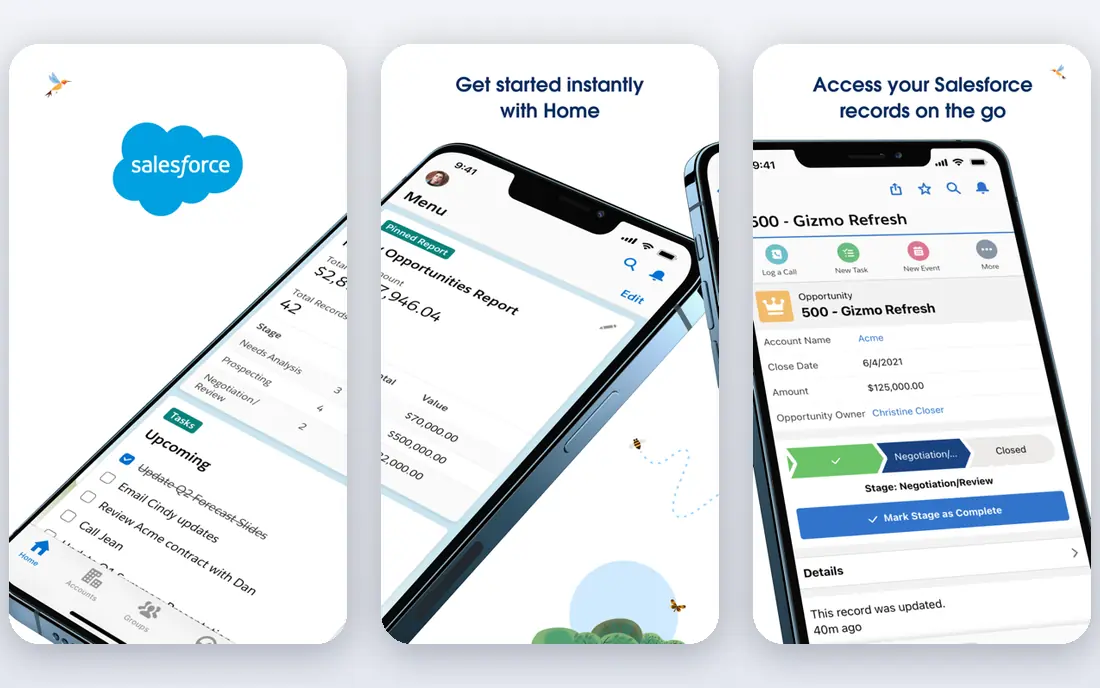
Salesforce remains the default enterprise CRM for many B2B firms, covering sales pipelines, service cases, marketing journeys and partner management in one platform. Its strength is customisation: workflows, objects, reports and dashboards can be shaped to a complex sales process, and the AppExchange adds thousands of integrations and extensions. Large teams also benefit from a deep partner and admin community. That depth has a cost. Licensing is per user, implementation often needs an admin or partner, and a poorly planned setup can become hard to maintain. Smaller teams that need a simple pipeline may find HubSpot faster. For a B2B company with a multi-stage sales process and a dedicated operations owner, Salesforce is still the benchmark.
- Deep CRM customisation and AppExchange ecosystem
- Strong sales, service and marketing clouds
- Large partner network
- Cost and admin effort rise with customisation
- Smaller teams can find it heavy

HubSpot suits growing B2B teams that want marketing, sales and service in one system without juggling several vendors. Its free CRM covers contacts, deals, tickets and basic email tools, and paid hubs add automation, sequences, landing pages and reporting as needs grow. Because all hubs share one contact record, marketing and sales see the same history, which reduces handoff friction. The price jump from Starter to Professional is the main watchpoint, since unlimited automation and deeper reporting arrive at that higher tier. Teams should price the hub and contact tier they will actually use, not the whole suite at once. For a team without a dedicated operations hire, HubSpot is the easiest all-in-one starting point.
- Free CRM tier that is genuinely useful
- Marketing, sales and service hubs share one contact record
- Clear upgrade path
- Paid marketing tiers jump sharply in price
- Advanced reporting sits on higher tiers
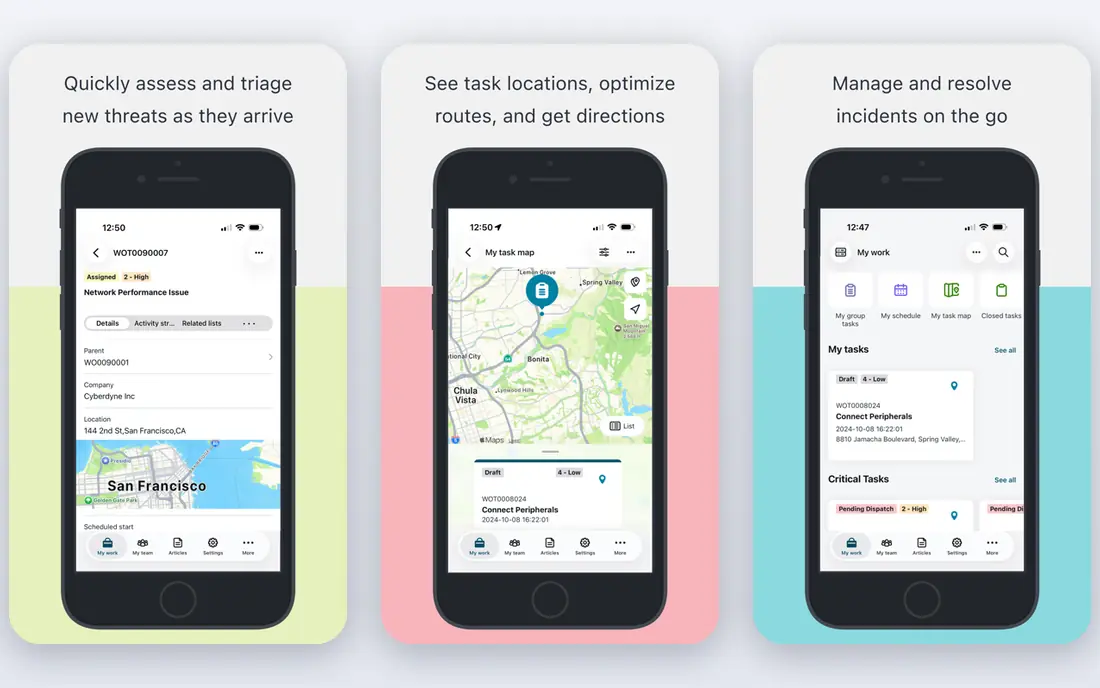
ServiceNow helps large B2B organisations run service workflows that cross IT, HR, facilities and customer service, with requests, approvals, incidents and assets tracked in one platform. Its workflow engine can route a ticket, trigger approvals and update related records without manual chasing, which matters when hundreds of requests arrive each week. Industry templates speed up common processes such as onboarding or incident response. The platform is enterprise led, so pricing is quote based and smaller firms may find it more than they need. A clear process owner and a phased rollout help avoid a sprawling setup. For a mid-sized or large firm that wants to standardise service delivery, ServiceNow offers depth that simpler ticketing tools cannot match.
- Strong IT service, HR service and workflow automation
- Enterprise-grade controls
- Broad industry templates
- Pricing is quote based and enterprise led
- Implementation needs planning and ownership
Workday pairs human capital management with financial management, so HR and finance can plan headcount, payroll cost and budgets from the same data. That shared view helps B2B firms that need workforce planning, skills tracking and financial forecasting in one system. Security, permissions and audit controls are built for regulated and multi-entity organisations. Implementation is a project rather than a signup, and pricing reflects enterprise scope, so smaller firms should weigh whether they need that depth now. For a company planning growth, acquisitions or international expansion, Workday gives a stable core system that simpler HR or finance tools would struggle to replace later.
- Unified HR and finance data
- Strong planning and analytics
- Regular cloud updates
- Quote-only pricing and longer implementation
- Best suited to larger budgets
Atlassian is best known for Jira for issue and project tracking and Confluence for documentation, a pairing that suits software and product teams in B2B firms. Teams can plan sprints, track bugs and features, link work to docs, and report on delivery in one ecosystem. The marketplace adds time tracking, roadmapping and reporting extensions that extend the core tools. Configuration is the trade-off: Jira can be shaped in many ways, and without governance it can become inconsistent across teams. Non-technical teams may also prefer a simpler project tool. For a B2B software company that lives in agile delivery, Atlassian remains a practical standard.
- Jira and Confluence cover planning, tracking and docs
- Strong for software teams
- Large integration marketplace
- Admin and configuration can grow complex
- Non-technical teams may need training
Snowflake provides a cloud data platform where B2B firms can store, analyse and share large datasets without managing hardware. Storage and compute scale separately, so a team can run a heavy analysis job without paying for that capacity all month. Data sharing lets partners and customers access governed datasets without copying files, which suits B2B analytics and reporting products. Usage-based pricing is powerful but needs monitoring, since a poorly written query or an always-on warehouse can raise costs quickly. Data engineering skill is also required to model and govern data well. For a data-heavy B2B firm, Snowflake is a strong foundation for analytics, reporting and AI-ready data.
- Scalable cloud data warehousing
- Separates storage and compute
- Strong data sharing and governance features
- Usage-based pricing needs cost monitoring
- Requires data engineering skill to use well
Shopify began in consumer commerce, but its B2B features now let wholesalers and manufacturers offer customer-specific pricing, volume discounts, net payment terms and dedicated storefronts. A B2B seller can run direct and wholesale sales from one platform, with checkout, payments, inventory and order management included. The app store adds ERP, accounting and fulfilment integrations for growing operations. Very complex B2B workflows, such as deep quote-to-cash customisation, may still need apps or custom development. App subscriptions and payment fees also add to the base subscription, so total cost should be modelled with the apps a seller actually needs. For a B2B firm that wants to launch wholesale commerce quickly, Shopify is a fast and proven route.
- Fast store setup with B2B pricing and customer features
- Large app ecosystem
- Strong checkout and payments
- Highly custom B2B workflows may need apps or development
- Transaction and app costs add up
Adobe serves B2B teams through Creative Cloud for design and video, Acrobat for document workflows, and Experience Cloud for marketing and content management. Design, marketing and sales teams can create, approve and distribute content in tools that clients and agencies already know. Document signing, PDF editing and content personalisation are practical daily strengths, not just creative extras. Licensing is the drawback, since buying every app for every seat is wasteful. Teams should map who needs full creative tools, who needs only Acrobat, and who needs a marketing platform. For a B2B firm where content, brand and documents drive sales, Adobe remains a core vendor.
- Leading creative tools plus Acrobat and Experience Cloud
- Strong document and content workflows
- Enterprise controls
- Subscription cost across many apps adds up
- Licensing can be confusing for teams
Slack gives B2B teams a shared workspace for channels, direct messages, threads and app notifications, replacing long email chains for day-to-day work. Integrations with CRM, project tools, code repositories and support systems bring updates into the channels where teams already work. Search across messages and files helps new staff find decisions without asking around. Free tiers limit message history and storage, so growing teams usually move to paid plans for full retention and admin controls. Notification overload is also a real risk without channel discipline. For a B2B team that works across functions and time zones, Slack is still one of the simplest ways to keep work visible.
- Fast team messaging with channels and threads
- Huge app integration range
- Search across conversations and files
- Message history and admin controls are limited on free tiers
- Large teams need paid plans for full retention
How we picked these
We compared official feature and pricing pages, app store listings, privacy policies and public reviews, and kept only B2B SaaS companies operating today with a product other businesses can buy now. A company made the list if it leads in its job area and serves a broad B2B customer base, rather than a narrow niche. Where pricing is per user, quote based or tiered, we wrote See website or Free where the vendor publishes a free tier, rather than repeating an outdated price. We did not test every platform hands-on as a paying customer, and we did not rank by revenue alone, since a large vendor is not always the best fit for a given team size. Readers should trial the shortlist, check integration fit with their existing stack, and model seat count and automation needs before committing.
What to check before you buy
Start with the job, not the vendor list. A CRM, a service platform, a data warehouse and a messaging tool solve different problems, and buying the biggest name in the wrong category wastes a year. Map the top three workflows the new tool must improve, then test those exact workflows in a trial.
Model total cost at real scale
Multiply per-user pricing by the seats that will actually use the tool, then add automation tiers, storage, integrations and implementation help. A low entry price can double once reporting, admin controls or higher contact limits are added.
Check integration and data ownership
Confirm how data moves in and out, whether exports are full and usable, and how long data is retained after cancellation. A tool that locks data in is a long-term risk, even if onboarding feels easy.
Assign an owner before rollout
Every platform here needs an owner for permissions, workflows and reporting. Without one, settings drift, automations duplicate, and the tool slowly becomes a second inbox rather than a system of record.
Frequently asked questions
What counts as a B2B SaaS company?
A B2B SaaS company sells cloud software on subscription to other businesses, rather than to consumers. The customer pays per user, per usage or per tier, and the vendor hosts, updates and supports the software.
Should a small B2B team start with a free tier?
Often yes, if the free tier covers the core job and data can be exported later. Move to paid when automation, reporting, history or admin controls become a daily need, and price that tier before the team grows dependent on free limits.
Is Salesforce too complex for a small team?
It can be, if the team has no admin and a simple pipeline. Smaller teams often start with HubSpot or a simpler CRM and move to Salesforce when sales stages, territories and reporting grow more complex.
How do usage-based platforms differ from per-user pricing?
Per-user pricing charges by seat, while usage-based pricing charges by consumption such as compute, storage or contacts. Usage pricing can be cheaper at low volume but needs monitoring, since heavy use can raise costs quickly.
Can one platform replace several tools?
Sometimes, especially with all-in-one CRM suites, but rarely across every job. Most B2B teams keep a CRM, a work tracker, a messaging tool and a data platform, and connect them, rather than forcing one tool to do everything poorly.
What should we test in a trial?
Test the three workflows that matter most, with real data and real users, including reporting and permissions. A trial that only checks the interface will miss integration, export and admin limits that appear after purchase.
Sources
See where you really rank - block by block
ProMapRanker scans Google Maps across a grid of your service area. Simple monthly plans from $19, white-label on every plan.
Start freeKeep reading
 worlds best local seo company
8 Worlds Best Local SEO Companies for Map Pack Growth in 2026
Compare the worlds best local seo company options for Google Business Profile work, citations, reviews, and multi-location rankings and reporting in 2026.
Read → world's best web hosting company
World's Best Web Hosting Company in 2026
Searching for the world's best web hosting company? We compared 10 hosts on price, renewal rates, speed, and support to help you choose well today in 2026.
Read → who's got the best nanny tax services
Who's Got the Best Nanny Tax Services in 2026
We answer who's got the best nanny tax services, comparing full filing, back taxes, software, and pricing so families can handle nanny taxes correctly.
Read →