 ProMapRanker
Best Automated Webinar Software in 2026

Key takeaways
- EverWebinar is the classic evergreen sales webinar tool, while eWebinar suits training and onboarding with real live chat.
- Demio and Livestorm are better when you still run live sessions alongside automated ones.
- Attendee limits and chat style matter more than the headline price, since both change what viewers experience.
- Tell viewers clearly when a session is recorded, since trust drops fast when a replay pretends to be live.
Quick comparison
| Pick | Great for | Pricing starts at | Free tier | |
|---|---|---|---|---|
 EverWebinar | Evergreen sales webinars | See website | Free trial | Visit |
 eWebinar | Onboarding, training, and demos | $99 per month | Free trial | Visit |
 Demio | Marketing teams that mix live and automated events | $49 per month | Free trial | Visit |
 WebinarGeek | Simple, GDPR-friendly webinars in Europe and beyond | See website | Free trial | Visit |
 EasyWebinar | Teams that want live and evergreen in one account | See website | Free trial | Visit |
 Livestorm | B2B webinars, demos, and meetings | See website | Yes | Visit |
 BigMarker | Large webinars and virtual events | See website | Free trial | Visit |
 WebinarJam | Large live launches that later become evergreen | See website | Free trial | Visit |
 StealthSeminar | Automated funnels with scheduled replays | See website | Free trial | Visit |
The best automated webinar platforms
We compared official pricing pages and feature documentation for tools that can run a recorded session on a schedule without a live presenter. The list mixes pure evergreen tools with platforms that also handle live events.

EverWebinar is built for one job: record a sales presentation once, then run it on a schedule that suits each visitor. Just-in-time sessions start shortly after sign-up, while scheduled replays suit visitors in other time zones. Timed chat, polls, and offers help a replay feel structured, and integrations connect sign-ups to common email tools.
The limit is scope. EverWebinar does not host live webinars, so a team that also runs live launches needs WebinarJam as well. Pricing has also changed over time, so check the current page before budgeting. For a pure evergreen funnel, though, its focus is the reason it stays popular.
- Just-in-time and scheduled replays
- Simulated live chat and polls
- Strong email and SMS follow-up tools
- Automated sessions only
- Live events need a separate WebinarJam account
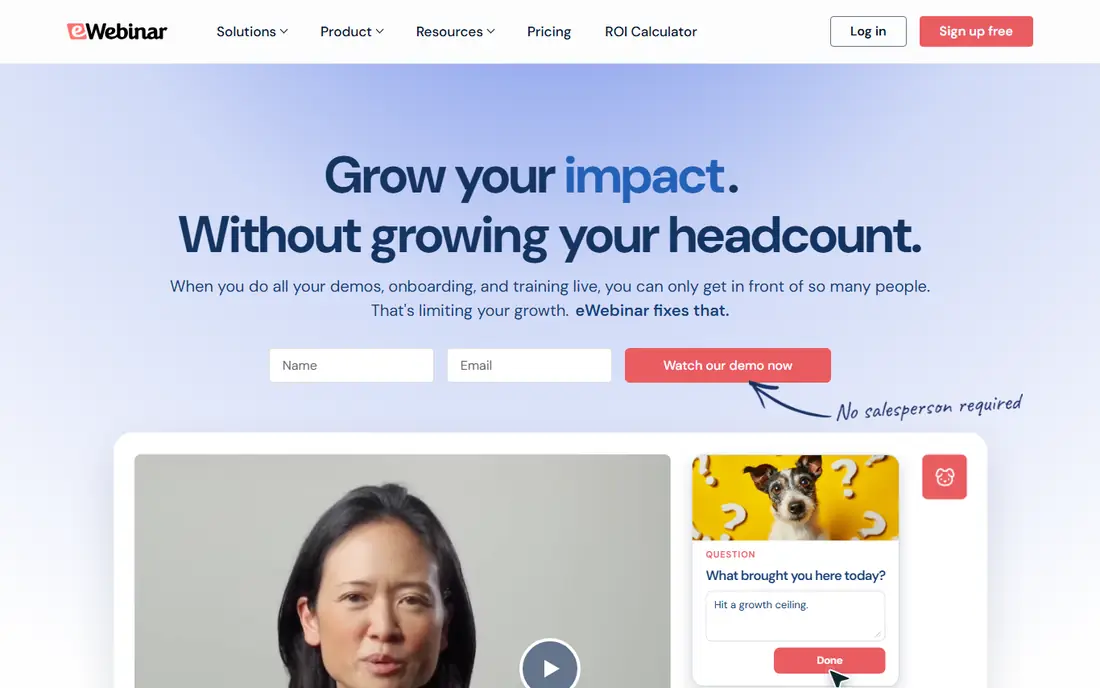
eWebinar takes a different stance on automation. Instead of simulating a live room, it lets your team answer chat in real time while the video plays, and replies by email when no one is online. That honest setup suits onboarding, product training, and demos, where viewers ask specific questions and expect real answers. Level 1 starts at $99 per month with one active eWebinar and 1,000 registrants per month.
The cost grows as you add active webinars, so a large library needs a higher level. eWebinar also lacks some of the aggressive sales timers found in pure marketing tools. If your goal is to teach and support customers at scale, that trade is worth making.
- Real two-way live chat during automated sessions
- Unlimited recurring sessions on entry plan
- Detailed attendance analytics
- Pricing rises with active webinars
- Fewer sales-funnel extras than EverWebinar
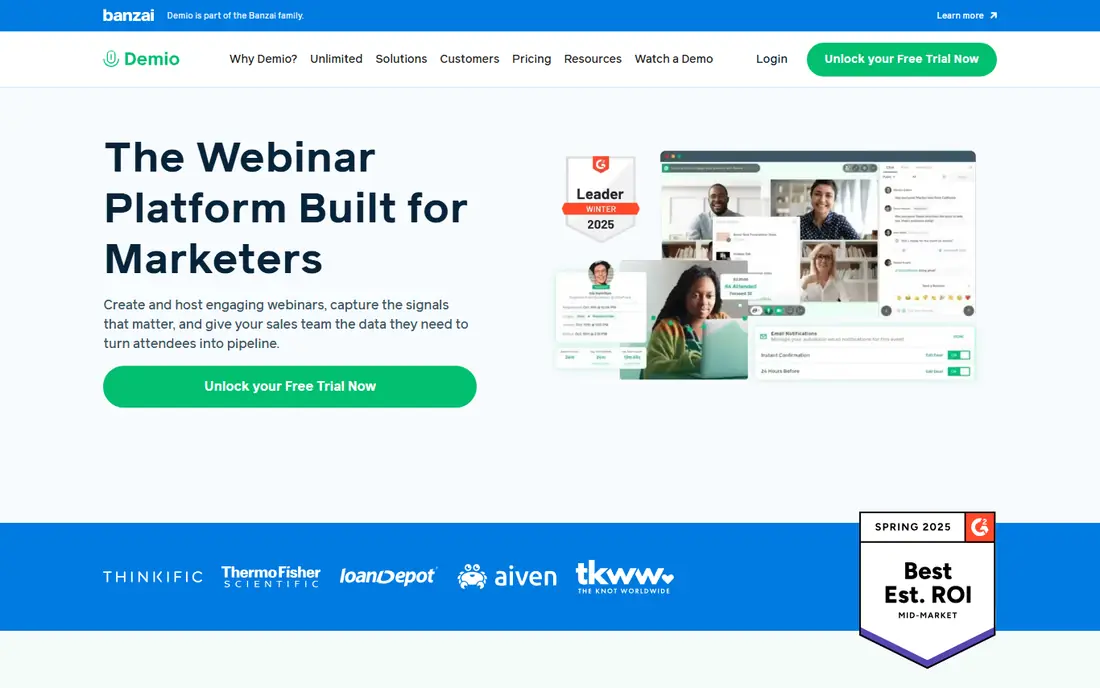
Demio is a good middle ground for teams that do not want two tools. You can run a live launch one week and an automated version the next, using the same registration pages, emails, and analytics. The room runs in the browser, so viewers do not need to install software, and engagement tools such as polls and handouts keep sessions active.
Pricing starts at $49 per month for the Starter plan, but automated webinars sit on higher plans, so check which tier your funnel needs. Attendee caps also matter as your list grows. Demio fits marketing teams that value a polished room and a single workflow for live and evergreen events.
- Clean browser-based rooms
- Live, automated, and on-demand modes
- Polls, handouts, and featured actions
- Automated events need the Growth plan or higher
- Attendee limits shape the price
WebinarGeek keeps the webinar process simple, which helps small teams and educators who do not want a complex funnel builder. Registration, email reminders, live or automated playback, and a channel page for past sessions are covered in one place. The interface is easy to learn, and viewers join from a browser.
It is less suited to marketers who need timed offers, simulated chat, or deep funnel testing. WebinarGeek is the pick when ease of use, a tidy on-demand library, and European data handling matter more than sales-page tricks.
- Browser-based viewing
- Webinar channels for on-demand libraries
- Straightforward setup
- Fewer sales-funnel features than EverWebinar
- Pricing varies by plan and region
EasyWebinar covers the full funnel in one subscription, from a live launch to an evergreen replay with checkout. That saves a team from stitching a webinar tool, email tool, and payment page together. Multiple presenter modes, analytics, and pre- and post-event emails support regular campaigns.
The breadth has a cost in learning time, and the dashboard takes a few sessions to feel natural. EasyWebinar fits coaches, course sellers, and small marketing teams that run webinars every week and want live and automated formats under one bill.
- Live, automated, and hybrid events
- Built-in email and checkout tools
- CRM integrations
- Interface feels busy at first
- Pricing depends on hosts and attendees
Livestorm is a polished video engagement platform that handles webinars, demos, and meetings from one workspace. The browser-based room, registration pages, and analytics feel professional, and native links to common CRMs help sales teams follow up fast. A free plan lets a small team test the workflow before paying.
Automated webinars are a paid feature, and costs scale with attendees, so a large evergreen program needs careful budgeting. Livestorm fits B2B teams that run demos and product webinars and want clean reporting alongside their CRM.
- Browser-based events
- Strong CRM and automation links
- Free plan for testing
- Automated and on-demand features sit on paid plans
- Per-attendee pricing can rise with large lists
BigMarker suits organizations that run webinars as part of larger virtual events. It supports large audiences, series, and on-demand libraries, with landing pages and email tools built in. Teams running summits, partner events, or weekly training series benefit from that scale.
For a solo creator with one evergreen funnel, BigMarker can feel oversized and its pricing less transparent than self-serve tools. Choose it when audience size, event series, and team presenting matter more than a simple evergreen setup.
- No presenter limit on many plans
- Landing pages and templates
- HD screen sharing
- Pricing is quote-based for larger use
- More platform than a small funnel needs
WebinarJam is the live counterpart to EverWebinar, made by the same team. It handles large interactive broadcasts with chat, polls, offers, and attendee tracking, which suits product launches and sales events. A recorded live session can then move into EverWebinar as an evergreen replay, creating a clear live-to-replay pipeline.
Buying two tools for one funnel is the drawback, and costs should be counted together. WebinarJam fits marketers who run live launches first and want a proven path to an automated version afterward.
- Large attendee capacity
- Live offers and urgency tools
- Pairs with EverWebinar for replays
- Evergreen playback needs EverWebinar
- Interface has a learning curve
StealthSeminar is one of the older automated webinar tools, and it still covers the core funnel well. You can schedule replays, run just-in-time sessions, add timed offers, and track registrations from one dashboard. That focus appeals to sellers who want a steady evergreen funnel without live presenting.
The design feels older than newer rivals, and attendee caps need attention as a list grows. StealthSeminar fits a marketer who values proven automation and a simple funnel over a modern interface.
- Flexible scheduling and just-in-time sessions
- Timed offers and registration pages
- Long track record in evergreen sales
- Interface looks dated
- Attendee limits can trigger overage costs
How we picked these
We compared official pricing pages, feature documentation, and public reviews for webinar tools with automated, scheduled, or on-demand playback in October 2026. We kept tools that can run a session without a live presenter, and we noted where automation sits on a higher plan. We favored tools with clear scheduling, chat, and analytics, and we flagged where a second purchase is needed for live events.
How to choose an automated webinar tool
Start with the job, not the feature list. A sales funnel needs timed offers, follow-up emails, and registration tracking. A training program needs real chat, attendance data, and a library viewers can revisit. A B2B demo program needs CRM links and clean reporting. Pick the tool whose strength matches that job, and the rest of the choice gets easier.
Check chat honesty and attendee limits
Decide how chat should work before you buy. Simulated chat can keep a replay lively, but it must not mislead viewers about who is present. Real chat, as in eWebinar, needs staff coverage or a clear email follow-up promise. Also confirm attendee and registrant limits, since a growing list can push you into a higher plan fast.
Test the full viewer journey
Run a test from sign-up to replay, including emails, reminders, and the offer or next step. Watch for friction on mobile, since many viewers join from a phone. A smooth sign-up and a clear next step matter more than extra widgets inside the room.
Frequently asked questions
What is the best automated webinar platform?
EverWebinar is the classic pick for evergreen sales webinars, while eWebinar is better for training and onboarding with real chat. Demio and Livestorm suit teams that also run live events. The best choice depends on your goal, audience size, and chat style.
What are the best automated webinar tools for evergreen sales?
EverWebinar, StealthSeminar, and EasyWebinar are built around scheduled and just-in-time replays with offers and follow-up. They suit course sellers and coaches who record once and sell on repeat. Check attendee limits and whether live events need a second tool.
Can I run automated webinars for free?
Livestorm offers a free plan, but automated features usually sit on paid plans across this category. Most tools offer a free trial instead of a lasting free tier. A trial is enough to test sign-up, playback, and emails before you commit.
Should an automated webinar pretend to be live?
No. Be clear that the session is recorded, even when chat and polls are timed to the video. Viewers trust a recorded session that is honest about its format, and that trust supports sales, training completion, and repeat attendance. Misleading liveness risks complaints and refunds.
How much does automated webinar software cost?
Entry prices in this guide range from about $49 per month for Demio Starter to $99 per month for eWebinar Level 1, with several tools priced on their own sites. Costs rise with attendees, active webinars, and hosts, so price your expected list size and library, not just the first plan.
Sources
See where you really rank - block by block
ProMapRanker scans Google Maps across a grid of your service area. Simple monthly plans from $19, white-label on every plan.
Start freeKeep reading
 zscaler alternatives
Best Zscaler Alternatives in 2026
Looking for zscaler alternatives? We compare 9 SASE and zero trust platforms on architecture, data protection, pricing, and fit for your network and team.
Read → zapier alternatives free
Best Zapier Alternatives Free in 2026
Nine automation tools for zapier alternatives free in 2026, all with genuinely free tiers, plus free plan limits, starting prices and upgrade paths explained.
Read → which platform is best for online reputation
Which Platform Is Best for Online Reputation in 2026
Wondering which platform is best for online reputation? We compare 8 review, listing, and response tools for small and multi-location businesses and agencies.
Read →