 ProMapRanker
Best Automated Payroll Software in 2026


Small businesses wanting payroll plus HR · Pricing starts at: $49 per month plus $6 per person
Key takeaways
- Gusto is the easiest starting point for most US small businesses, while Rippling suits teams that also want HR and IT in one system.
- OnPay and Patriot Software keep costs lower for small teams, but they offer less depth on benefits and global hiring.
- QuickBooks Payroll is the natural pick for businesses already running QuickBooks Online, because payroll and accounting stay in sync.
- ADP Run and Paychex Flex suit larger or compliance-heavy businesses, but both are quote-based, so the price is harder to compare upfront.
- Full-service tax filing is the feature that matters most, because it removes the federal, state and local filings that cause the most errors.
Quick comparison
| Pick | Great for | Pricing starts at | Free tier | |
|---|---|---|---|---|
| Gusto | Small businesses wanting payroll plus HR | $49 per month plus $6 per person | No | Visit |
 Rippling | Payroll inside a full HR and IT platform | $8 per user per month | No | Visit |
 OnPay | Simple, affordable full-service payroll | $40 per month plus $6 per person | No | Visit |
 Patriot Software | Budget-conscious teams | $17 per month plus $4 per worker | Free trial | Visit |
 Square Payroll | Businesses already using Square | $35 per month plus $6 per person | No | Visit |
 QuickBooks Payroll | QuickBooks Online users | $45 per month plus $6 per employee | No | Visit |
 ADP Run | Growing businesses with complex needs | See website | No | Visit |
 Paychex Flex | Compliance-heavy industries | See website | No | Visit |
The best automated payroll software
Automated payroll should do more than calculate a paycheck. The tools in this list run payroll on a schedule, file and pay payroll taxes, handle direct deposit, generate year-end forms and let employees manage their own details. The differences sit in price, benefits, HR depth and how well each tool fits a business that is growing, hiring across states, or hiring abroad.
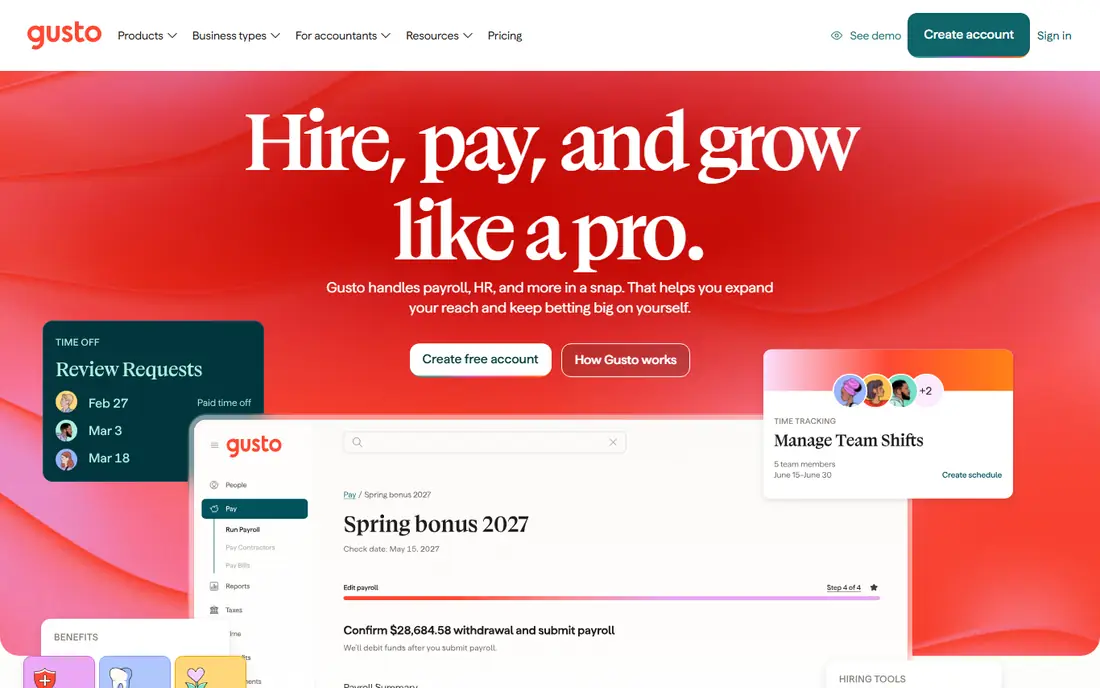
Gusto is the default recommendation for a typical US small business, and the reason is how little manual work it leaves behind. The Simple plan covers full-service federal and state tax filing, contractor payments, direct deposit and new-hire onboarding where employees enter their own tax and bank details. Add-ons for health benefits, workers comp and time tracking turn it into a light HR suite without a second vendor.
The limits appear at the edges. A two-person company pays $61 a month for a small payroll run, which feels high compared with Patriot Software, and a second state pushes the business to a higher tier. Gusto also assumes a mainly US team, so international hiring needs a separate solution. For domestic teams of roughly five to one hundred people, the mix of polish and completeness is hard to beat.
- Full-service tax filing in all states
- Employee self-onboarding
- Benefits and time tracking in the same system
- Entry plan covers one state only
- Costs rise as headcount grows
- Global payroll is limited
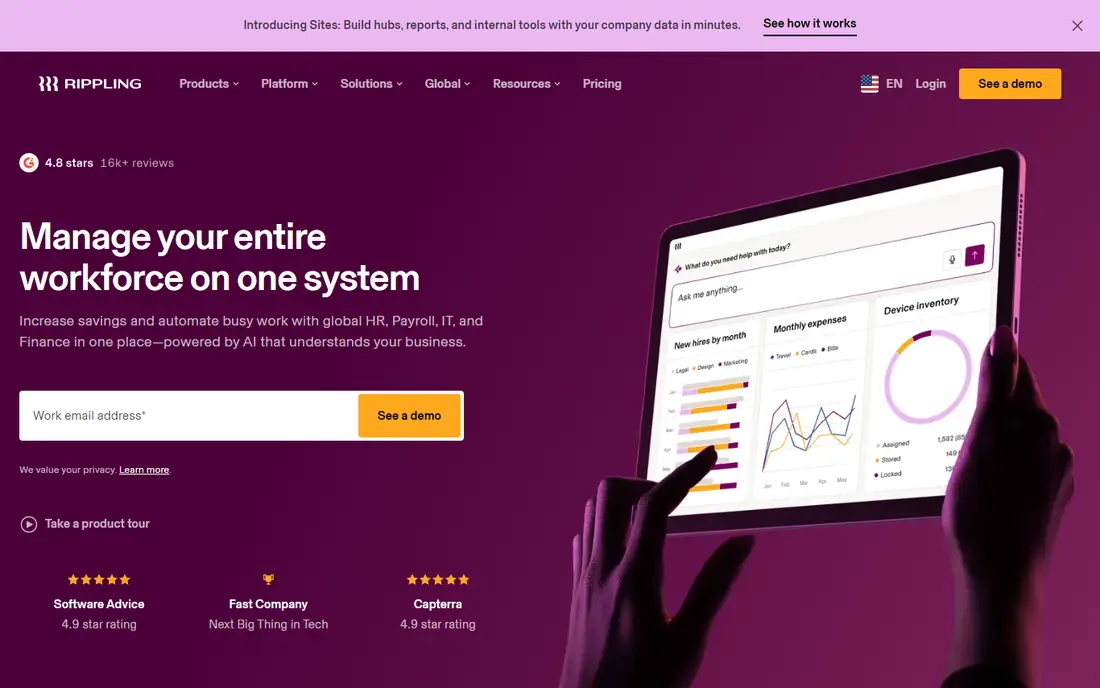
Rippling is not just a payroll tool, and that is the point. When a new employee joins, Rippling can set up payroll, benefits, device provisioning and app access from a single workflow, and when someone leaves, it reverses those steps at the same time. Payroll itself is full-service, with tax filing and direct deposit, but the real gain is the time saved across HR and IT tasks that usually sit in separate systems.
The catch is price clarity and scope. The payroll module starts at about $8 per user per month, but the full platform is quote-based and modules add cost, so a team must ask for a complete quote. A five-person business that only needs payroll will find Gusto or OnPay simpler and cheaper. For fast-growing or remote-first teams that already feel the cost of juggling HR and IT tools, Rippling can replace several systems at once.
- Payroll, HR, benefits and IT provisioning in one workflow
- Strong automation for onboarding and offboarding
- Global hiring options
- Full platform pricing is quote-based
- Module costs add up
- More system than a very small team needs

OnPay wins on simplicity and price. For $40 per month plus $6 per person, a business gets full-service payroll with tax filing, direct deposit, contractor payments and employee self-service, without the tier maze found in larger platforms. Multi-state payroll is included on the base plan, which matters for businesses with staff in more than one state and gives OnPay an edge over Gusto entry plan on that point.
The trade-off is depth. OnPay does not match Gusto on benefits administration or HR tools, and its integration list is smaller, so teams that want a full HR suite will need another tool. For a business that wants payroll done well, at a predictable price, and nothing more, OnPay is one of the best value options in this list.
- Flat, simple pricing
- Full-service tax filing
- Multi-state payroll on the base plan
- Fewer HR and benefits features than Gusto
- Smaller integration list
- No free plan
Patriot Software is the budget pick, and the basic plan price makes that clear. At $17 per month plus $4 per worker, it covers payroll calculation, direct deposit and employee records for teams that are comfortable handling some tax work themselves. Businesses that want Patriot to file taxes for them need the full-service tier, which costs more but still undercuts many rivals.
The plain interface and thinner feature set are the honest limits. Patriot does not offer the benefits marketplace or HR depth of Gusto, and larger teams may outgrow it. For a very small business, a seasonal team, or a business that wants to keep payroll costs low while it grows, Patriot offers a low-risk way to move payroll off spreadsheets.
- Lowest starting price in this list
- Clear basic payroll option
- 30-day trial on paid plans
- Full-service tax filing sits on a higher tier
- Fewer benefits and HR features
- Interface is plain
Square Payroll makes sense for businesses that already run on Square. Hours tracked in Square, including time cards and tips, can flow into payroll without retyping, and staff paid through Square point of sale stay in one system. That link saves real time for restaurants, retail shops and service businesses with hourly workers and changing schedules.
Outside the Square world, the case weakens. Square Payroll does not offer the same HR or benefits depth as Gusto, and a business that does not use Square point of sale gains little from choosing it. For a Square shop, though, the combined setup is simpler than pairing a separate payroll tool with Square, and the price is competitive for small teams.
- Tight fit with Square point of sale and time tracking
- Simple setup for hourly teams
- Contractor payments included
- Less HR depth than Gusto or Rippling
- Benefits options are thinner
- Best value only for Square users
QuickBooks Payroll is the natural choice for businesses already using QuickBooks Online, because payroll entries, tax payments and accounting reports stay in one system. That sync removes the monthly reconciliation work that comes from running payroll in one tool and accounting in another. Full-service tax filing, direct deposit and year-end forms are included, and employees can access pay stubs and tax documents online.
The fit is narrower than Gusto for a business that does not use QuickBooks. The payroll product works best inside the QuickBooks ecosystem, and the total cost depends on which QuickBooks plan sits underneath it. For a business already committed to QuickBooks, the time saved on bookkeeping usually outweighs the slightly higher entry price. For a business choosing accounting software from scratch, Gusto deserves a closer look first.
- Payroll and accounting stay in sync
- Full-service tax filing
- Familiar interface for QuickBooks users
- Requires QuickBooks Online for the best fit
- Costs rise with add-ons
- Support quality varies by plan
ADP Run suits businesses that expect payroll to get more complex, not less. Multi-state tax filing, compliance support, HR resources and a large support network make it a steady choice for companies in regulated industries or with staff spread across many states. ADP also handles tax notices and compliance questions that smaller vendors may leave to the business owner.
The main drawback is opacity. Pricing is quote-based, so a business must go through a sales process to learn the real monthly cost, and the interface can feel heavy for a team of five. ADP Run is also easy to overbuy for a simple payroll need. For a growing business that values compliance depth and a vendor that can scale to hundreds of employees, ADP Run is a proven long-term option.
- Deep compliance expertise
- Multi-state payroll at scale
- Large support and HR resource network
- Quote-based pricing
- Interface feels enterprise-oriented
- Can be more than a small team needs
Paychex Flex appeals to businesses that want a person to call, not just a help center. Many plans include a dedicated payroll specialist, and the platform pairs payroll with HR, benefits, time tracking and compliance support. That human help matters in industries with complex pay rules, shift differentials or strict reporting requirements, where a wrong filing carries real cost.
As with ADP Run, pricing is quote-based, so comparison takes a sales conversation and a written quote. The platform can also feel larger than a small team needs, and setup takes longer than a self-serve signup. For a business that wants guided payroll with a specialist behind it, Paychex Flex is one of the strongest choices, even if the price is not visible upfront.
- Dedicated payroll specialist on many plans
- Strong compliance and HR support
- Wide range of add-on services
- Quote-based pricing
- Total cost depends on modules chosen
- Setup can take longer than self-serve tools
How we picked these
We compared official feature pages, published pricing and public reviews for payroll tools that automate calculation, tax filing, direct deposit and year-end forms for US businesses. We favored tools that are live in October 2026, that state their tax filing scope clearly, and that serve a distinct business size or setup, from budget solo teams to compliance-heavy mid-size companies. We left out tools that only calculate pay without filing taxes, because the keyword calls for automated payroll in full.
What to check before you buy
Start with tax filing scope. Confirm that the tool files and pays federal, state and local payroll taxes for every state where staff work, and ask who handles tax notices if one arrives. A tool that calculates pay correctly but leaves filings to the owner has not automated the hardest part of payroll.
Next, test onboarding and time tracking with a real pay cycle. Add an employee, enter hours or salary, run a test payroll, check the pay stub, and confirm the accounting or time tracking link works. That exercise shows whether the tool fits hourly, salaried and contractor workers in the same run. Also check benefits, because health insurance, retirement and workers comp add-ons change both the monthly bill and the setup time.
Finally, compare the full monthly cost at the actual headcount, not the headline price. A $17 base plan plus per-worker fees can beat a $49 base plan for a tiny team, while the reverse is true once benefits and multi-state payroll enter the picture. Ask for a quote that lists base fees, per-person fees, tax filing, benefits administration and any implementation charge, then run the same headcount through each shortlisted tool.
Frequently asked questions
What is the best automated payroll software?
Gusto is the best starting point for most US small businesses, because it pairs full-service tax filing with benefits and simple onboarding. Rippling suits teams that also want HR and IT in one platform, OnPay suits teams that want a lower price, and QuickBooks Payroll suits QuickBooks Online users.
How much does automated payroll software cost?
Entry prices in this list range from $17 per month plus $4 per worker at Patriot Software to $49 per month plus $6 per person at Gusto, with Rippling starting at $8 per user per month for its payroll module. ADP Run and Paychex Flex are quote-based, so their prices depend on headcount, states and modules chosen.
Does automated payroll software file taxes for me?
Full-service tools such as Gusto, OnPay, QuickBooks Payroll, ADP Run and Paychex Flex calculate, file and pay payroll taxes, but the exact scope varies by plan. Patriot Software offers full-service tax filing on a higher tier, so check the plan details before assuming filings are included.
Can automated payroll handle contractors and employees together?
Yes, most tools in this list handle W-2 employees and 1099 contractors in the same system, with separate payment flows and year-end forms for each group. Confirm contractor fees, because some vendors charge a lower per-contractor rate while others charge the same per-person fee as employees.
Is automated payroll software worth it for a very small team?
For a team of one or two people, a low-cost tool such as Patriot Software or Square Payroll often makes sense, because it removes tax filing work and year-end forms for a modest monthly fee. A business with a single owner and no employees may not need payroll software at all until it hires its first worker.
Sources
See where you really rank - block by block
ProMapRanker scans Google Maps across a grid of your service area. Simple monthly plans from $19, white-label on every plan.
Start freeKeep reading
 zscaler alternatives
Best Zscaler Alternatives in 2026
Looking for zscaler alternatives? We compare 9 SASE and zero trust platforms on architecture, data protection, pricing, and fit for your network and team.
Read → zapier alternatives free
Best Zapier Alternatives Free in 2026
Nine automation tools for zapier alternatives free in 2026, all with genuinely free tiers, plus free plan limits, starting prices and upgrade paths explained.
Read → which platform is best for online reputation
Which Platform Is Best for Online Reputation in 2026
Wondering which platform is best for online reputation? We compare 8 review, listing, and response tools for small and multi-location businesses and agencies.
Read →