 ProMapRanker
Best Automated Cloud Deployment Services in 2026

Key takeaways
- Vercel and Netlify are the simplest starting points for frontend sites that deploy straight from Git.
- Railway, Render, and DigitalOcean App Platform fit full-stack apps that also need a database, a worker, or a long-running process.
- Heroku remains a familiar option for teams that want a plain platform-as-a-service workflow, but it no longer offers a free tier.
- Cloudflare Pages and Cloudflare Workers suit cost-conscious teams that want wide edge distribution, with some limits on app architecture.
- Always check usage billing before launch, because a low base price can rise fast once traffic, builds, or data transfer grow.
Quick comparison
| Pick | Great for | Pricing starts at | Free tier | |
|---|---|---|---|---|
 Vercel | Next.js and frontend apps | $20 per month | Yes | Visit |
 Netlify | Static and Jamstack sites | $20 per month | Yes | Visit |
 Railway | Full-stack apps with databases | $5 per month | No | Visit |
 Render | Managed web services and Postgres | $7 per month | Yes | Visit |
 Heroku | Simple platform-as-a-service deploys | $5 per month | No | Visit |
 DigitalOcean App Platform | Predictable container pricing | $5 per month | Yes | Visit |
 Cloudflare Pages | Low-cost static and edge sites | Free | Yes | Visit |
 Fly.io | Containers in many regions | See website | No | Visit |
 AWS Amplify | AWS-based frontend and backend apps | See website | Yes | Visit |
The best automated cloud deployment services
We compared services that take code from a Git repository and turn it into a live app with as little manual server work as possible. The list below covers frontend hosting, full-stack platforms, and container platforms, so the right pick depends on what your app actually runs.

Vercel is our pick for most frontend teams, and the reason is practical rather than flashy. You connect a Git repository, push a change, and a new deployment appears, with a preview link for each pull request that reviewers can open without touching production. That loop helps small teams catch broken layouts and bad links before a release goes live.
The catch is pricing shape. The Hobby plan is free but limited to personal, non-commercial use, so a business site belongs on Pro at $20 per month per seat, plus usage. Teams should set spend limits early and watch image, function, and data transfer use, because those lines can move a bill well past the base price.
- Fast Git-based deploys
- Preview deployments for every pull request
- Strong Next.js support
- Hobby plan is for personal, non-commercial use only
- Usage charges can add up on larger sites

Netlify has been a dependable choice for marketing sites, docs, and Jamstack projects for years, and its core workflow is still easy to follow. A push to Git triggers a build, the site goes live on a global network, and rollbacks are a short step back to an earlier deploy. Built-in forms and identity handling also save smaller teams from adding a separate backend for simple jobs.
Pricing changed to a credit model, which is worth reading carefully before you commit. The free plan includes a limited monthly credit allowance, while Pro is $20 per month with a larger allowance. If your site serves a lot of traffic or runs many functions, compare the credit cost against a fixed-price host before you scale.
- Simple Git workflow
- Built-in forms and identity tools
- Credit-based Pro billing
- Credit billing can be hard to forecast
- Heavy traffic can become costly
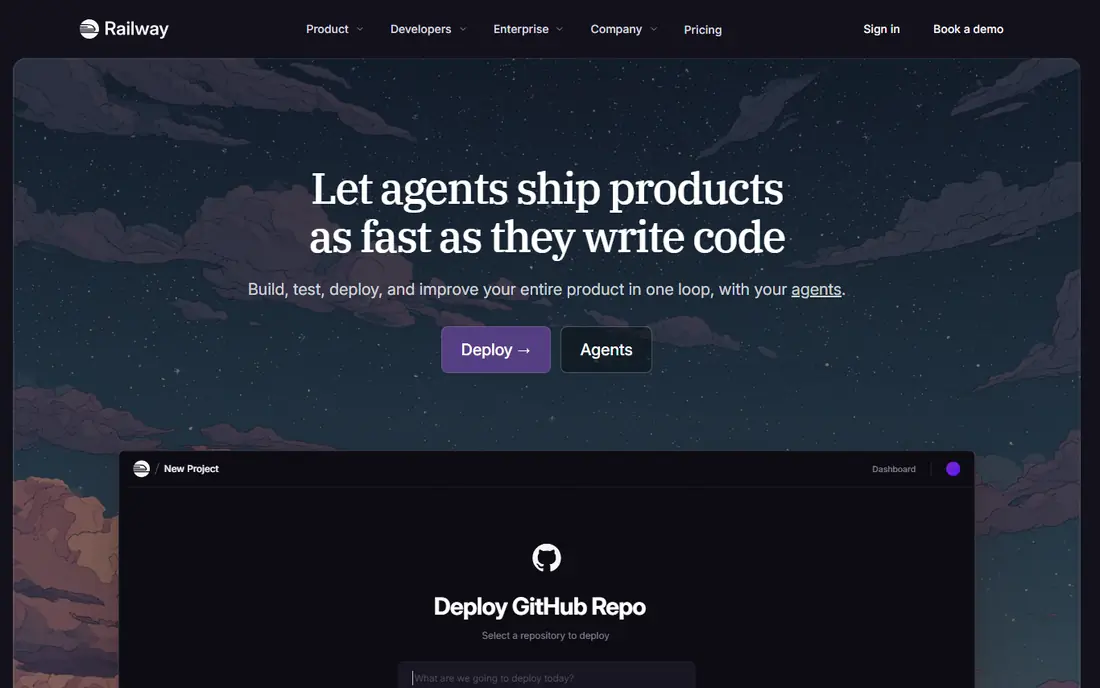
Railway is the option we point to when an app is more than a static site. It detects common frameworks, provisions a database in a few clicks, and deploys the app and its services together, which removes much of the glue work that slows small teams. Environment variables, private networking, and templates for common stacks keep the setup short.
The trade-off is that billing follows actual resource use, so a quiet month and a busy month will not cost the same. The Hobby plan starts at $5 per month and includes $5 of usage, with further use billed on top. Shut down staging services you are not using, and check the usage page during your first month so there are no surprises.
- One-click databases such as Postgres and Redis
- Usage-based billing
- Quick project setup
- Usage bills vary with traffic
- No general free tier for ongoing use
Render suits teams that want fixed, readable pricing for each service. You can run a web service, a background worker, and a cron job as separate pieces, and add managed Postgres without running a database server yourself. That separation makes it easier to reason about cost and to scale one part of an app without scaling the whole thing.
Free web services sleep after a period without traffic, so they are best for testing and low-traffic projects rather than production sites that need instant responses. Paid web services start at $7 per month, and Postgres is billed separately, starting at a low monthly price for small instances. Add both lines when you budget a full-stack project.
- Clear service types for web, worker, and cron jobs
- Managed Postgres
- Free tier for testing
- Free web services sleep after idle time
- Managed database pricing is separate
Heroku is still a useful reference point because its workflow is so plain: push code with Git, and the platform builds and runs it. The add-on catalog covers databases, logging, monitoring, and email, which lets a small team assemble a production setup without managing servers. For teams that already know Heroku, that familiarity is a real benefit.
The main change from earlier years is that there is no free tier left, with paid dynos starting at $5 per month for the Eco tier. Higher tiers cost much more, so Heroku now makes most sense for teams that value its workflow and add-ons more than the lowest possible bill. Compare its monthly total against Railway or Render for the same app before you choose.
- Long-established platform workflow
- Large add-on catalog
- Simple Git push deploys
- No free tier
- Costs rise quickly at higher performance tiers
DigitalOcean App Platform is a good middle ground between a raw server and a highly opinionated frontend host. It builds from Git, runs containers at a fixed monthly price, and offers managed databases for apps that need them. That fixed pricing makes budgeting simpler than usage-only billing, especially for apps with steady traffic.
The free tier covers static sites, but apps with a service, worker, or job need a paid plan, starting at $5 per month for a small shared container. The platform has fewer framework-specific shortcuts than Vercel for Next.js, so teams that want the deepest framework integration may prefer a more specialized host. For standard container apps, the clarity of the price list is a strength.
- Fixed price per container
- Static site free tier
- Managed databases available
- Fewer framework-specific shortcuts than Vercel
- Larger containers cost more
Cloudflare Pages is the budget pick for static sites, docs, and frontend apps that do not need a persistent server. Deploys come from Git, pages are served from a large edge network, and the free tier is generous for small and medium sites. Teams that pair Pages with Cloudflare Workers can also run edge functions without a separate origin server.
The limit is architecture. If your app needs a long-running process, WebSockets, or a traditional server with local state, Pages alone will not cover it, and you will need Workers or another backend. For the many sites that are mainly static pages with some dynamic functions, that trade is worth it, and the low cost is hard to beat.
- Generous free tier
- Wide global distribution
- No egress charges on the Workers platform
- Best for static and edge workloads
- Not a fit for every long-running backend
Fly.io is for teams that are comfortable with containers and want to run them in many regions. You define an app, deploy a container image, and Fly.io runs machines near your users, which can cut latency for a global audience. It also suits apps with persistent connections or custom runtimes that do not fit a function-only model.
That flexibility comes with more hands-on work than Railway or Render, including machine sizing, volumes, and scaling settings. Pricing is pay-as-you-go based on the machines you run, with the smallest machines listed at a low monthly price, so check the current pricing page for the size you need. Teams that already use Docker will get the most from it.
- Runs containers close to users
- Many regions
- Pay for provisioned machines
- More hands-on than a managed PaaS
- Pricing depends on machine size and traffic
AWS Amplify fits teams that already use AWS or plan to build on it. It hosts frontend apps from Git and can add backend pieces such as authentication, data, and storage from the same project. That integration is useful when the rest of your stack, such as a database or file storage, already lives in AWS.
The downside is the usual AWS one: pricing is usage-based and spread across several services, so a simple hosting bill can be harder to forecast than a fixed PaaS price. New projects can use a free tier, but teams should watch build minutes, requests, and data transfer during the first month. If you do not need AWS, a simpler host will save time.
- Tight AWS integration
- Hosting plus backend services
- Free tier for new projects
- AWS pricing can be complex
- Console has a learning curve for newcomers
How we picked these
We compared official pricing pages, product documentation, and recent independent pricing comparisons for October 2026, and we kept only services that deploy from Git or a container image with an automated build step. We favored services with clear pricing, a live free or trial option where offered, and a track record of running production apps, and we left out tools that only run CI pipelines without hosting the app itself. Where pricing varied by usage, we listed the entry paid price and noted that usage can change the total.
What to check before you pick a host
Start with the shape of your app, not the brand name. A static marketing site needs a different host than an app with a database, background jobs, and user logins, and picking a host built for the first job will cause friction when the second job arrives. List your services on paper first: frontend, API, worker, database, and any scheduled job, then check that the host supports each one at a price you can predict.
Next, test the deploy loop with a real change, not just a hello-world page. Push a small fix, check that the preview or staging deploy appears, confirm that environment variables work, and roll back once so you know the process before an incident forces you to learn it. Also confirm the free tier limits that matter to you, such as sleep behavior, build minutes, and data transfer, because those limits decide whether a free plan is usable or just a demo.
Finally, look at lock-in and exit cost. A host that stores your database, files, and authentication in its own managed services is convenient, but moving away later takes more work than moving a static site. Keep backups outside the host where possible, use standard databases and object storage, and document your environment settings so a future move is a project, not a rescue.
Frequently asked questions
What is an automated cloud deployment service?
It is a platform that builds your code and puts it live without you managing servers by hand. Most connect to Git, run a build when you push, and publish the result, often with a preview link for changes that are not yet merged.
Do I need a paid plan to start?
Not always. Several services on this list offer a free tier for personal projects, static sites, or testing. Production business sites usually need a paid plan, and Vercel in particular limits its free Hobby plan to personal, non-commercial use.
Which service is best for a full-stack app with a database?
Railway and Render are strong starting points, because both pair app hosting with managed databases in the same project. DigitalOcean App Platform is another good choice when you want fixed container pricing, while Fly.io suits container teams that want many regions.
How do usage charges work on these platforms?
Some platforms charge a fixed price per container or per seat, while others bill for CPU, memory, requests, and data transfer on top of a base fee. Read the pricing page for the exact model, set spend alerts where offered, and check your first invoice against your traffic before you scale.
Can I move my app to another host later?
Yes, in most cases, especially if your app is a standard container or static site and your database uses a common engine. Moving is easier when you keep backups outside the host, store configuration in environment variables, and avoid host-only features for core data.
Is Heroku still worth using in 2026?
It can be, for teams that value its simple Git workflow and add-on catalog and are willing to pay from $5 per month with no free tier. Teams focused on the lowest bill should compare Railway, Render, and Cloudflare Pages for the same app first.
Sources
- https://vercel.com/pricing
- https://www.netlify.com/pricing
- https://railway.com/pricing
- https://render.com/pricing
- https://www.heroku.com/pricing
- https://www.digitalocean.com/products/app-platform
- https://pages.cloudflare.com
- https://fly.io/pricing
- https://aws.amazon.com/amplify/pricing
- https://devhunt.org/blog/best-cloud-hosting-for-developers-revealed
See where you really rank - block by block
ProMapRanker scans Google Maps across a grid of your service area. Simple monthly plans from $19, white-label on every plan.
Start freeKeep reading
 zscaler alternatives
Best Zscaler Alternatives in 2026
Looking for zscaler alternatives? We compare 9 SASE and zero trust platforms on architecture, data protection, pricing, and fit for your network and team.
Read → zapier alternatives free
Best Zapier Alternatives Free in 2026
Nine automation tools for zapier alternatives free in 2026, all with genuinely free tiers, plus free plan limits, starting prices and upgrade paths explained.
Read → which platform is best for online reputation
Which Platform Is Best for Online Reputation in 2026
Wondering which platform is best for online reputation? We compare 8 review, listing, and response tools for small and multi-location businesses and agencies.
Read →