 ProMapRanker
Best Automated AI Trading App in 2026


Active stock traders who want AI generated ideas · Pricing starts at: $127 per month
Key takeaways
- This is general information only, not financial advice, and trading carries risk, including the risk of losing money, so never trade with money you cannot afford to lose.
- Composer is the easiest entry point for rule based stock and ETF automation, with a free Starter plan and a visual builder that needs no code.
- Trade Ideas and TrendSpider suit active stock traders who want AI scanning and chart automation, but both are paid tools with a learning curve.
- Crypto bots such as 3Commas, Cryptohopper and Pionex automate exchange trading, yet they need exchange accounts, careful risk settings and regular checks.
Quick comparison
| Pick | Great for | Pricing starts at | Free tier | |
|---|---|---|---|---|
| Trade Ideas | Active stock traders who want AI generated ideas | $127 per month | Free trial | Visit |
 TrendSpider | Traders who want charts, patterns and alerts automated | $59 per month | No | Visit |
 Tickeron | AI pattern recognition and trading robots | See website | Yes | Visit |
 Composer | Building automated stock and ETF strategies visually | Free | Yes | Visit |
 Capitalise.ai | Turning plain English rules into automated trades | Free | Yes | Visit |
 3Commas | Crypto traders who want DCA and grid bots | See website | Yes | Visit |
 Cryptohopper | Cloud hosted crypto bots with a strategy marketplace | $29 per month | Yes | Visit |
 Pionex | Crypto traders who want free built in bots on an exchange | Free | Yes | Visit |
The best automated ai trading app
Automated trading tools fall into two groups. Some scan markets, build strategies and place trades by rules you set. Others only suggest ideas and leave the final trade to you. This list covers both, with a focus on tools that are still sold in October 2026 and clearly state how their automation works. No tool here can guarantee profits, and past backtest results do not predict future results.

Trade Ideas scans thousands of stocks in real time and surfaces setups that match filters you choose, with its Holly AI system producing signals that include entry, stop and target levels on higher plans. That speed suits day traders and swing traders who watch many stocks at once and want ideas filtered before the open, rather than a manual watchlist check.
Standard pricing starts at 127 dollars per month, with Premium at 254 dollars per month, and annual billing lowers the monthly equivalent. Auto trading features sit on Premium, so check the plan before you assume a signal will place a trade on its own. Trade Ideas is powerful, but it is priced for active traders and needs time to learn well.
- Real time scanning
- Holly AI signals with entry, stop and target levels
- Backtesting on Premium
- High monthly cost
- Depth can overwhelm new traders
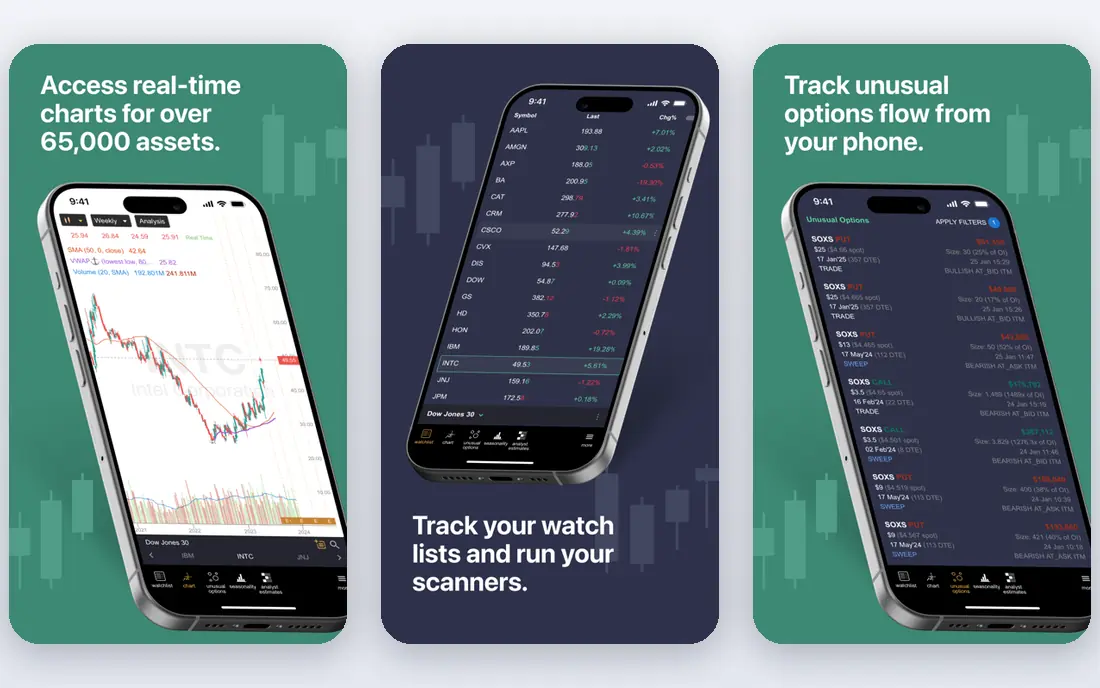
TrendSpider automates much of the chart work that technical traders do by hand. It draws trendlines, detects candlestick patterns, supports multi timeframe views and sends alerts when a pattern or price condition appears. A built in backtester lets you test a strategy on past data before you risk money, although backtest results are not a promise of future returns.
Standard pricing starts at 59 dollars per month depending on billing term, with higher plans adding capacity rather than different core tools. There is no free plan, only a paid 14 day trial, so budget for a test month. TrendSpider suits chart focused traders who want automation without giving up control over each rule.
- Automated trendlines and pattern detection
- Multi timeframe analysis
- Backtesting and smart alerts
- No free plan, only a paid trial
- Interface is busy for beginners
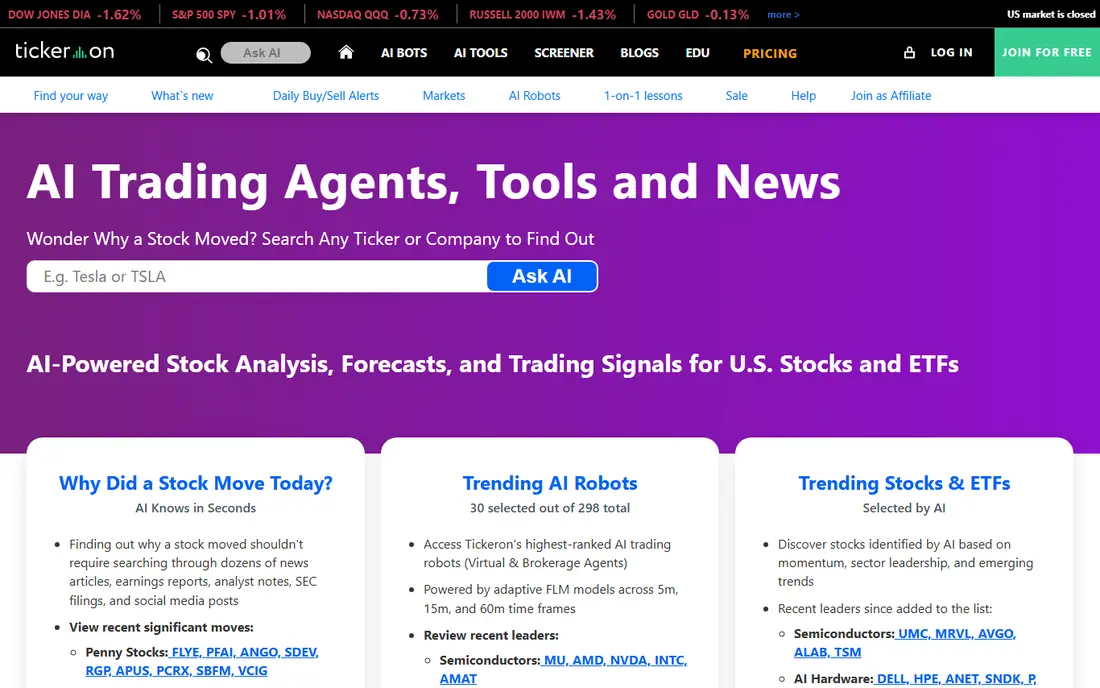
Tickeron offers a pattern search engine, trend prediction tools and AI robots that apply machine learning signals to stocks, ETFs, forex and crypto. That breadth suits traders who want to compare signals across markets in one place, rather than learning a separate tool for each asset type. Some tools have free access, with paid tiers adding depth and robot access.
Pricing varies by product, so check the specific robot or tool you plan to use before signing up. Also read any performance figures with care, since results shown for a robot may reflect a specific period, borrowed funds or market condition. Tickeron is best used as a research aid with strict risk limits, not as a hands off profit machine.
- Pattern search and trend prediction tools
- AI robots across stocks, ETFs, forex and crypto
- Free entry options
- Pricing varies by tool and plan
- Robot performance claims need careful reading
Composer lets you build a trading strategy from blocks, such as moving average rules or allocation targets, then automates rebalancing through a supported broker. The visual editor means you do not need to code, and you can backtest a strategy before you turn it on. That makes it one of the clearest starting points for rule based investing.
The Starter plan is free, with Advanced at 10 dollars per month and Pro at 32 dollars per month billed yearly in published pricing. The limit is scope: you trade within the assets and broker Composer supports, and a strategy still needs regular review. Market conditions change, and a rule that worked in one period can fail in another, so treat automation as a discipline tool, not a guarantee.
- No code visual builder
- Automated rebalancing
- Unlimited backtests in the editor
- Limited to supported broker and assets
- Advanced plans cost more
Capitalise.ai lets you write a strategy in plain English, such as a moving average crossover or a price alert rule, and then automates it through a supported broker or sends alerts. That lowers the barrier for traders who understand a strategy but do not want to code it. Backtesting helps you see how the rule would have behaved on past data, with the usual warning that past data does not predict future results.
A free plan is available, with paid options adding capacity and features. The key check is broker support in your country and for your account type, since automation only works where a connection exists. Capitalise.ai suits traders with a clear, simple rule they want executed consistently, rather than traders looking for a ready made profit system.
- Plain English strategy writing
- Backtesting
- Works with supported brokers
- Automation depends on broker support
- Advanced features vary by plan
3Commas connects to crypto exchanges and runs bots such as dollar cost averaging and grid strategies, plus a smart terminal for manual trades with advanced order types. That mix suits crypto traders who want automation for repeat buys and range trading, while keeping manual control for larger decisions. A free tier is available, with paid plans adding more bots and features.
The risk point is the same for all crypto bots: a bot follows rules, even in a falling market, unless you set limits, stop conditions and position sizes. Exchange fees, slippage and sudden price moves can change results fast. Use small sizes first, test on paper or with a small account, and check bot activity regularly instead of leaving it alone for months.
- Bots across many exchanges
- Smart trading terminal
- Portfolio tools
- Pricing varies by plan
- Bot setup still needs risk settings and monitoring
Cryptohopper runs crypto trading bots in the cloud, so strategies keep working when your computer is off. It supports bots for major exchanges, offers a marketplace where users share strategies, and includes backtesting and paper trading tools. That cloud setup suits traders who want bots running around the clock without managing a server.
Explorer pricing starts at 29 dollars per month in published pricing, with a free tier for basic use. Marketplace strategies need extra care: a strategy shared by another user may fit a different risk level, asset or market period than yours. Test any copied strategy with paper trading first, set your own limits, and never assume a shared strategy is safe because it performed well in the past.
- Cloud bots run without your computer on
- Strategy marketplace
- Backtesting tools
- Monthly cost plus exchange fees
- Marketplace strategies vary in quality
Pionex is a crypto exchange with trading bots built in, including grid and dollar cost averaging bots, at no extra bot subscription cost. That simplicity suits beginners in crypto automation, because there is no separate bot platform to connect and pay for. You fund an exchange account, choose a bot type, set a price range or schedule, and the bot trades within those rules.
Trading fees still apply, commonly noted as 0.05 percent per trade in published comparisons, and crypto prices can move sharply. Holding funds on any exchange also carries platform risk, so only fund what you can afford to lose and use security features such as two factor authentication. Pionex is a low cost way to learn bot trading, not a safe income source.
- Bots built into the exchange
- No separate bot subscription
- Grid and DCA bots included
- Trading fees apply
- You hold funds on the exchange
- Crypto markets are volatile
How we picked these
We compared official feature pages, pricing pages and recent trading tool comparisons, and we favoured tools that are still sold in October 2026, state how automation works, and support real broker or exchange connections. We left out tools that only promise returns without explaining rules, and we used See website where pricing varies by plan or tool. This article is general information only, not financial advice, and trading carries risk.
What to check before you choose
Start with the market and the rule, not the bot. Decide if you trade stocks, ETFs or crypto, and write your rule in one sentence, including entry, exit and maximum loss. If you cannot state the rule clearly, automation will only execute confusion faster. Paper trade or backtest first, then start with a small amount you can afford to lose.
Next, check broker or exchange support, fees and automation limits. Some tools only suggest ideas, some place trades, and some need a specific broker. Add up subscription fees, trading fees and any data fees, and check whether automation pauses during outages or fast markets. Also confirm security: use strong passwords, two factor authentication and API keys with trading only permissions where possible, never withdrawal permission.
Finally, set a review routine. Check bot trades weekly, compare results with your plan, and turn off a strategy that no longer fits market conditions. Automation should save time on execution, not remove judgment. If a tool pressures you to deposit more, promises returns or hides its rules, walk away.
Frequently asked questions
What is the best automated ai trading platform for beginners?
Composer is a good beginner pick for stocks and ETFs, because its visual builder needs no code and its Starter plan is free. Pionex is a simple beginner route for crypto bots, since bots are built into the exchange. In both cases, start small, paper trade first and set strict loss limits.
What is the best ai automated trading app for stocks?
Trade Ideas suits active stock traders who want real time AI scanning, while TrendSpider suits traders who focus on charts and pattern alerts. Composer suits investors who prefer rule based portfolios and rebalancing. The best choice depends on how often you trade and how much control you want over each rule.
Can AI trading apps guarantee profits?
No. No legitimate tool can guarantee profits, and any tool that promises them should be avoided. AI signals and backtests reflect past data and specific rules, and markets change. Use these tools for research and disciplined execution, with position sizes and loss limits that protect your capital.
Do I need to code to use an automated trading app?
No, for most tools in this list. Composer and Capitalise.ai use visual blocks or plain English rules, while 3Commas, Cryptohopper and Pionex use preset bot templates. Coding helps for custom strategies on programmer focused platforms, but it is not required to automate a simple rule.
Are crypto trading bots safe?
Crypto bots carry market risk, exchange risk and setup risk. A bot will follow its rules in a falling market unless you set limits, and exchange fees and price gaps affect results. Use small sizes, test first, secure your account with two factor authentication, and check activity regularly. Never share withdrawal enabled API keys.
How much do automated AI trading apps cost?
Costs range from free Starter or exchange bot plans to 127 dollars per month or more for active stock scanning tools. Add trading fees, data fees and any higher tier needed for auto trading. Compare the annual total for the plan you actually need, not just the entry price.
Sources
See where you really rank - block by block
ProMapRanker scans Google Maps across a grid of your service area. Simple monthly plans from $19, white-label on every plan.
Start freeKeep reading
 zoho inventory alternatives
6 Alternatives to Zoho Inventory, Compared on Price and Fit
Zoho Inventory alternatives: 6 tools compared on price, free plans and fit. Katana leads the list for manufacturers. Fit and flaws are laid out for each entry.
Read → zoho crm alternatives
Best Zoho CRM Alternatives (2026)
Need Zoho CRM alternatives? We compare 7 tools on cost, free access and who each suits. Every pick gets a straight assessment. Built for quick decisions.
Read → zelle alternatives
Best Zelle Alternatives in 2026
Compare the best Zelle alternatives for sending money to friends, paying sellers and moving funds abroad, with honest notes on fees, speed and safety in 2026.
Read →