 ProMapRanker
Best Auto Clipping Software in 2026

Key takeaways
- Medal is our pick for most PC players, with automatic highlights in supported games, a built-in editor, and share links that play in Discord.
- Outplayed and SteelSeries Moments also detect game events, but they work best when your game is on their supported list.
- NVIDIA App instant replay and Xbox Game Bar are strong no-extra-cost options, though neither is a full automatic highlight tool.
- Eklipse is the cloud route for streamers, since it finds clips in a finished stream rather than recording on your PC.
Quick comparison
| Pick | Great for | Pricing starts at | Free tier | |
|---|---|---|---|---|
 Medal | All-around PC clipping | Free | Yes | Visit |
 Outplayed | Automatic highlights per game | Free | Yes | Visit |
 SteelSeries Moments | Clipping inside SteelSeries GG | Free | Yes | Visit |
 NVIDIA App | Instant replay on NVIDIA cards | Free | Yes | Visit |
 OBS Studio | Full-control recording | Free | Yes | Visit |
 Xbox Game Bar | Zero-install Windows clips | Free | Yes | Visit |
 Streamlabs Desktop | Recording that grows into streaming | Free | Yes | Visit |
 Eklipse | Stream VOD highlights | $24.99 per month | No | Visit |
The best auto clipping software
Automatic clipping means the tool saves a highlight for you, either by detecting a kill or win, or by keeping a replay buffer you can save with a hotkey. We compared official pages and recent pricing, and we did not claim hands-on testing. Note that Powder shut down in July 2026, so we did not list it as a live option.
Medal is the easiest recommendation for a PC player who wants clips without thinking about recording. In supported titles such as Valorant, Fortnite, CS2, League of Legends, and Apex Legends, it saves kills, wins, and big rounds on its own, and a hotkey saves a replay from other games. The built-in editor lets you trim, add text, and export without opening a separate video app.
The limits are platform and storage. Desktop recording is Windows only, and free quick-share links last a limited time unless you upgrade to Premium. If you mainly play on PC and share clips with friends or on social apps, Medal still gives the most complete free-to-start package on this list.
- Automatic highlights in supported games
- Built-in editor
- Share links play inside Discord
- Windows only for desktop recording
- Free share links can expire without Premium
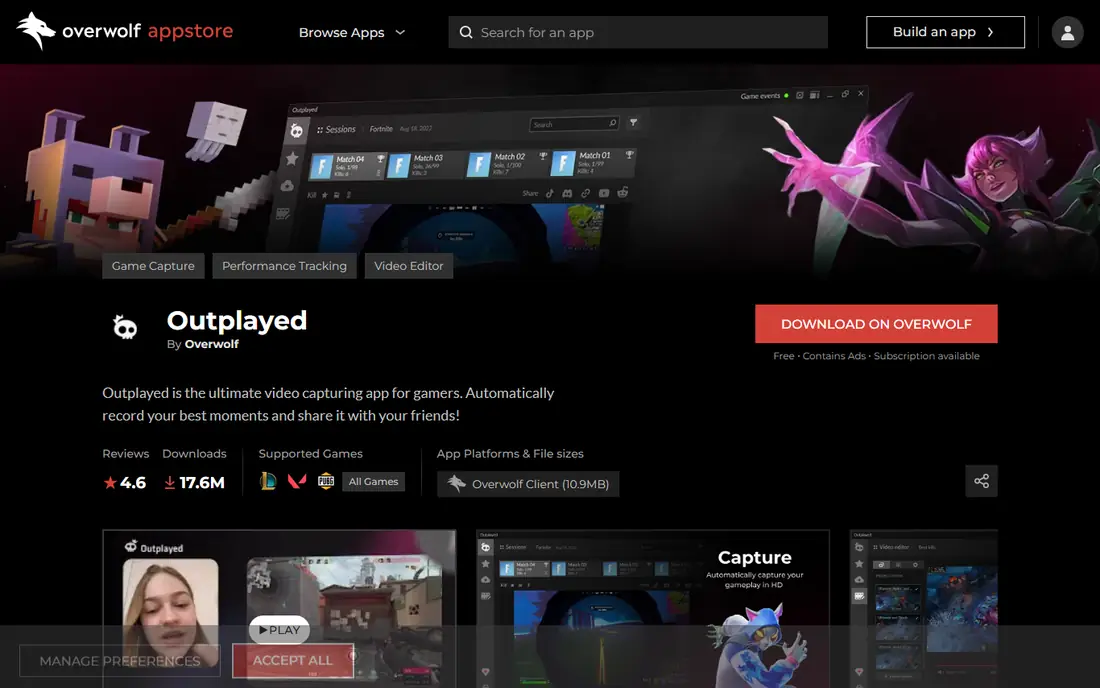
Outplayed takes a game-first approach to automatic clipping. It watches for events in supported games and saves those moments as clips, so you spend less time scrubbing through a full session to find one play. Because it runs through Overwolf, it also sits alongside other in-game apps, which suits players who already use that platform for overlays and stats.
The trade is dependence on Overwolf and on game support. If your main game lacks event detection, Outplayed becomes a manual replay tool rather than an automatic one, and some players dislike running an extra client. Check your games on the Outplayed page before you commit, and expect ads on the free tier unless you upgrade.
- Event detection for supported games
- Runs through Overwolf
- Free core app
- Requires the Overwolf client
- Game coverage varies
- Free version includes ads
SteelSeries Moments is the natural pick if you already run SteelSeries GG for a headset, mouse, or keyboard. It adds clipping to an app you already have open, with auto-clipping in supported games and a gallery for trimming and sharing to YouTube, Discord, and Reddit. For a player who wants one less separate app, that integration is a real advantage.
Outside the SteelSeries setup, Moments is less compelling. Its supported game list is narrower than Medal, and players who do not use SteelSeries hardware may prefer a standalone clipper. If you already live in GG, though, Moments is free, simple, and close at hand.
- Auto-clipping in supported games
- Simple trimming and sharing
- No subscription for core clipping
- Best for SteelSeries GG users
- Supported game list is smaller than Medal
The NVIDIA App, which carries the ShadowPlay instant replay feature, is the best value for players who own a compatible NVIDIA card. Instant replay keeps a rolling buffer of recent gameplay, so a hotkey saves the last seconds or minutes after a great play, with little impact on frame rates thanks to GPU encoding. Many players already have the app installed with their drivers.
It is not a social clipping platform. You get a video file to upload yourself, and automatic highlight detection works only in supported games. If you want instant links and a built-in social feed, Medal fits better. If you want clean, high-quality files with minimal setup, the NVIDIA App is hard to beat.
- Instant replay with low performance cost
- Uses GPU encoding
- Already installed for many NVIDIA users
- Requires an NVIDIA graphics card
- Automatic highlights only in supported games
- Clips are files, not share links
OBS Studio is not an automatic clipper in the strict sense, and we include it because many players still use it as their recording base. It records any game, window, or display, with full control over bitrate, resolution, audio tracks, and scenes, and it costs nothing. Streamers in particular already run OBS, so adding its replay buffer for manual clips is a small step.
The honest catch is setup. You must configure the replay buffer yourself, set hotkeys, and manage files, and OBS will not detect a kill or a win for you. Pair it with a separate editor for trimming, and treat it as a power tool for recording, not as a hands-off highlight finder.
- Free and open source
- Records any window or display
- Full encoding and audio control
- Replay buffer needs manual setup
- No automatic highlight detection
- No built-in clip editor
Xbox Game Bar wins on convenience alone. It is already on Windows, it can save the last 30 seconds of gameplay when background recording is on, and it needs no account, client, or subscription to start. For a casual player who clips one great moment a week, that is often enough, and it is the tool to try first before installing anything else.
Serious creators outgrow it quickly. Editing is basic, sharing is manual, and recording quality and control do not match Medal, OBS, or the NVIDIA App. Think of Game Bar as a safety net for moments you would otherwise lose, not as a clipping workflow.
- Built into Windows 10 and 11
- Saves the last 30 seconds by default with background recording
- No extra install
- Limited editing and sharing features
- Quality and control lag dedicated clippers
Streamlabs Desktop is the pick for a player who clips today and may stream tomorrow. It records gameplay, manages scenes, and adds alerts, widgets, and themes without forcing a move to a second app later. A casual creator can start with simple local recording, then add a webcam, overlays, and chat tools as confidence grows.
The trade is focus. Streamlabs Desktop does not detect kills or wins for you, so it works as a manual recorder and streaming base rather than a hands-off highlight finder. If automatic detection is the main need, Medal or Outplayed fit better. If a growing creator workflow matters more, Streamlabs Desktop is a practical free base.
- Recording plus streaming in one app
- Themes and widgets for creators
- Simple setup for beginners
- Not an automatic highlight detector
- Extra features can feel heavy for pure clipping
Eklipse solves a different problem from the PC clippers above. Instead of recording on your computer, it processes a finished stream in the cloud and returns timestamped highlights, with vertical formats ready for TikTok and YouTube Shorts. That means zero frame-rate cost during play, and console streamers can use it through their stream VOD without PC capture software.
The catch is price and timing. Eklipse ended its free clipping tier in June 2026, so real clipping now requires Premium, starting at $24.99 per month, and clips are available after the stream rather than live. It also works best for games with clear kill and win events, and less well for talk-heavy streams. For a streamer who posts short-form clips daily, that trade can still pay off.
- Cloud processing with no PC performance cost
- Vertical clips for short-form apps
- Works from Twitch, Kick, and YouTube streams
- No free clipping tier since June 2026
- Clips arrive after the stream
- Weaker for talk and strategy content
How we picked these
We compared official product pages, supported game lists, and pricing, and we excluded tools that shut down or no longer offer live clipping. We favored tools that save highlights automatically or through a replay buffer, rather than pure video editors. Where a price was not published clearly on the vendor page, we wrote See website instead of repeating a third-party estimate.
What to check before you pick
Start with how you play. PC players who want instant sharing should try Medal first, while streamers who post short-form clips should test Eklipse on a finished stream. NVIDIA owners should try instant replay before paying for anything, and Windows casual players should test Game Bar for a week to see if they need more.
Then check supported games, because automatic detection is only automatic for games on the list. Confirm clip length, resolution, storage limits, and link expiry, since free tiers often limit one of those. Finally, watch performance on your own PC, since a clipper that costs frames is worse than a manual tool that stays quiet in the background.
Frequently asked questions
What is the best auto clipping software for PC?
Medal is our pick for most PC players, thanks to automatic highlights in supported games, a built-in editor, and share links that play in Discord. NVIDIA App instant replay is the best free alternative if you own a compatible NVIDIA card and prefer local files.
Does auto clipping work for every game?
No. Automatic event detection works only for games a tool explicitly supports, such as major competitive titles. For other games, most tools fall back to a manual hotkey that saves a replay buffer, so check your game on the vendor page before you choose.
Is there a free auto clipping tool?
Yes. Medal, Outplayed, SteelSeries Moments, NVIDIA App, OBS Studio, Xbox Game Bar, and Streamlabs Desktop all offer free core clipping. Eklipse no longer offers a free clipping tier, so streamers who want cloud highlights should budget for Premium.
Why is Powder not on this list?
Powder shut down in July 2026, according to its comparison pages, with subscriptions cancelled and the app no longer maintained. We excluded it because it is not a live option for new users in October 2026.
Can I clip on console without a PC?
Yes, in part. Eklipse can process a stream VOD from Twitch, Kick, or YouTube, which gives console streamers a cloud route to clips. Console platforms also have their own built-in capture, but that capture is manual rather than automatic highlight detection.
Sources
See where you really rank - block by block
ProMapRanker scans Google Maps across a grid of your service area. Simple monthly plans from $19, white-label on every plan.
Start freeKeep reading
 worlds best local seo company
8 Worlds Best Local SEO Companies for Map Pack Growth in 2026
Compare the worlds best local seo company options for Google Business Profile work, citations, reviews, and multi-location rankings and reporting in 2026.
Read → world's best web hosting company
World's Best Web Hosting Company in 2026
Searching for the world's best web hosting company? We compared 10 hosts on price, renewal rates, speed, and support to help you choose well today in 2026.
Read → who's got the best nanny tax services
Who's Got the Best Nanny Tax Services in 2026
We answer who's got the best nanny tax services, comparing full filing, back taxes, software, and pricing so families can handle nanny taxes correctly.
Read →