 ProMapRanker
Best Authoring Tools in 2026

Key takeaways
- Articulate 360 is our pick for most professional teams, because it pairs a deep desktop tool with a fast cloud tool in one subscription.
- iSpring Suite suits PowerPoint based teams that want to turn existing slides into courses quickly, without learning a new editor from scratch.
- Easygenerator and Elucidat suit subject experts and larger teams that need cloud collaboration, review and brand control.
- Adobe Captivate remains the choice for software simulations and technical training, despite a steeper learning curve.
- Check SCORM, xAPI and accessibility support before you buy, since those requirements are hard to fix after a course is built.
Quick comparison
| Pick | Great for | Pricing starts at | Free tier | |
|---|---|---|---|---|
 Articulate 360 | Professional L and D teams | See website | Free trial | Visit |
 Adobe Captivate | Software simulations | $33.99 per month | Free trial | Visit |
 iSpring Suite | PowerPoint based authors | See website | Free trial | Visit |
 Easygenerator | Subject experts | See website | Free trial | Visit |
 Elucidat | Enterprise collaboration | See website | No | Visit |
 dominKnow ONE | Multi format publishing | See website | Free trial | Visit |
 Lectora | Accessibility and compliance | See website | Free trial | Visit |
 Gomo Learning | Global multi language teams | See website | No | Visit |
 Adapt Learning | Free open source authors | Free | Yes | Visit |
The best authoring tools
An authoring tool is the software you use to build an online course: slides, quizzes, branching scenarios, videos and simulations, packaged for a learning management system. The best tool depends less on a feature list and more on who will build the course, how complex it must be, and where learners will take it. We compared official feature pages, pricing pages and format support for the tools below, and we focused on tools that are live in October 2026 and that publish SCORM or xAPI output for use in a learning system.
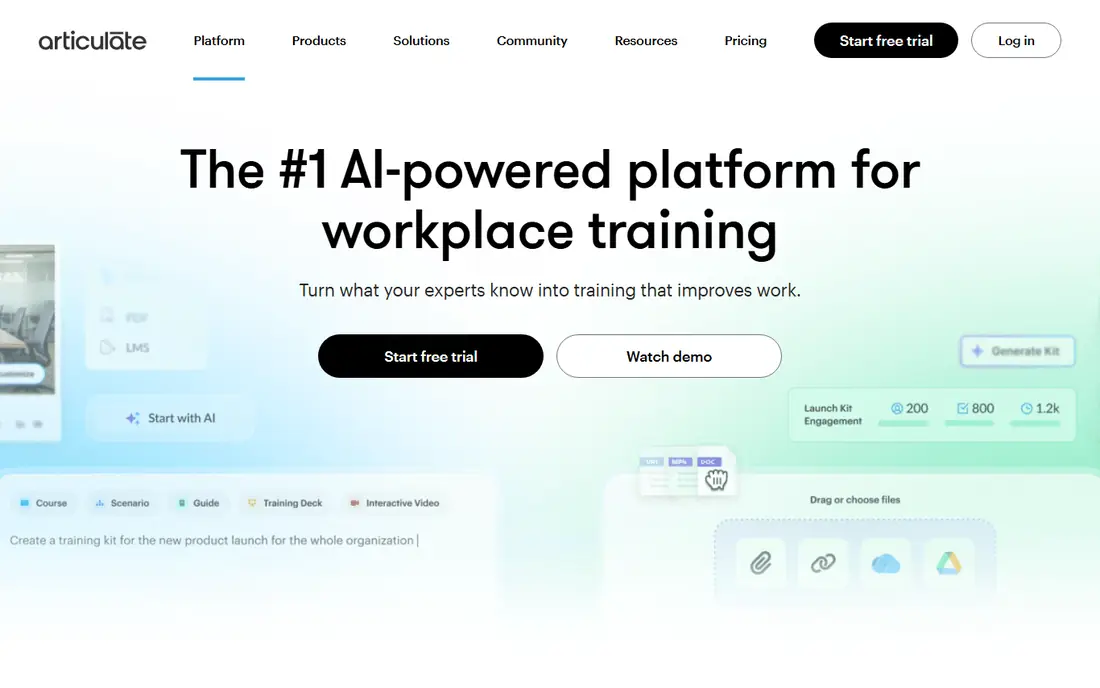
Articulate 360 is a suite, not a single editor, and that pairing is why it leads most shortlists. Storyline 360 handles branching scenarios, custom interactions, variables and triggers for flagship courses, while Rise 360 builds clean, mobile friendly courses from blocks in a browser. A team can use Rise for routine compliance updates and Storyline for the handful of courses that need real depth, without buying two separate vendors.
The cost is the honest drawback. Articulate 360 is priced per user per year, with figures in recent comparisons around $1,449 per user per year, so solo authors and small teams should check the current vendor price and trial before committing. Storyline also remains Windows focused, which matters for Mac only teams. For a professional learning team that ships courses every month, the combination of speed, depth and community help is hard to beat.
- Storyline for deep interactivity plus Rise for fast responsive courses
- Large template and asset library
- Strong community support
- Subscription price is high for solo authors
- Storyline is Windows focused
- Full power takes training

Adobe Captivate is the tool to shortlist when a course must teach software itself. It records on screen actions, builds simulations learners can try, and adds branching and assessments around those simulations. That makes it a natural fit for technical training, system rollouts and product onboarding, where a slide deck alone will not teach the task. Virtual reality and responsive project options extend it beyond standard slide courses.
New authors should expect a learning curve. Captivate packs a lot of controls into its workspace, and a first course will take longer than the same course in Rise or Easygenerator. Pricing has been listed at $33.99 per month for a single app plan in recent vendor information, with a free trial available. If your main need is rapid slide based courses, a simpler cloud tool will be faster. If your main need is simulations, Captivate earns its complexity.
- Strong software recording and simulations
- Responsive course output
- Virtual reality project support
- Steeper learning curve
- Interface can feel dense
- Check current plan terms for single app pricing
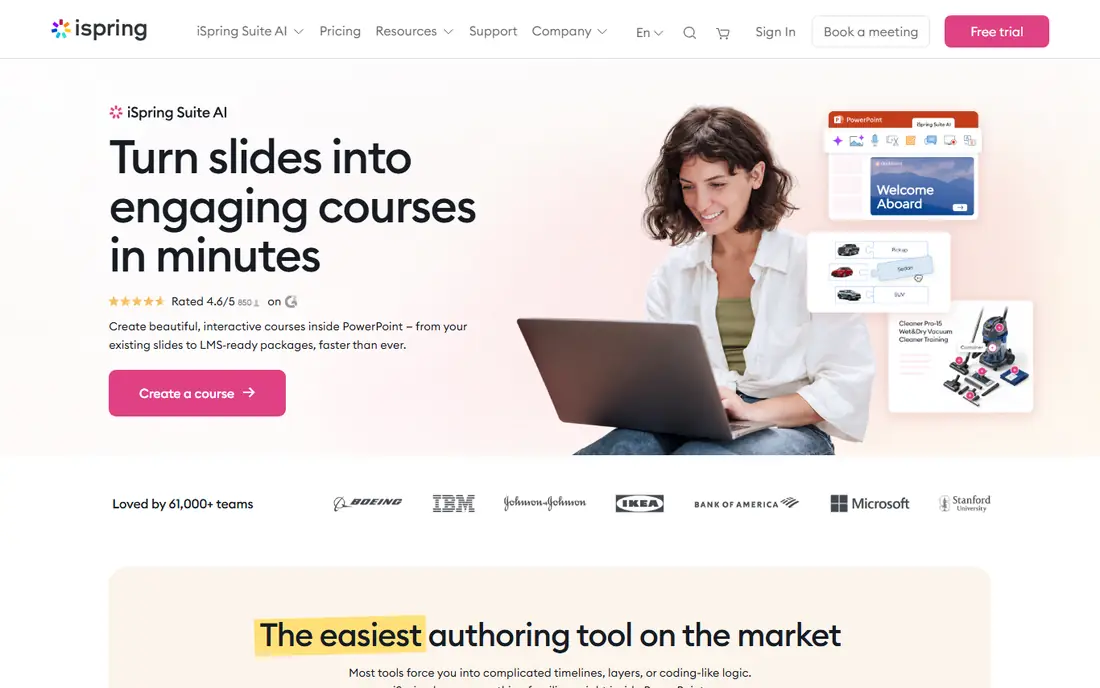
iSpring Suite is built for teams that already have training in PowerPoint. It adds a tab to PowerPoint, so authors keep working in slides they know, then add quizzes, interactions, screen recordings and video narration, and publish as SCORM or xAPI.
The limits follow from that design. iSpring is less suited to highly custom branching or complex simulations than Storyline or Captivate, and it is Windows focused, so Mac teams need a different plan. Pricing has been listed around $970 per user per year in recent comparisons, with a trial available, so check the current vendor page for the exact plan. For PowerPoint heavy teams, it is the fastest credible route to online courses.
- Works inside PowerPoint
- Strong quiz builder
- Converts slides to SCORM quickly
- Windows focused
- Less custom interaction depth than Storyline
- Annual price adds up for large teams
Easygenerator is designed for the person who knows the subject, not the person who knows course software. Its cloud editor uses templates and guided steps, so a manager, nurse, engineer or compliance lead can build a short course without waiting for an instructional designer. AI writing help can draft text from an outline, and review happens in the browser, which helps teams spread across sites.
That simplicity is also the ceiling. Easygenerator will not match Storyline for custom interactions, variables or software simulations, and authors who outgrow templates may need a second tool for flagship courses. Pricing has been listed around $116 per month in recent comparisons, with a trial available. For teams that need many short, up to date courses from many authors, Easygenerator is a strong, low friction choice.
- Cloud based and easy to learn
- AI writing help
- Simple review and publishing workflow
- Less depth for complex simulations
- Pricing per author can rise with team size
- Check template limits on lower tiers
Elucidat, now offered as Create by Confirm in some listings, suits large teams that must keep courses on brand, in many languages and under review control. Role based collaboration lets authors, reviewers and brand managers work in the same cloud project, with templates and brand settings that keep output consistent across departments. Translation workflows help global teams update a course in several languages without rebuilding it each time.
Pricing is the barrier for smaller buyers. Elucidat is quote based and aimed at enterprise teams, so a solo author or small team will find it expensive and more complex than needed. If your problem is speed on a single course, a simpler cloud tool will serve you better.
- Cloud collaboration with roles and brand control
- Strong translation and multi language support
- Responsive output
- Enterprise pricing is quote based
- More than a small team needs
- Check author seat costs carefully
dominKnow ONE tries to solve a common team problem: rapid courses and custom courses usually need different tools. Its Flow mode builds responsive, scrolling courses quickly, while Claro mode gives more control for custom layouts and interactions, with shared assets across both. Single source publishing means one project can feed several output formats, which helps teams that must deliver the same content for a learning system, a website and a document set.
The trade off is complexity. Teams need time to learn when to use each mode, and pricing has been listed around $1,997 per author per year in recent comparisons, which puts it firmly in the professional team range. For a team that publishes the same content in many forms, that single source model can save repeated work. For a team that builds one format only, a simpler tool may be cheaper and faster.
- Two authoring modes for rapid and custom courses
- Single source publishing to several formats
- Shared assets and collaboration
- Learning curve for the custom mode
- Pricing is high for small teams
- Check current author pricing on the vendor site
Lectora has long been the choice for training that must meet strict accessibility and compliance rules, such as government or regulated industry courses. It offers detailed control over variables, actions and responsive layouts, and its accessibility features help authors meet WCAG requirements more directly than many template tools. Lectora Online adds cloud collaboration for teams that need review in a browser.
New authors should expect a steeper climb. Lectora rewards experienced instructional designers, and a first course can take longer than in a template tool. Pricing has been listed from around $1,398 per user per year in recent comparisons, with a trial available. If accessibility compliance is a hard requirement, Lectora is worth the learning time. If it is not, a faster cloud tool will likely ship sooner.
- Strong accessibility and WCAG support
- Advanced variables and actions
- Responsive and desktop options
- Steep learning curve
- Interface feels dated to some authors
- Pricing is high for casual use
Gomo Learning is a cloud authoring tool built for teams that deliver courses across countries and languages. Authors build responsive courses in a browser, manage translations and localization, and publish for learning systems with SCORM and xAPI support. Mobile friendly output and offline access options help learners who train on phones or in low connectivity settings.
The main drawback is pricing transparency. Gomo is quote based and enterprise focused, so smaller teams may struggle to budget without a sales conversation. It is also less widely known in the United States than Articulate, Adobe or iSpring, which can matter for hiring authors who already know the tool. For a global team with real translation needs, Gomo is a strong demo candidate. For a single country team, a more common tool may be easier to staff.
- Cloud authoring with strong multi language support
- Mobile friendly output
- Offline access options for learners
- Pricing is quote based
- Less known in the US than Articulate or Adobe
- Check integration with your learning system
Adapt Learning is the free option that serious teams actually use, rather than a trial with a time limit. It is an open source framework for building responsive, scrolling courses in HTML5, with SCORM support for learning systems. A team with developers can customize it fully, host it themselves and avoid per author subscription costs, which makes it attractive for budget limited organizations and public sector teams.
The cost is staff time, not license fees. Adapt needs technical setup, hosting and maintenance, and non technical authors will find it harder than Rise, Easygenerator or iSpring. There is no vendor support contract unless you buy services separately. If your team has developers and a tight budget, Adapt can deliver professional responsive courses for the price of staff time. If it does not, a paid template tool will ship faster and with less risk.
- Free and open source
- Responsive HTML5 output
- Fully customizable for teams with developers
- Needs technical skill to install and maintain
- No vendor support contract by default
- Slower to build than template tools
How we picked these
We looked for tools that are live in October 2026, that output courses for a learning management system, and that cover different author types: professional designers, PowerPoint teams, subject experts, enterprise teams and developers. We compared official feature pages, pricing pages and format support, and we noted where pricing is published and where it is quoted. Where a price could not be confirmed on the vendor page, we wrote See website rather than repeating an older comparison figure as current fact.
We weighted real authoring fit above feature counts. A tool with deep interactions scored higher for professional teams, while a tool with templates and guided steps scored higher for subject experts. SCORM and xAPI support, responsive output and accessibility features were treated as core requirements, not extras, because a course that cannot be tracked or used on a phone will fail in most organizations.
What to check before you choose
Start with your learning system and your learners. Confirm which SCORM versions and xAPI statements your system accepts, test a sample course on the phones and browsers your learners actually use, and check accessibility requirements for your audience. A tool that exports a beautiful course your system cannot track is not a good buy, no matter how easy the editor feels in a demo.
Next, test with your real authors, not just your instructional designers. Give a subject expert one hour in a cloud tool and a designer one day in a desktop tool, using the same source material. Compare how long each course takes, how clean the output looks on mobile, and how easy review changes are. Finally, cost the whole team. Per author pricing, seat limits, translation costs and support contracts can change the total far more than the headline price. Get a written quote for the number of authors you will actually have, and confirm what happens to your courses if you cancel.
Frequently asked questions
What is the best authoring tool?
Articulate 360 is the best authoring tool for most professional teams, because it combines Storyline for deep courses with Rise for fast responsive courses. iSpring Suite is best for PowerPoint teams, Easygenerator is best for subject experts, and Adobe Captivate is best for software simulations. The right choice depends on who builds the course and how complex it must be.
What are the best authoring tool apps for beginners?
Easygenerator, Rise 360 inside Articulate 360, and iSpring Suite are the easiest starting points for beginners. Easygenerator uses guided templates in a browser, Rise uses blocks for responsive courses, and iSpring works inside PowerPoint. Adapt Learning is free, but it needs technical skill and is not a beginner tool.
What is the best authoring tool software for SCORM courses?
All the tools on this list support SCORM output, with most also supporting xAPI. Articulate 360, Adobe Captivate, iSpring Suite and Lectora are the safest choices for SCORM in a traditional learning system. Always test a sample SCORM package in your own system before you buy, since tracking settings vary by vendor.
Is there a free authoring tool?
Adapt Learning is free and open source, with responsive HTML5 output and SCORM support. It needs developers to install and maintain, so the license cost is zero but staff time is not. Most paid tools offer a free trial, and some cloud tools offer a limited free plan, so check the vendor page for current trial terms.
How much do authoring tools cost?
Costs range from free for Adapt Learning to quote based enterprise pricing for Elucidat and Gomo Learning. Recent comparisons list Adobe Captivate at $33.99 per month, iSpring Suite around $970 per user per year, and Articulate 360 around $1,449 per user per year. Check the vendor page for current pricing, since plans and annual billing terms change.
Which authoring tool is best for PowerPoint users?
iSpring Suite is best for PowerPoint users, because it works as a PowerPoint add in and turns existing slides into trackable courses. Teams with large slide libraries can convert material faster in iSpring than in a separate editor. If you also need deep branching or simulations, pair iSpring with Storyline or Captivate for flagship courses.
Sources
See where you really rank - block by block
ProMapRanker scans Google Maps across a grid of your service area. Simple monthly plans from $19, white-label on every plan.
Start freeKeep reading
 zscaler alternatives
Best Zscaler Alternatives in 2026
Looking for zscaler alternatives? We compare 9 SASE and zero trust platforms on architecture, data protection, pricing, and fit for your network and team.
Read → zapier alternatives free
Best Zapier Alternatives Free in 2026
Nine automation tools for zapier alternatives free in 2026, all with genuinely free tiers, plus free plan limits, starting prices and upgrade paths explained.
Read → which platform is best for online reputation
Which Platform Is Best for Online Reputation in 2026
Wondering which platform is best for online reputation? We compare 8 review, listing, and response tools for small and multi-location businesses and agencies.
Read →