 ProMapRanker
Best Audio Recording App in 2026

Key takeaways
- Start with the free recorder already on your phone, since Apple Voice Memos and Google Recorder cover most everyday needs.
- Otter and Rev suit people who need searchable transcripts, with different price and accuracy trade offs.
- Dolby On suits noisy rooms and music ideas, while Easy Voice Recorder suits simple Android recording.
- Audacity suits desktop editing, and it is free and open source.
- Recording conversations requires consent where the law requires it, and laws vary by state and country, so check before you record.
Quick comparison
| Pick | Great for | Pricing starts at | Free tier | |
|---|---|---|---|---|
 Apple Voice Memos | iPhone recording | Free | Yes | Visit |
 Google Recorder | Pixel transcription | Free | Yes | Visit |
 Otter | Live transcription | Free | Yes | Visit |
 Rev Voice Recorder | Accurate transcripts | Free | Yes | Visit |
 Dolby On | Noisy rooms and music | Free | Yes | Visit |
 Easy Voice Recorder | Simple Android recording | Free | Yes | Visit |
 Samsung Voice Recorder | Samsung phones | Free | Yes | Visit |
 Audacity | Desktop editing | Free | Yes | Visit |
The best audio recording app
Recording apps differ in capture quality, transcription, editing and sharing, so the best pick depends on your device and your output. We compared official product pages and app store listings, and we focused on apps that are currently available and genuinely free or low cost to start.

Apple Voice Memos is the simplest answer for iPhone owners, since it is already installed and ready with one tap. Recordings sync through iCloud to iPad and Mac, and you can trim a clip, replace a section and share the file without extra software. On iPhone 12 and later, recent iOS versions add transcription for supported recordings, which helps when you need to search a memo later.
The limits are platform and editing depth. There is no Android version, and Voice Memos does not offer multitrack editing or advanced noise tools. It suits quick memos, interviews and lecture capture, while podcasters and musicians will likely export to a desktop editor. For everyday iPhone recording, it is hard to beat a free, built in tool.
- Preinstalled on iPhone, iPad and Mac
- ICloud sync across Apple devices
- Transcription on newer iPhones
- Editing is basic
- No Android version
- Transcription availability depends on device and language
Google Recorder is the Pixel equivalent of Voice Memos, with one major advantage, on device transcription. Recordings are transcribed on the phone, without needing an internet connection for the core feature, and the transcript is searchable across your recording library. That makes it useful for lectures, interviews and meetings where you need to find a quote later.
The catch is device lock in. Recorder is built for Pixel phones and Pixel Tablet, and transcription features vary by generation and language. Owners of other Android phones need a different app. For Pixel owners, though, Google Recorder is a free, private and capable recorder that needs no subscription.
- Free on Pixel phones
- On device transcription and search
- No subscription for core recording
- Pixel only in practice
- Transcription languages and features vary by device generation
- Sharing options are tied to Google services
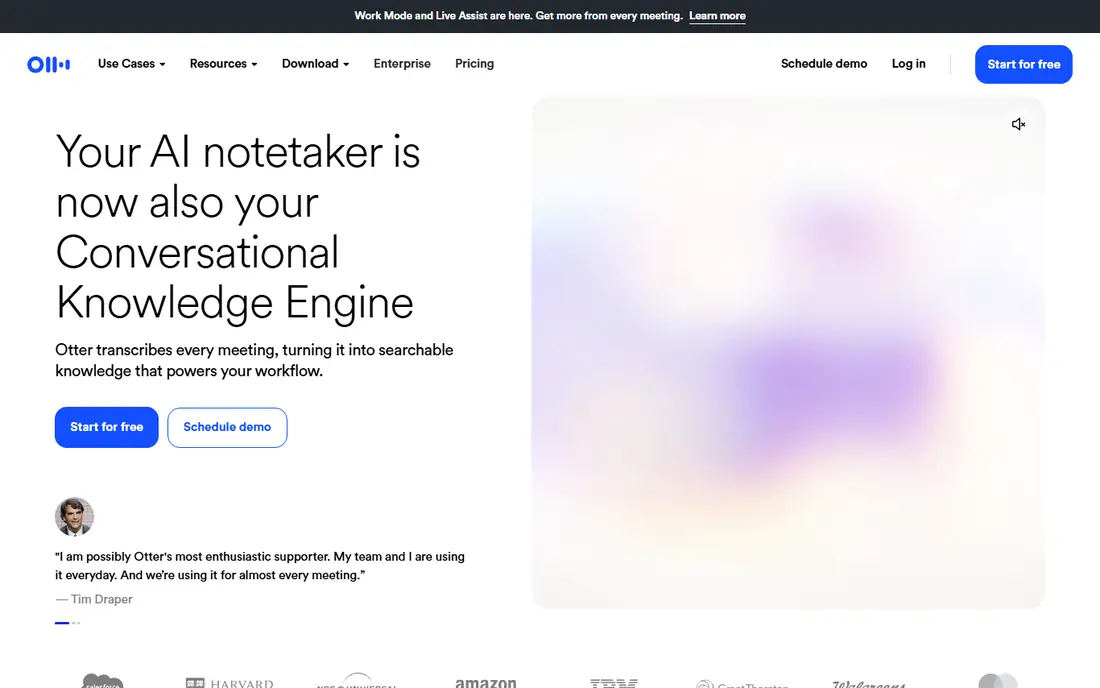
Otter turns recordings and meetings into live, searchable transcripts, with speaker labels and summaries on paid plans. The mobile app records on the phone, while the meeting assistant can join video calls and produce notes for the team. Search across transcripts makes it easy to find a decision or quote weeks later, which is why many students and professionals choose it.
The free Basic plan caps transcription at 300 minutes per month, with 30 minutes per conversation, so long lectures and meetings can hit the limit. Pro starts at 8.33 dollars per user per month billed annually, or 16.99 dollars monthly, with 1,200 minutes per month. Otter suits people who need live transcripts and shared notes, and who accept a cloud based workflow.
- Live transcription with speaker labels
- Searchable notes and summaries
- Works on phone, web and meetings
- Free plan caps minutes and conversation length
- Cloud based workflow
- Paid Pro starts at $8.33 per user per month billed annually
Rev Voice Recorder is a free app for capturing audio on iPhone and Android, with the option to order AI or human transcripts from Rev. That split matters for important work, since AI transcripts are fast and affordable while human transcripts offer higher accuracy for legal, medical or research material. The app itself is simple, focused on clean capture and easy ordering.
Cost is the trade off. The free plan includes limited AI transcription minutes per month, and human transcription is priced per audio minute, so long files add up. There is no live meeting bot that joins calls automatically. Rev suits people who record interviews and need a transcript they can trust, especially when accuracy matters more than live captions.
- Free recorder app
- AI transcripts plus human transcription option
- Strong accuracy reputation for important work
- Human transcription is priced per minute
- AI minutes on free plan are limited
- No live meeting bot like Otter
Dolby On is a free recorder for iPhone and Android that applies Dolby processing to clean up recordings at once. Noise reduction, EQ and compression help voices and music ideas sound clearer without manual editing, which suits noisy lecture halls, street interviews and song sketches. Export options include lossless formats for later desktop editing.
The limits are clear. Dolby On does not transcribe, and editing stays basic compared with a desktop studio. It cannot fix a truly bad recording, and it works best when the source is reasonably close and clear. Dolby On suits creators who want a polished capture with one tap and will handle transcription or detailed editing elsewhere.
- Free app with Dolby audio processing
- Noise reduction and EQ built in
- Lossless export options
- No transcription
- Editing is limited to basic trims and effects
- Best results still need a quiet source
Easy Voice Recorder is a popular Android recorder that keeps the job simple. One tap starts a recording, and settings cover format, sample rate and quality, so users can balance file size and clarity. The free version handles everyday memos, lectures and interviews, with sharing to common apps and cloud services.
Transcription is the missing piece, since Easy Voice Recorder does not transcribe on its own. The free version includes ads, and advanced features such as Bluetooth recording and cloud upload sit in the paid Pro version. It suits Android users who want a reliable, simple recorder without a subscription, and who will transcribe elsewhere if needed.
- Simple one tap recording on Android
- Format and quality controls
- Free version covers everyday recording
- No transcription
- Free version includes ads
- Pro features need a paid upgrade
Samsung Voice Recorder is the built in recorder for Samsung Galaxy phones, and it covers the basics well. Recordings can be bookmarked during capture, which helps when you need to mark a key moment in a long lecture or meeting. Newer One UI versions add transcript features on supported models, bringing Samsung closer to Pixel and iPhone built in options.
The catch is device and model variation. Transcript features, languages and editing tools vary by phone and software version, so two Samsung owners may see different options. Editing stays basic, and there is no desktop version beyond Samsung device sync. For Samsung owners, it is a free and capable starting point before adding a transcription app.
- Preinstalled on Samsung phones
- Simple recording with bookmarks
- Transcript features on newer One UI versions
- Samsung only
- Transcript availability varies by model and language
- Editing is basic
Audacity is a free, open source audio editor for Windows, Mac and Linux, and it remains the default desktop choice for podcasters, musicians and researchers. It records multiple tracks, cuts and cleans audio, applies effects and exports to common formats. Pairing a phone recorder with Audacity gives a full capture and edit workflow at no software cost.
The trade off is that Audacity is a desktop editor, not a quick phone recorder, and its interface is functional rather than polished. Beginners may need a short tutorial for multitrack work and noise reduction. Audacity suits anyone who needs real editing power on a desktop, especially when combined with a simple phone recorder for capture.
- Free open source audio editor
- Multitrack recording and editing
- Wide format support and effects
- Not a phone app
- Interface is functional rather than polished
- Learning curve for advanced editing
How we picked these
We compared official product pages and app store listings, and we favored apps that are currently available, free or low cost to start, and genuinely useful for capture, transcription or editing. We included built in phone recorders, transcription apps and a desktop editor, so readers on different devices can find a fit. Prices and plan limits change, so the vendor page is the final check.
How to choose a recording app
Start with your output. If you only need the audio, a built in recorder or Easy Voice Recorder is enough. If you need a searchable transcript, choose Otter, Rev or a Pixel or iPhone built in transcription feature. If you need a polished podcast or song, record on the phone and edit in Audacity on a desktop.
Next, test in your real setting. Record in the room where you will actually work, with the same distance and background noise, and listen back with headphones. Check file format, sharing and storage, since a great recording that is hard to export is a poor tool. Set a naming habit too, with date and topic in the file name, so recordings stay findable.
Recording conversations and consent
Consent laws vary by state and country, and some places require all parties to consent to recording a conversation. Check the law where you and the other people are located, tell people you are recording, and get consent where it is required. For interviews and meetings, a short note at the start, stating that you are recording and why, protects everyone and usually improves the conversation.
Frequently asked questions
What is the best app to record conversations?
Apple Voice Memos, Google Recorder and Samsung Voice Recorder cover most phone recording needs for free. Otter adds live transcription, while Rev adds accurate human transcripts for important interviews. Check consent laws before recording a conversation, since requirements vary by location.
What are the best free voice recorder apps?
Apple Voice Memos is free on iPhone, Google Recorder is free on Pixel, and Samsung Voice Recorder is free on Samsung phones. Easy Voice Recorder and Dolby On are free on Android and iPhone. Audacity is free on desktop for editing. The best free app is usually the one already on your phone.
What are the best recording apps for transcription?
Otter offers live transcription with speaker labels and summaries, while Rev offers AI and human transcripts with higher accuracy for important work. Google Recorder and Apple Voice Memos offer on device transcription on supported devices. Choose Otter for meetings, Rev for accuracy, and built in tools for everyday notes.
What are the best apps for recording audio on Android?
Google Recorder suits Pixel owners, Samsung Voice Recorder suits Samsung owners, and Easy Voice Recorder suits other Android phones. Dolby On suits noisy rooms and music ideas. All four are free to start, and Otter or Rev can add transcription where needed.
What is the best audio recording software for desktop?
Audacity is the best free desktop choice for recording and editing, with multitrack support and wide format options. It suits podcasters, musicians and researchers who need real editing power. Phone apps remain better for quick capture on the move, so many people use both.
Sources
See where you really rank - block by block
ProMapRanker scans Google Maps across a grid of your service area. Simple monthly plans from $19, white-label on every plan.
Start freeKeep reading
 zoho inventory alternatives
6 Alternatives to Zoho Inventory, Compared on Price and Fit
Zoho Inventory alternatives: 6 tools compared on price, free plans and fit. Katana leads the list for manufacturers. Fit and flaws are laid out for each entry.
Read → zoho crm alternatives
Best Zoho CRM Alternatives (2026)
Need Zoho CRM alternatives? We compare 7 tools on cost, free access and who each suits. Every pick gets a straight assessment. Built for quick decisions.
Read → zelle alternatives
Best Zelle Alternatives in 2026
Compare the best Zelle alternatives for sending money to friends, paying sellers and moving funds abroad, with honest notes on fees, speed and safety in 2026.
Read →