 ProMapRanker
Best Audio Bible App Free in 2026

Key takeaways
- YouVersion is the best free starting point for most listeners, with a huge range of versions, reading plans and free audio for select translations.
- Bible Gateway is the stronger choice when you want many translations and audio Bibles in several languages in one place.
- Olive Tree and Blue Letter Bible suit listeners who also want offline reading and deeper study tools, with some resources sold separately.
- Offline audio is the main limit to check, because several free apps stream audio and only offer downloads on a paid tier.
Quick comparison
| Pick | Great for | Pricing starts at | Free tier | |
|---|---|---|---|---|
 YouVersion | Daily listening and plans | Free | Yes | Visit |
 Bible Gateway | Many translations | Free | Yes | Visit |
 Bible Audio App | Dedicated listening | Free | Yes | Visit |
 Blue Letter Bible | Word study with audio | Free | Yes | Visit |
 Olive Tree Bible App | Offline study and audio | Free | Yes | Visit |
 ESV Bible | ESV listening | Free | Yes | Visit |
 Bible.is | Dramatised audio | Free | Yes | Visit |
 Tecarta Bible | Clean offline reading | Free | Yes | Visit |
 Daily Audio Bible | Guided daily listening | Free | Yes | Visit |
The best audio Bible apps free
We compared official app store listings and vendor pages for apps that still offer free audio Bible listening in October 2026. Most apps are free to download, with paid options for extra study resources, offline downloads or ad-free listening. Check which translations include audio before you commit to a plan, because audio is available for select versions rather than every translation in every app.

YouVersion, also called the Bible App, is the obvious first download for free audio listening. The app is free, with no ads in the core experience described on its store listing, and it offers a very large library of Bible versions in many languages. You can listen to audio Bibles for select versions, follow a reading plan with audio, and sync highlights, bookmarks and notes across devices with a free account. That combination makes it easy to keep a daily habit going on a phone, a tablet or a computer.
The main limit is offline audio. You can download select text versions to read offline, but audio for select versions is not available offline in the same way, so you need a connection to listen. If you often listen in a car with patchy signal or on a plane, download a plan or test the app on your usual route first. For most home and commute listening, though, YouVersion gives the widest free choice with the least friction.
- Completely free core app
- Thousands of versions and plans
- Audio for select versions
- Audio is not available offline
- Some translations have no audio track
- Community features may feel busy
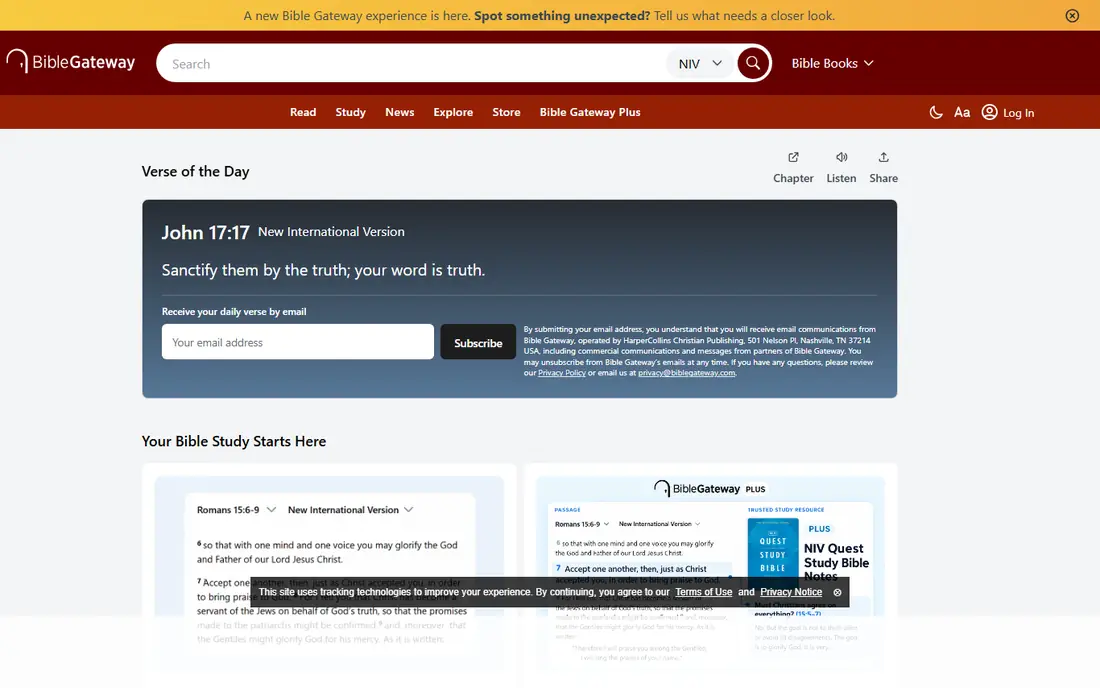
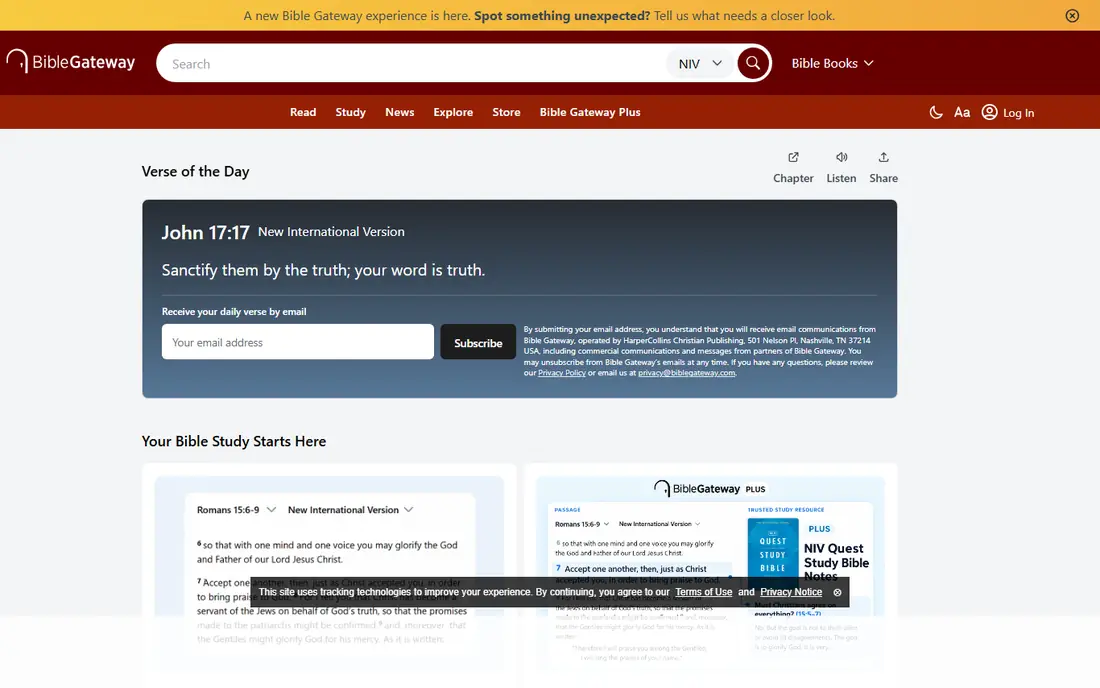
Bible Gateway has been a trusted Bible website for more than 30 years, and its rebuilt app carries that library into a cleaner mobile design. The free app offers more than 200 Bible translations and audio Bibles in more than 15 languages, which is a strong range for households that listen in more than one language. You can search by keyword, verse or topic, follow reading plans, and read two versions side by side on a tablet. A free account keeps your highlights and notes in sync.
Bible Gateway Plus is the paid upgrade, and it adds an ad-free experience plus more than 60 study resources such as commentaries and study Bibles. You do not need Plus to listen to the free audio Bibles, but you will see the upgrade offered inside the app. If your main goal is free listening with a wide translation choice, the free tier already covers it. If you want study notes tied to every verse, Plus is worth a trial.
- More than 200 translations
- More than 30 audio Bibles
- Free account syncs notes and highlights
- Deep study tools need Bible Gateway Plus
- Interface offers a lot at once
- Offline audio is limited
Bible Audio App, from the same team as Bible Gateway, is for listeners who want a simpler screen. It focuses on listening rather than reading, study notes or plans. You can choose from translations including the New International Version, the King James Version, the New International Readers Version and the Spanish Nueva Version Internacional, with dramatised and voice-only narration styles for some versions. Text and audio stay in sync, you can repeat a chapter or verse, and you can set a sleep timer.
The free version streams audio, while the Gold subscription adds offline downloads, extra translations and ad-free listening. The store listing describes Gold at $1.99 per month or $19.99 per year in the United States, but check the current price in your app store before you subscribe. If you listen at bedtime or on a commute and want a single-purpose player, this app is a neat companion to a fuller study app.
- Built only for listening
- Dramatised and voice-only narration
- Playback speed and sleep timer
- Offline downloads need a Gold subscription
- Fewer translations than the main Bible Gateway app
- Ads on the free tier
Blue Letter Bible is the free app for listeners who want to understand the original words behind a passage. It pairs the Bible text with a Hebrew and Greek lexicon, an interlinear view, dictionaries and a large library of written commentaries. Audio is included, so you can listen to a passage and then tap a word to see its Strong's number and how it is used elsewhere. For pastors, students and serious readers, that depth at no cost is hard to match.
The interface is plain, and first-time users may find the number of tools confusing. That is a fair trade for a free study app, but beginners may prefer to start with YouVersion for daily listening and add Blue Letter Bible when they want to dig into a specific word. There are no in-app purchases listed on its store pages, and the app works offline after content is downloaded, which helps in places with weak signal.
- Free with no in-app purchases listed
- Strong's concordance and lexicons
- Audio Bible included
- Older looking interface
- Learning curve for beginners
- Study depth can feel overwhelming
Olive Tree is built around offline study. Once you download a Bible, an audio Bible or a study resource, you can use it without a Wi-Fi connection, which is a real advantage for travel, rural areas and low-data plans. The app offers audio Bibles, reading plans, devotionals, Bible maps, study Bibles, commentaries and Greek and Hebrew tools, with thousands of free and paid resources in its store. Split screen view lets you keep a Bible and a commentary open together.
The free app is genuinely usable, but the hand-picked Bible Study Pack subscriptions add guided training and a curated set of tools. The store listing describes those subscriptions at $5.99 per month, $29.99 per six months or $59.99 per year, with a 14-day free trial. If you only need free audio and basic reading, skip the subscription. If you want a structured study path with offline access, the trial is a low-risk way to test it.
- Strong offline access
- Split screen study
- Large library of free and paid resources
- Best study packs need a subscription
- Resource store can feel complex
- Some audio Bibles are paid
The ESV Bible app, from Crossway, is the best free choice for readers who love the English Standard Version and want it done well. The text is clean, the audio is easy to find, and reading plans help you work through the Bible in a year or follow a shorter devotional path. Because the app focuses on one translation, it avoids the clutter of a general library and keeps the reading experience calm.
The trade-off is obvious: if you like to compare the ESV with the NIV, the NKJV and other translations side by side, you will need a second app such as Bible Gateway or YouVersion. Some ESV study content is also sold separately. For ESV loyalists, though, this app gives a focused, free listening experience that general apps cannot quite match for that one translation.
- Clean ESV text and audio
- Reading plans
- Study notes available with an account
- Focused on one translation
- Some study content is paid
- Fewer versions than general apps
Bible.is, from Faith Comes By Hearing, focuses on making the Bible heard in as many languages as possible. Its dramatised audio Bibles use multiple voices and sound design, which can make long passages easier to follow, especially for children, new readers and family listening in the car. The service is free, and it offers audio and text in a very wide range of languages, far beyond the English-first libraries of many apps.
Study tools are thinner here than in Olive Tree or Blue Letter Bible, so Bible.is works best as a listening companion rather than a sole study app. Availability of a dramatised version also varies by language, so check your language first. If your household listens in more than one language, or you want a dramatised reading for a group, Bible.is deserves a place on your phone alongside a study app.
- Dramatised audio Bibles in many languages
- Free listening on web and mobile
- Good for family listening
- Study tools are thinner than rivals
- Some features vary by language
- App experience differs from the website
Tecarta Bible appeals to readers who want speed and simplicity. The app is fast, the interface is clean, and offline access works well after you download a version. It offers parallel view, night mode and a straightforward reading experience without the social features that some users find distracting in larger apps.
Audio is available, but the range is narrower than the big general apps, and some extra features sit behind an optional subscription. Check that your preferred translation includes audio before you rely on Tecarta as your only listening app. For readers who value a fast, ad-free feel and reliable offline reading, it is a strong free option.
- Fast and clean interface
- Good offline access
- Parallel view and night mode
- Audio range is narrower than YouVersion
- Some features need a subscription
- Smaller community than rivals
Daily Audio Bible takes a different approach: instead of giving you a library to browse, it gives you one guided listening session each day. The host reads a passage, offers brief reflection, and invites listeners to pray together, with a community around the daily rhythm. That structure helps people who start a Bible plan and then stall, because the next step is always clear: press play on today.
The fixed schedule is also the limit. You cannot easily jump to any passage, compare translations or build a custom study plan in the same way as YouVersion or Bible Gateway. Think of Daily Audio Bible as a habit builder, not a library. Pair it with a full app for reference, and use it when you want listening to feel like a daily appointment rather than a search task.
- Daily guided listening habit
- Community prayer and comments
- Short daily episodes
- Less flexible than a full Bible app
- Fixed daily schedule
- Not a replacement for a study library
How we picked these
We compared official app store listings and vendor pages for apps that offer free audio Bible listening in October 2026, and we kept only apps that let a new user listen without paying first. We favoured a mix of general libraries, translation-specific apps, study tools and guided listening, so readers with different habits can find a fit. We did not claim hands-on testing, and we noted where offline audio, extra translations or study packs need a paid tier. Where a price came from a store listing, we said so, and we advised readers to check the current price in their own app store.
How to choose a free audio Bible app
Start with how you listen. If you listen daily and want plans, friends and sync, YouVersion is the simplest choice. If you listen in more than one language or like to compare translations, Bible Gateway gives you the widest free library. If you listen offline or in low-signal places, Olive Tree and Blue Letter Bible deserve priority, because their offline design is stronger than a streaming-only app.
Next, check the audio for your translation. Not every version in an app has an audio track, and dramatised audio is not available for every language. Open the app, pick your translation, and press play on a chapter you know well before you commit to a year-long plan. Also test the sleep timer, playback speed and repeat controls, since those small features matter more over months of listening than a large library you never open.
Finally, think about study. A listening habit often leads to questions about a word or a passage, and that is where a second app helps. Keep a study app such as Blue Letter Bible or Olive Tree beside your listening app, and use the listening app for the daily habit. Two free apps, each doing one job well, usually beat one app trying to do everything.
Frequently asked questions
What is the best free audio Bible app?
YouVersion is the best free audio Bible app for most listeners, because it is completely free, offers a large range of versions and plans, and includes audio for select translations. Bible Gateway is a close second when you want more translations and audio Bibles in several languages. Try both free before you pay for any upgrade.
Is the YouVersion Bible app really free?
Yes, the core YouVersion app is free, with audio Bibles for select versions, reading plans, highlights and sync across devices. Some translations do not include audio, and audio is not available offline in the same way as downloaded text. There is no paid tier required for the main listening features.
Can I listen to the Bible offline for free?
Some apps offer offline reading for free, but offline audio is often limited. Olive Tree and Blue Letter Bible offer stronger offline access after you download content, while YouVersion audio needs a connection. Bible Audio App offers offline downloads only on its paid Gold subscription. Check offline audio specifically, not just offline reading.
What is the best free Bible audio app for dramatised listening?
Bible.is is a strong free choice for dramatised audio, with multiple voices and sound design in many languages. Bible Audio App also offers dramatised narration for some translations, including the NIV and KJV. Test a familiar chapter in both apps, since dramatised style is a matter of taste.
Which free audio Bible app has the most translations?
Bible Gateway lists more than 200 translations and more than 30 audio Bibles, which is a wide free range. YouVersion lists an even larger number of text versions, but audio is available for select versions only. If translation choice is your priority, check that your language and version include audio in the app you choose.
Do I need a second app for Bible study?
Not always, but it helps. Listening apps are built for playback, while study apps such as Blue Letter Bible and Olive Tree add lexicons, commentaries and split screen reading. Many readers keep one app for daily listening and one for study, and both can be free at the basic level.
Sources
See where you really rank - block by block
ProMapRanker scans Google Maps across a grid of your service area. Simple monthly plans from $19, white-label on every plan.
Start freeKeep reading
 zscaler alternatives
Best Zscaler Alternatives in 2026
Looking for zscaler alternatives? We compare 9 SASE and zero trust platforms on architecture, data protection, pricing, and fit for your network and team.
Read → zapier alternatives free
Best Zapier Alternatives Free in 2026
Nine automation tools for zapier alternatives free in 2026, all with genuinely free tiers, plus free plan limits, starting prices and upgrade paths explained.
Read → which platform is best for online reputation
Which Platform Is Best for Online Reputation in 2026
Wondering which platform is best for online reputation? We compare 8 review, listing, and response tools for small and multi-location businesses and agencies.
Read →