 ProMapRanker
Best Asset Tracking Software in 2026


Customizable tracking for complex operations · Pricing starts at: See website
Key takeaways
- Sortly and Snipe-IT are the best low cost starting points, with free tiers for small inventories and IT teams respectively.
- Asset Panda and EZOfficeInventory suit larger operations that need custom fields, reservations and lifecycle tracking.
- GoCodes and AssetTiger suit small teams that want simple QR or barcode tracking without a complex setup.
- UpKeep and Freshservice suit teams that also need maintenance or IT service work tied to each asset.
- Check pricing by asset count, user count or both, since vendors in this category charge in different ways.
Quick comparison
| Pick | Great for | Pricing starts at | Free tier | |
|---|---|---|---|---|
| Asset Panda | Customizable tracking for complex operations | See website | No | Visit |
 EZOfficeInventory | Equipment lifecycles and reservations | See website | No | Visit |
 Sortly | Visual inventory for small teams | Free | Yes | Visit |
 Snipe-IT | IT asset tracking without a license fee | Free | Yes | Visit |
 GoCodes | Simple QR code tracking for small teams | $500 per year | No | Visit |
 AssetTiger | Free desktop tracking with tags | Free | Yes | Visit |
 UpKeep | Maintenance plus asset tracking | See website | No | Visit |
 Cheqroom | Equipment checkout and reservations | See website | No | Visit |
 Freshservice | IT assets plus service desk ticketing | $19 per agent per month | Yes | Visit |
 Lansweeper | Automatic IT asset discovery | Free | Yes | Visit |
The best asset tracking software
We compared these tools on check-in and checkout, barcode and QR scanning, maintenance, reservations, reporting and price, using vendor pages and current product documentation. Asset tracking covers both physical equipment and IT assets, so we include tools for both jobs.
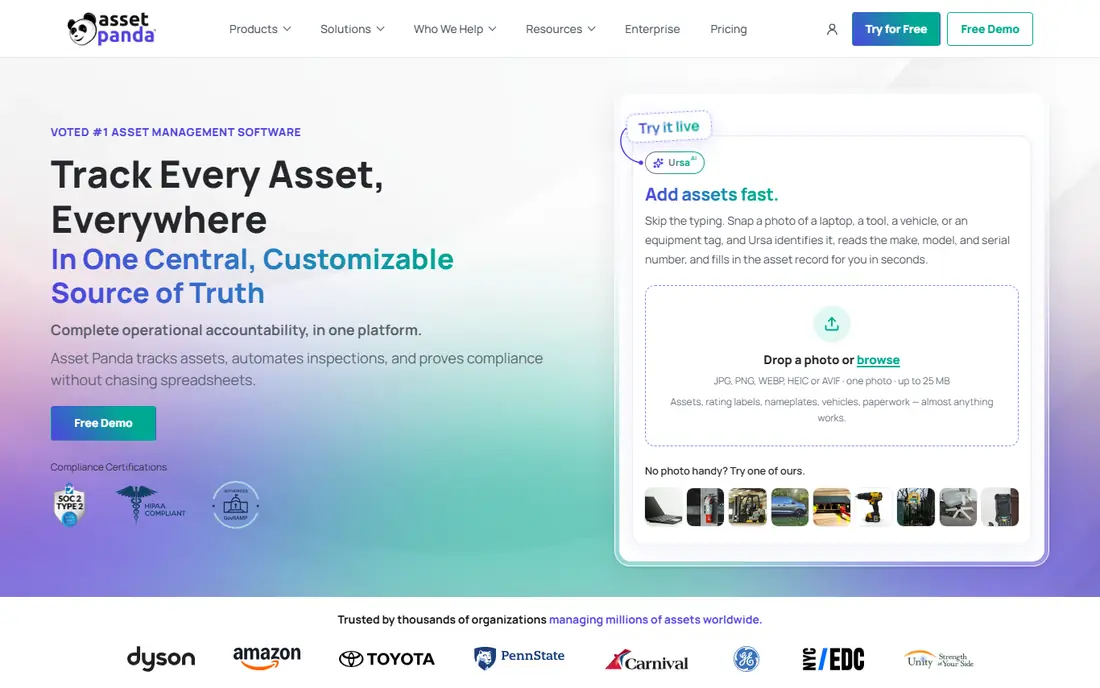
Asset Panda suits organizations whose assets do not fit a standard template. Custom fields, configurable workflows and unlimited custom actions let you shape the system around your equipment, locations and compliance needs, while the mobile app handles scanning and checkouts in the field.
That flexibility comes with a setup effort and a quote based price, so small teams with a simple inventory may find it more than they need. A 14-day trial helps you test whether the customization actually fits your workflow before you commit to a larger deployment.
- Highly customizable fields and workflows
- Mobile barcode and QR scanning
- Strong reporting
- Pricing is quote based
- Setup takes time for complex configurations
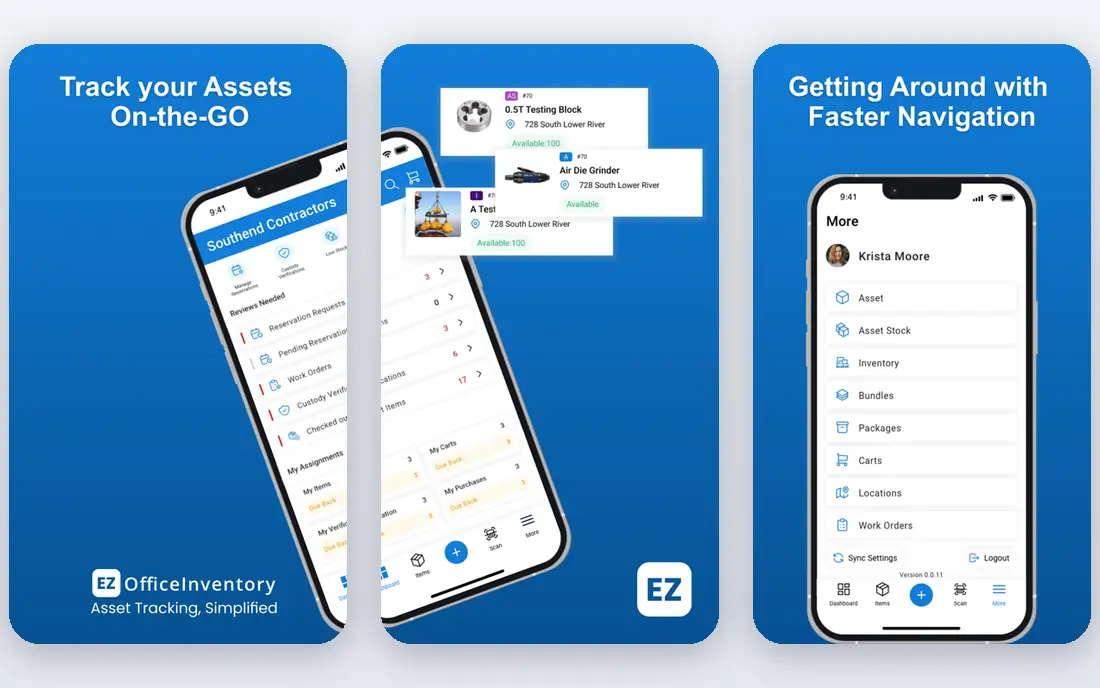
EZOfficeInventory, often shortened to EZO, focuses on the full life of equipment: purchase orders, warranties, repair history and vendor records tied to each asset profile. A calendar view lets staff reserve equipment ahead of time, and cart grouping helps organize items for projects across sites.
Pricing on the vendor site is quote based, with a 15-day trial available, so budget from a written quote rather than a third party estimate. For operations teams that move equipment between sites and need maintenance history in the same record, EZO is a strong, structured choice.
- Lifecycle tracking with purchase and repair history
- Reservations and calendar
- Maintenance scheduling
- Pricing is quote based on the vendor site
- Setup can feel complex at first
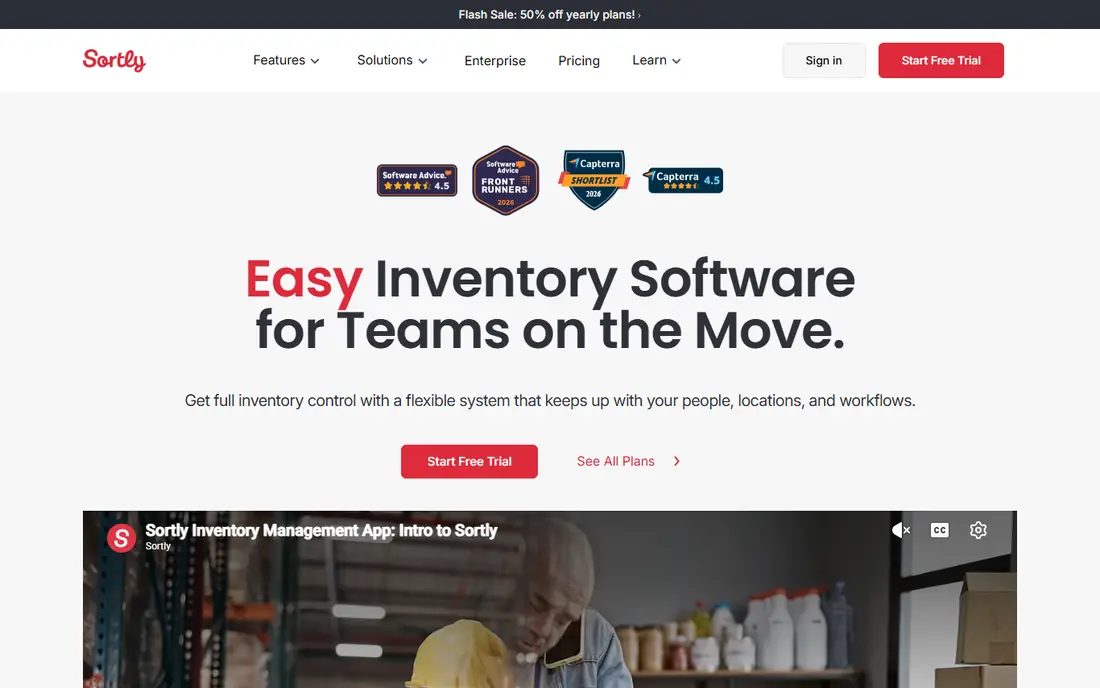
Sortly is built around photographs, so an item card shows the thing itself rather than a row of text. Small teams pick it up quickly, scan QR and barcodes from a phone, set low stock alerts, and organize items in nested folders. The free plan covers a small inventory, which makes a pilot cost nothing.
Larger programs will outgrow Sortly, since enterprise reporting and complex workflows are thinner than on Asset Panda or EZO. For a small team moving off spreadsheets, though, the visual approach and fast onboarding are real advantages.
- Photo-based item cards
- Free plan for small inventories
- Easy mobile scanning
- Less depth for large enterprise asset programs
- Paid tiers rise with entries and users
Snipe-IT is an open source IT asset management tool that tracks hardware, software licenses, accessories and consumables, with check-in, checkout and a full audit trail. IT teams that want capable tracking without a license fee can self-host it for free, which suits nonprofits and budget-led teams.
Self-hosting needs technical setup and maintenance, and teams that prefer a managed service can use hosted plans starting at 39.99 dollars per month as reported. For IT asset tracking on a tight budget, Snipe-IT remains one of the best value options available.
- Open source self-hosted edition
- Full audit trail
- Check-in and checkout included
- Self-hosting needs technical skill
- Hosted pricing is separate
GoCodes keeps asset tracking simple: print QR labels, stick them on assets, and scan with a phone to check items in and out or update their location. The Standard plan is priced at 500 dollars per year for a set asset and user limit, which makes budgeting plain for a small team.
Customization is limited compared with Asset Panda, and the tool is best for straightforward tracking rather than complex maintenance programs. If your team wants a simple, affordable QR system that staff will actually use, GoCodes fits that brief well.
- Simple QR workflow
- Flat yearly price
- Easy mobile app
- Less customization than larger tools
- No permanent free plan
AssetTiger offers free asset tracking software, with the cost coming from purchasing asset tags, and it works as a desktop app with cloud sync. That model suits small organizations that want unlimited assets without a monthly subscription, and offline access helps in locations with weak connectivity.
The desktop focus and older interface will feel dated next to Sortly or GoCodes, and mobile workflows are less central. For a budget-led team that mainly works from a desk and wants a free tracker, AssetTiger is still a practical option.
- Free software with tag purchase
- Offline desktop use
- Cloud sync available
- Desktop focused
- Interface looks older than cloud rivals
UpKeep combines asset tracking with maintenance management, so each asset record carries its work orders, preventive maintenance schedule and repair history. Technicians can receive work on a phone, update status in the field, and close jobs against the right asset, which keeps maintenance data from living in separate spreadsheets.
Pricing is quote based, and UpKeep is more system than a team that only needs a checkout log requires. For maintenance-led operations, though, tying assets to work orders in one place is the main reason to choose it over a pure tracker.
- Work orders tied to assets
- Maintenance scheduling
- Mobile app for technicians
- Pricing is quote based
- More than a simple tracker needs
Cheqroom is built for equipment rooms, studios and rental pools where people reserve gear, check it out, and return it. Borrowers can see availability, reserve items, and scan them out, while admins track who holds what and when it is due back. Pricing per admin with unlimited items suits inventories that keep growing.
IT asset depth is thinner than on Snipe-IT or Freshservice, so Cheqroom fits physical equipment better than software licenses. For a shared equipment pool, its checkout workflow is clearer than a generic inventory tool.
- Reservation and checkout workflows
- Per-admin pricing with unlimited items
- Easy for borrowers
- Pricing is quote based
- Less IT asset depth
Freshservice pairs IT service desk ticketing with asset management, so a support ticket can link directly to the laptop, monitor or software license involved. The Starter plan starts at 19 dollars per agent per month on annual billing, and a free plan covers up to three agents for small teams.
Asset features deepen on higher plans, so check which tier covers the discovery and lifecycle tools you need. For IT teams that want tickets and assets in one system, Freshservice avoids the split between a helpdesk tool and a separate tracker.
- Service desk and asset management together
- Free plan for up to three agents
- Automation tools
- Asset depth varies by plan
- Per-agent pricing grows with team size
Lansweeper automatically discovers devices on a network and builds an asset inventory from hardware and software data, rather than relying on manual scanning alone. The free tier covers up to 100 assets, which suits a small office pilot, and paid plans scale by asset count.
Manual checkout workflows are less central than on Snipe-IT or Cheqroom, so Lansweeper works best as a discovery and inventory source, paired with a ticketing or checkout process where needed. For IT teams that do not know what is actually on their network, discovery is the right first step.
- Automatic network discovery
- Free up to 100 assets
- Detailed hardware and software data
- Discovery focus means less checkout workflow
- Paid tiers rise with asset count
How we picked these
We compared vendor feature pages, pricing pages and trial terms for tools live in October 2026, covering physical equipment, tools and IT assets. We favored tools with a clear tracking workflow, barcode or QR support, and a stated price or free tier, and we used See website where vendor pricing is quote based rather than repeating third party estimates as vendor prices.
How to choose the right asset tracker
Start with the asset type. Physical equipment needs checkout, reservations and maintenance, IT assets need discovery, licenses and audit trails, and a general inventory needs photos and simple scanning. A tool built for one type will frustrate you on another, even if the name sounds similar.
Next, check how pricing scales. Some tools charge per user, some per asset, some per admin, and some charge a flat yearly fee, so a cheap tool for 100 assets can become expensive at 5,000. Model your asset count and team size at one year and at three years before you commit.
Finally, pilot with real assets and real staff. Print labels for one shelf or one room, run checkouts for two weeks, and ask the people who will scan daily whether the app is fast enough. A tracker that staff skip is worse than a spreadsheet, since it creates a false sense of control.
Frequently asked questions
What is the best asset tracking software?
Sortly suits small visual inventories, Snipe-IT suits IT teams on a budget, and Asset Panda and EZOfficeInventory suit larger operations with complex lifecycles. The best pick depends on asset type, team size and whether you need maintenance, reservations or IT discovery alongside tracking.
What is the best asset tracking app for small businesses?
Sortly, with a free plan for small inventories, and GoCodes, with a flat yearly price, are strong small business picks. AssetTiger is also free for desktop tracking with tag purchase. Pick Sortly for visual inventory, GoCodes for simple QR checkouts, and AssetTiger for a free desktop system.
How much does asset tracking software cost?
Costs vary by pricing model: Sortly, Snipe-IT, AssetTiger and Lansweeper offer free tiers, GoCodes starts at 500 dollars per year, and Freshservice starts at 19 dollars per agent per month. Asset Panda, EZOfficeInventory, UpKeep and Cheqroom are quote based, so get a written quote for your asset and user counts.
Do I need barcode or QR labels for asset tracking?
Labels make scanning fast and reduce typing errors, but they are not required to start. Most tools here let you create records manually and add labels later, and Sortly, GoCodes and Asset Panda all generate labels you can print. For shared equipment, labels plus a checkout step are worth the small setup effort.
What is the difference between asset tracking and inventory management?
Asset tracking follows individual items, such as a laptop or a drill, through checkouts, locations and maintenance over their life. Inventory management usually tracks quantities of consumable stock, such as cables or parts. Tools like Sortly cover both to a degree, but lifecycle and maintenance tools matter more for tracked assets.
Sources
See where you really rank - block by block
ProMapRanker scans Google Maps across a grid of your service area. Simple monthly plans from $19, white-label on every plan.
Start freeKeep reading
 zscaler alternatives
Best Zscaler Alternatives in 2026
Looking for zscaler alternatives? We compare 9 SASE and zero trust platforms on architecture, data protection, pricing, and fit for your network and team.
Read → zapier alternatives free
Best Zapier Alternatives Free in 2026
Nine automation tools for zapier alternatives free in 2026, all with genuinely free tiers, plus free plan limits, starting prices and upgrade paths explained.
Read → which platform is best for online reputation
Which Platform Is Best for Online Reputation in 2026
Wondering which platform is best for online reputation? We compare 8 review, listing, and response tools for small and multi-location businesses and agencies.
Read →