 ProMapRanker
Best Apps for Tracking Teenage Drivers in 2026

Key takeaways
- Life360 is the best all-round starting point for families, because it combines location, driving reports and crash detection in one app most teens already know.
- Bouncie and Vyncs track the car itself through an OBD device, so they keep working when a phone is off, flat or left behind.
- Phone apps measure the driver in any car, while plug-in devices measure one car whoever drives it, so many families use one of each.
- Disclose the monitoring, agree the alerts and let the teen see the same data, because a hidden tracker damages trust and often leads to the app being removed.
Quick comparison
| Pick | Great for | Pricing starts at | Free tier | |
|---|---|---|---|---|
 Life360 | All-round family driving reports | Free | Yes | Visit |
 Bouncie | Car-based tracking and vehicle health | See website | No | Visit |
 Vyncs | OBD tracking with driving scores | See website | No | Visit |
 FamiSafe | Parental controls plus driving reports | See website | Free trial | Visit |
 Verizon Family Plus | Verizon families and driving insights | $14.99 per month | No | Visit |
 Bark | Monitoring plus driving summaries | $14 per month | No | Visit |
 RoadReady | Logging learner practice hours | Free | Yes | Visit |
 Google Family Link | Free location and device controls | Free | Yes | Visit |
 Apple Find My | Free family location sharing | Free | Yes | Visit |
 LifeSaver | Blocking phone use while driving | Free | Yes | Visit |
The best apps for tracking teenage drivers
This guide covers lawful, disclosed family monitoring only. It is for parents and guardians who tell the teen what is being tracked, why it is being tracked and which alerts will be used, and who follow local laws on location and vehicle monitoring. We do not list covert tracking or stalkerware tools, and we do not recommend installing monitoring on a device or car without the knowledge of the person being monitored, except where a parent has lawful authority for a minor and has disclosed the arrangement. Consent note: talk with your teen first, agree the rules together, and review the data with them, not just about them.
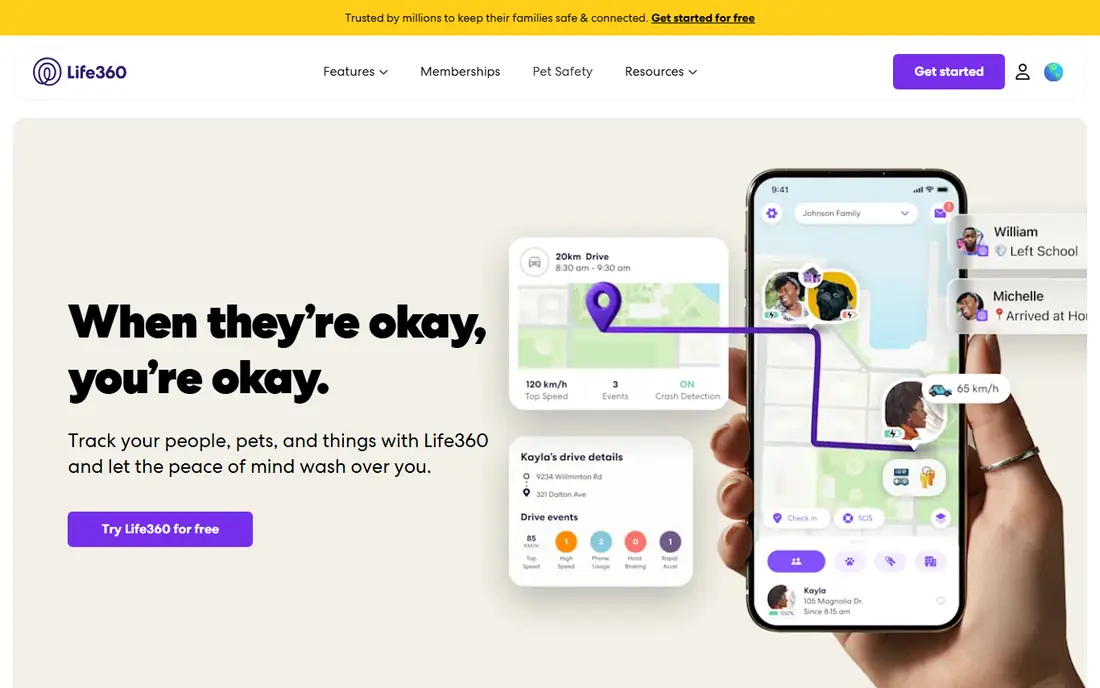
Life360 is the easiest place for most families to start, because it works on iPhone and Android and many families already use it for location sharing. The free tier covers basic location and crash detection, while paid tiers add family driving summaries and individual driver reports covering speeding, hard braking and phone use. Place alerts for home, school and work can replace constant checking with a simple arrival notice.
The limit is that Life360 tracks the phone, not the car. A flat battery, a revoked permission or a phone left at a friend house ends visibility for innocent reasons.
- Location, crash detection and driving reports in one app
- Family circles and place alerts
- SOS features on paid tiers
- Driving reports sit on paid tiers
- Phone-based tracking stops when the phone is off
- Privacy settings need regular review
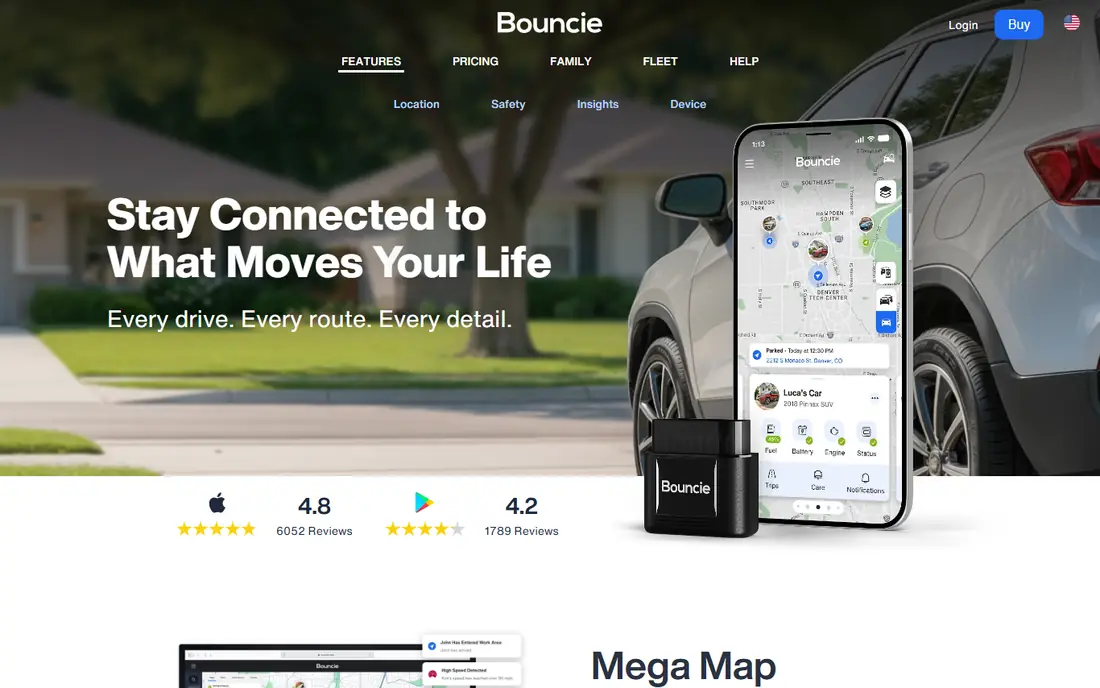
Bouncie suits a family with a shared car that a teen drives most of the time. You plug the device into the diagnostic port, install the companion app and choose alerts for speeding, hard braking, rapid acceleration and geo-zones. Because it measures the car, it keeps reporting even if the teen phone is off or left behind, and it adds vehicle health alerts that help with maintenance.
The trade-off is scope: Bouncie cannot see phone use while driving, and it follows the car whoever drives it, so a parent trip will appear in the same history. Tell your teen the device is in the car, agree how the data will be used, and use trip history for weekly coaching rather than for every minor event.
- Plugs into the OBD port in minutes
- Tracks location, speed and driving events for the car
- Vehicle health and battery alerts
- Subscription cost per device
- Tracks one car, not the driver in other cars
- Needs a car with an OBD port, usually 1996 or newer
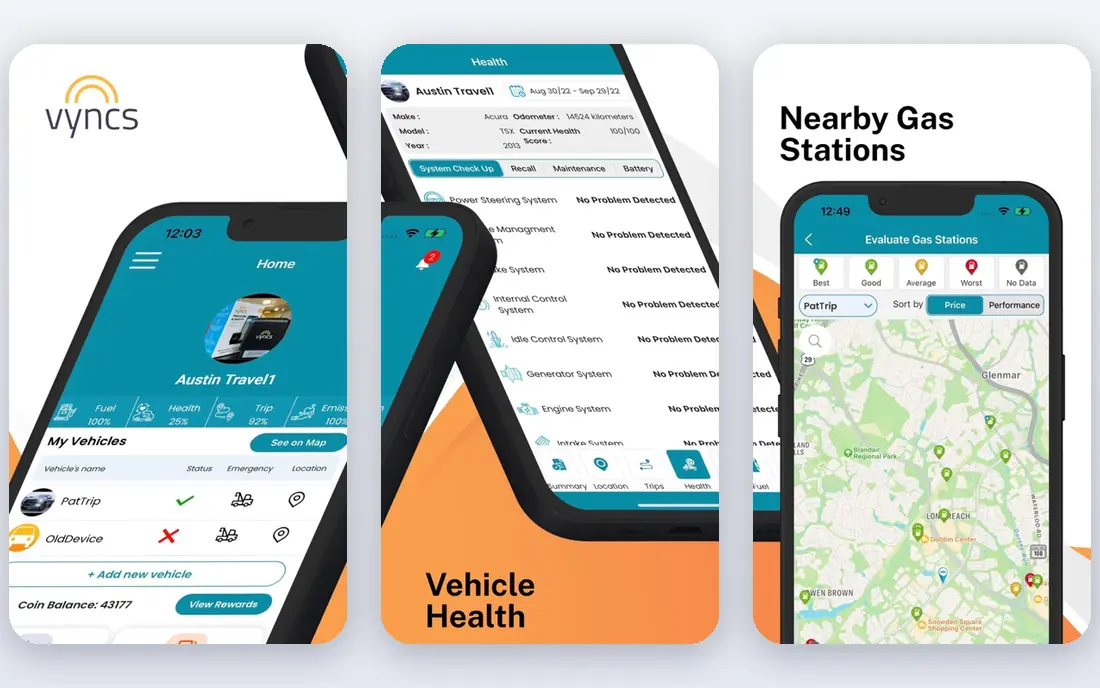
Vyncs is another car-first option for families who want a driver scorecard rather than only a location dot. The device reports trips, speed, harsh events and location, and the app turns that history into scores and alerts parents can review with a new driver. That structure helps a coaching conversation stay focused on patterns, such as repeated speeding on one road, rather than a single incident.
As with Bouncie, Vyncs tracks the vehicle, so it works best when the teen mainly drives one car. Compare device price, annual service cost and which alerts are included on the plan you choose, because Vyncs sells several models.
- OBD device with GPS tracking and trip history
- Driver scoring and alerts
- No charging needed for the plug-in unit
- Subscription and device costs vary by plan
- Features differ by model
- Installation depends on OBD port access
FamiSafe fits families who already want parental controls and want driving reports in the same dashboard. It reports top and average speed, distance, overspeeding and hard braking, and it pairs those driving summaries with location, app and screen time controls. That breadth is useful when a teen is new to both driving and phone ownership.
The catch is that FamiSafe is a phone app, so its driving data depends on the phone travelling with the driver and keeping location permission on. It also needs careful setup to avoid alert fatigue: choose a small set of alerts that matter, such as speeding and late-night driving, and review the weekly summary together.
- Driving reports alongside screen time and location controls
- Speed and hard braking alerts
- Weekly driving summaries
- Full features need a paid plan
- Phone-based limits apply
- Setup across devices takes time
Verizon Family Plus, formerly Verizon Smart Family, suits families already on Verizon who want driving insights without adding another standalone tracker. It reports driving behaviour, including speeding, hard braking and phone use while driving, alongside location and content filters. Carrier integration can make setup simpler when every family phone is already on the same account.
The main limits are cost and carrier lock-in. At $14.99 per month, it costs more over a year than a free location app, and families who switch carriers lose the service. Check which driving features are included on your current Verizon plan, since carrier feature names and bundles change.
- Driving insights on speeding, hard braking and phone use
- Location and content controls in one carrier app
- Accident insights on supported plans
- Requires a Verizon account
- Monthly cost is higher than a free app
- Features depend on plan and device
Bark fits families who already use Bark for online safety and want driving summaries added to the same account. Its driving reports cover trips, distance and top speed, which is enough for a weekly check-in on patterns, without the detail of an OBD device. Parents who value one dashboard for digital and driving safety may prefer that simplicity.
Bark is not a replacement for a car tracker if you need second-by-second location or vehicle health data. Its strength is breadth across online and driving activity, and its weakness is depth on driving alone.
- Driving summaries with trips, miles and top speed
- Wider monitoring for messages and online activity
- Alerts for parents
- Driving data is a summary, not a full telematics system
- Monthly cost
- Online monitoring features need separate setup and consent
RoadReady is different from the other apps here, because its main job is logging learner permit practice hours, not live location tracking. It records supervised drives, gives feedback on speeding, hard braking, rapid acceleration and sharp turns, and helps families build a log that some states require for a licence application. That makes it a useful companion during the learner phase.
The limit is that RoadReady is not a full-time teen tracker once a teen drives alone. Use it to build good habits and a clean practice record, then move to Life360 or a car device for solo driving if your family wants ongoing reports.
- Logs supervised practice hours for licence requirements
- Post-drive feedback on speeding and harsh events
- Free to use with ads
- Focus is practice logging, not live tracking
- Some users report login and sync issues
- State requirements still need checking
Google Family Link is a free first step for families with Android phones, and it also works for parents on iOS. It offers location sharing, app and screen time controls, and device supervision, which can support a new driver without adding a paid tracker. For a family that mainly wants to know a teen arrived safely, that may be enough.
Family Link does not provide driving scores, harsh event reports or vehicle health data, so it should not be presented as a driving coach. Pair it with a driving-specific app or device if you want behaviour reports, and review the supervision settings as the teen gains experience.
- Free location sharing and device supervision
- Works across Android and iOS for the parent app
- Simple controls for younger teens
- No detailed driving reports or scores
- Location depends on the phone
- Older teens may outgrow the supervision model
Apple Find My suits families where everyone uses an iPhone and the main need is location, not driving analysis. Through Family Sharing, parents can see a teen location, share their own location in return, and use separation alerts when a device is left behind. That mutual sharing can feel fairer to a teen than one-way tracking.
Find My gives no speed, braking or phone-use reports, so it will not help coach driving behaviour. Use it for arrival checks and safety, and add a driving app if behaviour data matters.
- Free and built into iPhone
- Family sharing for location
- No extra app to install for Apple families
- No driving reports, speed alerts or scores
- IPhone only for the tracked device
- Location depends on phone battery and settings
LifeSaver targets the single biggest risk for many new drivers: phone use behind the wheel. It locks the phone during trips, shows family members when a drive starts and ends, and sends arrival notices. For a family whose main worry is texting or app use while driving, that focused approach can be more effective than a general tracker with many alerts.
The trade-off is scope. LifeSaver does not replace a location tracker or an OBD device, and its full features depend on the platform and plan. Use it alongside Life360 or a car device if you also want speed and location history.
- Locks the phone while driving
- Family view and arrival notices
- Direct focus on distracted driving
- IPhone focused
- Premium features need payment
- Does not track vehicle health or detailed location history
How we picked these
We compared official feature pages, app store listings and carrier pages for family location, driving report and OBD products, and we kept only products that support disclosed family use in October 2026. We excluded covert trackers and tools marketed for secret monitoring, even when they appeared in search results, because the topic here is family safety with consent. We favoured products with clear driving features, such as speed alerts, trip history or phone-use blocking, over general location apps with no driving data. Where pricing could not be verified on the vendor site, we used See website rather than repeating an app store figure that may vary by region.
What to set up before the first solo drive
Agree the rules on paper before you install anything, even a free app. List which alerts will be used, who sees the data, how long history is kept, and what happens after a speeding alert or a hard braking event. A teen who knows the rules and can see the same dashboard is far more likely to keep the app installed than a teen who discovers tracking later. Review the data weekly at first, then monthly as habits improve, and reduce alerts as trust grows.
Choose the right mix for your cars and phones. A phone app covers the driver in any car, a car device covers one car whoever drives it, and a practice log covers the learner phase. Test alerts on a short family drive, check battery use and permissions, and confirm that crash detection and SOS features work as described. Finally, revisit the setup after a few months: a tracker that stays on because it is fair and useful is worth more than a strict setup that gets removed.
Frequently asked questions
Should I tell my teen I am tracking their driving?
Yes. Tell them what is tracked, why it is tracked and how the data will be used, and let them see the same reports. Disclosed monitoring supports coaching and trust, while secret monitoring, when discovered, often leads to the app being removed and to a harder conversation about safety. If you have lawful authority for a minor, disclosure still makes the tool work better.
Is a phone app or a plug-in device better for teen drivers?
A phone app tracks the driver in any car and can report phone use, but it stops when the phone is off or left behind. A plug-in OBD device tracks one car whoever drives it and adds vehicle health data, but it cannot see phone use. Many families use both: a phone app for the driver and a device for the shared family car.
Can these apps detect phone use while driving?
Some can. Life360 paid tiers and Verizon Family Plus report phone use during trips, and LifeSaver locks the phone while driving. OBD devices such as Bouncie and Vyncs cannot see phone use, because they measure the car, not the phone. Check the exact feature on the vendor page for your plan, since phone-use reporting varies by tier.
Do teen tracking apps work if the teen turns off location?
No, phone-based tracking depends on location permission, battery and signal, so turning off location or power will interrupt reports. Car devices are less affected by phone settings, but they still need cellular and GPS signal. Talk about why location stays on, agree exceptions for privacy, and use a car device as a backup if continuous car location matters.
Are these apps legal for parents to use?
Parents generally may use disclosed monitoring for a minor child in their care, but laws on location, vehicle devices and consent vary by state and by the age of the driver. This guide is not legal advice. Check your state rules, disclose the monitoring, and do not use these tools to monitor another adult without their knowledge and consent.
Sources
See where you really rank - block by block
ProMapRanker scans Google Maps across a grid of your service area. Simple monthly plans from $19, white-label on every plan.
Start freeKeep reading
 zoro.to alternatives
Best Zoro.to Alternatives in 2026
We compare the best zoro.to alternatives in 2026, listing only legal licensed anime streaming services, from Crunchyroll to free options for fans today.
Read → zip alternatives
Best Zip Alternatives in 2026
We compare the best zip alternatives for buy now, pay later in 2026, covering pay-in-4 plans, fees, spending limits, and credit reporting options today.
Read → yesware alternatives
Best Yesware Alternatives in 2026
Compare the best yesware alternatives for sales email tracking, templates, and sequences, with current pricing and honest tradeoffs for small sales teams.
Read →