 ProMapRanker
Best Apps for Saving and Investing in 2026

Key takeaways
- Acorns and Stash are the easiest starts for small, regular amounts, with round ups and small automatic deposits.
- Fidelity, Schwab, and Robinhood suit self directed investors who want low cost stock and ETF trades.
- Betterment and Wealthfront handle portfolio building and rebalancing for people who prefer a hands off plan.
- SoFi and Vanguard work well for investors who want banking, retirement, and investing in fewer places.
- Fees that look small still matter, so compare monthly subscriptions, fund expenses, and advisory fees side by side.
This is not financial advice. Investing carries risk, and the value of investments can fall as well as rise. No app on this list can promise returns, and past results do not predict future results.
Quick comparison
| Pick | Great for | Pricing starts at | Free tier | |
|---|---|---|---|---|
 Acorns | Small automatic saving and investing | $4 per month | Free trial | Visit |
 Robinhood | Low cost self directed trading | Free | Yes | Visit |
 Fidelity | Broad low cost brokerage | Free | Yes | Visit |
 Charles Schwab | Full service brokerage with no advisory fee option | Free | Yes | Visit |
 SoFi Invest | Investing plus banking in one app | Free | Yes | Visit |
 Wealthfront | Hands off managed portfolios | 0.25% per year | No | Visit |
 Betterment | Goal based automated investing | $5 per month | No | Visit |
 Stash | Learning while investing small amounts | $3 per month | Free trial | Visit |
 Vanguard | Low cost index funds for long term investors | Free | Yes | Visit |
The best apps for saving and investing
These are the best apps for saving and investing for US users who want to save money regularly, invest small amounts, or manage a long term portfolio. We focused on fees, minimums, automation, and the range of accounts each app offers.

Acorns is built for people who struggle to start. Round ups invest the spare change from card purchases, and recurring deposits can move a set amount each week or month without a new decision each time. Managed portfolios keep the investing side simple, which helps beginners who do not want to pick individual stocks.
The fee needs attention. At 4 dollars per month for Bronze, a balance of a few hundred dollars pays a high percentage in fees. Acorns works best once deposits are regular and the balance grows. If you plan to invest only a few dollars and stop, a free brokerage account may cost less.
- Round ups turn spare change into investments
- Automatic recurring deposits
- Simple managed portfolios
- Monthly fee is high on very small balances
- Limited control over individual holdings
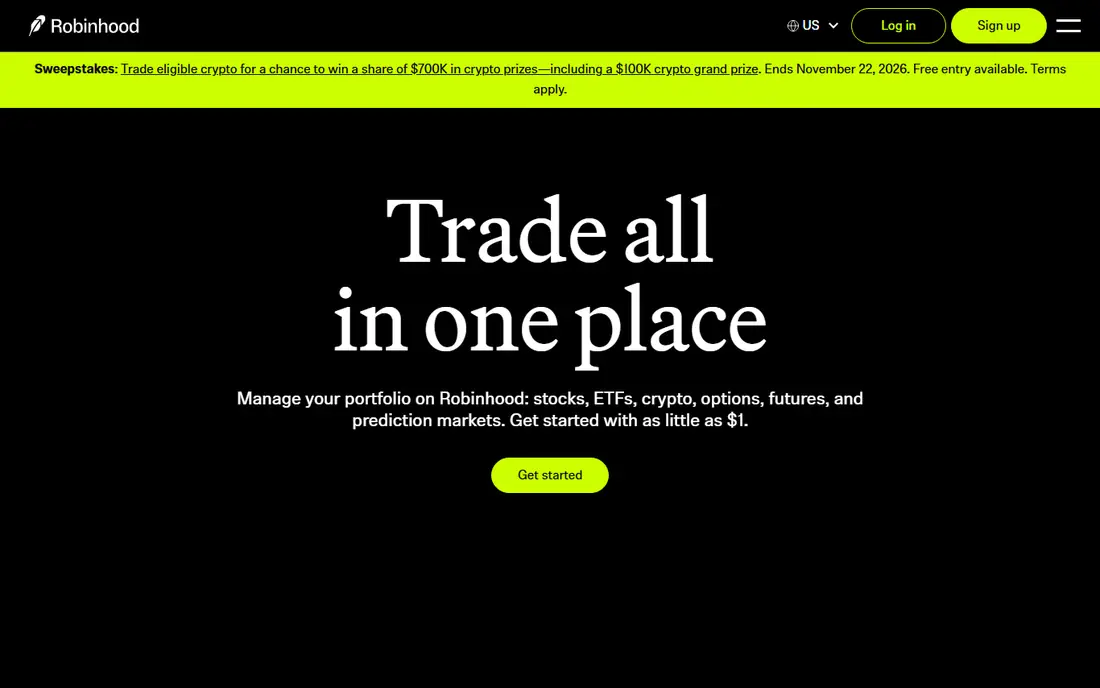
Robinhood suits investors who want to choose their own stocks and ETFs at low cost. Fractional shares let you start with 1 dollar, and the app layout keeps buying, selling, and tracking in a few taps. Retirement accounts and recurring investments are also available for users who want to pair trading with longer term saving.
The risk here is behavior, not fees. A fast app makes it easy to trade often, and frequent trading can hurt returns after taxes and timing mistakes. Use Robinhood with a written plan, such as a monthly deposit and a short list of diversified funds, rather than reacting to daily price moves.
- Zero commission stock and ETF trades
- Fractional shares from 1 dollar
- Simple app layout
- Easy trading can encourage overtrading
- Premium features sit behind Gold at 5 dollars per month
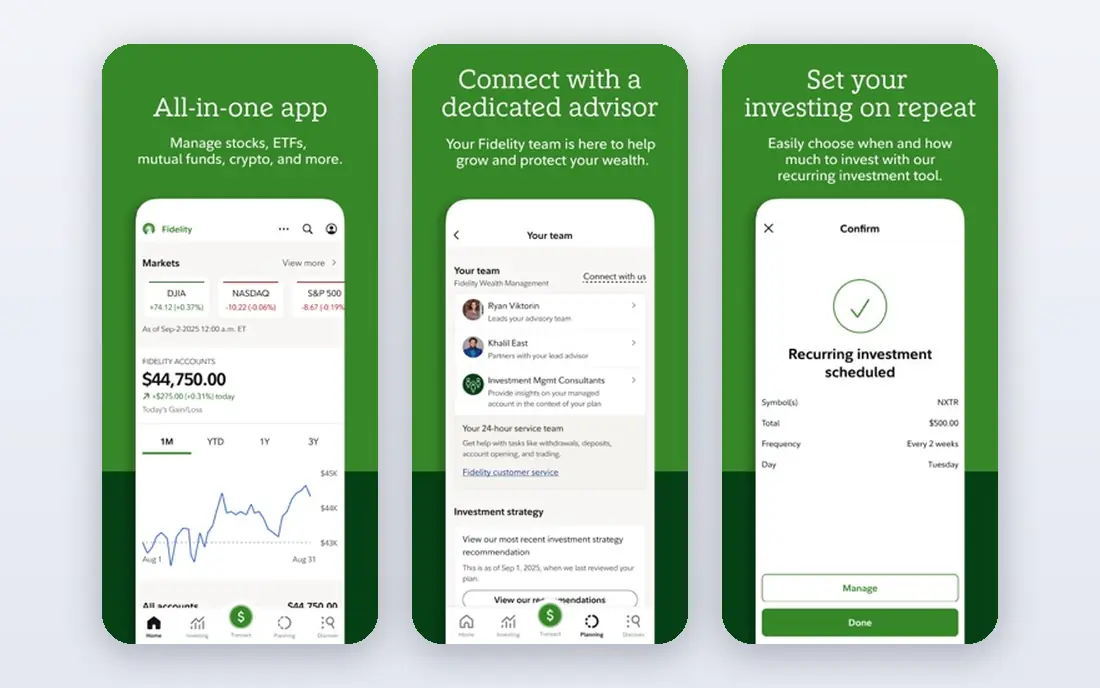
Fidelity is our pick for investors who want depth without a high headline cost. You can trade stocks and ETFs with zero online commission, buy fractional shares, and choose from a wide range of low cost funds. Retirement accounts, education savings, and cash management sit in the same app, which helps households keep money in fewer places.
New investors may find the app busy at first, because Fidelity offers research, planning tools, and many account types. Start with one account and one simple portfolio, then explore other tools only when you need them. For long term investors, the breadth and low trading cost are hard to match.
- Zero commission online US stock and ETF trades
- Wide fund choice
- Strong research tools
- App has many features to learn
- Some services carry separate charges
Schwab gives self directed investors a full brokerage at no trading commission for US stocks and ETFs, plus branch and phone support for people who want help. Schwab Intelligent Portfolios offers automated investing with no advisory fee, which is unusual among managed options.
Read the cash detail before choosing the automated portfolio. Schwab holds a portion of that portfolio in cash, and cash earns less than invested assets over long periods. For self directed investors, Schwab is a strong, low cost home base. For automated investors, compare that cash holding with the fee charged by other managers.
- Zero commission stock and ETF trades
- Schwab Intelligent Portfolios has no advisory fee
- Strong customer support
- Intelligent Portfolios requires a 5,000 dollar minimum
- Cash allocation can be high in that portfolio
SoFi Invest works well for people who want saving, spending, and investing in one login. Active investing offers zero commission trades with a 5 dollar start, while automated investing builds and rebalances a portfolio for 0.25% per year. That pairing suits users who already use SoFi for checking or savings.
The trade off is range. SoFi does not match the fund depth or research tools of the largest brokerages. If you want one app for daily money and a simple investment plan, SoFi is convenient. If you want deep fund screening or advanced trading tools, a larger brokerage may fit better.
- Zero commission stock and ETF trades
- Automated investing at 0.25% per year
- Banking and lending in one app
- Automated investing minimum is 50 dollars
- Fund choice is narrower than Fidelity or Schwab
Wealthfront is for investors who want a plan and then want to leave it alone. You answer questions about goals and risk, and Wealthfront builds a diversified portfolio, rebalances it, and offers tax loss harvesting on taxable accounts. Planning tools for retirement and major goals add context beyond a single account balance.
The 500 dollar minimum is higher than several rivals, and there is no human advisor to call for complex planning. If you are comfortable with an automated plan and you want tax aware features without managing funds yourself, Wealthfront is a clean choice.
- Automated portfolios with tax loss harvesting
- Goal planning tools
- Cash account in the same app
- 500 dollar minimum for investing
- No human advisor access
Betterment organizes investing around goals such as retirement, a home fund, or general wealth building. Each goal gets its own target, time horizon, and portfolio mix, which makes progress easier to read than a single account total. Digital plans cost 5 dollars per month or 0.25% per year with qualifying deposits, and tax loss harvesting is included on eligible accounts.
The monthly fee can feel high on a tiny balance, so set up regular deposits if you choose Betterment. It is best for savers who want automation, clear goals, and a simple dashboard, rather than investors who want to pick individual stocks.
- Clear goal based planning
- Tax loss harvesting
- No minimum to open a digital plan
- Monthly fee applies without qualifying deposits
- Premium human advice needs a 100,000 dollar balance
Stash pairs small investing with plain language guidance. You can start with 5 dollars, follow themed portfolios, and read short lessons that explain terms as you go. That structure helps new investors build a habit without facing an open brokerage screen full of choices.
The monthly fee is the main drawback, and the curated fund list will feel narrow to experienced investors. For a beginner who wants guidance, automation, and a low entry amount, Stash is a friendly first step. Move to a free brokerage later if you want a wider choice and no monthly fee.
- Fractional investing from 5 dollars
- Guided portfolios and learning content
- Banking features on higher plans
- Monthly subscription
- Stock and fund choice is curated rather than open
Vanguard remains a strong choice for long term, index focused investors. Its funds are known for low expenses, and the brokerage offers zero commission online stock and ETF trades. Retirement accounts, including IRAs, are a natural fit for investors who want to set a plan and hold it for years.
The user experience is less polished than newer apps, and some investors find navigation slower. If low fund costs and a long horizon matter more than a slick app, Vanguard is worth the trade. Pair it with automatic deposits so the plan runs even when markets are noisy.
- Zero commission online stock and ETF trades
- Low cost index funds
- Strong retirement account options
- App and website feel dated
- Digital advisor fee and minimums apply to managed plans
How we picked these
We compared official pricing, fee schedules, minimums, and account types for each app, and we favored apps with clear fees, automatic saving tools, and a real path for small deposits. We included both self directed brokerages and managed portfolios because saving and investing means different work for different people. We left out apps with unclear fees or accounts that are not widely available to US users.
How to choose a saving and investing app
Start with the habit, not the market. Decide how much you can deposit each payday without stress, and pick an app that automates that deposit. Round ups, recurring transfers, and goal based plans all help because they remove the weekly decision to invest. A plan you keep for years beats a clever pick you abandon in a month.
Next, match control to your comfort level. Self directed apps suit people who want to choose funds and accept the research work. Managed apps suit people who want a diversified portfolio handled for them. Neither path is better in itself. The better path is the one you understand and will stick with when prices fall.
Finally, check total cost. Add the monthly subscription, the advisory fee, and the fund expenses inside the portfolio. A free trading app can still hold funds with expenses, and a managed app can still be cheap if its fund costs are low. Keep an emergency fund separate from investing money, and review fees once a year as your balance grows.
Frequently asked questions
What is the best app to save money and invest at the same time?
Acorns and SoFi suit this mix because they pair saving tools with investing in one app. Acorns focuses on round ups and small automatic deposits, while SoFi pairs banking with both active and automated investing. Choose Acorns for the simplest habit, and SoFi if you want banking and investing together.
What is the best money saving app for beginners?
Acorns and Stash are strong beginner options because they start with small amounts and explain steps in plain language. Both automate deposits so saving does not depend on willpower each week. Start with a small recurring amount, then raise it after a few months of steady deposits.
Do I need a lot of money to start investing?
No. Several apps here start with 1 dollar or 5 dollars for fractional shares, and managed plans from Betterment have no minimum to open. Small starts still carry market risk, and fees matter more on small balances. A regular deposit plan matters more than a large first deposit.
Is investing through an app safe?
Brokerage accounts at major US firms are typically covered by SIPC protection up to set limits for missing securities, but that protection does not cover market losses. Use strong passwords, two factor authentication, and the official app store listing for each app. Check whether your account is a brokerage account, a bank account, or a managed advisory account, because each has different terms.
Can an app guarantee investment returns?
No app can guarantee returns, and any claim that it can should be treated as a warning sign. Markets rise and fall, and even diversified portfolios can lose value. This article is for education only and is not financial advice. Consider a licensed financial adviser for decisions about retirement, taxes, or large sums.
Sources
See where you really rank - block by block
ProMapRanker scans Google Maps across a grid of your service area. Simple monthly plans from $19, white-label on every plan.
Start freeKeep reading
 zscaler alternatives
Best Zscaler Alternatives in 2026
Looking for zscaler alternatives? We compare 9 SASE and zero trust platforms on architecture, data protection, pricing, and fit for your network and team.
Read → zapier alternatives free
Best Zapier Alternatives Free in 2026
Nine automation tools for zapier alternatives free in 2026, all with genuinely free tiers, plus free plan limits, starting prices and upgrade paths explained.
Read → which platform is best for online reputation
Which Platform Is Best for Online Reputation in 2026
Wondering which platform is best for online reputation? We compare 8 review, listing, and response tools for small and multi-location businesses and agencies.
Read →