 ProMapRanker
Best Apps for Note Taking in 2026

Key takeaways
- Notion is our top pick for structured workspaces, while Obsidian is our top pick for private, local notes linked together.
- The best free note taking app depends on your device: Google Keep and Microsoft OneNote are free across platforms, while Apple users get a strong free option built in.
- Bear and Craft suit writers who want clean, fast writing, while Evernote suits people with large archives and heavy web clipping.
- Check sync costs and export options before you commit, because a free app can become costly if you need sync across many devices.
- The best notes app is the one you open daily, so test capture speed and search before you judge a feature list.
Quick comparison
| Pick | Great for | Pricing starts at | Free tier | |
|---|---|---|---|---|
 Notion Notion | Structured workspaces and teams | $10 per month | Yes | Visit |
 Obsidian Obsidian | Private linked notes | Free | Yes | Visit |
 Evernote Evernote | Web clipping and archives | $14.99 per month | Yes | Visit |
 Microsoft OneNote Microsoft OneNote | Freeform notebooks | Free | Yes | Visit |
 Bear Bear | Clean writing on Apple devices | $2.99 per month | Yes | Visit |
 Google Keep Google Keep | Quick notes and reminders | Free | Yes | Visit |
 Joplin Joplin | Open-source private notes | Free | Yes | Visit |
 Goodnotes Goodnotes | Handwritten notes | See website | Yes | Visit |
 Craft Craft | Polished documents | $5 per month | Yes | Visit |
The best apps for note taking
We compared the best note taking apps on capture speed, organisation, search, sync, handwriting, collaboration, and price. The best note taking software for you depends on whether you write, plan, research, or draw your notes.
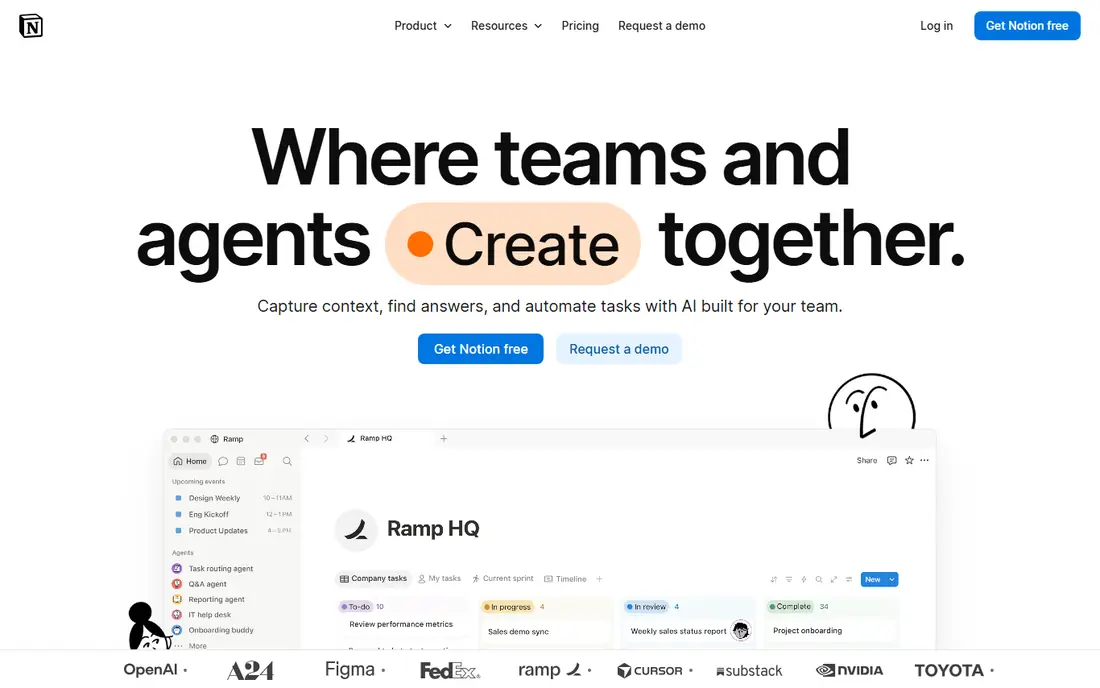
Notion is more than a notes app. You can write a simple page, build a database for projects, track tasks, and share a workspace with a team, all in one place. Templates for meeting notes, study plans, and content calendars help new users start without building a system from scratch.
The catch is scope. For a quick note, Notion can feel slower than a simple app, and offline use is not as complete as a local-first tool. If your notes feed into projects, docs, and team work, that scope is a strength. If you only want fast capture, pair Notion with a quicker app, or pick a simpler tool below.
- Pages, databases, and templates in one workspace
- Strong collaboration
- Generous free plan for personal use
- Offline support still has limits
- The range of options can slow down simple note taking
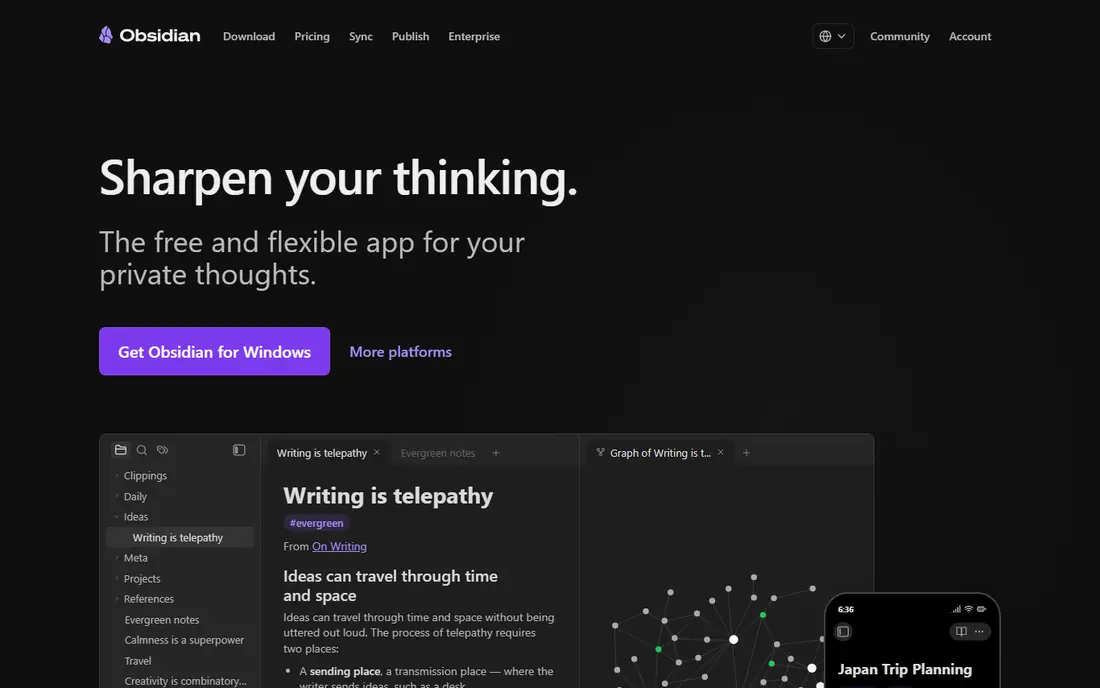
Obsidian stores your notes as plain Markdown files on your device, which means you own the files and can read them in other apps. Backlinks let you connect ideas across notes, and the graph view shows how those ideas link together. For researchers, writers, and students building a long-term knowledge base, that structure is powerful.
The trade-off is setup. Sync across devices through the official service costs extra, though you can use other sync methods, and the best workflows often need plugins and a little learning. If privacy and long-term ownership matter most, Obsidian is our top pick.
- Local Markdown files you own
- Backlinks and graph view for connected notes
- Free for personal use
- Sync is a paid add-on
- Setup and plugins take time to learn
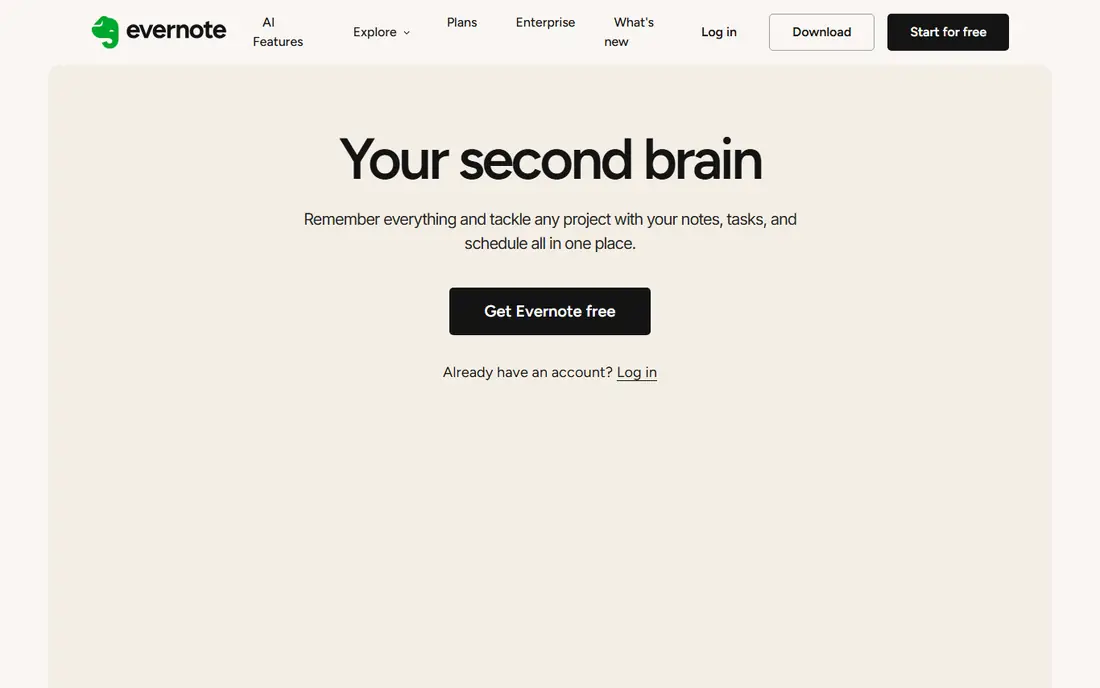
Evernote is the veteran in this list. Its web clipper saves articles, PDFs, and pages cleanly, and search covers text inside images and documents, which helps when you need to find an old receipt, article, or scan. Notebooks, tags, and tasks give large collections a clear structure.
The price is the main drawback. The free plan is limited, and the monthly plan at $14.99 per month is dearer than Bear, Notion Plus, or Joplin Cloud. If you already have a large Evernote archive, or you clip constantly, the search and clipper may justify the cost. New users should test the free plan first.
- Strong web clipper and search, including text in images
- Notebooks, tags, and tasks
- Long track record for archives
- Free plan is limited
- Monthly price is higher than many rivals
- Offline access needs a paid plan in some cases
OneNote feels like a paper notebook with digital benefits. You can drop text, images, audio, and handwriting anywhere on a page, which suits students and meeting notes better than a strict linear document. It is free, and it works well with Outlook, Word, and Teams for people already in the Microsoft world.
The limits are storage and platform. Free use follows your OneDrive allowance, and there is no Linux app. For most students and office users, though, OneNote is the best free note taking app for mixed media notes, because it asks for no payment to get started.
- Free on Windows, Mac, mobile, and web
- Freeform canvas for text, images, and handwriting
- Strong Microsoft 365 links
- Free storage follows your OneDrive allowance
- No Linux app
- Large notebooks can feel slow
Bear is built for people who love writing in a calm, focused editor. Markdown formatting is quick, tags replace folders, and the design stays out of the way. Notes open fast, search is quick, and the app feels polished on iPhone, iPad, and Mac.
The clear limit is platform. Bear is for Apple devices only, so Windows and Android users should look elsewhere. If you live in the Apple world and want a beautiful, fast notes app without workspace clutter, Bear is a strong, low-cost pick.
- Fast, clean Markdown writing
- Tags and nested tags for organisation
- Offline use and Apple device sync through Pro
- Apple devices only
- No real-time team collaboration
- Web access is limited
Google Keep is the sticky note of this list, and that is a compliment. You open it, type a note, set a reminder, and move on. Labels and colours keep short notes tidy, and sync through your Google account is instant across devices.
Keep is not a tool for long essays or research. Formatting is basic, there are no folders, and a large pile of notes can get messy. For shopping lists, reminders, ideas, and short notes, Keep is the best free notes app for speed, especially for Android and Google Workspace users.
- Completely free
- Instant sync across phone, tablet, and web
- Reminders, labels, and colour coding
- Basic formatting
- No folders or nested organisation
- Not suited to long documents
Joplin is the privacy-first, open-source choice. The core app is free on Windows, Mac, Linux, iOS, and Android, with Markdown editing, notebooks, tags, and web clipping. You can sync through Dropbox, OneDrive, Nextcloud, WebDAV, or Joplin Cloud, and end-to-end encryption protects synced notes.
The design is practical rather than polished, and sync setup takes a little care. If you want control over your data, cross-platform support, and no lock-in, Joplin is hard to beat for the price. It is also a good OneNote alternative for Linux users.
- Free and open source
- Markdown plus rich text
- End-to-end encryption and sync through several services
- Interface is less polished than rivals
- Sync setup can confuse new users
Goodnotes is the pick for students and professionals who write by hand. On iPad, handwriting feels natural, PDFs can be annotated in place, and templates for planners, Cornell notes, and study sheets save setup time. Search can find handwritten text in many cases, which helps revision.
The app is strongest on Apple devices, though Windows and Android versions exist, and pricing varies by store, so check the current listing before you buy. If your notes are mainly handwritten, Goodnotes beats a typed-notes app. If you type most notes, pick Notion, Obsidian, or Bear instead.
- Strong handwriting and Apple Pencil support
- PDF annotation
- Templates for planners and study notes
- Best on Apple devices
- Pricing varies by store and plan
- Typed-note features are thinner than Notion
Craft sits between Bear and Notion. Documents look polished with little effort, blocks make it easy to move sections around, and sharing a page as a public doc is simple. That makes Craft a good fit for client-facing notes, project docs, and personal wikis that need to look good.
The trade-off is depth. Craft does not match Notion on databases, and power users may miss advanced automation. For writers and small teams who value design and speed over database power, Craft is a pleasing middle ground.
- Beautiful block-based documents
- Easy sharing and publishing
- Fast on Apple devices and web
- Advanced database features are thinner than Notion
- Some features need a paid plan
How we picked these
We compared official feature pages, pricing pages, app store listings, privacy policies, and public reviews for each app. We focused on capture speed, organisation, search, sync, handwriting, collaboration, export, and price, and we left out apps that were discontinued or no longer maintained. We did not claim hands-on testing, and prices vary by billing period and store, so check the vendor pricing page before you subscribe.
How to choose the right note taking app
Start with how you capture notes. If you type, a Markdown app such as Obsidian or Bear may suit you. If you handwrite, Goodnotes or OneNote will serve you better. If you plan projects, Notion or Craft will help more than a simple notes app. Write down your top three uses before you compare features, because that list will rule out half the options quickly.
Then check sync, search, and export. Sync decides whether your notes appear on every device without friction. Search decides whether you can find a note months later. Export decides whether you can leave. A plain Markdown or PDF export is a safety net worth having, even if you never use it. Finally, test for a week with real notes, not sample text, and notice which app you reach for without thinking.
Frequently asked questions
What is the best note taking app overall?
There is no single winner, because the best note taking app depends on your workflow. Notion is best for structured workspaces, Obsidian is best for private linked notes, and OneNote is best for free mixed-media notebooks. Pick based on whether you plan, research, or write most often.
What is the best free note taking app?
The best free note taking apps are Microsoft OneNote, Google Keep, and Joplin, all of which offer strong free tiers across platforms. Obsidian is also free for personal use, and Notion has a generous free plan. For Apple-only users, Bear has a useful free tier, though sync needs Pro.
What is the best free notes app for students?
For students, Microsoft OneNote and Goodnotes are strong, because both handle handwriting, PDFs, and class notes well. Obsidian suits research-heavy students who link ideas across courses. Google Keep works as a second app for reminders and quick lists.
What is the best note taking software for privacy?
Obsidian and Joplin are the strongest privacy picks, because both store local files and support encryption options. Standard Notes also focuses on encryption, but we left it out here to keep the list focused on widely used apps. Check each privacy policy for how synced data is handled.
Is Notion good for simple notes?
Notion can handle simple notes, but it is slower than Keep or Bear for quick capture. It works best when notes connect to projects, tasks, or team docs. If you only need fast notes, start with a simpler app and use Notion only when a note grows into a project.
Can I move my notes to another app later?
In most cases, yes, but the ease varies. Markdown apps such as Obsidian and Joplin export cleanly, while workspace apps such as Notion export pages and databases with some formatting loss. Handwritten notes in Goodnotes export as PDFs or images. Before you commit, test export with a few real notes.
Sources
See where you really rank - block by block
ProMapRanker scans Google Maps across a grid of your service area. Simple monthly plans from $19, white-label on every plan.
Start freeKeep reading
 youtube alternatives
Best YouTube Alternatives in 2026
Looking for youtube alternatives in 2026? We compare Vimeo, Dailymotion, Twitch, Rumble, and more on price, audience, monetization, control and privacy.
Read → what's the best ai tool for photo editing
What Is the Best AI Tool for Photo Editing in 2026
What is the best AI tool for photo editing? We compare ten tools for 2026, from Photoshop and Lightroom to Luminar, Topaz, Canva and mobile editors today.
Read → twitter alternatives
Best Twitter Alternatives in 2026
Compare the best twitter alternatives for 2026, from Bluesky, Threads, and Mastodon to Reddit, Tumblr, and Micro.blog, with free plans and audience notes.
Read →