 ProMapRanker
Best Apps for Mental Health Journaling in 2026

Key takeaways
- Day One suits long-form journaling with photos, audio and cross-device sync, while Journey suits users who switch between Apple, Android and Windows.
- Apple Journal suits iPhone users who want a free, simple starting point with on-device suggestions.
- Daylio suits fast mood and habit check-ins, while Rosebud and Reflectly suit guided reflection with prompts.
- Privacy matters for sensitive writing, so check encryption, export options and how AI features use entries before writing deeply personal notes.
- These apps are general information only, not medical advice, and they do not replace professional support.
Quick comparison
| Pick | Great for | Pricing starts at | Free tier | |
|---|---|---|---|---|
 Day One | Long-form multimedia journaling | $49.99 per year | Yes | Visit |
 Journey | Cross-platform journaling | $49.99 per year | Yes | Visit |
 Apple Journal | Free iPhone journaling | Free | Yes | Visit |
 Daylio | Fast mood and habit tracking | Free | Yes | Visit |
 Rosebud | Guided AI reflection | $107.99 per year | Yes | Visit |
 Reflectly | Short guided mood entries | See website | Yes | Visit |
 Stoic | Daily guided check-ins | See website | Yes | Visit |
 Penzu | Private encrypted journaling | $4.99 per month | Yes | Visit |
The best apps for mental health journaling in 2026
We compared journaling apps that support reflection, mood tracking and daily check-ins, with a focus on prompts, privacy, platform support and price. The best journaling apps for mental health are the ones you will actually open, so ease of use and a low-friction daily habit matter more than a long feature list. This article is general information only, not medical advice. If you are in crisis in the US, call or text 988 to reach the Suicide and Crisis Lifeline. Outside the US, contact local emergency services or a trusted crisis line.
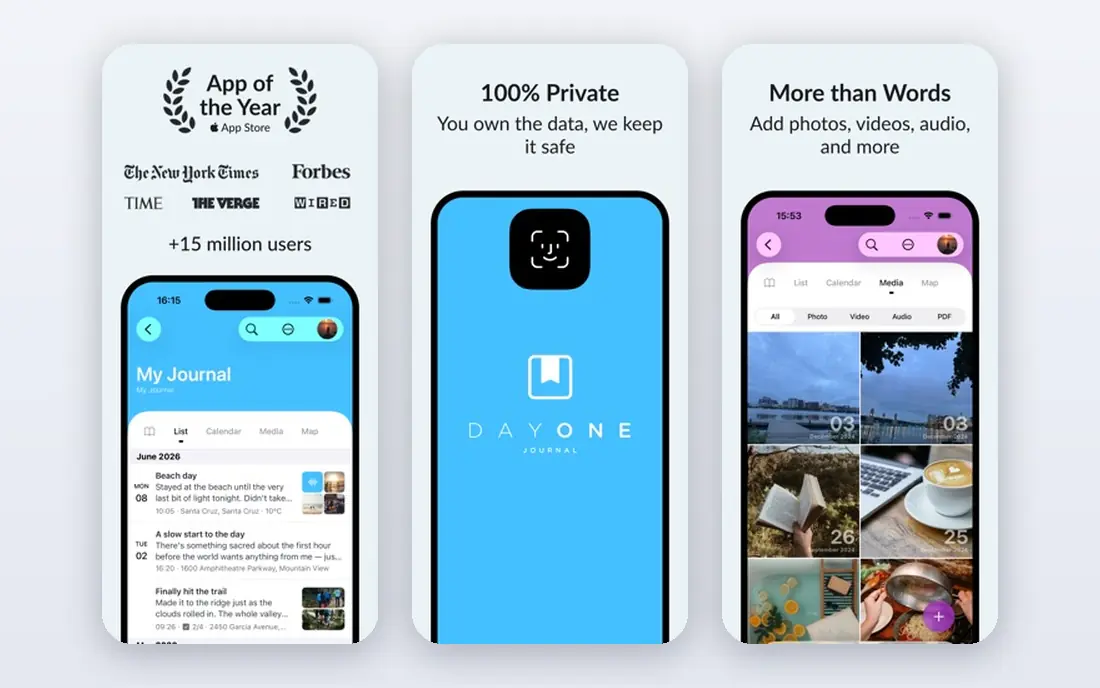
Day One fits users who want a full journal, not just a mood log. Entries can include text, photos, audio, tags and location, and the calendar view makes it easy to look back over weeks and months. Prompts and templates help on days when a blank page feels hard, while multiple journals let a user keep a gratitude journal separate from a daily log. The catch is pricing and platform balance. The free basic tier covers core journaling, but sync, unlimited entries and encryption features sit on paid plans, and Apple versions tend to get features first. For a user who journals daily across Apple devices, Day One remains the most complete option in this list.
- Rich text, photo and audio entries
- Calendar and timeline views
- End-to-end encryption on paid plans
- Sync and advanced features need a paid plan
- Android version trails Apple versions in some areas
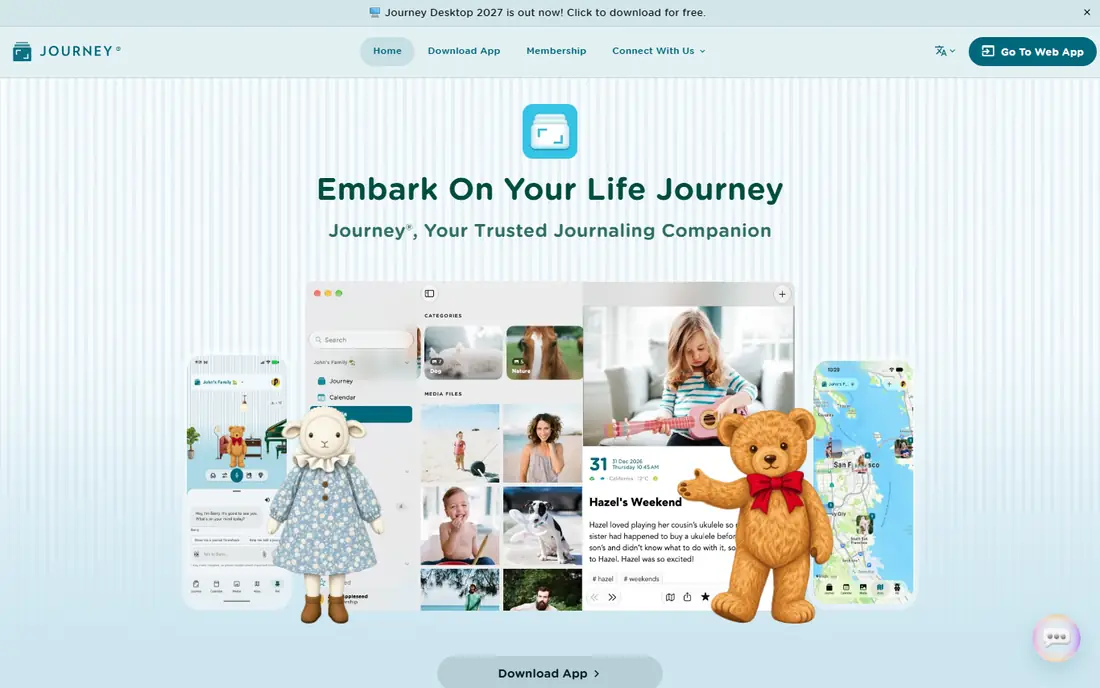
Journey fits users who switch devices or share a household across platforms. Entries sync across iOS, Android, Mac, Windows and web, with mood tracking, media, tags and a searchable timeline. That cross-platform reach is the main reason to choose Journey over an Apple-only or Android-only journal. The catch is that full features, including advanced sync and encryption options, need a paid plan, and the interface packs in more tools than a minimalist may want. For a cross-platform household or a user who moves between work and personal devices, Journey is a practical, flexible pick.
- Works across iOS, Android, Mac, Windows and web
- Mood tracking and media entries
- Searchable timeline
- Paid plan needed for full features
- Interface can feel busy for minimalists

Apple Journal fits iPhone users who want to start journaling with no cost and no setup. Journaling Suggestions use on-device photos, workouts, places and music to prompt an entry, and the app tracks streaks to support a daily habit. Privacy is handled on-device, which suits users who are wary of cloud journals. The catch is scope. Apple Journal is iPhone only, with basic formatting and limited export compared with Day One or Journey. For a user who wants a simple, private starting habit, that simplicity is a strength, while a user who wants cross-platform sync or deep analysis should look elsewhere.
- Free and built into iPhone
- On-device suggestions from photos and activity
- Simple, low-friction design
- IPhone only
- Limited export and advanced journaling features
Daylio fits users who want to track mood and habits without writing long entries. A daily check-in takes under a minute: pick a mood, pick activities, and the app builds charts that show patterns over time. That low friction helps a habit survive busy days, travel and low-energy periods. The catch is depth. Daylio records data points, not narratives, so it works best alongside a writing journal or as a standalone tracker for users who prefer taps to paragraphs. For mood pattern spotting, goal tracking and habit streaks, Daylio is one of the easiest tools to keep using.
- Two-tap mood logging
- Habit and activity charts
- Very low daily friction
- Entries are short by design
- Less suited to long-form writing
Rosebud fits users who want guidance, not just a blank page. It asks reflective questions, follows up on past entries, and helps a user spot patterns, set goals and review the week. That structure helps users who know journaling helps them, but struggle to start or to go beyond surface notes. The catch is privacy and price. AI reflection means entries are processed to generate responses, so users should read the privacy policy and decide what they are comfortable sharing. The yearly price is also higher than Day One or Journey. For guided, therapy-adjacent reflection, Rosebud offers more structure than a plain journal.
- Guided prompts and AI follow-up questions
- Mood and goal tracking
- Memory and weekly review features
- Higher yearly price
- AI features mean entries are processed by the app, so check privacy terms
Reflectly fits users who want a short, guided daily entry with mood tracking. The app asks a few questions, offers AI prompts, and keeps the daily routine to a few minutes. That format suits beginners, busy users and anyone who finds long journaling sessions hard to sustain. The catch is scope and pricing clarity. Reflectly is mainly a mobile app, pricing varies by region and store, and long-form writers may find it too structured. For a short daily check-in with guidance, Reflectly is an easy, low-pressure starting point.
- Short guided entries
- AI prompts
- Mood tracking with a clean interface
- Pricing varies by region
- Less suited to long-form or cross-platform journaling
Stoic fits users who like a structured daily routine. Morning preparation and evening reflection prompts frame the day, mood tracking shows patterns, and journal, habit and breathing tools sit in one app. That routine suits users who want journaling to feel like a daily practice, not an occasional task. The catch is tiering. Core journaling and check-ins are available on the free tier, but AI features sit on a separate plan, so buyers should check which features are in each tier. For a philosophy-grounded daily routine with prompts, Stoic is a calm, well-designed pick.
- Morning and evening check-ins
- Guided prompts and mood tracking
- Journal and habit tools
- AI features sit on a separate plan
- Pricing and tiers need checking before purchase
Penzu fits users who value privacy and a simple writing space over mood charts and AI prompts. Entries are encrypted, backed up in the cloud, and exportable, which helps users who want to keep a long-term journal without losing it to a platform change. The design is plain, which suits writers who want words, not dashboards. The catch is feature breadth. Penzu does not match Daylio on mood tracking or Rosebud on guided reflection, so users who want those tools should pair it with a tracker or choose a guided app. For private, long-form journaling with export, Penzu remains a solid, trusted option.
- Encrypted journaling
- Cloud backup and export
- Simple, private writing space
- Fewer mood and AI features than newer rivals
- Interface feels traditional
How we picked these
We compared official feature pages, pricing pages, app store listings and privacy statements for journaling and mood apps in October 2026. We favoured apps with guided prompts or mood tracking, clear privacy controls, export options and current platform support, rather than generic note apps. We also kept a mix of free, cross-platform, guided and private options, so readers can compare a simple habit tool with a deeper reflection app. We did not claim hands-on testing or medical outcomes, and prices reflect vendor and store listings at the time of research.
What to check before you buy
Start with habit fit, not features. Decide how much time you will give each day: under a minute suits Daylio, a few minutes suits Reflectly or Stoic, and longer writing suits Day One, Journey or Penzu. Test the free tier for a full week, including a busy day and a low-energy day, before paying for a yearly plan. A journal that feels like a chore will not last, no matter how many features it has.
Privacy, export and AI use
Read the privacy policy before writing sensitive entries. Check whether entries are end-to-end encrypted, where data is stored, how AI features use entries, and whether you can export in a usable format. For AI-guided apps, decide what level of processing you accept, and avoid writing details you would not want stored in a cloud system. Export matters for long-term journals, since a decade of entries should not be locked to one app.
Building a habit that lasts
Keep the daily prompt small and tied to an existing routine, such as after breakfast or before bed. Use one app for the main habit, rather than splitting entries across several tools, and review past entries weekly to spot patterns. If writing the same distress repeatedly leaves you feeling worse, pause that exercise, change the prompt, or seek professional support. Journaling is a support tool, not a treatment, and persistent distress deserves professional help.
Frequently asked questions
What are the best journaling apps for mental health for beginners?
Apple Journal, Daylio and Reflectly are good beginner picks, because they are free to start, low friction and guided. Apple Journal suits iPhone users, Daylio suits fast mood tracking, and Reflectly suits short guided entries. Test one for a week before adding a second app.
Which app is best for mood tracking plus journaling?
Daylio is best for fast mood and habit tracking, while Day One and Journey combine longer writing with mood tags and timeline views. Rosebud and Stoic add guided reflection and weekly reviews on top of mood tracking. Choose based on how much writing you want each day.
Are mental health journaling apps private?
Privacy varies by app. Check encryption, cloud storage, AI processing and export options before writing sensitive notes. Day One and Penzu offer encryption options, Apple Journal processes suggestions on-device, and AI-guided apps process entries to generate responses. Read the privacy policy for the exact terms.
Do journaling apps replace therapy?
No. Journaling apps support reflection, mood awareness and habit building, but they do not diagnose, treat or replace professional care. If distress persists, affects daily life, or feels unsafe, contact a clinician, a trusted support service, or in the US call or text 988. Use apps as a complement to support, not as a substitute.
What is the best free journaling app?
Apple Journal is the best free option for iPhone users, while Daylio, Day One, Journey and Penzu all offer useful free tiers. Free tiers usually limit sync, encryption or advanced features, so check which limits matter for your habit before paying for a yearly plan.
How much do the best journaling apps for mental health cost?
Most apps offer a free tier, with paid plans from about $4.99 per month for Penzu to $49.99 per year for Day One and Journey, and $107.99 per year for Rosebud. Check store pricing in your region, since prices vary, and compare yearly cost with the features you will actually use each week.
Sources
See where you really rank - block by block
ProMapRanker scans Google Maps across a grid of your service area. Simple monthly plans from $19, white-label on every plan.
Start freeKeep reading
 zscaler alternatives
Best Zscaler Alternatives in 2026
Looking for zscaler alternatives? We compare 9 SASE and zero trust platforms on architecture, data protection, pricing, and fit for your network and team.
Read → zapier alternatives free
Best Zapier Alternatives Free in 2026
Nine automation tools for zapier alternatives free in 2026, all with genuinely free tiers, plus free plan limits, starting prices and upgrade paths explained.
Read → which platform is best for online reputation
Which Platform Is Best for Online Reputation in 2026
Wondering which platform is best for online reputation? We compare 8 review, listing, and response tools for small and multi-location businesses and agencies.
Read →