 ProMapRanker
Best Apps for Kids to Learn Drawing in 2026


Younger children and guided play · Pricing starts at: Free
Key takeaways
- Crayola Create and Play is the safest first pick for younger children, with guided lessons and familiar tools.
- Bini Drawing for Kids suits preschoolers who learn by tracing shapes into animals and vehicles.
- Simply Draw and ArtWorkout suit older children who want real step by step drawing skills.
- Tayasui Sketches School suits children ready for free drawing with realistic tools and layers.
Quick comparison
| Pick | Great for | Pricing starts at | Free tier | |
|---|---|---|---|---|
| Crayola Create and Play | Younger children and guided play | Free | Yes | Visit |
 Bini Drawing for Kids Bini Drawing for Kids | Preschool tracing and first shapes | See website | Free trial | Visit |
 Tayasui Sketches School Tayasui Sketches School | Free drawing with realistic tools | Free | Yes | Visit |
 Simply Draw Simply Draw | Older children learning real skills | See website | Free trial | Visit |
 ArtWorkout ArtWorkout | Skill training and steady progress | See website | Free trial | Visit |
 Drawing Desk Drawing Desk | Colouring plus free drawing in one app | See website | Yes | Visit |
 Art for Kids Hub Art for Kids Hub | Family drawing lessons on video | Free | Yes | Visit |
 Procreate Pocket Procreate Pocket | Tweens ready for a serious tool | See website | No | Visit |
The best apps for kids to learn drawing
A good drawing app for a child does more than offer a blank canvas. It teaches a skill in small steps, gives feedback that feels encouraging, and keeps controls simple enough that a child can use it without constant adult help. The apps below cover preschool tracing, guided lessons for primary age children, and freer tools for tweens. Our pick for most families is Crayola Create and Play for younger children, with Simply Draw as the next step for older children. Check age ratings, subscription terms, and whether an app works offline before you hand over a tablet.
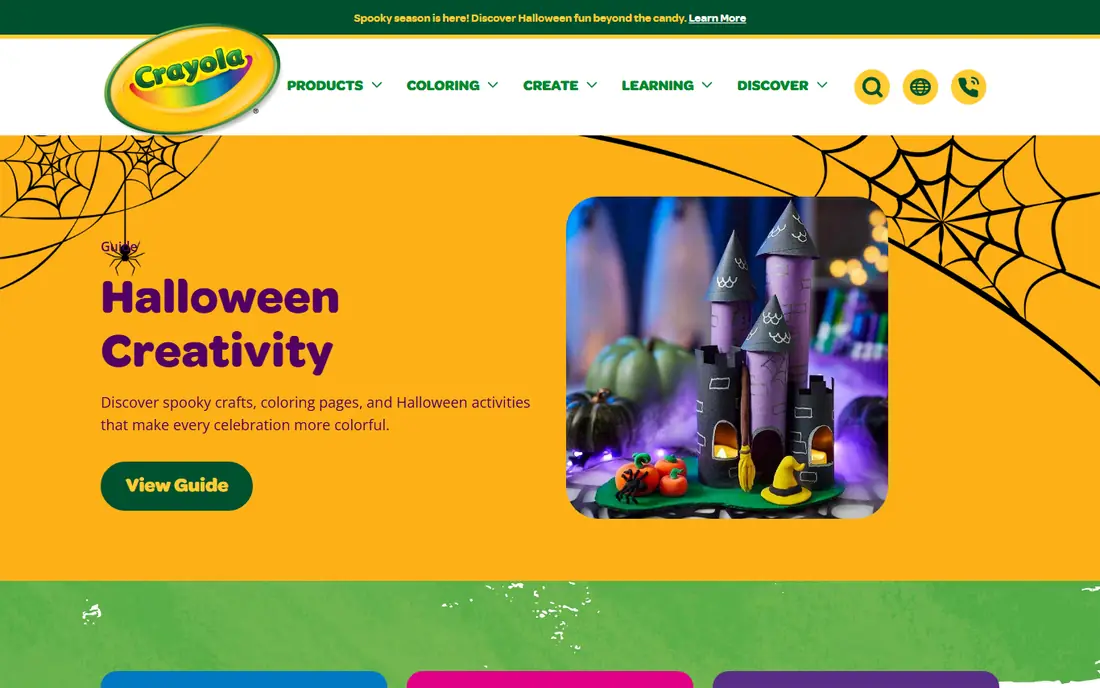
For readers who want guided play for younger children, Crayola Create and Play is a strong place to start. It blends step by step drawing with colouring and creative play in a familiar brand world. Older children may outgrow the guided style quickly, so treat it as a first stage rather than a long term art school.
What stands out is guided drawing lessons with dotted guides. In daily use, that means less time wrestling with setup and more time on the work itself. The layout and core tools are clear enough for a newcomer to follow, while still giving experienced users room to adjust things to suit a real project.
The honest catch is full library needs a subscription. Check that limit against your own plans before you pay, since it is the kind of detail that only bites after you have moved real work onto the platform.
- Guided drawing lessons with dotted guides
- Familiar Crayola tools
- Child safety certifications
- Full library needs a subscription
- Some content is aimed at younger ages only
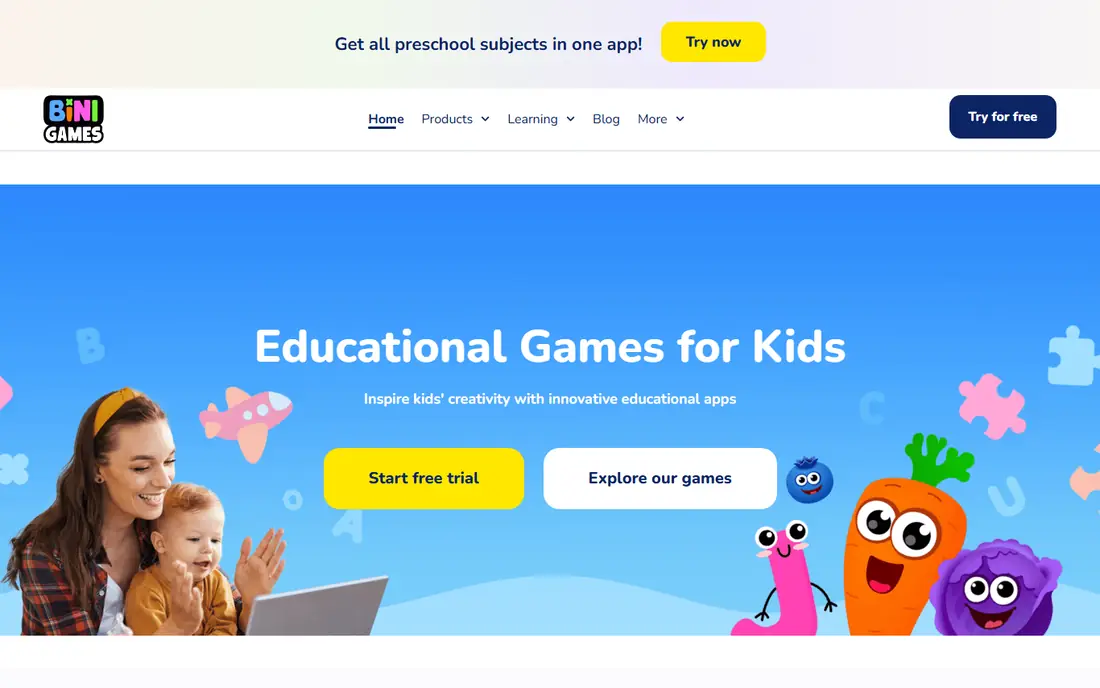
If preschool tracing lessons matters most to you, Bini Drawing for Kids deserves a close look. It teaches hand control by tracing a shape, then turning that shape into a cartoon animal or vehicle. The ceiling is low. A child who can already draw freely will want a freer tool within months.
The main strength is shape tracing lessons that turn into animals. That shows up in the details, such as clearer options, fewer dead ends, and a workflow that holds together across a week of regular use. It is not the flashiest option here, but it is steady where it counts.
The drawback to weigh is best for very young children. It will not bother every reader, but if it touches your main use case, it can become a daily annoyance. A short trial or a careful read of the plan limits will tell you quickly.
- Shape tracing lessons that turn into animals
- Voice prompts for pre readers
- Offline play
- Best for very young children
- Older children will find it too simple
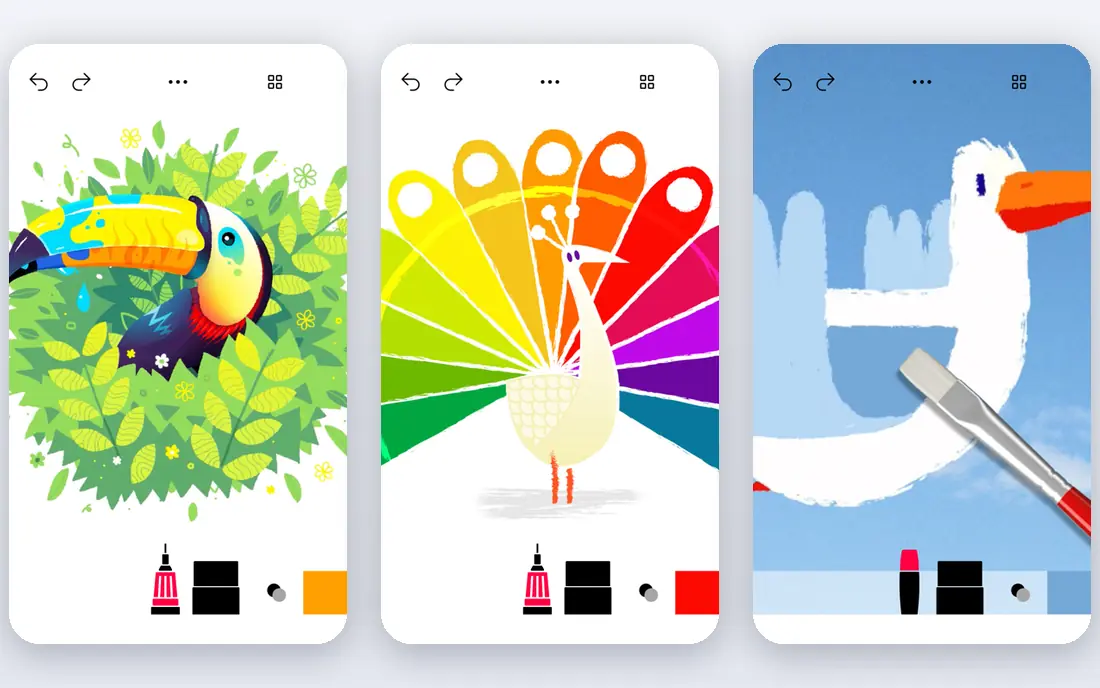
Tayasui Sketches School suits people who care about realistic free drawing above all else. It mimics real paint and pencil on a digital canvas, with a beginner mode that hides extra tools. It teaches less step by step structure than Simply Draw, so a child who needs lessons may need guidance alongside it.
Its calling card is realistic watercolour and brush tools. For the right reader, that single quality can outweigh a longer feature list elsewhere. The rest of the package supports it well, and the overall experience feels coherent rather than patched together.
On the downside, paid features open the full toolset. That is a fair price for what it does well, yet it is worth naming plainly so you are not surprised later. Buyers who need that missing piece should look at another entry in this list.
- Realistic watercolour and brush tools
- Simple beginner mode
- Layer support
- Paid features open the full toolset
- Small icons can be tricky on phones
A good fit when guided lessons for older children is the priority, Simply Draw keeps the focus narrow. It walks a child through a drawing stroke by stroke, with faint guide lines that fade as skill grows. It is less playful than Crayola or Bini, so a younger child may prefer a more game like app first.
We rate step by step lessons with ghost lines as its clearest advantage. It helps explain why people stick with it after the first month, when novelty fades and routine takes over. The design choices behind it are visible in everyday tasks, not only on a marketing page.
The tradeoff is subscription for the full lesson library. We still list it because its strengths are real, but no honest roundup can hide a limit that affects a whole group of buyers. Match it to your situation, not to the average reader.
- Step by step lessons with ghost lines
- Adjustable guidance
- Offline lessons
- Subscription for the full lesson library
- Style suits older children more than preschoolers
Start with ArtWorkout if structured skill training is what you are shopping for. It goes beyond tracing by training stroke control and measuring progress across courses. Its structured style suits a motivated child better than a casual doodler, and device support is narrower than rivals.
A key draw is many lessons across doodling, sketching, and painting. That matters because most buyers compare long lists and then live with one tool for months. A product that does its core job well, without constant friction, tends to age better than one packed with extras nobody opens.
Watch out for best on Apple devices. It is manageable for many people, and it does not cancel the strengths above, but it sets a ceiling on who should choose this option. If you hit that ceiling often, pick a more flexible rival.
- Many lessons across doodling, sketching, and painting
- Skill trainers with feedback
- Apple Pencil support
- Best on Apple devices
- Subscription for full access
Drawing Desk earns its place here for readers focused on colouring and free drawing together. It suits a child who sometimes wants a colouring page and sometimes wants a blank page. Parents should check subscription prompts with younger children, since upsells appear inside the app.
The standout point is large stencil and colouring library. It gives the product a clear identity in a crowded field, and it makes the buying decision simpler. If that quality matches your main need, the rest of the tradeoffs are easier to accept.
The weak spot is subscription pitches inside the app. For casual use it may never matter. For heavy or specialised use it can shape the whole experience, so treat it as a deciding factor rather than a footnote.
- Large stencil and colouring library
- Blank canvas for free drawing
- Sticker packs
- Subscription pitches inside the app
- Some extras need payment
When family lessons you draw along with tops your list, Art for Kids Hub is worth shortlisting. It is a family favourite for drawing animals, characters, and seasonal subjects together. It is not an interactive drawing app in the same way as the others, so pair it with a canvas app for practice.
Its strongest suit is clear step by step video lessons for families. In practice, that translates into fewer workarounds and a shorter path from idea to finished result. The supporting tools are solid enough that the main strength is not carrying the whole product alone.
Its main limit is video style learning, not an interactive canvas. That keeps it from being our pick for everyone, even though it serves its target reader well. Knowing that limit in advance is the difference between a good purchase and a frustrating one.
- Clear step by step video lessons for families
- Wide subject range
- Free to start
- Video style learning, not an interactive canvas
- Full access may need membership
For a a serious tool for older children first approach, Procreate Pocket makes a practical choice. It gives a tween room to grow, with brushes, layers, and replay that show how a drawing was made. It is not a teaching app. A child without drawing basics will need lessons from another source to get the most from it.
Look first at powerful brushes and layers. That is where this product separates itself from close rivals, and it is the reason it belongs on a shortlist. The surrounding features are competent, and the price and limits are the parts to check before you commit.
Finally, not made for young children. That is the one reservation we would raise with a friend before recommending it. If that reservation does not apply to you, the rest of the package is easy to recommend.
- Powerful brushes and layers
- Time lapse replay
- One time purchase model
- Not made for young children
- Learning curve for beginners
How we picked these
We compared official feature pages, pricing pages, and app store listings for each product, and we checked public reviews for recurring complaints. We kept only products that exist and work now, in October 2026, and that fit the topic directly rather than stretching it. Where a price could not be confirmed from the vendor, we wrote See website instead of guessing.
We also weighed the total cost, not just the headline price. That includes per seat charges, limits on the cheapest plan, and what the free tier actually allows. A product earned a place when its strengths were concrete and its limits were clear, so you can match it to your own needs without surprises.
How to choose a drawing app for your child
Match the app to the age and stage
Preschoolers need tracing, voice prompts, and big controls. Primary age children benefit from guided lessons with clear steps. Tweens often want a freer canvas and better brushes. An app that is too advanced frustrates, while one that is too simple bores, so age fit matters more than feature count.
Check safety, ads, and payments
Look for child safety certifications, offline modes, and clear subscription terms. Avoid apps with open chat, social feeds, or easy in app purchases for younger children. Set device controls so a child cannot buy extras or reach outside links without asking.
Keep paper in the mix
Digital drawing builds confidence and control, but paper still teaches pressure, texture, and scale in a different way. Use the app for lessons and practice, then print or copy favourite drawings onto paper. A mix of both keeps drawing fun and builds skills that transfer.
Frequently asked questions
What is the best app for kids to learn drawing?
Crayola Create and Play is a strong first pick for younger children, with guided lessons and familiar tools. Simply Draw suits older children who want step by step skills, while Tayasui Sketches School suits free drawing. The best app depends on age and whether your child needs lessons or freedom.
Are drawing apps good for preschoolers?
Yes, when the app uses tracing, large controls, and voice prompts, as Bini Drawing for Kids does. Keep sessions short, sit nearby for the first uses, and pair app time with crayons and paper so motor skills grow in both forms.
Should I pay for a drawing app for my child?
A free tier is enough to test whether your child enjoys an app. Paid plans open full lesson libraries in apps such as Crayola Create and Play and Simply Draw. Check the monthly cost, trial terms, and cancellation steps before you subscribe.
Can a drawing app replace art lessons?
It can support learning, but it does not replace a teacher who can correct grip, posture, and technique in person. Use apps for practice between lessons, or as a first step before formal classes. The best results come from guided practice plus real drawing time.
What device is best for kids drawing apps?
A tablet with a stylus gives the best drawing experience, since a small phone screen cramps strokes. Tayasui and Procreate Pocket both work better on a tablet. Check that the app supports your device and operating system before you pay.
Sources
See where you really rank - block by block
ProMapRanker scans Google Maps across a grid of your service area. Simple monthly plans from $19, white-label on every plan.
Start freeKeep reading
 zendesk alternatives
Best Zendesk Alternatives in 2026
Compare the best Zendesk alternatives in 2026, from budget help desks to AI-first support tools, with current pricing, free plans, and honest trade-offs.
Read → wordpress alternatives
Best WordPress Alternatives in 2026
Looking for the best WordPress alternatives? We compare 8 free and paid options for blogs, business sites, stores, and developer-led projects in 2026.
Read → which real estate company has the best training
Best Real Estate Company Training in 2026
Compare which real estate company has the best training, from Keller Williams and eXp to Compass and Coldwell Banker, by program, mentor, and fit in 2026.
Read →