 ProMapRanker
Best Apps for Kids to Learn Coding in 2026

Key takeaways
- Scratch and Code.org are the best free starting points, with no cost, no ads in the core experience, and content designed for classrooms.
- Tynker and CodeMonkey suit children who want structured courses and game-based progression, while Scratch suits children who prefer open-ended creation.
- Swift Playgrounds is the best free route into real Swift code, but it only runs on iPad and Mac, so Android and Windows families should look elsewhere.
- Safety matters as much as curriculum: prefer apps with no open chat, no ads, clear privacy policies and parent dashboards, and check sharing settings together.
- Match the app to your child's age and reading level first, then to price: a free app a child loves beats an expensive app they open twice.
Quick comparison
| Pick | Great for | Pricing starts at | Free tier | |
|---|---|---|---|---|
 Scratch Scratch | Free creative block coding | Free | Yes | Visit |
 ScratchJr ScratchJr | Youngest coders ages 5 to 7 | Free | Yes | Visit |
 Code.org Code.org | Free classroom-style courses | Free | Yes | Visit |
 Tynker Tynker | Structured courses and games | See website | Yes | Visit |
 CodeMonkey CodeMonkey | Game-based path to real code | $9.99 per month | Yes | Visit |
 Kodable Kodable | Early coding for ages 4 to 10 | $9.99 per month | Yes | Visit |
 codeSpark Academy codeSpark Academy | Puzzle coding for ages 4 to 9 | See website | No | Visit |
 Swift Playgrounds Swift Playgrounds | Real Swift on Apple devices | Free | Yes | Visit |
 Hopscotch Hopscotch | Making games on iPad | See website | Yes | Visit |
 Lightbot Lightbot | Logic puzzles for beginners | See website | Yes | Visit |
The best apps for kids to learn coding
We compared free and paid apps on age fit, curriculum structure, safety and privacy practices, and whether children progress from blocks toward real typed code. Every app here is actively maintained and genuinely designed for children, not a general coding tool with a child-friendly skin.
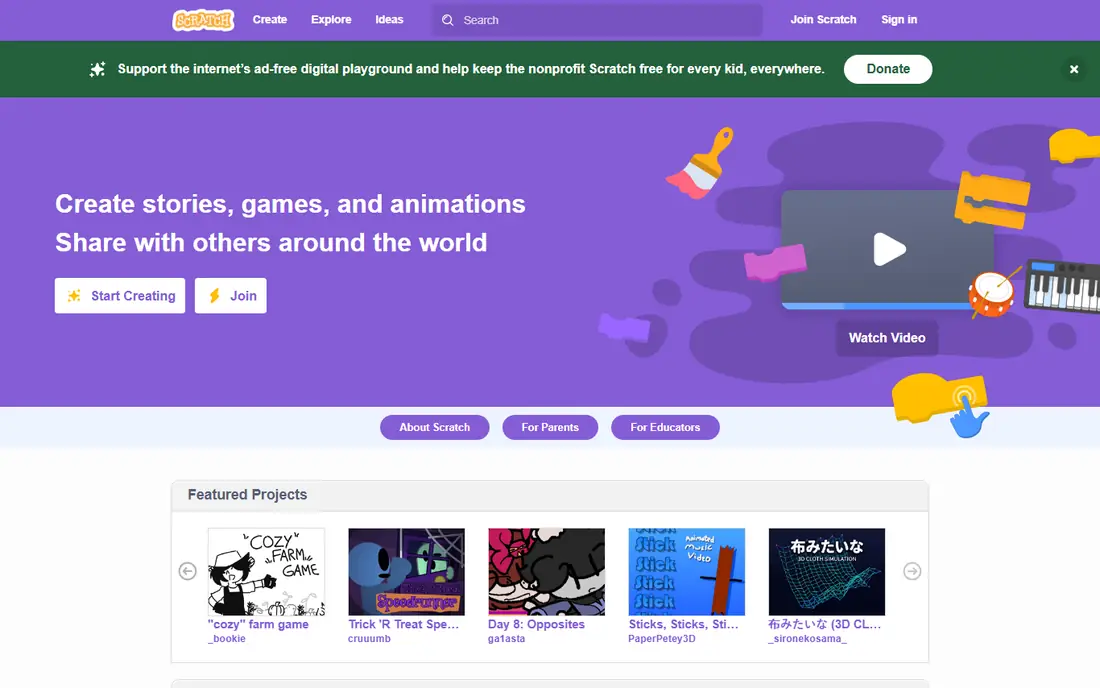
Scratch is where most children's coding journeys sensibly begin. Developed by MIT, it lets children snap together colour-coded blocks to make animations, games and stories, without typing syntax or worrying about spelling errors. The browser version costs nothing, runs on most computers, and has a huge library of community projects that children can open, remix and learn from.
The openness is both the strength and the weakness. Scratch is a creative toolbox, not a course, so a child without a nudge may click around without learning a clear sequence of concepts. Suggest the built-in tutorials first, and check sharing settings together, since projects can be shared publicly. For a free, safe and genuinely creative start, nothing beats it.
- Free and developed by MIT
- Huge community of shared projects to learn from
- Works in a browser with no install
- No structured curriculum, so some children need guidance on what to try next
- Community projects vary in quality and moderation load
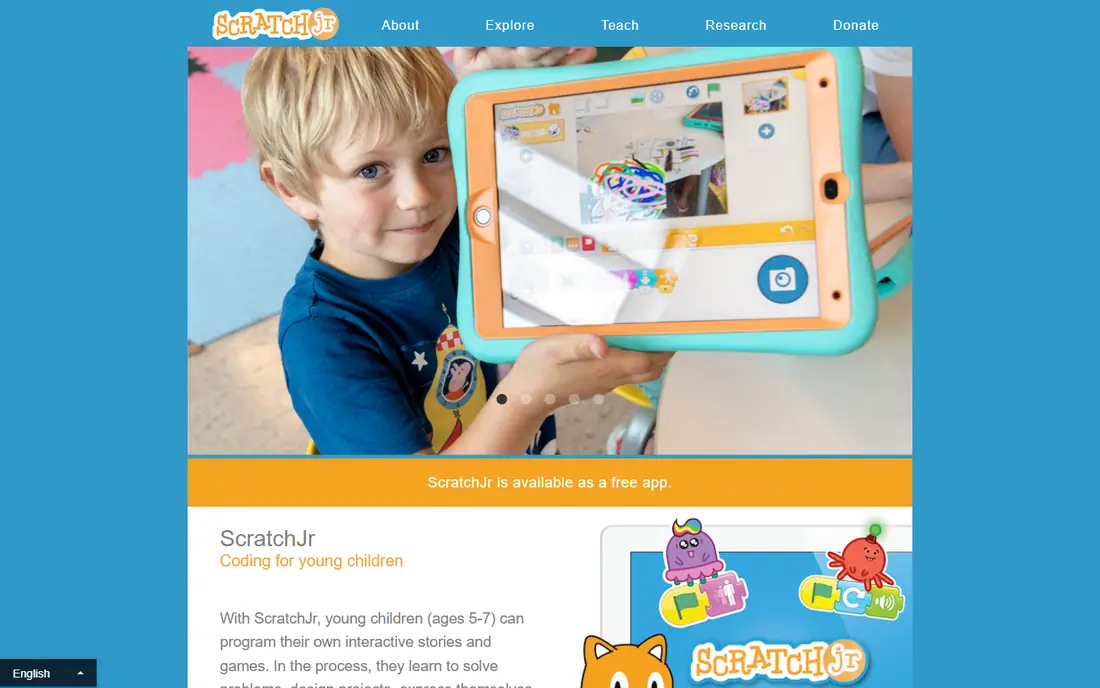
ScratchJr is the younger sibling of Scratch, built for children who cannot yet read fluently. Blocks are picture-based, characters are friendly, and children make short stories and animations by snapping blocks together on a tablet. There is no text coding to trip over, which means a five-year-old can finish a first project in one sitting and feel like a coder.
ScratchJr covers sequencing and simple loops, but it cannot grow into games or typed code, so most children are ready for Scratch by age seven or eight. As a free introduction for the youngest coders it does its job well.
- Designed for ages 5 to 7 with picture-based blocks
- No reading required to start
- Free on iPad, Android tablets and Chromebooks
- Limited to simple stories and animations
- Children outgrow it by around age 8
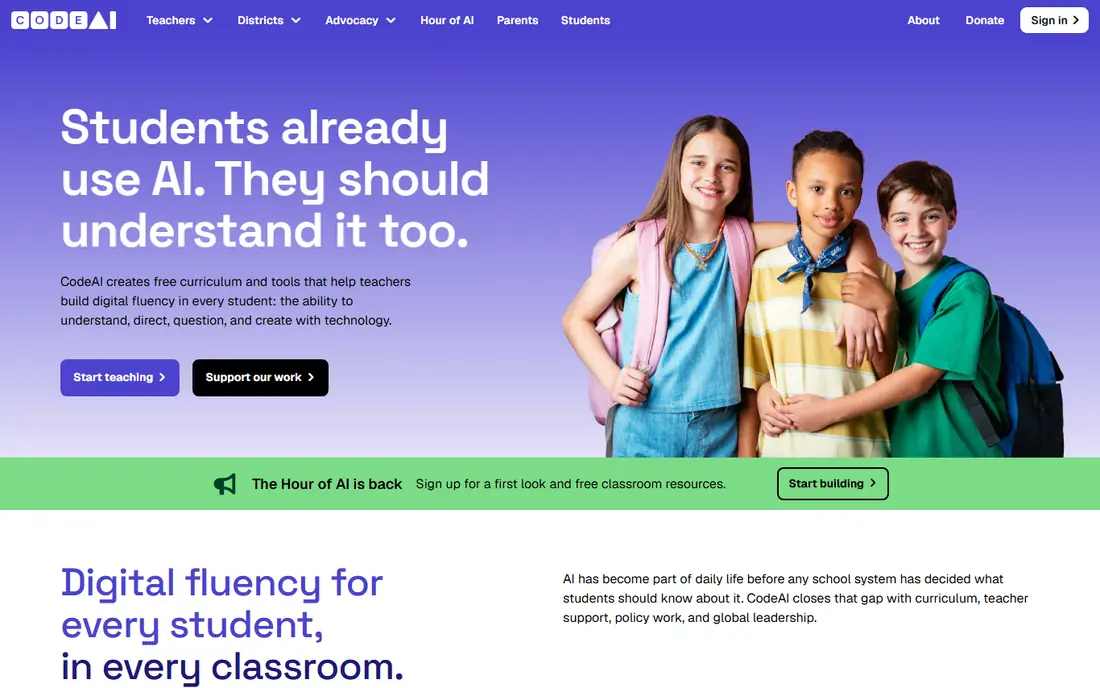
Code.org is the best free structured option, and it is the one most schools use. Its courses walk children through sequencing, loops, conditionals and events in a clear order, with video introductions and puzzles that build on each other. Hour of Code activities need no account, and the full courses are free, which makes Code.org the easiest recommendation for a parent who wants a curriculum rather than a sandbox.
Code.org feels like a lesson in the best sense, and children who need game rewards to stay engaged may find it quieter. For a child who likes clear goals and steady progress, that structure is a plus.
- Free structured courses used in schools
- No account needed for Hour of Code activities
- Clear progression from blocks to typed code
- Less playful than game-based rivals
- Older children may find the early levels slow
Tynker is our pick for families who want one app to carry a child from first blocks to real code. Children start with visual blocks, then move through game design, app building, Minecraft modding and eventually Python and JavaScript, all inside one system with progress tracking for parents. Its school use means lesson plans and classroom management are built in, not bolted on.
Tynker's app store subscriptions and web plans differ, so check the current price on its own site before subscribing. The free content is enough to test whether your child likes the style.
- Wide course library from blocks to Python and JavaScript
- Game-based projects including Minecraft modding and drone coding
- Used in many schools
- Full access needs a subscription with prices that vary by plan and platform
- Community features need parent attention to sharing settings
CodeMonkey bridges the gap between block coding and typed code better than almost any rival. Children guide a monkey through puzzle levels, first with blocks and then with real typed code, so the jump from dragging blocks to typing commands feels gradual rather than sudden. Courses cover ages 5 to 14, and dashboards let parents and teachers track progress without hovering.
Paid plans start at $9.99 per month, with a free tier for trying the early levels. If your child likes games and you want a clear path toward typed code, CodeMonkey is the most focused choice in this list.
- Game challenges that move from blocks to typed CoffeeScript
- Clear level progression for ages 5 to 14
- Parent and teacher dashboards
- Game theme may not suit older children
- Full course library needs a paid plan
Kodable is built for the youngest school coders, from kindergarten through grade 5. Children guide a fuzzy character through mazes, learning sequencing, loops, conditions and functions through play, before moving toward JavaScript basics. Teachers get lesson plans and progress reports, which is why Kodable appears in many primary classrooms, and the parent version brings the same structure home.
By age 11 or 12, most children will want the broader projects that Tynker, Code.org or Swift Playgrounds offer. For ages 4 to 10, Kodable's gentle progression is hard to fault, and its free tier lets you test the early levels before paying $9.99 per month billed annually.
- Maze games that teach loops, functions and JavaScript basics
- Classroom-friendly with lesson plans and progress reports
- Works on web and iOS
- Best for younger children, with less depth for ages 11 and up
- Paid features need a subscription
codeSpark Academy is the most deliberately child-safe app in this list for ages 4 to 9. Its puzzles are word-free, so pre-readers can play, and the whole experience is ad-free with no open chat, which removes two of the biggest worries parents have about children's apps. Children solve logic puzzles with characters called the Foos, learning sequencing, loops and conditionals without realising they are studying.
There is no permanent free plan, only a trial, and pricing varies by plan and region, so check its own site for the current family price. For a four- to seven-year-old's first coding app, codeSpark's safety-first design is worth paying for.
- Ad-free, word-free puzzles that teach logic without reading
- Characters called the Foos keep younger children engaged
- Parent dashboard included
- No permanent free plan beyond a trial
- Content is aimed at younger children and runs out sooner for older kids
Swift Playgrounds is the best free route from block coding to a real programming language. Made by Apple, it teaches Swift, the language behind iPhone and Mac apps, through interactive 3D puzzles where code controls a character on screen. Children who finish the lessons can build real apps, which gives the learning a payoff that puzzle-only apps cannot match.
Swift Playgrounds runs only on iPad and Mac, so families on Android or Windows cannot use it at all. Within an Apple household, it is free and ad-free, and it suits children aged 10 and up who are ready for typed code.
- Free from Apple
- Teaches real Swift through 3D puzzles
- Children can build and share real apps
- Only runs on iPad and Mac, so no Android or Windows version
- Needs an Apple device
Hopscotch turns an iPad into a game-making studio. Children drag blocks to control characters, add sounds and build playable games, then share them with a community of other young coders. The touch-first design suits children who prefer tablets to computers, and the focus on games keeps motivation high in a way that abstract puzzles sometimes do not.
Hopscotch runs only on iPhone and iPad, and a subscription gives access to the full feature set, with prices that vary by plan. Parents should also check sharing settings together, since projects can be shared publicly.
- Block coding designed for making games on iPad
- Community for sharing projects
- Free tier for getting started
- IPad and iPhone only
- Advanced features and some content need a subscription
Lightbot is the simplest app in this list, and that simplicity is its strength. Children program a little robot to light up tiles, learning procedures, loops and conditionals through puzzles alone, with almost no reading required. It runs on the web, iOS and Android, and the early levels are free, which makes it a perfect first test of whether a child enjoys coding logic at all.
Lightbot is not a full curriculum: there is no project creation and no path to typed code, so treat it as a warm-up. A child who enjoys Lightbot is ready for Scratch or Code.org.
- Pure logic puzzles that teach procedures, loops and conditionals
- No reading-heavy instructions
- Works on web, iOS and Android
- Puzzle-only, with no project creation or typed code path
- Short playtime compared with course-based apps
How we picked these
We compared official feature pages, pricing and app store listings, privacy policies and public reviews current in October 2026. We favoured apps that are actively maintained, that state their age range clearly, and that publish a privacy policy covering children's data. We preferred apps with no open chat, no advertising in the core experience, and parent or teacher controls, and we said so honestly where an app's community or sharing features need parent attention. We left out tutoring marketplaces and live-class services, since this list is about apps children can use directly.
A parent's guide to choosing safely
The best coding app is the one your child actually opens, but safety and fit come before features. Use this short checklist before you pay for anything, and revisit it as your child grows and moves to apps with sharing features.
Start with age and reading level
Ages 4 to 7 do best with picture-based apps such as ScratchJr, Kodable and codeSpark Academy, where reading is not required. Ages 7 to 10 suit Scratch, Code.org, CodeMonkey and Hopscotch, where blocks meet real projects. Ages 10 and up can move toward typed code with Tynker, Swift Playgrounds and the later Code.org courses. If an app frustrates your child in the first session, it is probably aimed too high, not a sign that coding is not for them.
Check privacy, ads and chat before you subscribe
Read the privacy policy summary, not just the marketing page. Prefer apps with no advertising, no open chat with strangers, and a clear statement about children's data. Turn off public sharing by default, and agree with your child what they may post: first names only, no school names, no photos. Apps with parent dashboards, such as Tynker, CodeMonkey and codeSpark, make these checks easier, so use them.
Try free first, then pay for progression
Start with Scratch, ScratchJr, Code.org or Swift Playgrounds, all free, and watch what your child actually enjoys: making stories, solving puzzles, building games or typing code. Then pay only for the app that extends that interest, whether that is Tynker's course library, CodeMonkey's game path or codeSpark's younger puzzles. A free app a child loves always beats a paid app they open twice, and most paid apps offer a trial or free levels to test first.
Frequently asked questions
What is the best app for kids to learn coding?
Scratch is the best overall starting point, because it is free, made by MIT, and lets children create games and stories with block code. Code.org is better if you want structured lessons, Tynker is better for a long course path to Python, and Swift Playgrounds is better for older children on Apple devices. The right app depends on your child's age, device and whether they prefer creating, puzzling or following lessons.
What age should kids start learning to code?
Children can start with picture-based apps such as ScratchJr and Kodable from around age 4 or 5, since no reading is required. Most children are ready for Scratch and Code.org from around age 7 or 8, and for typed code from around age 10. There is no rush: starting later with an app that fits is better than starting early with one that frustrates.
Are coding apps safe for kids?
The apps in this list are designed for children, but safety still needs a parent's attention. Prefer apps with no ads, no open chat and clear children's privacy policies, and check sharing settings before your child posts projects publicly. Scratch, Code.org and codeSpark are strong on safety basics, while apps with communities, such as Scratch and Hopscotch, need a family agreement about what may be shared.
Is Scratch or Tynker better for kids?
Scratch is better for free, open-ended creativity, while Tynker is better for structured courses that lead from blocks to Python and JavaScript. Many families use both: Scratch for creative projects and Tynker for lessons and progression. Start with free Scratch to see if your child enjoys coding, then add Tynker if they want a clearer course path or game-based projects.
Can kids learn real programming from these apps?
Yes, with the right progression. Block apps teach sequencing, loops, conditionals and variables, which are real programming concepts. Tynker, Code.org and CodeMonkey then move children toward typed Python, JavaScript and CoffeeScript, and Swift Playgrounds teaches real Swift. The path from blocks to typed code works best when it is gradual, so do not rush a child past the block stage before they are ready.
Do kids need a computer, or is a tablet enough?
A tablet is enough for most apps in this list, including ScratchJr, Kodable, codeSpark, Hopscotch and Swift Playgrounds on iPad. A computer helps for Scratch, Code.org and Tynker's fuller courses, and it becomes important once children move to typed code. Start with whatever device you already own, and add a computer later if your child's interest grows into typed programming.
Sources
- https://codakid.com/blog/coding-for-kids/best-online-coding-classes-for-kids-2025/
- https://www.codecompasskids.com/
- https://www.jetlearn.com/blog/the-best-coding-programs-for-kids-a-comprehensive-review
- https://apprecs.com/ios/805869467/tynker%3A-coding-for-kids
- https://todaytesting.com/codespark-review/
See where you really rank - block by block
ProMapRanker scans Google Maps across a grid of your service area. Simple monthly plans from $19, white-label on every plan.
Start freeKeep reading
 zendesk alternatives
Best Zendesk Alternatives in 2026
Compare the best Zendesk alternatives in 2026, from budget help desks to AI-first support tools, with current pricing, free plans, and honest trade-offs.
Read → wordpress alternatives
Best WordPress Alternatives in 2026
Looking for the best WordPress alternatives? We compare 8 free and paid options for blogs, business sites, stores, and developer-led projects in 2026.
Read → which real estate company has the best training
Best Real Estate Company Training in 2026
Compare which real estate company has the best training, from Keller Williams and eXp to Compass and Coldwell Banker, by program, mentor, and fit in 2026.
Read →