 ProMapRanker
Best Apps for Health and Fitness in 2026

Key takeaways
- Nike Training Club and FitOn offer the strongest free workout libraries, while MyFitnessPal leads on food tracking.
- Strava suits runners and cyclists who want social motivation, while Hevy and Fitbod suit gym training in different ways.
- Apple Fitness+ and Peloton suit class-led training, while Fitbit suits daily activity, sleep and health trends.
- This is general information only, not medical advice, and anyone with a health condition should talk to a clinician before starting a new programme.
Quick comparison
| Pick | Great for | Pricing starts at | Free tier | |
|---|---|---|---|---|
 Nike Training Club | Free guided workouts | Free | Yes | Visit |
 FitOn | Free home classes | Free | Yes | Visit |
 MyFitnessPal | Food and nutrition tracking | Free | Yes | Visit |
 Strava | Running and cycling community | Free | Yes | Visit |
 Apple Fitness+ | Apple device class training | $9.99 per month | Free trial | Visit |
 Peloton App | Live and on-demand classes | $12.99 per month | Free trial | Visit |
 Fitbit | Daily activity and sleep trends | Free | Yes | Visit |
 Hevy | Simple strength logging | Free | Yes | Visit |
 Fitbod | Generated gym workouts | $12.99 per month | Free trial | Visit |
The best apps for health and fitness
These apps cover workouts, nutrition, running, sleep and daily activity, so the best choice depends on the habit you want to build. We compared official feature pages, pricing pages, app store listings and privacy policies, and we favoured apps with clear privacy controls and a usable free tier or trial. This article is general information only, not medical advice.
Nike Training Club remains the easiest free starting point for guided exercise. Workouts cover strength, cardio, mobility and yoga, with programmes that build over weeks rather than leaving users to pick random sessions. The app works on iOS and Android, and its core library does not sit behind a paywall.
The limit is personalisation. Nike Training Club does not offer the same adaptive programming as Fitbod, and food tracking is not its job. Users who want a coach that adjusts every session to their last workout will need a paid tool. For free, well-produced guided training, it is still the benchmark other free apps are judged against.
- Large library of guided workouts at no cost
- Programmes for different levels
- No subscription needed for core training
- Nutrition and detailed tracking are limited
- Workout plans are less personalised than paid coaching apps
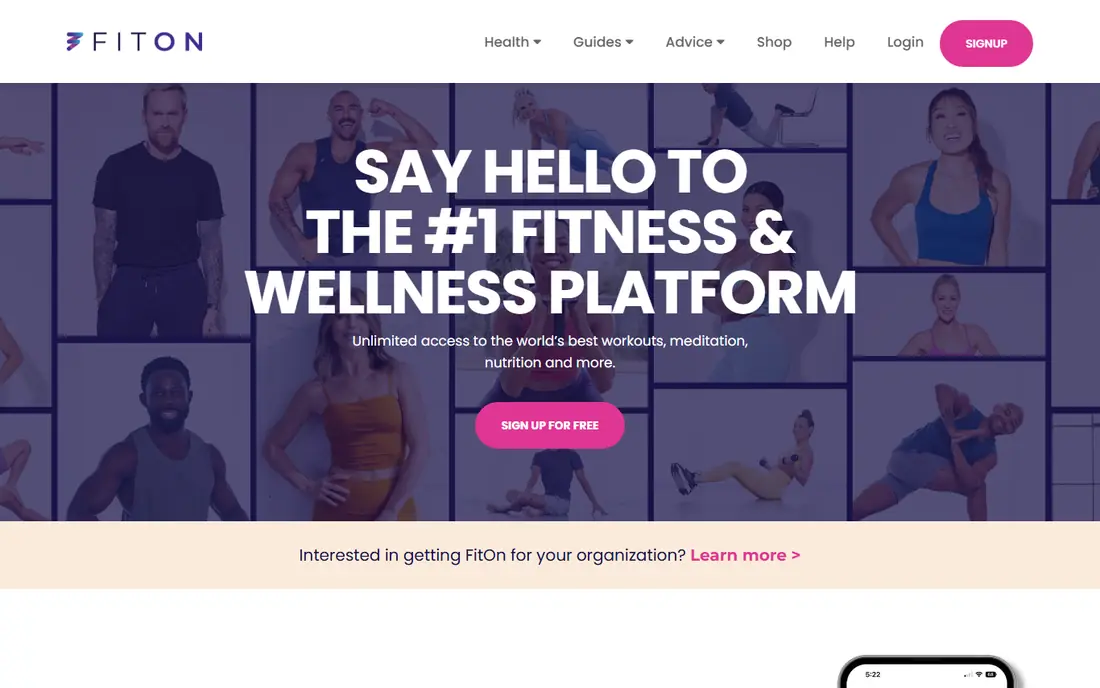
FitOn offers a large library of home workouts, stretching and meditation sessions without charging for the core classes. Users can filter by time, type and trainer, which helps on days when only a short session fits. Social features, including working out with friends, add a light accountability layer that many free apps lack.
Pro adds offline downloads, personalised meal plans and extra community features, so users who train without reliable internet may feel the free limit. Some sessions are also sponsored, which is worth knowing before choosing a programme. As a free class library, FitOn is generous, and the paid tier is optional rather than essential for most users.
- Broad free class library
- Celebrity and trainer-led sessions
- Social features for working out with friends
- Paid Pro features include offline access and meal plans
- Some content is sponsored
MyFitnessPal is best known for food logging, and that focus is its strength. Users can log meals, scan barcodes, track macros and watch weight trends over time, with exercise entries alongside food. That combination helps people see the link between eating, activity and weight without juggling several apps.
The free version is usable, but premium features and prompts to upgrade are frequent, and some advanced tools sit behind Premium. Food data also varies in quality, since entries come from many sources, so users should check portions and nutrition labels for foods they eat often. For consistent food tracking, MyFitnessPal remains the most complete mainstream option.
- Large food database
- Barcode scanning
- Exercise and weight tracking in one place
- Premium features are heavily promoted
- Food logging accuracy depends on user entries and database quality
Strava turns outdoor exercise into a shared activity, with GPS tracking, segments, clubs and challenges that keep runners and cyclists motivated. The free tier records and shares activities well, and it connects to Garmin, Apple Watch, COROS, Polar and many other devices. That broad compatibility is a practical advantage for people who already own a watch or bike computer.
Paid Strava adds route planning, deeper analysis and training tools, so serious athletes may need the subscription. Privacy also needs attention, since activity maps can reveal home locations, so users should review privacy zones and follower settings before posting. For social outdoor training, Strava is still the default choice.
- Reliable GPS tracking for runs and rides
- Social challenges and clubs
- Wide wearable compatibility
- Advanced analysis and route tools need a subscription
- Social features can encourage overtraining if followed uncritically
Apple Fitness+ offers studio-style classes for strength, HIIT, yoga, Pilates, dance, cycling and more, with Apple Watch metrics shown on screen during workouts. The production quality is high, new classes arrive regularly, and the app works across iPhone, iPad and Apple TV. For households already using Apple devices, it feels integrated rather than bolted on.
The drawback is ecosystem lock-in. Android users cannot use it as a primary fitness app, and the full Watch metric experience needs an Apple Watch. There is no permanent free tier, although trials are often offered with device purchases. Apple users who want class-led training will find it polished and easy to stick with.
- Polished class library across many workout types
- Apple Watch metrics on screen
- Family sharing available
- Best experience needs Apple devices
- No permanent free tier
Peloton App gives non-hardware owners access to thousands of live and on-demand classes across strength, yoga, Pilates, meditation, running and cycling. Instructor energy and live class schedules help many users stay consistent, and the app works on phones, tablets and the web. It is a broader fitness app than its bike reputation suggests.
App One, the entry tier, limits some equipment-focused cycling, running and rowing classes, and the higher App tier costs more. Users who own Peloton hardware need the separate All-Access membership, which is pricier. For class-led training without hardware, Peloton App is a strong, if premium, option.
- Large live and on-demand class library
- Strong instructor-led motivation
- Classes beyond cycling, including strength and yoga
- App tiers limit some equipment classes
- Full hardware membership costs more
Fitbit suits people who want to understand daily health patterns rather than follow classes. The app tracks steps, heart rate, sleep, exercise and trends over time, and Premium adds deeper sleep analysis, readiness-style insights and guided programmes. A free Premium trial often comes with new devices, which lets users test those features before paying.
The limit is hardware dependence. Without a Fitbit device or compatible Pixel Watch, the app cannot collect the sensor data that makes it useful. Premium at around $9.99 per month also adds up for users who mainly want steps and sleep totals. For daily tracking with a wearable, Fitbit remains a clear and approachable choice.
- Daily steps, heart rate, sleep and activity trends
- Wide device range
- Clear health dashboard
- Premium insights need a subscription
- Full value needs a Fitbit device or Pixel Watch
Hevy is for lifters who already know their programme and want to log it quickly. Sets, reps, weights, supersets and rest timers are easy to record, and the free tier allows unlimited workout logging, which is more generous than many rivals. Personal records and progress charts help users see strength gains without extra analysis.
The free tier caps custom routines, so users with many programmes may need Pro, priced at $23.99 per year in recent listings. Hevy also does not provide guided classes or nutrition tracking, so it pairs best with a workout plan from elsewhere. For clean gym logging, it is one of the least fussy apps available.
- Fast strength workout logging
- Unlimited workout logging on free tier
- Rest timers and personal records
- Free tier limits custom routines
- No guided class library
Fitbod builds gym sessions from the equipment a user has, their goals and their recent training, then adjusts future sessions based on logged performance. That adaptive approach suits gym users who do not want to programme every session themselves. Strength progression tracking also helps users see whether they are actually getting stronger over time.
Fitbod has no permanent free tier, so users must pay after a trial, and generated workouts still require care with form, load and recovery. It is not a substitute for coaching or medical advice, especially for users returning from injury. For gym training that adapts week to week, Fitbod is a strong paid option.
- Workouts generated from available equipment and recovery
- Tracks strength progression
- Adapts to logged performance
- No permanent free tier
- Generated plans still need user judgement on form and load
How we picked these
We compared official feature pages, pricing pages, app store listings and privacy policies for apps that are available now on iOS or Android, or both. We favoured apps with a usable free tier or trial, clear privacy controls, and a distinct job, whether that is guided classes, food tracking, running, sleep or strength logging. We did not claim hands-on testing, and we noted where prices come from vendor listings and may vary by region or billing period.
What to check before you choose
Start with the habit, not the app store chart. A person who wants to run three times a week needs Strava or a running plan, while a person who wants to eat more consistently needs MyFitnessPal, and a person who wants guided home classes needs Nike Training Club, FitOn, Apple Fitness+ or Peloton. Picking one habit first makes the app choice much simpler.
Next, check privacy and data controls before connecting a wearable or health account. Review what health data the app collects, whether it shares data with advertisers or third parties, and whether activity maps or social feeds reveal location or routines. Turn on privacy zones, limit followers and read the privacy policy summary for any app that will hold daily health data.
Finally, try the free tier for at least two weeks before paying. A subscription that looks good on day one can feel heavy by week three, especially if classes, logging or social features do not fit a real schedule. Set a reminder before any trial ends, and remember that no app replaces medical advice for pain, injury, pregnancy, chronic conditions or major diet changes.
Frequently asked questions
What is the best free health and fitness app?
Nike Training Club and FitOn offer the strongest free workout libraries, while MyFitnessPal offers the most complete free food tracking. The best free app depends on whether workouts, food or running matter most.
Which fitness app is best for beginners?
Nike Training Club and FitOn suit beginners well, thanks to guided sessions at different levels and no upfront cost. Start with short sessions, build slowly, and stop or seek advice if pain appears.
Do I need a wearable to use these apps?
No, although Fitbit and Apple Fitness+ work best with their own devices. Nike Training Club, FitOn, MyFitnessPal and Hevy work well on a phone alone, and Strava can use a phone GPS for runs and rides.
Are these apps safe for people with health conditions?
These apps provide general information only, not medical advice. People with heart conditions, diabetes, injuries, pregnancy or other health concerns should talk to a clinician before starting a new exercise or diet programme.
Which app is best for weight loss?
No app alone causes weight loss, and results depend on diet, activity, sleep and health factors. MyFitnessPal helps with food awareness, while Nike Training Club, FitOn or Strava help with activity, and using one food app plus one activity app often works better than either alone.
How do I protect my health data in fitness apps?
Review privacy settings, limit social sharing, turn on privacy zones for outdoor activities, and avoid connecting every app to every account. Read the privacy policy for data sharing and deletion options before syncing a wearable.
Sources
See where you really rank - block by block
ProMapRanker scans Google Maps across a grid of your service area. Simple monthly plans from $19, white-label on every plan.
Start freeKeep reading
 zyte alternatives
Best Zyte Alternatives in 2026
These zyte alternatives cover managed scraping APIs, proxy networks and no code tools for lawful collection from your own or consented sources only in 2026.
Read → zerto alternatives
Best Zerto Alternatives in 2026
Compare the best zerto alternatives for disaster recovery and replication, with recovery targets, cloud options and honest trade-offs for teams in 2026.
Read → zerofox alternatives
Best ZeroFox Alternatives in 2026
We compared 9 zerofox alternatives for brand protection, phishing takedowns, dark web monitoring, and social impersonation, with clear coverage notes.
Read →