 ProMapRanker
Best Apps for Daily Planning in 2026

Key takeaways
- Todoist is the safest starting point for most people, with fast capture, a generous free plan, and apps on every platform.
- TickTick gives the best value if you also want habits, a calendar, and a focus timer in one app.
- Sunsama suits readers who want a guided daily ritual and time blocking, but it costs more and has no free plan.
- Microsoft To Do and Google Tasks suit people who already live in Microsoft or Google tools and want planning without a new subscription.
- The best planner is the one you open each morning, so start free, keep the daily list short, and only pay for features you use weekly.
Quick comparison
| Pick | Great for | Pricing starts at | Free tier | |
|---|---|---|---|---|
 Todoist Todoist | Fast capture and simple daily lists | $5 per month | Yes | Visit |
 TickTick TickTick | All in one tasks, habits, and focus timer | $35.99 per year | Yes | Visit |
 Sunsama Sunsama | Intentional daily planning ritual | $17 per month | No | Visit |
 Microsoft To Do Microsoft To Do | Free planning inside Microsoft tools | Free | Yes | Visit |
 Any.do Any.do | Simple lists with a calendar view | See website | Yes | Visit |
 Things 3 Things 3 | Apple users who dislike subscriptions | See website | No | Visit |
 Google Tasks Google Tasks | Simple planning inside Gmail and Calendar | Free | Yes | Visit |
 Reclaim Reclaim | Auto scheduling tasks into your calendar | See website | Yes | Visit |
The best apps for daily planning
A good daily planner does one job well: it turns a messy list into a short plan for today. Some apps do that with a simple task list, others with time blocking, and others by auto scheduling tasks into your calendar. The eight apps below cover those styles, so you can match the tool to how your day actually works.
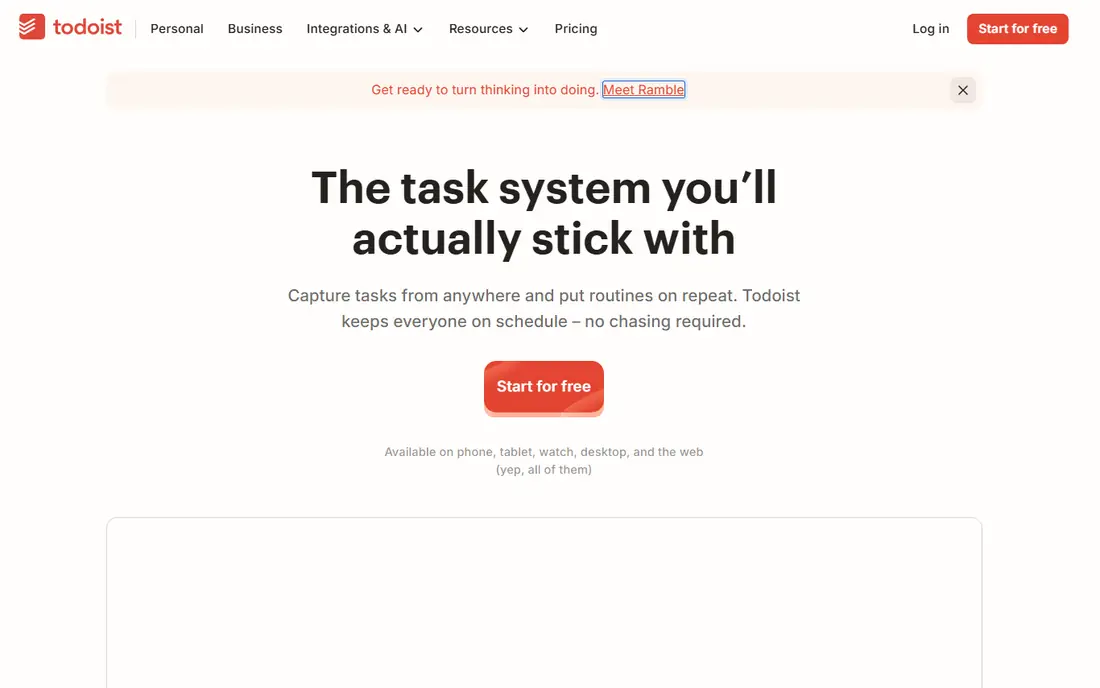
Todoist wins on capture speed. Type a task in plain language, such as a meeting note due tomorrow at 9am, and the app parses the date for you. That low friction matters, because a planner you avoid opening will not help, no matter how many features it lists. The Today view then shows only what is due, which keeps the morning check short.
Projects, labels, filters, and priority levels give structure without forcing a complex system. The free Beginner plan covers five personal projects, which is enough for many solo users. The paid plan adds more projects, calendar layout, and reminders. If you want a calm list that works everywhere, start here.
- Natural language Quick Add
- Works on every major platform
- Clean Today and Upcoming views
- No built in time blocking
- Calendar view is a paid feature
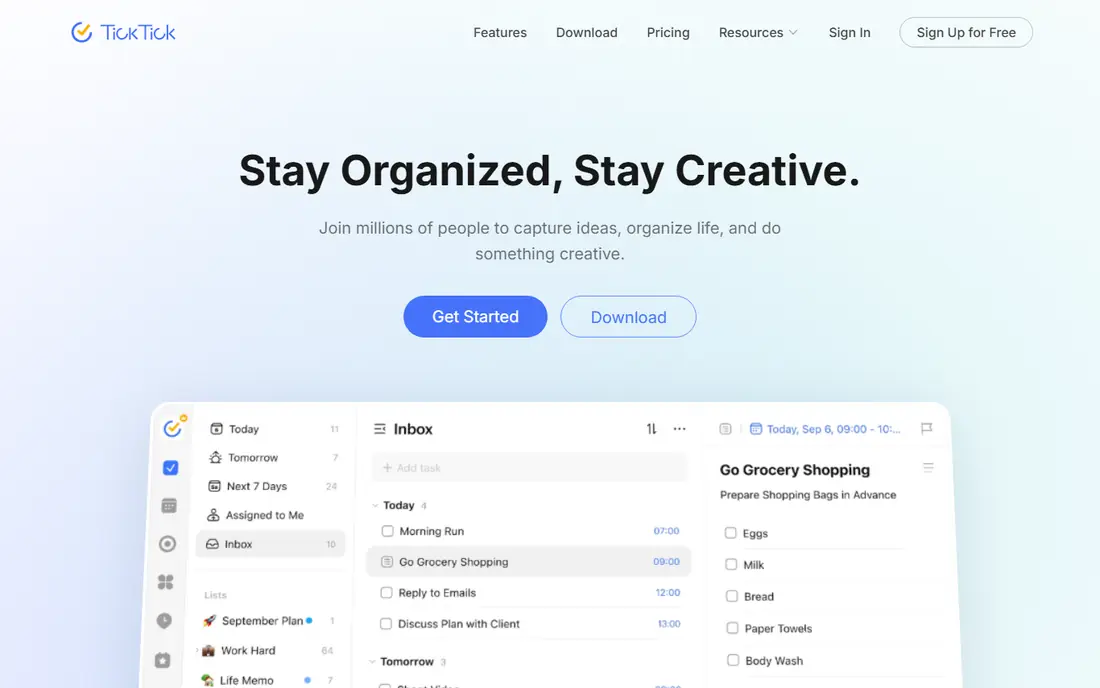
TickTick is the value pick on this list. One app covers tasks, habits, calendar views, and a Pomodoro focus timer, which replaces two or three separate tools for many people. The free tier includes unlimited tasks, a set number of lists, habit tracking, and the timer, so you can test the full workflow before paying.
Premium adds unlimited lists, more calendar features, and custom reminders, at a yearly price that undercuts most rivals. The catch is density. All those built in features mean more buttons and settings than Todoist, and some readers will find that busy. If you like one app for the whole day, TickTick is hard to beat on price.
- Habits, calendar, and Pomodoro timer included
- Generous free tier
- Low annual price
- Interface can feel busy
- Some premium features need the paid tier
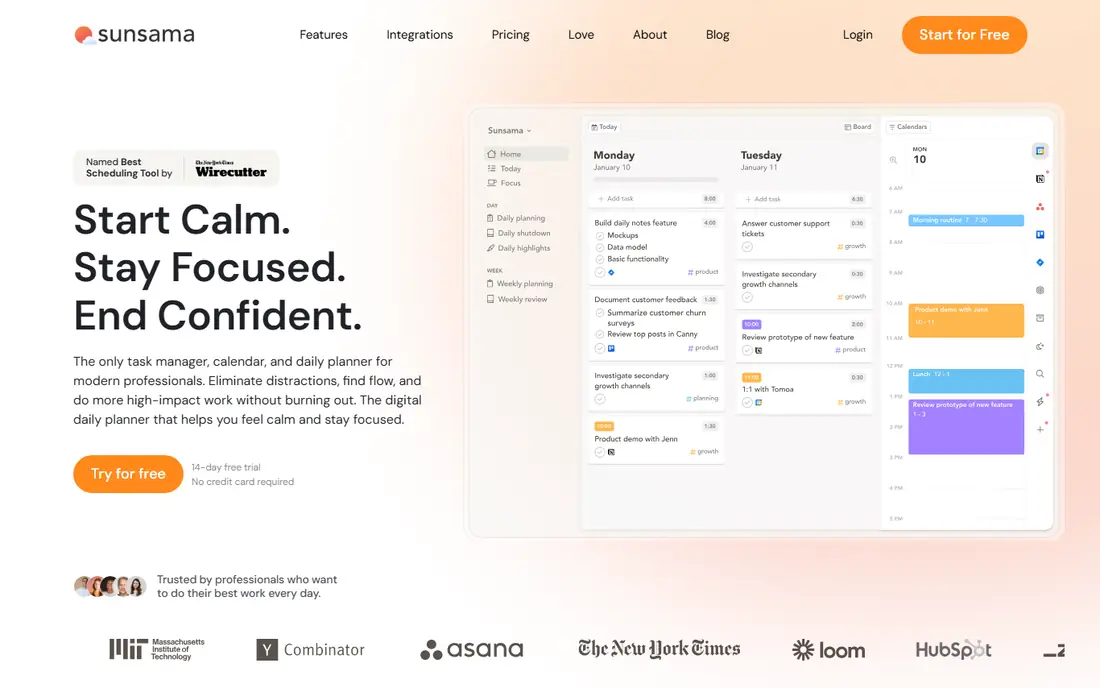
Sunsama is less a task list and more a daily ritual. Each morning it guides you through choosing tasks, estimating time, and placing them on your calendar, then closes the day with a shutdown review. That structure helps people whose lists grow faster than their days, because it forces a realistic total before work starts.
The price is the main barrier, and there is no free plan, only a trial. The workflow is also opinionated, so if you dislike time blocking, Sunsama will feel like extra work. For readers who want a calm, planned day and are willing to pay for guidance, it is the strongest ritual based option here.
- Guided morning planning
- Time blocking with calendar sync
- Daily shutdown ritual
- Expensive for solo users
- Opinionated workflow may not suit everyone
Microsoft To Do is the free option many people already have. It syncs with Outlook, offers a My Day view for picking today's tasks, and covers lists, due dates, reminders, and shared lists for households or small teams. There is no subscription to weigh up, which makes it an easy first step.
Power users will notice limits, such as fewer views and less flexible filtering than paid rivals. That matters less if your calendar and email already live in Microsoft tools, because To Do sits naturally alongside them. If you want the best to do list software without paying, and you use Outlook, start here before buying anything.
- Free with a Microsoft account
- My Day view for daily focus
- Syncs with Outlook tasks
- Fewer power features than Todoist or TickTick
- Best inside Microsoft ecosystem
Any.do keeps daily planning simple. Lists, reminders, and a calendar view cover the core job, and shared lists help couples or small teams split chores and errands. The design is calm, which suits readers who found TickTick busy and Todoist too plain in different ways.
Premium adds more reminders, themes, and integrations, so check the pricing page for current rates before upgrading. Habit tracking is not the focus here, so readers who want habits plus tasks should lean toward TickTick. For a straightforward daily list with a decent calendar, Any.do is a solid middle choice.
- Clean list and calendar views
- Reminders and shared lists
- Works across platforms
- Best features sit behind premium
- Less depth for habit tracking
Things 3 is the pick for Apple only households that hate subscriptions. It is a one time purchase rather than a monthly bill, and the design feels native on Mac, iPhone, and iPad. Areas, projects, and headings give structure, while the Today view keeps the morning plan short and clear.
The limit is platform. There are no Android or Windows versions, so mixed device households should skip it. Pricing is also split across Mac, iPhone, and iPad versions, so check the current store price for the devices you use. If you live fully inside Apple tools, Things 3 is a calm, long lasting planner.
- Beautiful Apple native design
- One time purchase model
- Strong Today and Upcoming views
- Apple only
- No Android or Windows apps
- Paid per device family
Google Tasks is the simplest planner here, and that is both its strength and its limit. It lives inside Gmail and Google Calendar, so tasks sit next to email and meetings without a separate login. Lists, due dates, and subtasks cover the basics for errands and simple work lists.
There are no habits, no time blocking, and no rich project views, so power users will outgrow it fast. For readers who want the best app for lists without a new subscription or a new habit to learn, Google Tasks is enough. Use it as a starting point, and move to Todoist or TickTick only when you hit its limits.
- Free and built into Google tools
- Simple lists with dates
- No new app to learn
- Very basic features
- No habits, time blocking, or rich views
Reclaim takes a different approach to daily planning. Instead of asking you to time block by hand, it auto schedules tasks, habits, and focus time into free slots on your calendar, and moves them when meetings change. That helps people whose calendars fill up fast, because the important work gets a slot before the day fills.
It works best paired with a task app such as Todoist, since Reclaim is a scheduler first and a list manager second. The free Lite tier covers basic scheduling, while paid plans add more habits and priority scheduling. If meetings keep eating your afternoons, Reclaim is worth a trial.
- Auto schedules habits and tasks around meetings
- Calendar defence for focus time
- Google Calendar sync
- Calendar focused, not a full task manager
- Best features need a paid plan
How we picked these
We compared official feature pages, pricing pages, app store listings, and public reviews, focusing on apps that are live in October 2026 and offer a real daily planning workflow, not just a notes app. We weighed capture speed, Today views, calendar integration, habit support, free plan limits, and price. We did not claim hands on testing we did not do, and we left out tools that are team only, discontinued, or require an enterprise contract.
How to build a daily plan that actually sticks
Keep the daily list short. Pick three to five tasks that matter, put them in the Today view, and move everything else to a later date. A list of twenty tasks is not a plan, it is a source of guilt, and most people will ignore it by midday. If a task takes under two minutes, do it at capture time instead of scheduling it.
Next, match the tool to your calendar reality. If your day is meeting heavy, time blocking or auto scheduling will help more than a plain list. If your day is task heavy, fast capture and a clean Today view matter more. Finally, review the plan for five minutes each morning and two minutes at night. Move unfinished tasks to a new date on purpose, rather than letting them roll over silently, because that nightly choice is what keeps a planner honest.
Frequently asked questions
What is the best app for daily planning?
Todoist is the best starting point for most people, thanks to fast capture and a clean Today view. TickTick is better if you want habits and a timer in the same app, and Sunsama is better if you want a guided time blocking ritual. Try the free plans first, since the best planner is the one you open every morning.
What is the best checklist app?
Todoist, Microsoft To Do, and Google Tasks all work well as checklist apps, with Todoist offering the most flexible lists and filters. TickTick adds habits and a calendar to the same checklist, which suits readers who want one app for the day. Pick the one that matches the tools you already use, so checklists do not live in a separate silo.
What is the best app for lists?
For simple lists, Google Tasks and Microsoft To Do are free and easy, while Any.do adds a calendar view. For longer lists with projects, labels, and recurring tasks, Todoist and TickTick are stronger. The best app for lists is the one that makes adding an item take seconds, because slow capture kills list habits fast.
What is the best to do list software for teams?
Todoist, TickTick, and Any.do all support shared lists, while larger team tools add project views and admin controls. For small teams, shared Todoist projects or TickTick lists are usually enough. Larger teams with complex projects may need a full project tool, but that is a different purchase from a daily planner.
Is there a free daily planner app?
Yes, Todoist, TickTick, Microsoft To Do, Google Tasks, Any.do, and Reclaim all offer free plans or tiers. Sunsama and Things 3 do not, though Sunsama offers a trial. Start with a free plan, use it for a full week, and only pay when you hit a limit you actually feel.
Should I use time blocking or a simple task list?
A simple task list suits days with flexible work and few meetings, while time blocking suits days packed with meetings or deep work. Sunsama and Reclaim help with time blocking, while Todoist and Microsoft To Do suit simple lists. Try a list first, and add time blocking only if tasks keep getting pushed by meetings.
Sources
See where you really rank - block by block
ProMapRanker scans Google Maps across a grid of your service area. Simple monthly plans from $19, white-label on every plan.
Start freeKeep reading
 youtube alternatives
Best YouTube Alternatives in 2026
Looking for youtube alternatives in 2026? We compare Vimeo, Dailymotion, Twitch, Rumble, and more on price, audience, monetization, control and privacy.
Read → what's the best ai tool for photo editing
What Is the Best AI Tool for Photo Editing in 2026
What is the best AI tool for photo editing? We compare ten tools for 2026, from Photoshop and Lightroom to Luminar, Topaz, Canva and mobile editors today.
Read → twitter alternatives
Best Twitter Alternatives in 2026
Compare the best twitter alternatives for 2026, from Bluesky, Threads, and Mastodon to Reddit, Tumblr, and Micro.blog, with free plans and audience notes.
Read →