 ProMapRanker
Best Apps for Cinematic Photo Editing in 2026

Key takeaways
- Cinematic here means tone, color, grain, and light, not a single filter, so the best app depends on how much control you want.
- VSCO, Afterlight, RNI Films, and Tezza are preset first, while Lightroom, Darkroom, and Polarr give deeper grading control.
- Snapseed is the only fully free full featured editor here, with no subscription at all.
- Dehancer is the deepest film emulation pick, but it needs more tuning than a preset app.
Quick comparison
| Pick | Great for | Pricing starts at | Free tier | |
|---|---|---|---|---|
 VSCO | Film style presets and a clean editing flow | See website | Yes | Visit |
 Adobe Lightroom | Serious mobile editing with RAW and color grading | $9.99 per month | Yes | Visit |
 Snapseed | Free, full featured editing with no subscription | Free | Yes | Visit |
 Darkroom | iPhone photographers who want fast, powerful edits | See website | Yes | Visit |
 Polarr | Layered edits, masks, and custom filters | See website | Yes | Visit |
 Afterlight | Quick film looks with grain, dust, and light effects | See website | Yes | Visit |
 Dehancer | Film emulation with detailed grain and halation | See website | Free trial | Visit |
 RNI Films | Authentic film stock presets for mobile and desktop | See website | Yes | Visit |
 Tezza | Creators who want a cohesive, editorial feed look | See website | Yes | Visit |
The best apps for cinematic photo editing
A cinematic photo usually comes from tone and color choices, not from one filter. Shadows that stay deep, highlights that roll off gently, a touch of grain, and a consistent color cast across a set all matter more than a single slider. The apps below cover that range, from quick film presets to full RAW color grading, so you can pick the level of control that matches how you shoot.
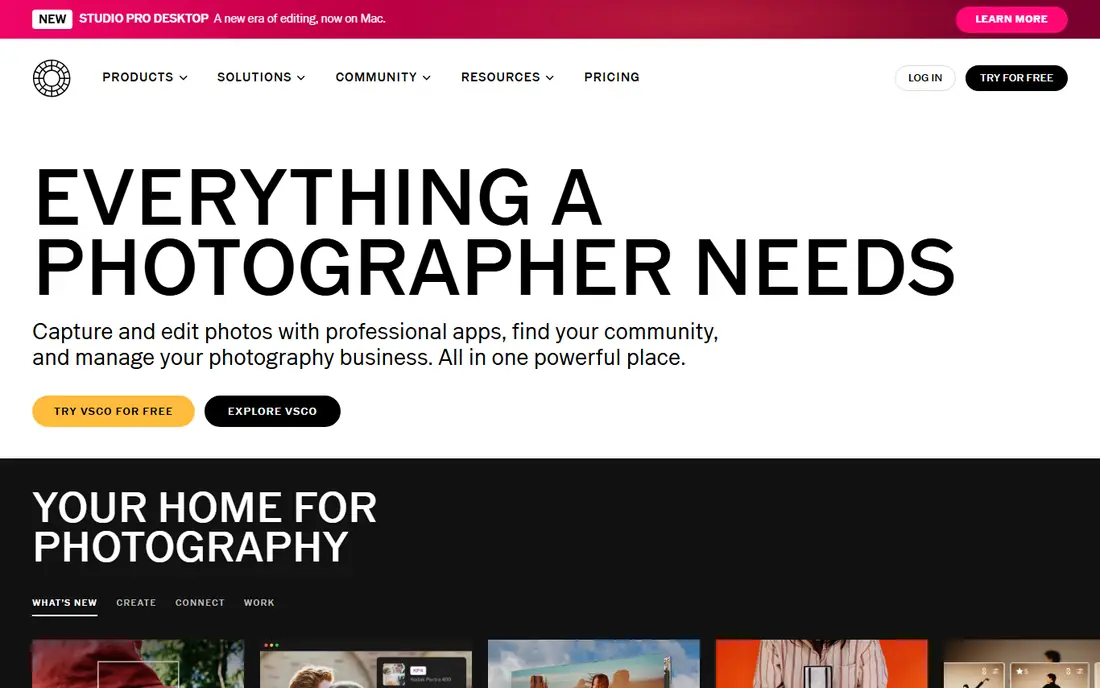
This option earns its place for one practical reason, and that reason shows up in daily use. VSCO fits photographers who want a film style look without building a color grade from scratch for every photo. Its presets give a photo a consistent tone, and editing tools let you adjust exposure, contrast, and color after applying a preset. Recipes save a preset plus edits, so a whole set of photos can share the same look with a few taps.
The catch is that the free tier covers only part of the preset library, and the tools that matter most for a film look often sit behind membership. Test the free presets on your own photos first, since a preset that suits portraits may not suit night street photos. If that limitation touches your daily work, keep it on the shortlist but check it in a trial first.
- Film style presets with a distinct look
- Editing tools for exposure, tone, and color
- Recipe saving for a consistent look
- Full preset library and advanced tools need a paid membership
- Free tier is limited
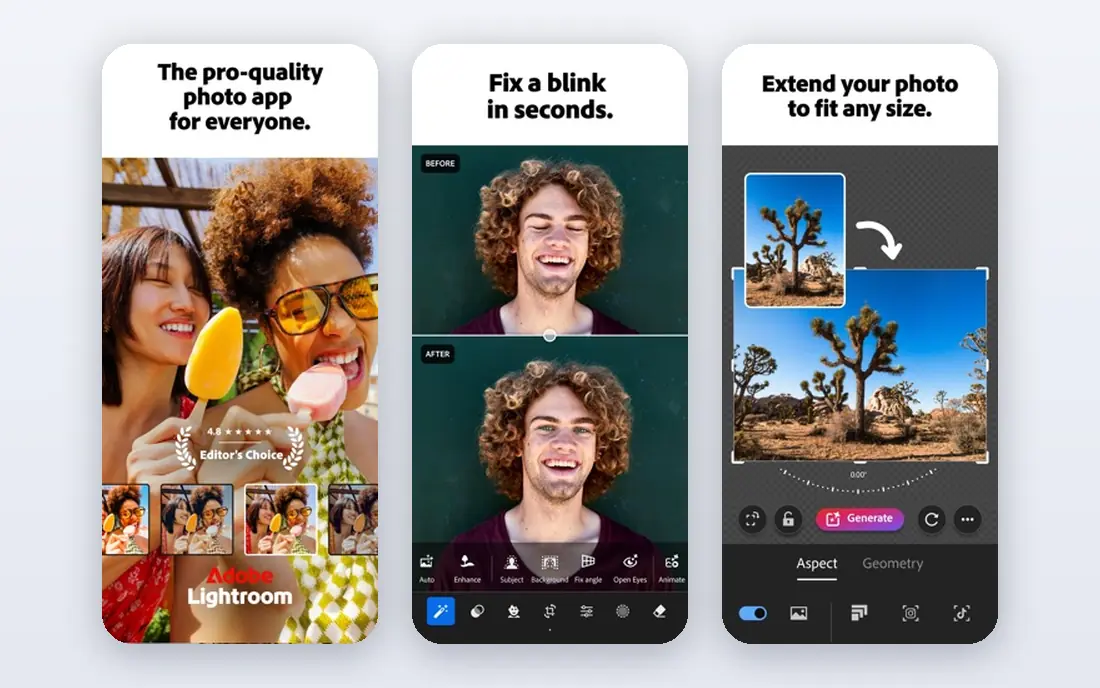
If the first choice on your shortlist feels too narrow, this one widens the picture in a useful way. Adobe Lightroom fits photographers who want full control over a photo, from RAW files to color grading, on a phone. Its non-destructive edits mean the original file stays untouched, and you can return to any edit later without starting over. Color grading wheels, selective brushes, and lens corrections give a level of control that preset only apps cannot match.
The catch is cost and learning time, since full mobile features need a paid Adobe plan, and the toolset takes practice to use well. If you already use Lightroom on desktop, the mobile app is a natural extension, and cloud sync keeps edits in step across devices. For the right buyer, the benefit outweighs the catch, and the catch is easy to spot early.
- RAW editing and non-destructive edits
- Color grading wheels and selective edits
- Sync across phone and desktop
- Full mobile features need a paid plan
- Learning curve is steeper than preset apps
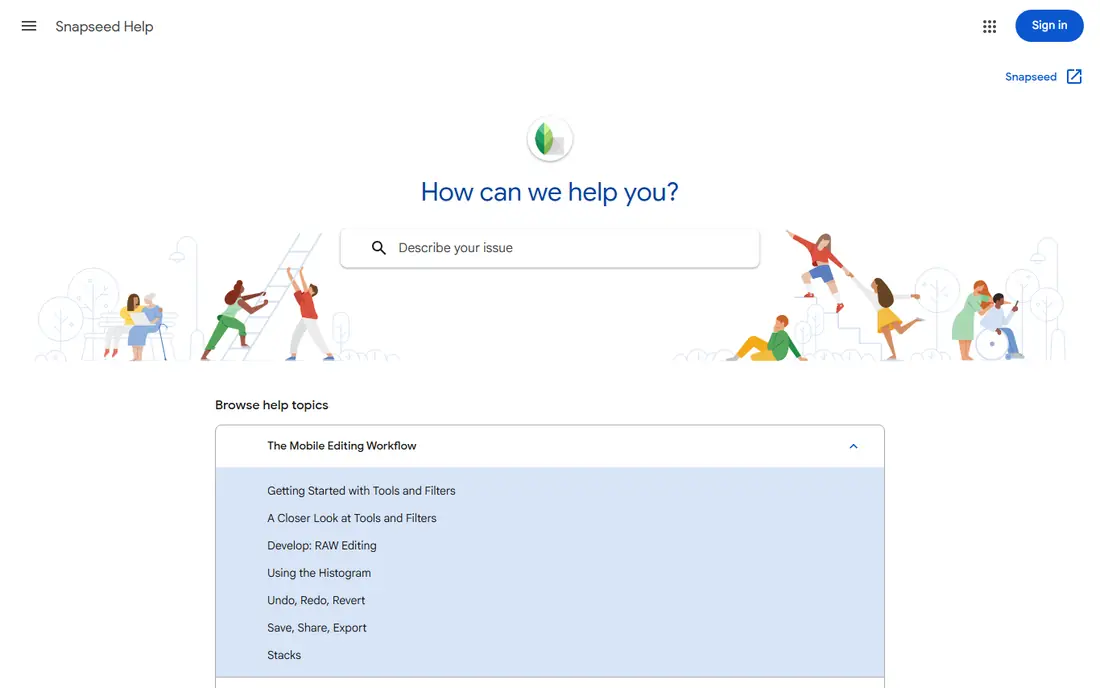
We put this here because it solves a specific problem well, even if it is not the cheapest route. Snapseed fits photographers who want strong editing tools without a subscription, and who do not need cloud sync. It offers selective adjustments, healing for removing distractions, perspective correction, and RAW editing, all free. Saved looks let you reuse an edit across a set of photos, which helps keep a social feed consistent.
The catch is that there is no paid tier to add cloud sync or a large preset store, and new features arrive more slowly than on subscription apps. For a free app, Snapseed is unusually complete, and it pairs well with a preset app if you want a specific film look as well. We would shortlist it, with the catch above as the first question to ask in a demo or trial.
- Completely free with no subscription
- Selective edits, healing, and perspective tools
- RAW DNG support and saved looks
- No cloud sync or preset store like paid rivals
- Development pace has been slower than subscription apps
A good test for this option is how it handles the work you do every week, not just setup day. Darkroom fits iPhone photographers who want a fast, modern editor that handles RAW files without a desktop app. Its curve tools, color controls, and batch editing help a photographer work through a shoot quickly on a phone. Video editing in the same app suits creators who shoot both photos and short clips for social posts.
The catch is platform, since Darkroom is iOS focused, so Android photographers need another pick from this list. iPhone users should test its RAW workflow on a real shoot, since speed is its main advantage over heavier desktop style apps. That trade is worth it for buyers who value that strength more than a lower starting price.
- Fast RAW editing on iPhone
- Curve tools and color controls
- Photo and video editing in one app
- IOS focused, so Android users are left out
- Some advanced features need a paid plan
This one stands out when you compare what is included at the starting price with what costs extra. Polarr fits editors who like layers and masks, and want to build a custom filter rather than use a preset as is. It lets you stack adjustments, paint masks, and blend layers, which gives more control than a single slider preset. Custom filters can be saved and reused, and batch editing helps apply a look to a whole set of photos.
The catch is complexity, since the layered interface can feel busy for a beginner who just wants a quick film look. Start with a simple filter, then add one mask at a time, so the learning curve stays manageable. If that limitation touches your daily work, keep it on the shortlist but check it in a trial first.
- Layered editing with masks and blending
- Custom filter creation
- Batch editing and desktop plus mobile apps
- Free tier limits some filters and batch features
- Interface can feel busy for beginners
For teams that want a clear change from what they use now, this is a strong place to start. Afterlight fits photographers who want a film look with texture, such as grain and light effects, in a quick edit. Its filters pair with grain, dust, and light leak overlays that give a digital photo a more analogue feel. Fusion filters let you combine two looks into one, which helps create a signature style without manual grading.
The catch is depth, since Afterlight is quicker and lighter than Lightroom, and RAW editing is not its main strength. For social photos and a consistent film feed, Afterlight is fast and fun, but keep Lightroom for serious RAW work. For the right buyer, the benefit outweighs the catch, and the catch is easy to spot early.
- Film style filters plus grain, dust, and light leak effects
- Fusion filters that combine looks
- Simple export options
- Some filter packs and tools need a paid plan
- Depth is thinner than Lightroom for RAW work
This option earns its place for one practical reason, and that reason shows up in daily use. Dehancer fits photographers and filmmakers who want film emulation that goes beyond a simple color preset. Its film profiles model grain, halation, and bloom, which are the details that make a film look feel real rather than filtered. Photo and video support in the same toolset suits creators who want a matched look across stills and moving images.
The catch is that the toolset is deeper and pricier than a phone preset app, and good results need careful tuning. Test it on a few photos at different exposures first, since film emulation reacts strongly to how a photo was exposed. We would shortlist it, with the catch above as the first question to ask in a demo or trial.
- Detailed film emulation profiles
- Grain, halation, and bloom controls
- Photo and video support
- Price and learning curve sit above simple preset apps
- Best results need careful tuning
If the first choice on your shortlist feels too narrow, this one widens the picture in a useful way. RNI Films fits photographers who want presets based on real film stocks, with a simple workflow and no grading puzzle. Its presets aim to reproduce the tone and color of known film stocks, rather than inventing a generic vintage look. A simple preset workflow keeps editing fast, and desktop tools let you use the same looks beyond a phone.
The catch is that RNI is preset first, so photographers who want deep selective edits will still need another editor alongside it. Pair RNI with Snapseed or Lightroom, using RNI for the film look and the other app for selective fixes. That trade is worth it for buyers who value that strength more than a lower starting price.
- Film stock presets based on real film looks
- Mobile app plus desktop tools
- Clean, simple preset workflow
- Preset packs can cost extra
- Editing tools are lighter than full editors
We put this here because it solves a specific problem well, even if it is not the cheapest route. Tezza fits creators who want a cohesive, editorial look across photos and short videos for a social feed. Its presets and video filters share a style, so a photo set and a reel can look like they belong together. Templates and collage tools help a creator post a polished set without opening a desktop design app.
The catch is focus, since Tezza leans toward social and editorial styles, not deep RAW photography or print work. If your main output is a social feed, Tezza is a fast route to a consistent look, and a trial will show whether its presets suit your photos. If that limitation touches your daily work, keep it on the shortlist but check it in a trial first.
- Editorial presets and filters for photos and video
- Templates and collage tools
- Simple mobile workflow
- Style leans editorial and social, so it suits feeds more than RAW photography
- Full library needs a paid plan
How we picked these
We checked each vendor's own product pages and app store listings, and we kept only apps that exist and work today for photo editing with a film or cinematic look. We compared preset libraries, RAW support, color grading tools, grain and film effects, and free tier limits.
We did not claim hands-on testing. We compared official feature descriptions and published pricing. Where a price could not be firmly verified, we wrote See website, and readers should confirm the plan price in the app store before paying.
How to get a cinematic look without overdoing it
Start with exposure and white balance before any preset. A preset applied to an overexposed photo will blow out highlights, and a preset applied to a badly balanced photo will push skin tones in the wrong direction. Fix exposure, set white balance for the mood you want, then apply a preset at less than full strength and judge the result on a phone screen and on a larger screen.
Next, keep grain and vignette subtle. A little grain adds texture and hides noise, but heavy grain plus a strong vignette quickly looks like a filter rather than a film look. Apply grain last, at a level you can barely see at normal viewing size, and keep the vignette gentle so the edges do not darken too much.
Finally, keep a set consistent. Save the preset plus your edits as a recipe or look, and reuse it across a shoot with small tweaks for exposure. Consistency is what makes a set feel cinematic, while a different preset on every photo makes a feed feel random. If a photo needs a very different edit to look right, it may belong in a different set.
Frequently asked questions
What makes a photo look cinematic?
Tone, color, and light matter most. Deep but detailed shadows, gentle highlights, a consistent color cast, and a touch of grain give a photo a film feel. A single filter alone rarely achieves that, since exposure and white balance need to be right first.
Is a preset app enough for cinematic editing?
For social photos, yes. VSCO, Afterlight, RNI Films, and Tezza give a strong film look quickly. For RAW files, print work, or precise color grading, Lightroom, Darkroom, or Polarr give more control, and you can still finish with a preset.
Which cinematic editing app is free?
Snapseed is fully free, with selective edits, healing, perspective tools, and RAW support, and no subscription. Most other apps here offer a free tier, but their full preset libraries and advanced tools need a paid plan.
Do I need RAW files for a cinematic look?
No, but RAW helps. RAW files hold more highlight and shadow detail, which gives color grading more room to work. Phone JPEGs can still look cinematic with a good preset, as long as exposure and white balance are close before editing.
Should I use one app or two?
Many photographers use two. A preset app sets the film look, while a full editor handles selective fixes, perspective, and RAW work. That split keeps editing fast and gives you control where it matters, without learning every tool in one app.
Sources
See where you really rank - block by block
ProMapRanker scans Google Maps across a grid of your service area. Simple monthly plans from $19, white-label on every plan.
Start freeKeep reading
 zoho inventory alternatives
6 Alternatives to Zoho Inventory, Compared on Price and Fit
Zoho Inventory alternatives: 6 tools compared on price, free plans and fit. Katana leads the list for manufacturers. Fit and flaws are laid out for each entry.
Read → zoho crm alternatives
Best Zoho CRM Alternatives (2026)
Need Zoho CRM alternatives? We compare 7 tools on cost, free access and who each suits. Every pick gets a straight assessment. Built for quick decisions.
Read → zelle alternatives
Best Zelle Alternatives in 2026
Compare the best Zelle alternatives for sending money to friends, paying sellers and moving funds abroad, with honest notes on fees, speed and safety in 2026.
Read →