 ProMapRanker
Best Application Modernization Tools in 2026

Moving servers to AWS · Pricing starts at: Free trial
Key takeaways
- The best application modernization software depends on the job: assessment, lift and shift, refactoring, or a low-code rebuild are different purchases.
- AWS Application Migration Service and Azure Migrate suit teams moving servers to one cloud, while CAST Highlight suits teams deciding what to modernize first.
- OpenRewrite suits teams that need repeatable, automated code changes across many repositories, but it still needs engineers to review results.
- Low-code platforms such as Appian and OutSystems suit rebuilding a business process, not migrating a mainframe unchanged.
- Our pick for most teams starting out is CAST Highlight for assessment, paired with the migration service of the cloud they actually plan to use.
Quick comparison
| Pick | Great for | Pricing starts at | Free tier | |
|---|---|---|---|---|
| AWS Application Migration Service | Moving servers to AWS | Free trial | Free trial | Visit |
 Azure Migrate | Moving servers to Azure | See website | No | Visit |
 Google Cloud Migration Center | Planning a Google Cloud move | See website | No | Visit |
 CAST Highlight | Portfolio assessment | See website | No | Visit |
 OpenRewrite | Automated code changes | Free | Yes | Visit |
 Appian | Low-code rebuilds | See website | No | Visit |
 OutSystems | Low-code enterprise apps | See website | No | Visit |
 vFunction | Refactoring monoliths | See website | No | Visit |
 Rocket Software Enterprise | Mainframe replatforming | See website | No | Visit |
 Catio | Architecture planning | See website | No | Visit |
The best application modernization tools
Application modernization means updating old software so it runs well, changes safely, and costs less to maintain. That can mean moving a server to the cloud, rewriting part of the code, breaking a monolith into services, or rebuilding a process on a low-code platform. The tools below cover those jobs, and the buying guide helps you match a tool to the job you actually have.
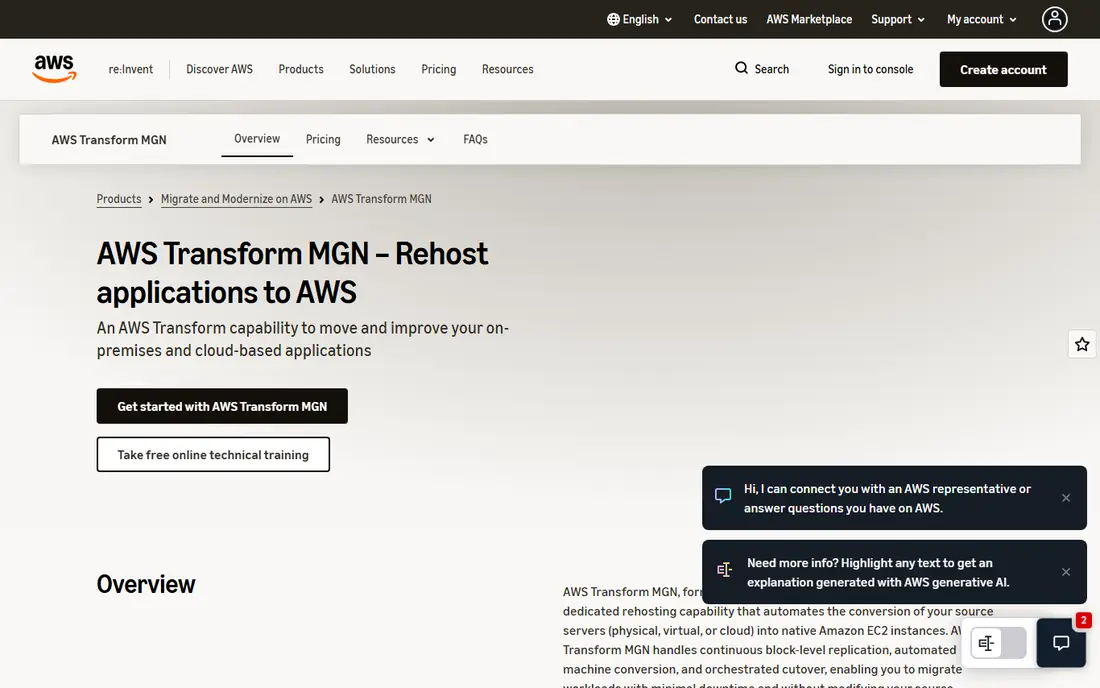
AWS Application Migration Service, known as AWS MGN, moves physical, virtual, and other-cloud servers into AWS with continuous replication and automated cutover. Teams can test a launch before switching over, which lowers the risk of a weekend migration going wrong, and replatforming into containers or App Runner is available for supported workloads. Replication is free for an initial period per source server, which helps teams plan a migration without paying for the replication itself at the start.
The catch is destination lock-in and scope. AWS MGN is built to land workloads in AWS, and it starts from rehosting rather than deep refactoring, so an application that needs code changes will need another tool beside it. Destination EC2, storage, and replication infrastructure are billed separately. For teams committed to AWS that need to move servers reliably, MGN is the obvious first tool.
- Continuous block-level replication to AWS
- Automated cutover and test launches
- Free replication period per source server
- AWS-only destination
- Rehost-first by design
- Destination compute and storage are billed separately
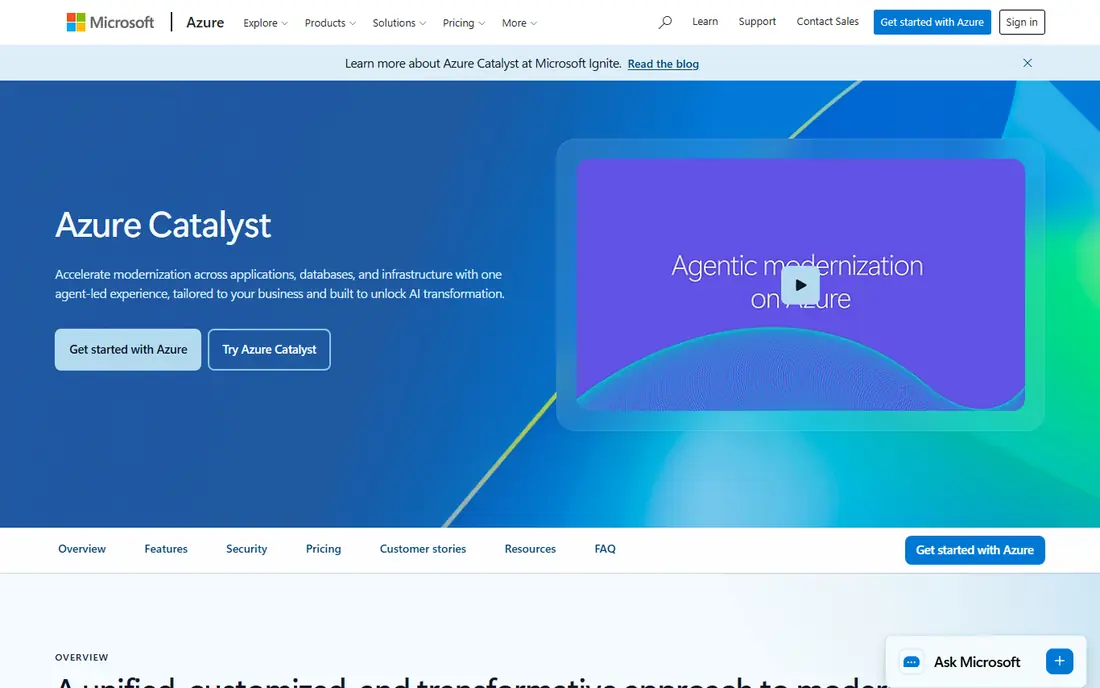
Azure Migrate is Microsoft's hub for discovering, assessing, and migrating on-premises servers, databases, and applications to Azure. It helps teams inventory what they run, estimate Azure costs, check readiness, and then move supported workloads with Microsoft tooling. For organizations already standardized on Microsoft products, including Active Directory and SQL Server, that fit is a real advantage.
The honest limit is destination and complexity. Azure Migrate lands workloads in Azure, so teams planning a multi-cloud future should not treat it as neutral, and a messy estate with undocumented dependencies still needs careful planning before any move. Pricing depends on the Azure services used and any partner help. For Microsoft-centric teams moving to Azure, it is the natural starting point.
- Discovery and assessment for on-premises estates
- Migration tooling for servers, databases, and apps
- Fits Microsoft-centric teams
- Azure-only destination
- Assessment depth varies by workload
- Complex estates still need planning help
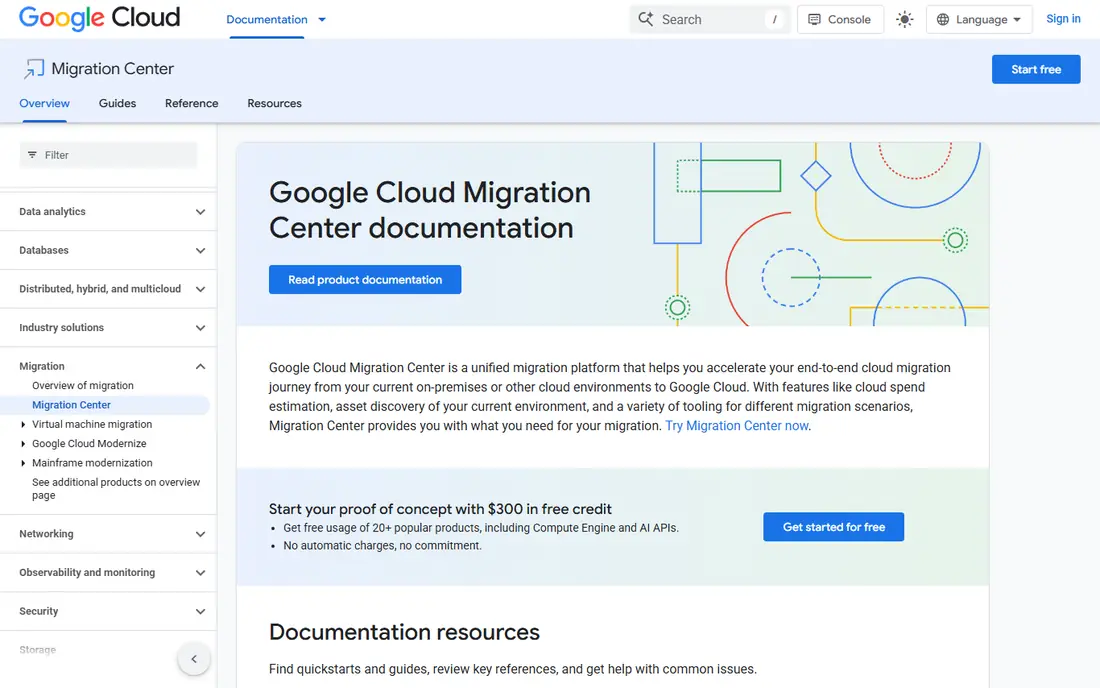
Google Cloud Migration Center helps teams discover their existing assets, estimate the total cost of running them on Google Cloud, and plan a migration from one console. That planning view matters, since many migrations fail on cost surprises or missed dependencies rather than on the move itself. Teams can assess servers, databases, and applications before committing to a cutover plan.
The catch is that Migration Center is strongest at discovery and planning, while execution for some workload types needs additional Google or partner tooling. It also assumes a Google Cloud destination, so it is not a neutral comparison tool. For teams that have chosen Google Cloud and need a clear, costed plan before moving, Migration Center is a sensible first step.
- Asset discovery and total cost estimation
- Migration planning in one console
- Fits Google Cloud-bound teams
- Google Cloud destination focus
- Migration execution needs additional tooling
- Complex estates need expert review
CAST Highlight analyzes application portfolios and scores them for software risk, complexity, technical debt, and cloud readiness, so leaders can decide which applications to retire, rehost, refactor, or rebuild. That prioritization is the hardest part of a large program, since teams often modernize the loudest application first rather than the one with the best return. Highlight gives that decision a factual base instead of an opinion.
The honest limit is that Highlight tells you what to do, not how to do it: it does not migrate code itself, so teams still need a migration or refactoring tool for execution. Pricing is quote-based. For organizations with dozens or hundreds of applications and no clear order, CAST Highlight is the best place to start before spending on migration work.
- Portfolio-level insight into risk, complexity, and cloud readiness
- Helps prioritize what to modernize first
- Objective code analysis
- Assessment only, not a migration engine
- Pricing is quote-based
- Value needs a portfolio large enough to prioritize
OpenRewrite is an open source tool that applies automated refactoring recipes across codebases, such as upgrading a framework version, migrating an API, or fixing a widespread pattern in many repositories at once. For teams facing a framework upgrade across dozens of services, that repeatability is the point: one tested recipe, applied consistently, beats dozens of hand edits. It is free and open source, which makes a trial cheap.
The catch is review. Automated changes still need tests and human review, especially for business logic, and a recipe that works on one repository may need adjustment on another. OpenRewrite is a tool for engineers, not a managed migration service, so teams without engineering capacity should pair it with a partner. For engineering teams with a repeatable change to make at scale, it is one of the most useful tools in this list.
- Open source and free
- Applies repeatable recipes across many repositories
- Strong for framework upgrades and migrations
- Needs engineering skill to run safely
- Recipes must be tested per codebase
- Not a full migration service
Appian is a low-code platform for building business applications and automating processes, and it suits modernization projects where the goal is to rebuild a workflow rather than move old code unchanged. Teams can model a process, build forms and integrations visually, and deploy an application far faster than with hand coding, while keeping enterprise controls for security and governance. That speed matters for processes trapped in spreadsheets, email, and legacy screens.
The honest limit is that Appian is a rebuild platform, not a migration engine: it does not lift an old application into the cloud unchanged, and teams must rethink the process to use it well. Pricing is quote-based, and new teams need time to learn the platform. For organizations modernizing a business process rather than a codebase, Appian is a strong choice.
- Low-code process and application building
- Strong workflow and case management
- Enterprise governance and deployment
- Pricing is quote-based
- Rebuild, not lift and shift
- Learning the platform takes time for new teams
OutSystems is a low-code platform for building enterprise web and mobile applications visually, with integrations to existing systems, managed deployment, and lifecycle management. It suits teams that need to replace a legacy application with a modern one that works on web and mobile, integrates with core systems, and can be changed quickly as needs shift. The platform also supports professional developers extending applications with code where needed.
The trade-off is commitment. Adopting OutSystems is a platform decision, not a one-off migration, and pricing is quote-based, so teams should trial it on a real application before committing a portfolio. It also does not move an old application unchanged. For enterprises rebuilding customer or employee applications on a low-code platform, OutSystems is a leading option.
- Visual low-code development for web and mobile
- Strong enterprise integrations
- Managed deployment and lifecycle tools
- Pricing is quote-based
- Platform commitment is significant
- Not suited to lift-and-shift migration
vFunction is a modernization platform that analyzes a monolithic application, identifies where service boundaries should sit, and helps engineers extract services step by step. Breaking a monolith is risky when done by guesswork, since hidden dependencies surface late, and vFunction aims to replace that guesswork with measured coupling and flow data. Teams can then refactor in slices, testing each one, rather than rewriting the whole application at once.
The catch is that the tool still needs engineers: it guides and automates parts of the work, but it does not refactor an application on its own, and coverage is strongest for the languages and stacks it supports best. Pricing is quote-based. For teams with a large monolith that must become services without a big-bang rewrite, vFunction is worth evaluating closely.
- Analyzes monoliths to find service boundaries
- Automates extraction steps
- Helps teams move to microservices safely
- Pricing is quote-based
- Needs engineering teams to act on findings
- Best for Java and .NET monoliths in current coverage
Rocket Software Enterprise, formerly part of Micro Focus, lets organizations run mainframe applications on Windows, Linux, or Unix platforms with minimal code change, including COBOL workloads. That replatforming approach suits teams that need to leave proprietary mainframe hardware or reduce mainframe costs without rewriting decades of business logic. Hybrid options let teams keep parts of the estate where they are while moving the rest.
The honest limit is scope. Replatforming preserves the application largely as it is, so teams that want a modern architecture or a rewrite still need other work afterward, and specialist mainframe skills remain important. Pricing is quote-based and enterprise-sized. For mainframe estates that need a lower-cost platform without a rewrite, Rocket Enterprise is a proven route.
- Runs mainframe workloads on distributed platforms with minimal change
- Strong COBOL support
- Hybrid cloud options
- Enterprise pricing is quote-based
- Specialist skills still needed
- Not a rewrite or refactoring tool
Catio builds a live view of an existing architecture from cloud providers, code repositories, observability systems, and delivery pipelines, then generates modernization pathways with cost, business value, and risk forecasts. Teams can ask architecture questions in plain language and simulate cost and performance before committing to a plan. That planning clarity helps multi-team programs agree on order and scope before migration work starts.
The catch, stated plainly by the vendor itself, is that Catio is not a code translator, refactoring engine, or cloud migration tool: it tells teams what to do, in what order, and with what risk, and execution still needs another tool. Pricing is quote-based. For complex programs where the plan itself is the bottleneck, Catio is a useful addition beside an execution tool.
- Live architecture view from cloud, code, and observability data
- Modernization pathways with cost and risk forecasts
- AI help for architecture questions
- Planning tool, not a code translator or migration engine
- Pricing is quote-based
- Newer vendor than the largest platforms
How we picked these
We compared official product pages, pricing routes, and public documentation for application modernization tools and services active in October 2026. We favored tools with a clear job, a current product, and a stated pricing route, and we kept a mix of assessment, migration, refactoring, mainframe, and low-code options because no single tool covers every modernization job. We left out general consulting firms with no named tool, and we noted where a listed item is a planning tool rather than an execution tool.
How to choose a modernization tool for your actual job
Start by naming the job in one sentence. If the sentence is "move these servers to a cloud," use the migration service of that cloud: AWS MGN, Azure Migrate, or Google Cloud Migration Center. If the sentence is "decide which of our 80 applications to modernize first," start with CAST Highlight or Catio. If the sentence is "upgrade this framework everywhere," use OpenRewrite. If the sentence is "rebuild this process properly," use Appian or OutSystems. A tool bought for the wrong job will disappoint even when it is a good product.
Next, prove the plan on one application before committing a portfolio. Pick a representative, non-critical application, run the assessment or migration, and measure time, cost, and defects honestly. That pilot reveals dependency surprises, skill gaps, and cost assumptions while they are still cheap to fix. Only after a clean pilot should a team scale to the next group of applications, with the same tests and rollback plan each time.
Frequently asked questions
What are the best application modernization services?
The best service depends on the job: cloud vendors provide migration services for their own clouds, specialist firms provide refactoring and mainframe services, and low-code vendors provide rebuild platforms. This list focuses on named tools with a clear product, since a service without a tool is hard to compare fairly. For a large or mainframe program, pair a tool from this list with a delivery partner that has done the same migration before.
What is the best application modernization software for assessment?
CAST Highlight is our pick for portfolio assessment, because it scores risk, complexity, and cloud readiness across many applications and gives leaders a defensible order. Catio suits teams that want a live architecture view with cost and risk forecasts for each pathway. Use assessment before migration spending, since modernizing the wrong application first wastes the budget a good plan would have saved.
Can AI modernize an application automatically?
AI can automate supported changes, assist with analysis, and speed up code conversion, but engineers still need to review results and validate business behavior. The amount of manual work depends on the application, its tests, and the transformation involved. Treat AI as an accelerator with human review, not as a hands-off rewrite, and keep the old system available as a rollback until the new one is proven.
Are migration tools enough to modernize legacy software?
They may be enough to solve an immediate hosting problem, such as leaving an old data center. If the application uses unsupported dependencies, has tangled code, or is hard to change, those problems need separate work with a refactoring or rebuild tool. Match the tool to the problem: migration moves the application, refactoring improves the code, and a rebuild replaces the process.
Do we need automated tests before starting modernization?
You can start discovery without them, but before changing critical behavior, establish a way to check it. That may mean adding tests, comparing old and new outputs side by side, or combining automated checks with review by people who know the business rules. Teams that skip this step often discover a behavior change only after users report it, when fixing it costs far more.
Sources
- https://aws.amazon.com/application-migration-service
- https://azure.microsoft.com/en-us/products/azure-migrate
- https://cloud.google.com/migration-center
- https://www.castsoftware.com
- https://docs.openrewrite.org
- https://appian.com
- https://www.outsystems.com
- https://vfunction.com
- https://www.rocketsoftware.com
- https://www.catio.tech
See where you really rank - block by block
ProMapRanker scans Google Maps across a grid of your service area. Simple monthly plans from $19, white-label on every plan.
Start freeKeep reading
 zscaler alternatives
Best Zscaler Alternatives in 2026
Looking for zscaler alternatives? We compare 9 SASE and zero trust platforms on architecture, data protection, pricing, and fit for your network and team.
Read → zapier alternatives free
Best Zapier Alternatives Free in 2026
Nine automation tools for zapier alternatives free in 2026, all with genuinely free tiers, plus free plan limits, starting prices and upgrade paths explained.
Read → which platform is best for online reputation
Which Platform Is Best for Online Reputation in 2026
Wondering which platform is best for online reputation? We compare 8 review, listing, and response tools for small and multi-location businesses and agencies.
Read →