 ProMapRanker
Best Application Dependency Mapping Tools in 2026

Key takeaways
- The best application dependency mapping tool depends on whether you need a CMDB, a migration map, or live service topology inside an observability platform.
- Device42 and Virima are strong picks when you need discovery plus a CMDB that stays current, while Faddom is the fastest agentless start for migration scoping.
- ServiceNow ITOM fits teams already running ServiceNow, because service maps feed directly into incident and change work.
- Dynatrace and Datadog suit cloud-native teams that want dependency maps as part of wider monitoring, not as a standalone CMDB.
- Most enterprise tools here price by quote or by usage, so treat any public starting figure as a guide and get a scoped quote for your estate size.
Quick comparison
| Pick | Great for | Pricing starts at | Free tier | |
|---|---|---|---|---|
 Device42 | Hybrid IT discovery with a CMDB | See website | Free trial | Visit |
 Virima | Service mapping with a CMDB | See website | Free trial | Visit |
 ServiceNow ITOM | ServiceNow-native service mapping | See website | Free trial | Visit |
 Faddom | Fast agentless migration mapping | See website | Free trial | Visit |
 Dynatrace | Cloud-native service topology | See website | Free trial | Visit |
 BMC Helix Discovery | Large enterprise discovery | See website | Free trial | Visit |
 SolarWinds Service Mapping | On-premises teams with monitoring | See website | Free trial | Visit |
 ManageEngine Applications Manager | Smaller teams with app monitoring | See website | Free trial | Visit |
 Datadog | Cloud service maps inside observability | See website | Free trial | Visit |
The best application dependency mapping tools
Application dependency mapping shows how applications, servers, databases, APIs, and cloud services connect, so teams can plan changes and migrations without guessing. We compared discovery methods, CMDB depth, integrations, and pricing models, using vendor pages and current comparison guides.
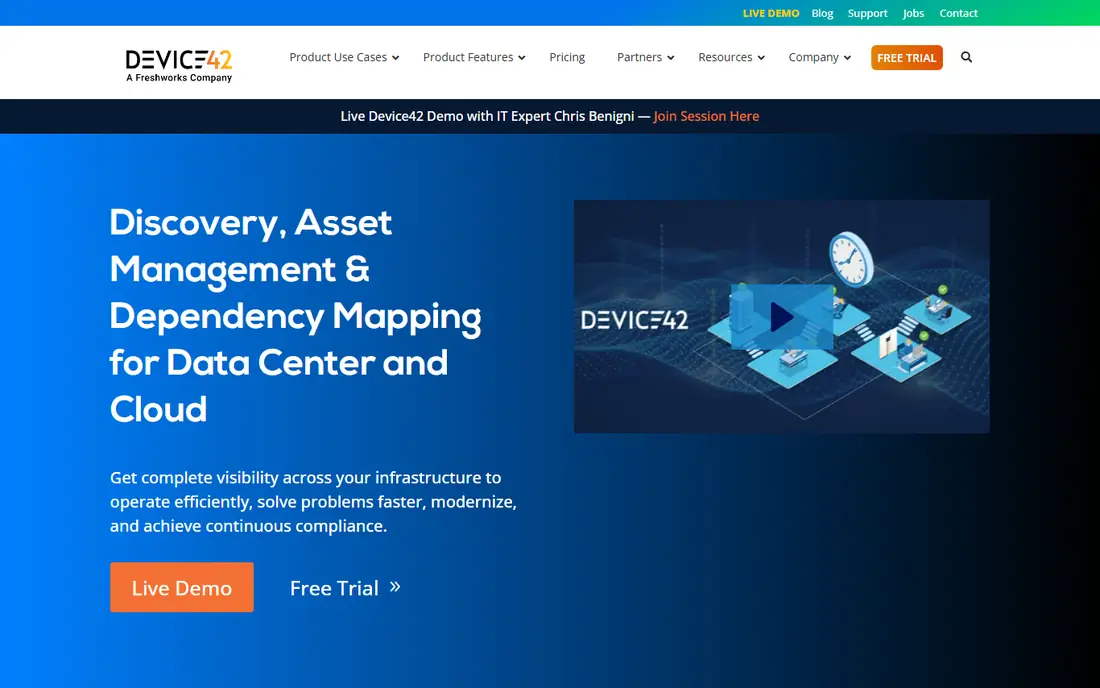
Device42 is a strong pick for hybrid IT teams that need a map they can trust for migrations. It discovers infrastructure and applications without agents in many cases, then groups workloads by application affinity, so you see which servers and services belong together, not just a flat inventory list.
The built-in CMDB is the key difference from pure mapping tools. Discovery feeds the CMDB directly, which helps teams keep asset and relationship data current without manual updates. Integrations with ServiceNow, Jira, and Freshservice also help feed that data into ITSM work.
The catch is complexity. Device42 covers a lot, and new teams need time to learn its data model and reporting. Large estates can also slow some reports, so plan a proof of concept on a real subset of your estate before you commit.
- Agentless discovery across data centres and cloud
- Built-in CMDB
- Application grouping by affinity
- Learning curve is steep for new teams
- Large estates can slow reporting
Virima pairs discovery with a CMDB and a visual service mapping layer called ViVID. That combination suits teams that want to trace a failure from a business service down to the servers and applications behind it, with live overlays for incidents, changes, and vulnerabilities.
Agentless scanning covers on-premises, cloud, and remote devices, with an optional agent for deeper inventory on Windows, macOS, and Linux. Health scoring and conflict handling help keep CMDB data cleaner as discovery runs over time.
The limit is that service definitions are not fully automatic. Teams still need to define what counts as a service in their organisation, which takes planning. If you want a map in an hour with no service modelling, Faddom may fit better for a first pass.
- Discovery-sourced CMDB
- Visual service maps with incident overlays
- Integrations with ServiceNow and Jira
- Service definitions still need manual input in places
- Full platform adoption takes time
ServiceNow ITOM, including Service Mapping, is the natural pick for teams already running ServiceNow ITSM. Service maps feed directly into incident triage, change impact checks, and problem work, because the same CMDB powers the rest of the platform. That link is hard to match with a standalone tool.
Discovery uses a mix of agent and agentless methods, and maps can show application services, infrastructure, and cloud resources in one view. For large organisations with mature ITSM processes, that depth pays off over time.
The drawbacks are cost and complexity. Licensing is enterprise-grade, modules are priced separately in many cases, and implementation needs skilled staff or a partner. Smaller teams, or teams without ServiceNow already, will find cheaper and faster options on this list.
- Native CMDB and ITSM integration
- Service maps feed incident and change work
- Broad enterprise coverage
- Enterprise licensing costs are high
- Implementation is complex and module pricing adds up
Faddom is built for speed. It maps servers, applications, cloud resources, and traffic flows without agents, credentials, or firewall changes in many deployments, and vendor material says mapping can start within about an hour. That makes it a strong first tool for cloud migration scoping, where you need a credible map fast.
The map stays live because it watches traffic, not just a one-time scan. That helps teams spot dependencies that only appear under real load, which static diagrams often miss. Integrations with ServiceNow and Jira Service Management help pass maps into ITSM work.
The trade-off is depth. Faddom is lighter on CMDB features and vulnerability overlays than Device42 or Virima. Treat it as a fast, accurate mapping layer, and pair it with a CMDB if you need long-term asset governance.
- Agentless discovery with no credentials or installs in many cases
- Maps within about an hour
- Continuous traffic-based updates
- CMDB depth is lighter than Device42 or Virima
- Fewer vulnerability overlays
Dynatrace is an observability platform first, and its dependency view comes from live traces and automatic discovery. For cloud-native teams running microservices and Kubernetes, that live topology is often more useful than a static CMDB map, because it shows real call paths and failures as they happen.
Service maps sit alongside metrics, logs, and traces, so teams can move from a dependency view to code-level diagnostics without switching tools. OpenTelemetry support also helps teams that already standardise on open instrumentation.
The limits are scope and cost. Dynatrace has no native CMDB, so teams that need asset governance still need another system. Usage-based pricing, by host or memory, can also grow quickly in large estates, so model costs on your real footprint before you buy.
- Automatic discovery of services and topology
- Code-level diagnostics
- Strong Kubernetes support
- No native CMDB
- Usage-based pricing can grow quickly
- Breadth takes time to learn
BMC Helix Discovery suits large enterprises with complex estates, including mainframe and cloud resources. It discovers applications and infrastructure without agents in many cases, and syncs with a CMDB, so dependency data can feed ITSM, change, and compliance work.
The breadth is the point. Teams with decades of legacy systems plus new cloud services need a tool that covers both, and BMC has long focused on that enterprise range. Integration with BMC Helix ITSM keeps discovery and service management in one vendor stack.
The drawbacks are cost and complexity, as with ServiceNow. Pricing is enterprise-grade, the interface takes learning, and deployments benefit from experienced staff. Smaller estates will find faster, cheaper mapping elsewhere.
- Agentless discovery across mainframe to cloud
- CMDB sync with BMC Helix ITSM
- Broad enterprise coverage
- High enterprise cost
- Interface is complex
- Large deployments need skilled staff
SolarWinds suits teams that already monitor applications and servers on premises and want a dependency view inside that same platform. Its Server and Application Monitor includes service mapping features that show how applications depend on servers, databases, and network resources.
That link to monitoring helps during incidents. Teams can see a dependency map and performance data together, rather than jumping between a mapping tool and a monitoring console. For Windows-heavy estates, that fit is practical.
The limits are cloud depth and CMDB scope. SolarWinds is strongest on premises, and it does not offer a native CMDB or the ITSM depth of ServiceNow or BMC. Cloud-native teams should look at Dynatrace or Datadog instead.
- Integrated performance monitoring
- Application and infrastructure views in one platform
- Familiar on-premises deployment
- On-premises focus limits cloud-native depth
- No native CMDB or full ITSM integration
ManageEngine Applications Manager
Great for: Smaller teams with app monitoring
ManageEngine Applications Manager is a practical pick for smaller teams that need monitoring plus a useful dependency view, without enterprise suite pricing. It covers a wide range of applications, servers, databases, and cloud resources, and shows how components connect during performance work.
The lower entry cost matters here. Teams that cannot justify ServiceNow or BMC pricing can still get application maps, alerts, and reports in one tool. That makes it a good step up from spreadsheets and manual diagrams.
The trade-off is depth. Specialist mapping tools offer richer CMDB, migration, and service modelling features. If dependency mapping is your main goal, rather than one part of monitoring, Device42, Virima, or Faddom will go further.
- Application performance monitoring with dependency views
- Lower entry cost than enterprise suites
- Broad application coverage
- Mapping depth is lighter than specialist tools
- Larger estates need careful planning
Datadog gives cloud teams a live service map built from distributed traces, APM data, and infrastructure monitoring. You can see which services call each other, where latency builds up, and which dependencies fail most often, all inside the same observability platform.
Container and cloud coverage is a strength, including Kubernetes, serverless, and major cloud providers. Teams that already use Datadog for monitoring get dependency mapping without adding another vendor, which simplifies contracts and data flow.
As with Dynatrace, there is no native CMDB, so asset governance still needs another system. Usage-based pricing also needs careful modelling, since traces, logs, and metrics can grow costs quickly. Test on a real service set before you roll it out widely.
- Live service maps from traces
- Strong cloud and container coverage
- Metrics, logs, and traces in one platform
- No native CMDB
- Usage-based pricing needs careful modelling
- Breadth takes time to learn
How we picked these
We compared vendor product pages, discovery methods, CMDB support, integrations, and pricing models for tools that map application dependencies in October 2026. We kept only tools that are live products with current vendor pages and that map real application relationships, not just network diagrams. We did not claim hands-on testing we did not do. Enterprise pricing is often by quote or usage, so where a vendor does not publish a firm starting price, we wrote See website rather than guessing.
What to check before you buy
Start with the question the map must answer. A migration team needs traffic-based dependencies and application groups. An incident team needs service models tied to a CMDB. A cloud team needs live topology from traces. Those are different tools, even though all three call their output a map.
Next, run a proof of concept on a real application, not a demo estate. Check whether discovery finds the database, queue, and third-party API you know exist, and whether the map updates when traffic changes. Also check CMDB sync, access controls, and how the tool handles credentials and agents in your network.
Finally, model total cost, including agents, data ingestion, and any ITSM or CMDB modules you need. A low headline price can grow quickly once usage, modules, and implementation time are included. Get a scoped quote in writing before you commit.
Frequently asked questions
What is the best application dependency mapping tool?
There is no single winner. Device42 and Virima suit CMDB-backed mapping, Faddom suits fast migration scoping, and Dynatrace and Datadog suit live cloud topology. Pick by the question your team needs the map to answer.
What is the best tool for dependency mapping in hybrid environments?
Device42 and Faddom both cover hybrid estates well. Device42 adds deeper CMDB and asset context, while Faddom offers faster agentless setup. If you already use ServiceNow, ServiceNow ITOM is also a strong hybrid option.
What is the best app dependency mapping tool for cloud migration?
Faddom is a strong first choice for migration scoping, because it maps traffic-based dependencies quickly without agents. Device42 is a good alternative when you also need a CMDB and application grouping for a longer migration programme.
What is the best application dependency mapping software for ServiceNow users?
ServiceNow ITOM Service Mapping is the natural fit, since it shares the ServiceNow CMDB and feeds incident and change work directly. Device42, Virima, and Faddom also integrate with ServiceNow if you prefer a specialist mapper.
Do I need a CMDB to use a dependency mapping tool?
No, but a CMDB helps over time. Mapping tools can show dependencies without one, while a CMDB keeps asset and relationship data current for change, incident, and audit work. If you only need a one-time migration map, a CMDB-free tool may be enough.
How much does dependency mapping software cost?
Most enterprise tools price by quote or usage, based on estate size, hosts, or data volume. Smaller monitoring-led tools publish lower entry prices. Get a scoped quote for your estate, and include implementation and any CMDB or ITSM modules in the total.
Sources
- https://www.device42.com
- https://www.virima.com
- https://www.servicenow.com
- https://www.faddom.com
- https://www.dynatrace.com
- https://www.bmc.com
- https://www.solarwinds.com
- https://www.manageengine.com
- https://www.datadoghq.com
- https://virima.com/blog/top-application-dependency-mapping-tools
- https://faddom.com/best-tools-for-mapping-application-dependencies-in-hybrid-environments/
See where you really rank - block by block
ProMapRanker scans Google Maps across a grid of your service area. Simple monthly plans from $19, white-label on every plan.
Start freeKeep reading
 zscaler alternatives
Best Zscaler Alternatives in 2026
Looking for zscaler alternatives? We compare 9 SASE and zero trust platforms on architecture, data protection, pricing, and fit for your network and team.
Read → zapier alternatives free
Best Zapier Alternatives Free in 2026
Nine automation tools for zapier alternatives free in 2026, all with genuinely free tiers, plus free plan limits, starting prices and upgrade paths explained.
Read → which platform is best for online reputation
Which Platform Is Best for Online Reputation in 2026
Wondering which platform is best for online reputation? We compare 8 review, listing, and response tools for small and multi-location businesses and agencies.
Read →