 ProMapRanker
Best Apparel Design Software in 2026

Key takeaways
- CLO 3D is the most widely used 3D garment tool for freelancers and small studios, with a published individual price and physics-based drape.
- Browzwear suits brands that need pattern-led 3D output across a supply chain, while Adobe Illustrator remains the standard for technical flats and tech packs.
- Pattern CAD tools such as TUKAcad and Optitex matter when graded patterns and markers, not just visuals, are the deliverable.
- Free tools such as Seamly2D are real options for learning and small runs, but they lack the 3D simulation and support of paid tools.
Quick comparison
| Pick | Great for | Pricing starts at | Free tier | |
|---|---|---|---|---|
 CLO 3D | 3D garment design and fit simulation | $50 per month | Free trial (30 days) | Visit |
 Browzwear | Pattern-led 3D for brands and teams | $75 per month | Free trial | Visit |
 Adobe Illustrator | Technical flats and tech-pack art | $22.99 per month | Free trial (7 days) | Visit |
 Marvelous Designer | 3D drape for characters and digital fashion | $39 per month | Free trial | Visit |
 Style3D | Approachable 3D garment design | See website | Free trial | Visit |
 TUKAcad | Affordable professional pattern CAD | $19 per month | Free trial | Visit |
 Optitex | Industrial pattern and 3D prototyping | See website | Free trial | Visit |
 Tailornova | Made-to-measure patterns for small brands | $29 per month | No | Visit |
 Seamly2D | Free open-source pattern drafting | Free | Yes | Visit |
The best apparel design software
Apparel design software covers several different jobs, and no single tool does all of them well. Some tools draw flats, some simulate drape, and some produce graded patterns a factory can cut. This guide sorts them by the job they actually do, so you can pick the right tool for your stage of production.
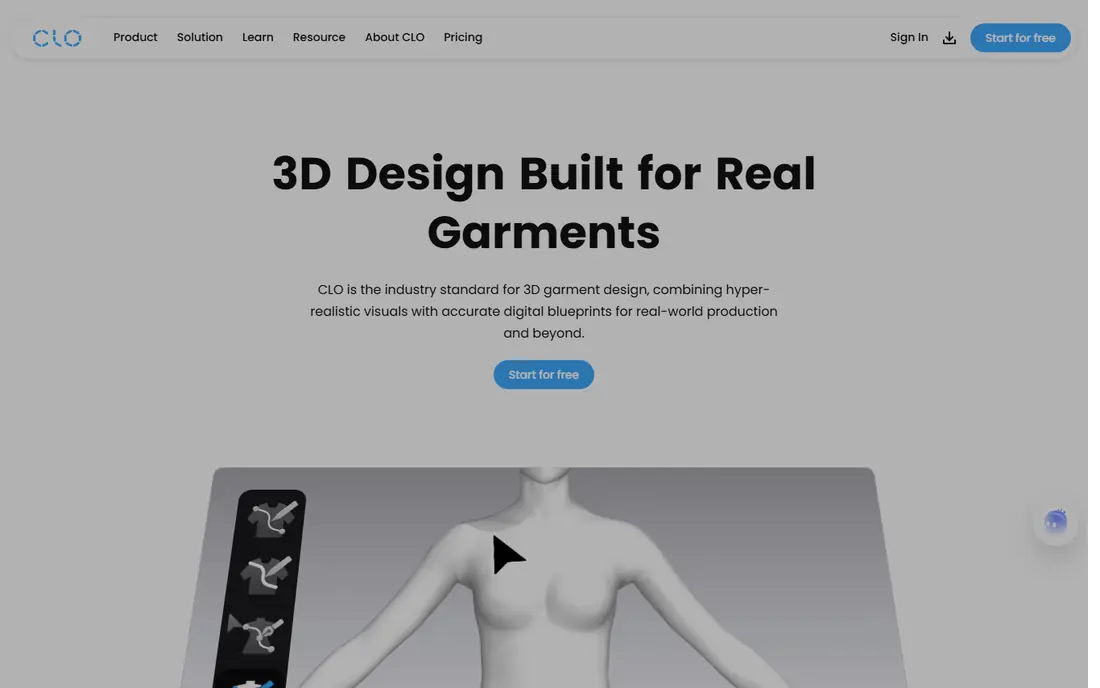
CLO 3D is the tool most freelance designers reach for when they need to see fit before cutting a sample. You draft a 2D pattern, place it on a 3D avatar, and watch how fabric drapes, stretches, and pulls. That loop catches fit problems early, which can cut the number of physical samples for simple styles.
The learning curve is real, and pattern knowledge still matters. CLO 3D will simulate a badly drafted pattern faithfully, so beginners should expect time spent on pattern basics as well as software skills. For freelancers and small studios, the published individual price makes budgeting simple, and the trial is long enough to test a real style.
- Physics-based fabric drape
- 2D pattern plus 3D simulation in one tool
- Large user community
- Needs a capable computer for large garments
- Enterprise pricing is by quote

Browzwear is built around the pattern, not just the visual. Its VStitcher tool keeps 2D patterns and 3D garments linked, so a pattern change updates the simulation, and its team tools help brands share collections and review styles in one place. That structure suits brands moving from sample to production with several people involved.
Smaller designers should read the plan limits carefully, since freelancer and team plans differ on features and style counts. Browzwear is a stronger fit for brands with repeat styles and factory partners than for a solo designer who only needs a quick visual. If your factory already works in Browzwear, that alone can settle the choice.
- Strong pattern-to-3D workflow
- Team and collection tools
- Trusted by larger brands
- Higher entry price
- Team plans carry style limits to check
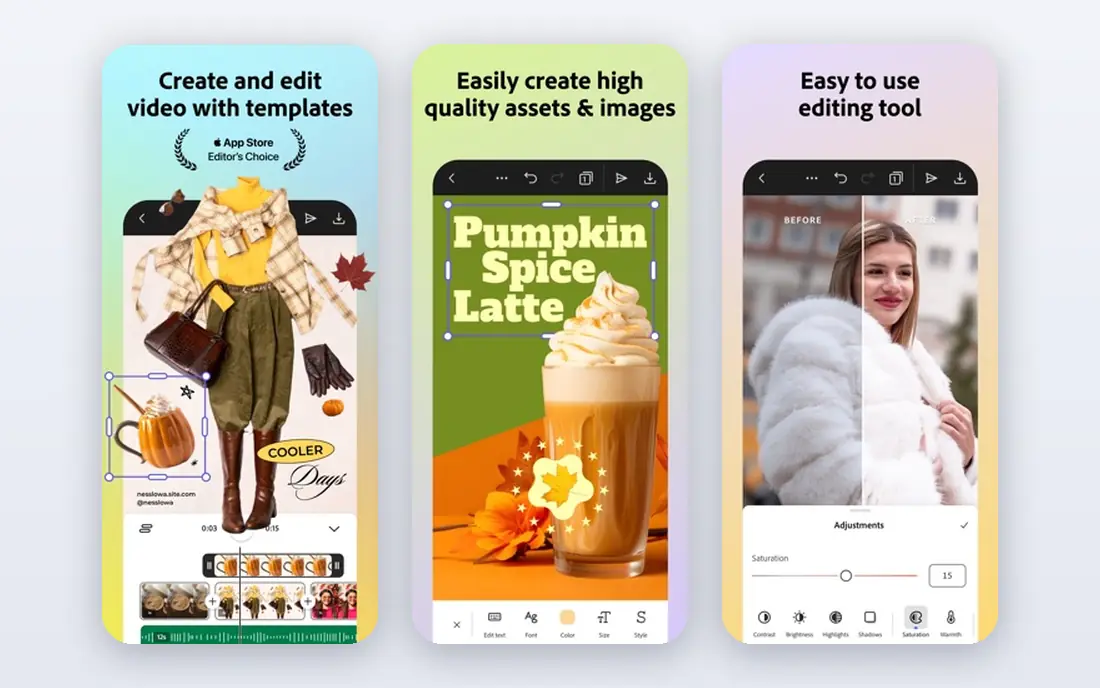
Adobe Illustrator remains the standard for technical flats, the clean front and back drawings factories use to understand a style. It is also the tool for print artwork, labels, and tech-pack diagrams, and its vector files are accepted across the industry. Most fashion designers learn it early, and most factories expect it.
Illustrator does not draft graded patterns or simulate drape, so it pairs with a 3D or pattern tool rather than replacing one. Its subscription cost is modest next to 3D tools, but the annual plan terms and cancellation fee deserve a read before you sign up. For flats and graphics, it is still the safest default.
- Industry-standard vector files
- Precise flats and print art
- Huge template and brush base
- Not a pattern CAD tool
- No true 3D drape
Marvelous Designer
Great for: 3D drape for characters and digital fashion
Marvelous Designer shares simulation technology with CLO 3D, but it aims at a different job. It is built for clothing on characters in games, film, and digital fashion, where the final file is a visual rather than a graded marker. Designers in those fields value its fast drape and detailed cloth behavior.
Fashion production teams should note the limit: Marvelous Designer is not the right tool for factory-ready grading and markers. If your work ends on screen, it is a strong and cheaper entry point than full production CAD. If your work ends in a factory, pair it with a pattern tool or choose CLO 3D or Browzwear instead.
- Excellent cloth simulation
- Strong for characters and digital garments
- Same simulation base as CLO 3D
- Not a factory marker tool
- Company pricing is by quote
Style3D positions itself as a more approachable route into 3D garment design, with simulation, review, and sharing in a connected workflow. Teams that found older 3D tools heavy can often get a first style simulated faster here, and cloud review helps buyers and factories comment without installing desktop software.
The main drawback is pricing transparency, since plans are quoted rather than published. Before committing, confirm which production exports are included in your plan and how your existing pattern files will import. Style3D is worth a trial for teams that want 3D without a steep setup, provided the quote fits the budget.
- Physics-based simulation
- Cloud review and sharing
- Easier entry point for new 3D users
- Pricing is by quote
- Production export details need confirmation
TUKAcad is the most affordable professional pattern option on this list, and that matters for small brands and freelance pattern makers. It covers drafting, grading, and marker-related pattern work at a monthly price far below enterprise CAD, and it is built for production rather than visuals alone.
The trade-off is that TUKAcad is a 2D pattern tool first. Its companion 3D product is separate, so a designer who wants simulation and pattern in one seat will need two products or a different tool. For pattern makers who already work in 2D and need accurate grading, it is a practical and low-risk starting point.
- Low monthly price for professional CAD
- Pattern drafting and grading
- Good small-brand fit
- Interface feels less modern than 3D-first tools
- 3D features sit in a separate product
Optitex is a professional pattern and 3D system used by brands that need accurate production patterns, not just attractive renders. It combines 2D pattern drafting with 3D prototyping, so a pattern team can check fit and construction before cutting samples. Its long history in apparel manufacturing means factories are more likely to accept its files.
Solo designers will find it heavy and costly, since pricing is by quote and setup takes time. It fits established brands with pattern teams and regular production runs, where accuracy and factory compatibility outweigh a quick visual. Smaller teams should trial it against CLO 3D or TUKAcad on a real style.
- Professional-grade pattern making
- 3D virtual prototyping
- Long industry track record
- Quote-only pricing
- Heavier setup for solo designers
Tailornova is built for custom clothing and small brands that need patterns for individual measurements. You enter body measurements, customize a style from templates, preview it on a 3D fit model, and download a production-ready pattern. That speed suits tailors, boutique brands, and made-to-measure startups.
The limit is creative control. Template-led design is fast, but a designer who drafts fully original patterns from scratch will feel constrained. Tailornova is a strong pick when the business is custom fit and quick turnaround, and a weaker one when the work is avant-garde pattern cutting or large graded runs.
- Fast made-to-measure patterns
- 3D preview on a fit model
- Simple browser-based workflow
- Template-led design limits full custom drafting
- No free plan
Seamly2D is an open-source pattern drafting tool, and it is the best free route into real pattern work. Its parametric approach means a pattern can update when measurements change, which is useful for made-to-measure work and for learning how grading works. There is no subscription, no trial clock, and no vendor lock-in.
It lacks 3D simulation, polished onboarding, and commercial support, so expect self-guided learning and forum help. For students, hobbyists, and small makers on a tight budget, it is a genuine tool rather than a demo. For brands that need 3D fit checks and factory-ready workflows, it works best as a companion to a paid tool.
- Free forever
- Parametric patterns that update with measurements
- Active open-source community
- No 3D simulation
- Interface and documentation can feel rough
How we picked these
We compared official feature and pricing pages for apparel tools live in October 2026, and we kept tools that serve a distinct part of the design-to-production chain. We favored tools with a clear deliverable, whether that is a flat, a simulated garment, or a graded pattern, and we marked pricing as See website where the vendor quotes rather than publishes a price. We did not claim hands-on testing.
How to choose the right tool
Start from the deliverable, not the demo. A beautiful render does not help a factory that needs a graded pattern, and a perfect pattern file does not help a buyer who needs to see fit on a model.
Match the tool to the job
Use Illustrator for flats, graphics, and tech-pack art. Use CLO 3D, Browzwear, or Style3D when fit and drape need checking before samples. Use TUKAcad, Optitex, or Seamly2D when the pattern itself is the product. Many studios use two tools together, and that is normal.
Check factory compatibility
Ask your factory which file formats it accepts and whether it already works in a given system. A tool your factory knows can save weeks of file conversion and sample rounds. If you work with several factories, favor tools with standard export formats such as DXF for patterns.
Test with a real style
Trials are only useful on your own work. Import an existing pattern, draft a style you already know, and take it through to a tech pack or sample request. Watch for import errors, grading mistakes, and export gaps, since those are the problems that cost money later.
Count the total cost
Add subscriptions, training time, computer upgrades for 3D work, and any second tool you will need for flats or patterns. A cheaper monthly plan that needs a companion tool can cost more than a single higher-priced system. Students should also check education pricing, which is often far lower than standard rates.
Frequently asked questions
What is the best apparel design software for beginners?
Tailornova is the easiest start for made-to-measure work, while Seamly2D is the best free route into pattern drafting. For 3D design, CLO 3D has the largest learning community, but beginners should still expect time spent on pattern basics. Start with the job you do most, not the tool with the longest feature list.
Can 3D apparel software replace physical samples?
Partly. Simple styles with known fabrics can often go to production with fewer samples, and some brands report large sample reductions. Complex fits, new fabrics, and unfamiliar factories still need physical checks, since drape on screen cannot confirm hand feel, stretch recovery, or construction quality.
What software do fashion designers use for technical flats?
Adobe Illustrator is the industry standard for technical flats, spec drawings, and print design. Its vector files are widely accepted by factories, and most tech-pack templates are built around it. CorelDRAW is an alternative for designers who prefer a different vector tool, but Illustrator remains the safer default for factory work.
What is the difference between CLO 3D and Marvelous Designer?
Both come from the same company and share simulation technology. CLO 3D is built for fashion production workflows, with pattern and fit tools aimed at real garments. Marvelous Designer targets games, film, animation, and digital fashion, where the final file is a character garment rather than a factory marker.
How much does apparel design software cost?
Entry prices here run from free for Seamly2D to $19 per month for TUKAcad, $22.99 per month for Illustrator, $29 per month for Tailornova, $39 per month for Marvelous Designer, $50 per month for CLO 3D, and $75 per month for Browzwear. Enterprise pattern and 3D systems are quoted, so ask for a full quote including training and support.
Do I need pattern knowledge to use 3D apparel software?
Yes, for production work. 3D tools simulate the pattern you give them, so a weak pattern still produces a weak garment on screen. You can learn visuals without deep pattern skills, but brands that send files to factories need pattern, grading, and construction knowledge alongside software skill.
Sources
See where you really rank - block by block
ProMapRanker scans Google Maps across a grid of your service area. Simple monthly plans from $19, white-label on every plan.
Start freeKeep reading
 zscaler alternatives
Best Zscaler Alternatives in 2026
Looking for zscaler alternatives? We compare 9 SASE and zero trust platforms on architecture, data protection, pricing, and fit for your network and team.
Read → zapier alternatives free
Best Zapier Alternatives Free in 2026
Nine automation tools for zapier alternatives free in 2026, all with genuinely free tiers, plus free plan limits, starting prices and upgrade paths explained.
Read → which platform is best for online reputation
Which Platform Is Best for Online Reputation in 2026
Wondering which platform is best for online reputation? We compare 8 review, listing, and response tools for small and multi-location businesses and agencies.
Read →