 ProMapRanker
Best App to Track Flights in Real Time in 2026


Live global aircraft map and plane spotting · Pricing starts at: Free
Key takeaways
- Flighty is the strongest choice for iPhone users who want fast delay and gate alerts for their own flights.
- Flightradar24 is the best live map for plane spotting and following any flight in the sky.
- FlightAware suits users who want deep flight history and coverage of commercial and general aviation.
- Free versions cover basic tracking, while paid plans add predictions, history and extra alerts.
Quick comparison
| Pick | Great for | Pricing starts at | Free tier | |
|---|---|---|---|---|
| Flightradar24 | Live global aircraft map and plane spotting | Free | Yes | Visit |
 FlightAware | Detailed tracking and flight history | Free | Yes | Visit |
 Flighty | Fast delay and gate alerts on iPhone | Free | Yes | Visit |
 Plane Finder | Live map with AR view | Free | Yes | Visit |
 FlightStats | Airport status and disruption overview | Free | Yes | Visit |
 AirHelp | Tracking plus compensation checks | Free | Yes | Visit |
 byAir | Simple trip-focused tracking | Free | Yes | Visit |
 AirNav RadarBox | High detail live tracking for enthusiasts | Free | Yes | Visit |
 Planes Live | Simple live map for casual tracking | Free | Yes | Visit |
The best apps to track flights in real time
Flight trackers differ in what they do best. Some show a live map of aircraft around the world. Others focus on your own flight, with delay predictions, gate changes and baggage information. We compared both kinds, because a plane spotter and a frequent flyer with a tight connection need different tools. All the apps below track commercial flights in real time, subject to data coverage and airline reporting.
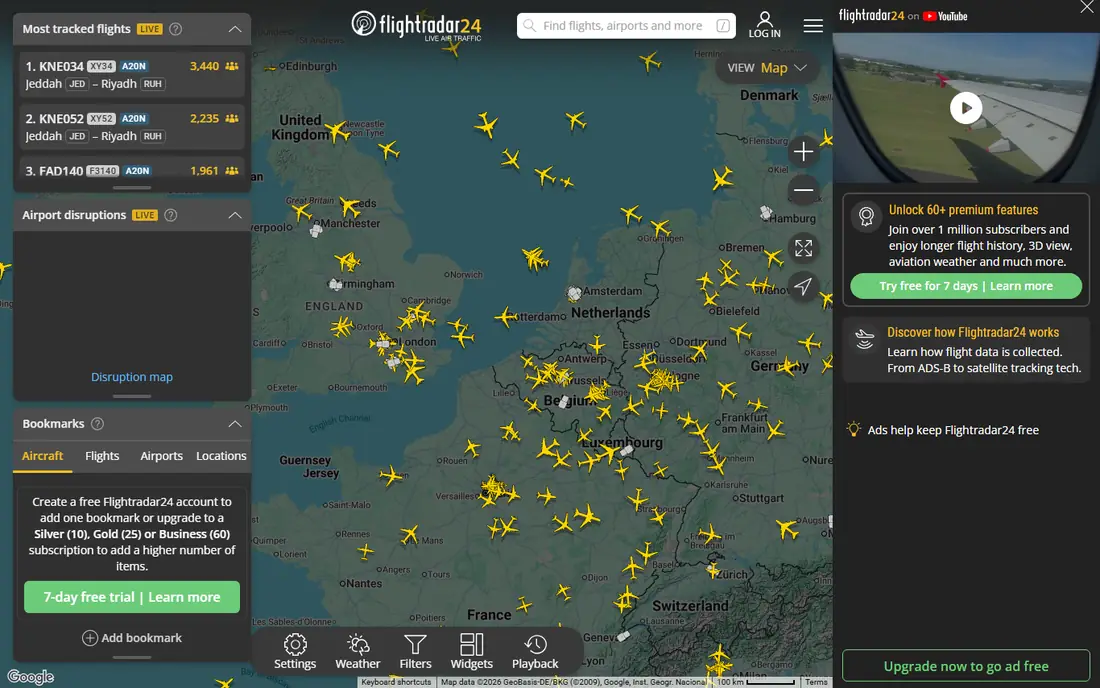
It fits plane spotters, families meeting a flight, and anyone who wants to see air traffic live. Flightradar24 shows live aircraft on a global map, with flight details, airport boards and an AR view that identifies planes overhead. In practice, that means the Flightradar24 experience is shaped by its live global aircraft map and plane spotting focus, not by trying to cover every possible use case at once.
It is a map-first app, so it is less focused on personal trip planning than Flighty. That trade-off is worth weighing before you commit, because the right choice depends more on how you will use it week to week than on any single feature. Check the current plan details on the official site before you sign up, since pricing and feature limits change. If that balance sounds right, Flightradar24 is worth a closer look. If not, another entry here may match your routine better.
- Live global map
- AR plane identification
- Airport arrival and departure boards
- Full history and extra features need a paid plan
- IPhone and Android only for the app

FlightAware gives detailed tracking, history and airport information for a wide range of flights. It fits frequent flyers, aviation professionals and users who want flight history. In practice, that means the FlightAware experience is shaped by its detailed tracking and flight history focus, not by trying to cover every possible use case at once.
Casual users may find the depth of data more than they need for a single trip. We would still put it on a shortlist for readers who match the use case above, but it is not the pick for everyone. Compare it directly with the next options on this list before deciding. If that balance sounds right, FlightAware is worth a closer look. If not, another entry here may match your routine better.
- Global tracking for commercial and general aviation
- Flight history
- Airport and fleet views
- Full features need a paid plan
- Interface has a lot of data for casual users
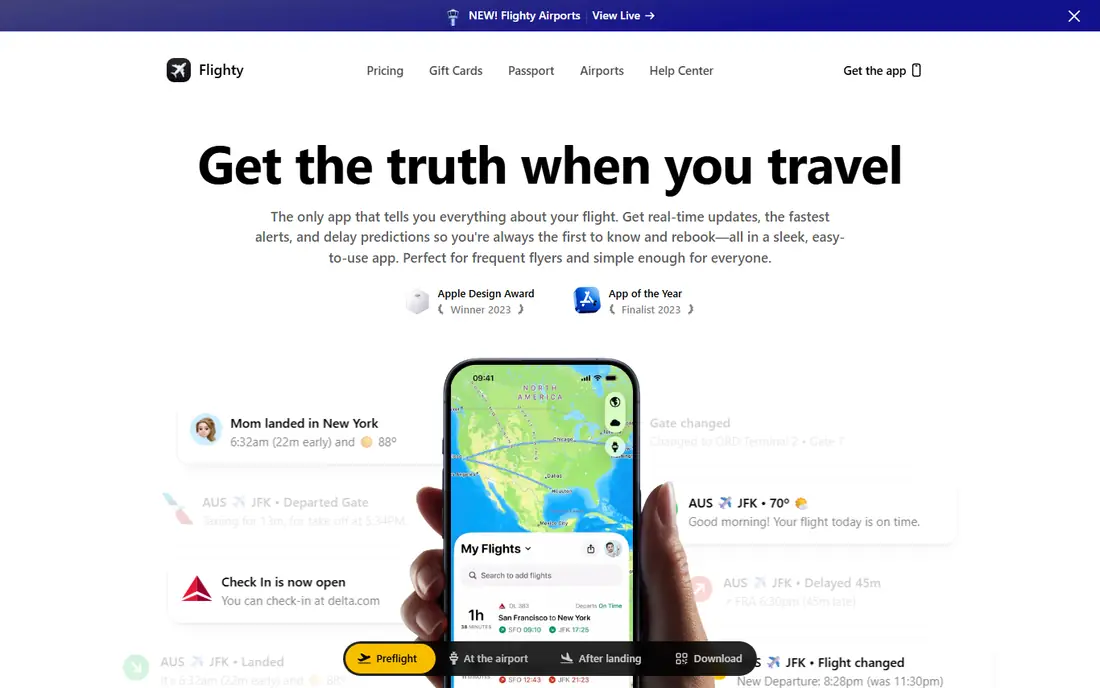
For readers who fit this profile, it fits iPhone frequent flyers who want to stay ahead of delays and tight connections. Flighty is known for fast, clear alerts about delays, gate changes and incoming aircraft. In practice, that means the Flighty experience is shaped by its fast delay and gate alerts on iphone focus, not by trying to cover every possible use case at once.
Android users are not fully served, so they should look at Flightradar24 or FlightAware instead. The limits matter less if you mainly need the core job done well, and more if you want every extra feature in one place. Read the plan page carefully before you commit. If that balance sounds right, Flighty is worth a closer look. If not, another entry here may match your routine better.
- Fast delay predictions
- Gate and baggage alerts
- Trip timeline and calendar sync
- IPhone focused
- Full features need a paid Pro plan
It fits plane spotters and casual users who want a simple live map. Plane Finder offers a clear live map and an AR view for identifying aircraft overhead. In practice, that means the Plane Finder experience is shaped by its live map with ar view focus, not by trying to cover every possible use case at once.
It is a map-first app, so personal trip alerts are less detailed than in Flighty. That trade-off is worth weighing before you commit, because the right choice depends more on how you will use it week to week than on any single feature. Check the current plan details on the official site before you sign up, since pricing and feature limits change. If that balance sounds right, Plane Finder is worth a closer look. If not, another entry here may match your routine better.
- Live map
- AR sky view
- Flight search by route and airport
- Some advanced features need a paid plan
- Trip tools are lighter than Flighty
FlightStats is useful for checking flight status and airport disruption at a glance. It fits travellers who want status and airport information without a heavy map app. In practice, that means the FlightStats experience is shaped by its airport status and disruption overview focus, not by trying to cover every possible use case at once.
It is less visual than a live map app, so plane spotters may prefer Flightradar24. We would still put it on a shortlist for readers who match the use case above, but it is not the pick for everyone. Compare it directly with the next options on this list before deciding. If that balance sounds right, FlightStats is worth a closer look. If not, another entry here may match your routine better.
- Flight status by number, route or airport
- Delay and airport disruption views
- App experience varies by platform
- Some features need a paid plan
For readers who fit this profile, it fits travellers who want tracking plus help when a flight goes wrong. AirHelp tracks flights and checks whether a delay or cancellation may qualify for compensation. In practice, that means the AirHelp experience is shaped by its tracking plus compensation checks focus, not by trying to cover every possible use case at once.
Users who only want tracking may prefer a dedicated tracker, since AirHelp is built around claims as well. The limits matter less if you mainly need the core job done well, and more if you want every extra feature in one place. Read the plan page carefully before you commit. If that balance sounds right, AirHelp is worth a closer look. If not, another entry here may match your routine better.
- Flight tracking
- Delay and cancellation monitoring
- Compensation eligibility checks
- Compensation service takes a fee if a claim succeeds
- Tracking is not its only job
It fits travellers who want a clean, trip-first tracker without extra aviation tools. ByAir keeps trip tracking simple, with notifications for the flights you follow. In practice, that means the byAir experience is shaped by its simple trip-focused tracking focus, not by trying to cover every possible use case at once.
It will not match the map depth of Flightradar24 or the history depth of FlightAware. That trade-off is worth weighing before you commit, because the right choice depends more on how you will use it week to week than on any single feature. Check the current plan details on the official site before you sign up, since pricing and feature limits change. If that balance sounds right, byAir is worth a closer look. If not, another entry here may match your routine better.
- Trip-focused tracking
- Notifications
- Simple interface
- Smaller feature set than the largest trackers
- Some features need a paid plan
AirNav RadarBox gives enthusiasts detailed live tracking, fleet data and airport views. It fits aviation enthusiasts and professionals who want detailed tracking data. In practice, that means the AirNav RadarBox experience is shaped by its high detail live tracking for enthusiasts focus, not by trying to cover every possible use case at once.
Casual travellers may find the interface more technical than they need. We would still put it on a shortlist for readers who match the use case above, but it is not the pick for everyone. Compare it directly with the next options on this list before deciding. If that balance sounds right, AirNav RadarBox is worth a closer look. If not, another entry here may match your routine better.
- ADS-B based live tracking
- Fleet and airport data
- Detailed flight views
- Full features need a paid plan
- Interface suits enthusiasts more than casual travellers
For readers who fit this profile, it fits casual users who want to follow a flight on a map without a complex app. Planes Live offers a simple live map and flight search for casual tracking. In practice, that means the Planes Live experience is shaped by its simple live map for casual tracking focus, not by trying to cover every possible use case at once.
It is a good starting point, but frequent flyers may want stronger alerts from Flighty or FlightAware. The limits matter less if you mainly need the core job done well, and more if you want every extra feature in one place. Read the plan page carefully before you commit. If that balance sounds right, Planes Live is worth a closer look. If not, another entry here may match your routine better.
- Live map
- Simple flight search
- Airport and route views
- Feature set is lighter than the largest trackers
- Some features need a paid plan
How we picked these
We compared official feature pages, pricing pages and app store listings, and we kept only flight trackers that are live in October 2026 and clearly track flights in real time. We favoured apps with live maps, delay alerts or flight history, and we marked pricing as See website where the vendor does not publish a single clear starting price. We did not claim hands-on testing on a live flight.
How to pick a flight tracker for your next trip
Match the app to the trip. For a tight connection, choose an app with fast delay and gate alerts, such as Flighty on iPhone or FlightAware. For meeting someone at the airport, a live map app such as Flightradar24 shows where the plane is and when it is likely to land. For a claim after a disruption, AirHelp adds compensation checks.
Set alerts before you leave home. Add the flight number, turn on push notifications, and check gate, delay and baggage alerts in the app settings. Do not rely only on airport screens, which can lag behind app data and airline messages.
Check coverage for your route. Most trackers cover major commercial flights well, but small regional flights, charter flights and general aviation vary by data source. Test the app with a past or upcoming flight on your usual route before a critical trip.
Use the airline app as well. A tracker is a second source, not a replacement for the airline. Check in, boarding and rebooking through the airline app or website, and use the tracker to stay informed between airline messages.
Frequently asked questions
What is the best app to track flights in real time?
Flightradar24 is the best live map, Flighty is the best for fast personal alerts on iPhone, and FlightAware is the best for detailed history. The right choice depends on whether you want a map, alerts or data.
Are flight trackers free?
Basic tracking is free in most apps here. Paid plans add delay predictions, full history, extra alerts and ad-free use, so check the free version before you subscribe.
Can I track a flight by flight number?
Yes. Enter the airline and flight number, or search by route or airport, in any app here. You can also track by tail number in some apps, such as FlightAware and Flightradar24.
Why does a tracker show a different time from the airline?
Trackers and airlines use different data sources and update at different times. Use the tracker as an early signal, and confirm boarding, gate and rebooking details with the airline.
Can I track flights on Android and iPhone?
Most apps here work on both, but Flighty is iPhone focused. Check the app store listing for your device before you rely on an app for a trip.
Sources
See where you really rank - block by block
ProMapRanker scans Google Maps across a grid of your service area. Simple monthly plans from $19, white-label on every plan.
Start freeKeep reading
 zscaler alternatives
Best Zscaler Alternatives in 2026
Looking for zscaler alternatives? We compare 9 SASE and zero trust platforms on architecture, data protection, pricing, and fit for your network and team.
Read → zapier alternatives free
Best Zapier Alternatives Free in 2026
Nine automation tools for zapier alternatives free in 2026, all with genuinely free tiers, plus free plan limits, starting prices and upgrade paths explained.
Read → which platform is best for online reputation
Which Platform Is Best for Online Reputation in 2026
Wondering which platform is best for online reputation? We compare 8 review, listing, and response tools for small and multi-location businesses and agencies.
Read →