 ProMapRanker
Best Apps to Split Rent Payments in 2026

Key takeaways
- Splitwise is our pick for most roommate groups, because it tracks running balances, recurring rent, and uneven splits in one ledger.
- Tricount is the best fully free ledger option, with no paid tier needed for unlimited groups and expenses in its current form.
- Venmo, Zelle, and Cash App move money well, but they do not track a running rent ledger the way Splitwise or Tricount do.
- If a landlord collects the rent, TurboTenant lets roommates pay their own shares directly, which avoids one person fronting the full amount.
Quick comparison
| Pick | Great for | Pricing starts at | Free tier | |
|---|---|---|---|---|
 Splitwise | Running roommate ledger | Free | Yes | Visit |
 Tricount | Fully free expense tracking | Free | Yes | Visit |
 SettleUp | Detailed categories and groups | Free | Yes | Visit |
 Splid | Simple offline splitting | Free | Yes | Visit |
 Venmo | Paying roommates in the US | Free | Yes | Visit |
 Zelle | Bank-to-bank payments | Free | Yes | Visit |
 Cash App | Simple peer payments | Free | Yes | Visit |
 TurboTenant | Landlord rent collection with split payments | Free | Yes | Visit |
 SplitMyExpenses | Recurring bills and receipt splitting | Free | Yes | Visit |
The best apps to split rent payments
We compared ledger tracking, recurring rent support, uneven splits, payment options, and price. The best app depends on whether you need a ledger, a payment rail, or a landlord collection tool, so we cover all three kinds here.
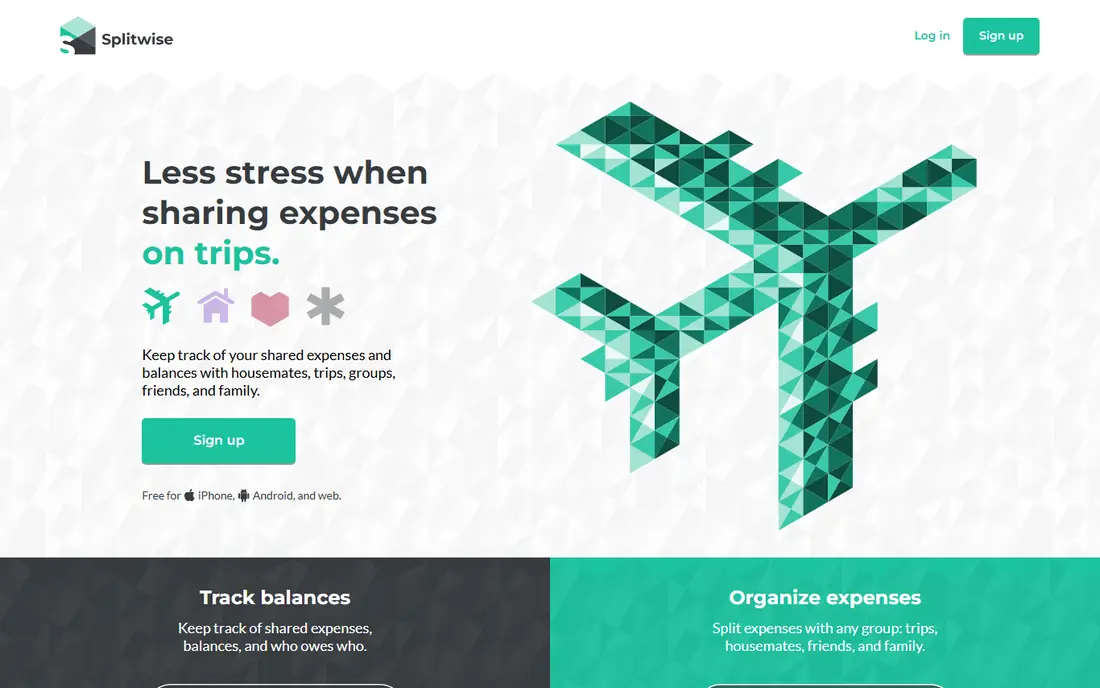
Splitwise is the most practical rent ledger for a long-term shared home. You add rent once as a recurring expense, set each roommate share, and the app keeps a running balance as utilities, groceries, and other shared costs pile up. When someone pays, the balance updates, and the simplify debts feature cuts down the number of transfers needed to settle up.
The free tier now has daily expense limits, which is the main catch for heavy users. For a typical household adding a handful of expenses a month, the free tier still works. The paid Pro tier adds unlimited daily expenses, receipt scanning, and charts, but most roommate groups will not need it just for rent.
- Running balances and simplified debts
- Recurring expenses
- Uneven splits by share or percentage
- Free tier has daily expense limits
- Payments happen through linked services, not inside Splitwise itself

Tricount is the best free pick for roommates who want a ledger without a subscription trap. The app is free, with unlimited groups and expenses, custom splits by share or percentage, and multi-currency support for international households. That makes it a strong choice for student houses and short-term shares where no one wants to pay for a tracking app.
The limit is payments. Tricount tracks who owes what, but you still pay through your bank or a payment app. That is fine if your group already pays by bank transfer, and it keeps the ledger clean. If you want payment and tracking in one app, pair Tricount with Venmo or Zelle for the actual transfer.
- Fully free with no paid tier in its current form
- Unlimited groups and expenses
- Multi-currency support
- No built-in payment rail
- Interface is simpler than Splitwise
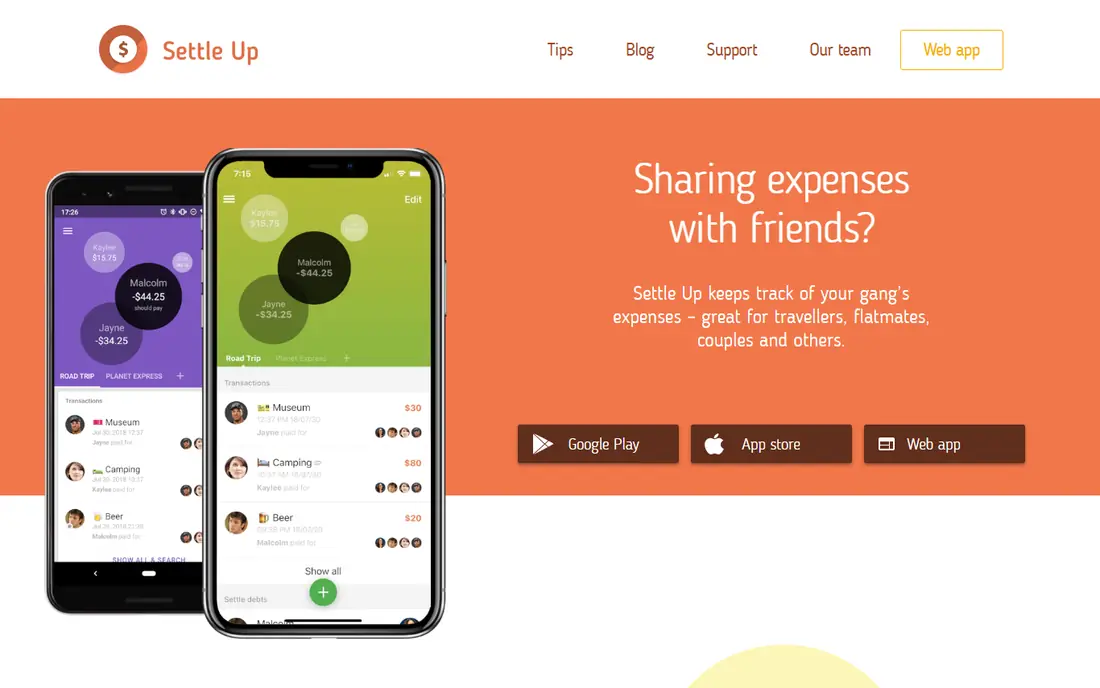
SettleUp suits detail-oriented households that want clean categories for rent, utilities, groceries, and shared subscriptions. You can create groups, add recurring expenses, and see who owes whom at a glance. The web version is handy for a roommate who prefers a laptop, and the mobile app covers day-to-day entry.
Payments are not built in, so you still settle through a bank or payment app after checking the balance. That two-step flow is common for ledger apps, and it is worth accepting for the tracking quality. Check the current paid tier on your platform if you want the extra features, because pricing varies between app stores.
- Clear group balances
- Categories and recurring expenses
- Works on web and mobile
- Paid tiers vary by platform
- Payments are handled outside the app
Splid is the simplest option here, and that is its strength. You can create a group, add expenses, and see balances without creating an account, and the app works offline. That makes it a good pick for a short sublet, a summer share, or a group that does not want another account and password.
The trade-off is depth. Splid does not offer the recurring expense polish, receipt tools, or group features of Splitwise, and it does not move money. For a long-term home with many shared bills, Splitwise or Tricount will age better. For a quick, low-friction split, Splid is hard to beat.
- No signup needed for basic use
- Works offline
- Very simple group setup
- Fewer features than Splitwise
- No built-in payments
Venmo is the payment app most US roommates already have, which is why it works well for rent shares. One roommate pays the landlord, and the others send their shares by Venmo a few days before rent is due. The social feed and notes help everyone see who paid, and standard bank or debit transfers are free.
Venmo does not track a running ledger across months the way Splitwise does, so balances can get messy if you also share utilities and groceries. Use Venmo to move money, and use a ledger app to track what is owed. Check the current fee page before using instant transfer or a credit card, because those options cost extra.
- Fast peer payments in the US
- Bank and debit transfers are free for standard use
- Group features for shared costs
- Not a full rent ledger
- Instant transfer and credit card payments carry fees
Zelle is the cleanest way to send a rent share from one bank account to another without holding a balance in an app. Many US banks include Zelle in their own apps, so roommates can send money with just an email address or phone number. Transfers are typically fast, and there is no separate wallet to cash out.
Zelle is a payment rail, not a rent tracker. It will not remind you about rent, split it by room size, or show a running balance. It also lacks the purchase protection that some payment services offer, so only send rent shares to people you trust. Pair Zelle with a ledger app for the tracking side.
- Money moves directly between bank accounts
- No app balance to manage
- Widely supported by US banks
- No expense ledger
- No buyer protection for rent disputes
- Needs a participating bank
Cash App is another simple payment option for roommates who already use it. Sending a rent share is quick, and the app works well for one-off payments alongside rent, such as a utility bill or a shared grocery run. For a household that already settles everything by Cash App, it keeps the money flow in one place.
Like Venmo and Zelle, Cash App does not track recurring rent, uneven splits, or running balances in a useful ledger form. Instant cash-out also carries a fee, so use standard transfer timing when you can. For tracking, pair Cash App with Splitwise or Tricount, and use Cash App only for the transfer.
- Simple peer payments
- Direct deposit and card options
- Widely used in the US
- Not a rent ledger
- Instant cash-out carries a fee
TurboTenant is the only pick here that solves the landlord side of the problem. Instead of one roommate collecting shares and paying the landlord, each roommate can pay their own share directly through TurboTenant. The landlord sees who paid, reminders go out automatically, and receipts are generated for each payment. Autopay helps households that want rent handled without a monthly chase.
The catch is adoption. TurboTenant only helps if your landlord uses it, so a tenant cannot force it on a landlord who prefers checks or bank transfer. Card payments may also carry processing fees, so check the current fee page. When the landlord does use it, split rent collection becomes far less stressful for everyone.
- Roommates can pay their own shares directly
- Autopay and reminders
- Landlord accounting and receipts
- Needs landlord adoption
- Tenant card payments may carry processing fees
SplitMyExpenses is a newer ledger option that covers the roommate basics well, with recurring expenses, groups, balances, and settlement tracking on the free plan. Receipt itemization helps when a grocery run or a shared household order needs to be split by item rather than evenly. Multi-currency balances help international households and expat shares.
Some features, such as AI receipt scanning, linked financial accounts, and group currency conversion, need premium access, and the free plan caps recurring expenses. For a standard rent plus utilities setup, the free plan is enough to test. If you want the most proven ledger with the largest user base, Splitwise still has the edge.
- Recurring expenses and receipt itemization
- Multi-currency balances
- Payment handoffs
- Premium features needed for AI receipt scanning and linked accounts
- Newer brand than Splitwise
How we picked these
We compared official feature pages, app store listings, and pricing pages for ledger tracking, recurring rent, uneven splits, and payment options. We favored apps that are live in the United States in October 2026 and that handle rent as a recurring, uneven split rather than only a one-off restaurant bill. We included payment apps because most groups pay through them, but we noted clearly where an app tracks balances and where it only moves money.
How to split rent fairly
Agree the split before anyone moves in, and write it down. Equal splits work for equal rooms, but a larger bedroom, a private bathroom, or a parking space usually justifies a larger share. Many groups use a rough square-footage method for bedrooms, then split shared space and utilities evenly. Whatever method you pick, lock the percentages into the app as a recurring template so the same argument does not repeat every month.
Set a payment calendar that protects the person who pays the landlord. If one roommate pays the landlord, set the internal due date a few days before the landlord due date, and turn on reminders in the app. Keep a written roommate agreement covering rent shares, utilities, late payments, and the deposit, even if you trust each other. A clear agreement and a clean ledger prevent most roommate money disputes before they start.
Frequently asked questions
What is the best app to split rent payments with roommates?
Splitwise is our pick for most roommate groups, because it tracks rent, utilities, and groceries in one running ledger with recurring expenses and uneven splits. Tricount is the best free alternative when you want a ledger with no paid tier. For landlord collection, TurboTenant lets each roommate pay their own share directly.
What is the best rent split payment app for paying the landlord?
TurboTenant is the best option when the landlord uses it, because roommates pay their own shares and the landlord sees each payment. If the landlord does not use a collection platform, one roommate should collect shares through Venmo, Zelle, or Cash App and pay the landlord in full before the due date.
What is the best free app to split rent?
Tricount is the best fully free ledger, with no paid tier needed for unlimited groups and expenses in its current form. Splitwise also has a strong free tier for typical household use, though it has daily expense limits. Splid is a good free, no-signup option for short-term shares.
How do you split rent when rooms are different sizes?
Use a percentage split based on bedroom size, then add shared space evenly. Many groups land near a 40/30/30 split for a three-bedroom home with one larger room, but the exact numbers depend on room sizes and private bathrooms. Set the percentages in your app as a recurring template so the split stays consistent.
Does Splitwise actually pay rent?
No, Splitwise tracks who owes what and simplifies debts, but payments happen through linked services or outside the app. That distinction matters, because you still need Venmo, Zelle, Cash App, or a bank transfer to move the money. Use Splitwise for tracking and a payment app for the transfer.
Can roommates split rent if the landlord only takes one payment?
Yes, in most cases. One roommate pays the landlord in full, and the others send their shares to that person before the due date. Use a ledger app to record each share, set an internal due date a few days early, and keep receipts. If the landlord uses TurboTenant, roommates may be able to pay their shares directly instead.
Sources
See where you really rank - block by block
ProMapRanker scans Google Maps across a grid of your service area. Simple monthly plans from $19, white-label on every plan.
Start freeKeep reading
 zscaler alternatives
Best Zscaler Alternatives in 2026
Looking for zscaler alternatives? We compare 9 SASE and zero trust platforms on architecture, data protection, pricing, and fit for your network and team.
Read → zapier alternatives free
Best Zapier Alternatives Free in 2026
Nine automation tools for zapier alternatives free in 2026, all with genuinely free tiers, plus free plan limits, starting prices and upgrade paths explained.
Read → which platform is best for online reputation
Which Platform Is Best for Online Reputation in 2026
Wondering which platform is best for online reputation? We compare 8 review, listing, and response tools for small and multi-location businesses and agencies.
Read →