 ProMapRanker
Best App to Send Large Video Files in 2026


Very large video transfers for production teams · Pricing starts at: See website
Key takeaways
- Transfer limits matter more than storage limits for a one-off video delivery, so check the per-transfer cap first.
- Link expiry and download tracking decide whether a client can still open a file after a review delay.
- Password protection and expiry controls matter for unreleased footage, even for a simple client send.
- Pay-per-download pricing can beat a subscription for rare large sends, while frequent sends suit a flat monthly plan.
Quick comparison
| Pick | Great for | Pricing starts at | Free tier | |
|---|---|---|---|---|
| MASV | Very large video transfers for production teams | See website | Yes | Visit |
 WeTransfer | Simple one-off video sends | Free | Yes | Visit |
 Smash | Unlimited-size transfers with a free tier | Free | Yes | Visit |
 Filemail | Large transfers with delivery tracking | Free | Yes | Visit |
 Dropbox Transfer | Transfers for existing Dropbox users | Free | Yes | Visit |
 Google Drive | Shared links for video files and folders | Free | Yes | Visit |
 TransferNow | Free large sends without signup | Free | Yes | Visit |
 SwissTransfer | Free very large transfers without an account | Free | Yes | Visit |
The best apps to send large video files
Email attachments fail long before a finished video does, and a shared cloud folder is not always the right answer for a one-off delivery. The apps below are judged on transfer size, speed, link expiry, password protection, download tracking and price. For a single client delivery, a transfer link is often cleaner than shared folder access, while ongoing collaboration may still need cloud storage.
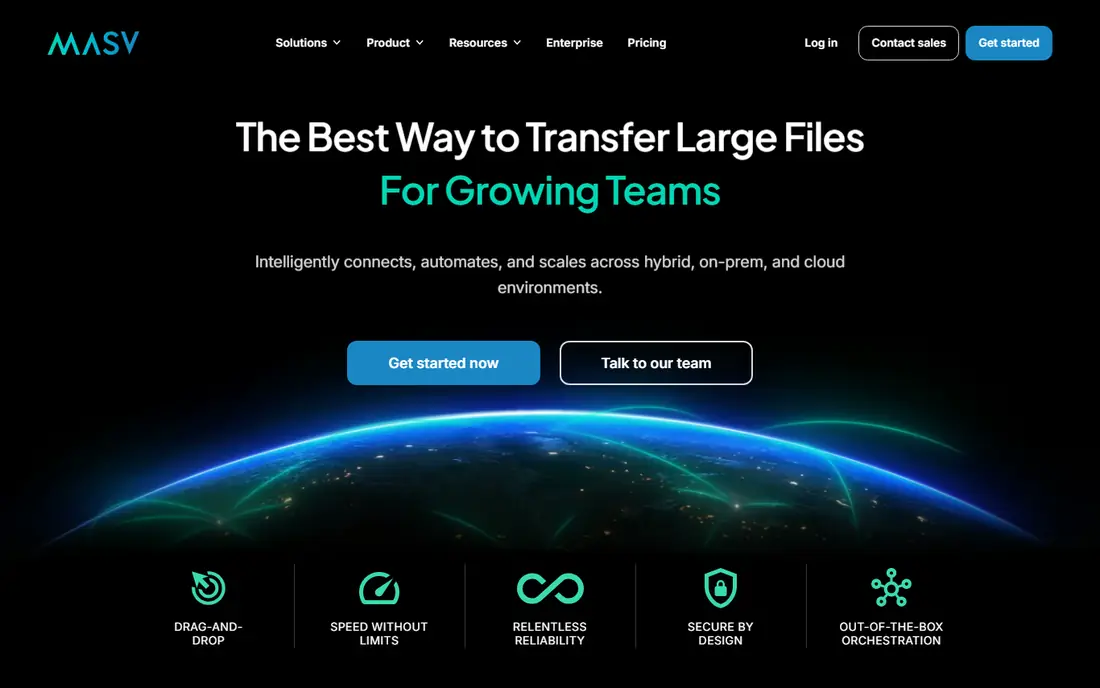
MASV suits video professionals who send huge masters and need reliable delivery without a size ceiling getting in the way. Pay-as-you-go pricing means a team that sends a few large projects a month does not pay for a subscription in quiet weeks, and delivery tracking shows whether a client actually received the file. Portals also let clients upload back to you without a separate tool.
The cost model needs care. Each download can add cost, so a file sent to several reviewers costs more than the same file sent once. Storage beyond the included period also adds charges, so download promptly and archive the master elsewhere. For frequent small sends, a flat monthly transfer tool may be cheaper than paying per gigabyte.
- Pay-as-you-go delivery pricing
- Very large file support
- Fast global delivery
- Delivery tracking and portals
- Per-download costs rise with file size and recipient count
- Storage after a free period adds cost
- No flat monthly price for occasional users
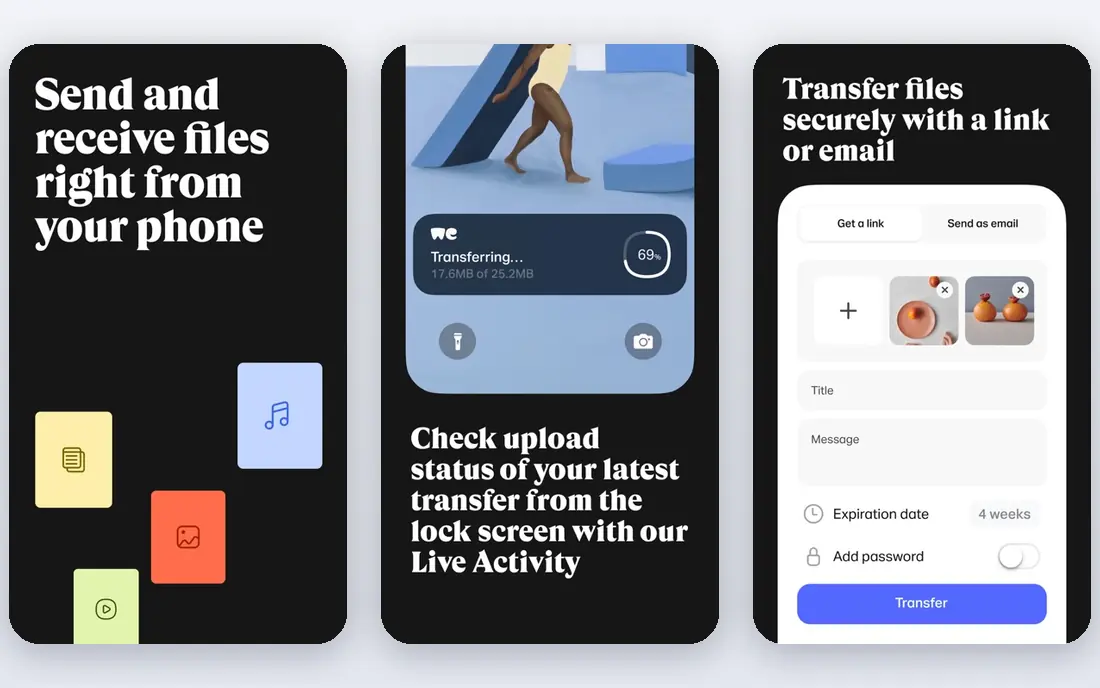
WeTransfer is the easiest tool for a client who just needs a link and a download button. The sender uploads, the recipient gets a link, and no shared folder or account setup is needed. That simplicity matters when a client is not technical, because there is almost nothing to explain beyond opening the link before it expires.
Free limits are tight for video work. Transfer size and monthly volume caps mean a single large edit can exceed the free allowance, and short expiry can cause a missed delivery during a slow review. Paid plans lift limits and add password protection, but check the current transfer count and expiry terms, because they changed in recent plan updates.
- Simple email or link sends
- No account needed to receive
- Password protection on paid plans
- Familiar interface for clients
- Free plan caps transfers and monthly volume
- Link expiry is short on lower plans
- Transfer count caps apply on some plans

Smash suits senders who need to move a very large file without hitting a hard size cap. The free tier covers password protection and custom links, which many rivals reserve for paid plans, and the interface stays simple for recipients. For a one-off large delivery where size is the main problem, that combination is hard to beat.
Free speed is the trade-off. Large files join a lower-priority queue, so a deadline delivery should use a paid plan or start the upload early. Paid tiers add storage, branding and faster handling, so compare them against a flat monthly rival if you send large files every week. Test a real file size before promising a client a delivery time.
- No size limit on transfers in principle
- Password protection even on the free tier
- Custom links and previews
- Priority speed on paid plans
- Free transfers use a lower-priority queue, so large files can be slower
- Storage and branding features sit behind paid plans
- Speed depends on connection and queue
Filemail suits senders who need proof of delivery as well as size. Delivery tracking shows when a recipient downloads a file, which ends the usual follow-up email asking whether a client got the video. Paid plans raise transfer sizes and availability, while the free tier works for smaller video files and quick tests.
The free tier is not a large-video solution on its own, because size and daily transfer limits apply. Paid pricing also varies, so check the vendor page for your currency and plan. For very large, repeated production deliveries, compare Filemail against a pay-per-download tool, because flat pricing wins when many reviewers download the same file.
- Free transfers up to a stated limit without registration
- Large paid transfer sizes
- Delivery tracking
- Password protection on paid plans
- Free tier limits size and daily transfers
- Business features and longer availability sit behind paid plans
- Pricing varies by currency and plan
Dropbox Transfer fits teams already inside Dropbox, because it adds a clean delivery link without giving recipients access to a whole folder. Password and expiry controls on paid plans suit client work, and the interface needs no explanation for most recipients. It also avoids a second vendor when Dropbox is already the storage system.
If you do not use Dropbox, it is a weaker standalone choice than a dedicated transfer tool. Free limits are small for video, and paid transfer sizes depend on the Dropbox plan. Compare the total Dropbox cost against a dedicated transfer subscription, especially if you only need transfers and not ongoing storage or collaboration.
- Transfer links separate from shared folders
- Password and expiry controls on paid plans
- Familiar Dropbox interface
- Large transfer sizes on paid plans
- Best value only if you already use Dropbox
- Free Basic limits are small
- Recipients still need to download before expiry
Google Drive suits ongoing collaboration, where a video file needs comments, revisions and shared access over time. A link can be shared quickly, previews work for many formats, and the free allowance covers smaller video files. For a team already using Google Workspace, it is often the fastest option with no new tool to learn.
For a one-off client delivery, Drive has drawbacks. The file counts against storage, access permissions must be set carefully, and a shared folder can expose more than intended if permissions are broad. Large masters also need a paid storage plan once the free allowance is used. Use Drive for collaboration, and a dedicated transfer link for a clean, expiring client delivery.
- Free storage allowance with a Google account
- Easy folder and file sharing
- Preview for many video formats
- Strong collaboration tools
- Sharing is storage-based, not a dedicated transfer workflow
- Large files eat storage quota
- Recipient access control needs care to avoid over-sharing
TransferNow suits a quick, no-account send when a video file is large but not huge. Free sending without signup removes friction for both sender and recipient, and the link workflow is easy to explain. Premium tiers raise limits and add control for regular senders, while the free tier is enough for occasional use.
Expiry is the main limit. Free files disappear after a short period, so a slow client review can mean a resend. Paid tiers add storage region choice and encryption control, which matter for client work with privacy needs. Check the current free size limit on the vendor site, because it shapes whether TransferNow fits a given video file.
- Free sending up to a stated size without signup
- Premium tiers for larger transfers
- Password and expiry options
- Simple link workflow
- Free files expire after a short period
- Storage region and encryption options sit on paid tiers
- Team features need a higher plan
SwissTransfer suits a sender who needs a large free transfer without creating an account. The stated free size is generous for video, and password protection adds a basic security layer for unreleased footage. For a one-off send to a client or collaborator, it is one of the simplest free options in this list.
Free simplicity has limits. Branding, transfer history and longer management options sit behind paid offers, so teams that need portals, tracking and audit trails should look elsewhere. Expiry terms also matter for slow reviews, so confirm them before sending a file that a client may not open for days. Test upload speed on your connection for very large files.
- Free transfers up to a large stated size without an account
- Simple link workflow
- Password protection
- No subscription needed for basic sends
- Paid branding and history features are limited for free users
- Expiry and transfer history controls sit on paid offers
- Less suited to team portals
How we picked these
We compared official feature and pricing pages, app store listings, privacy policies and public reviews for each option. We kept only tools that were live and clearly matched the topic in October 2026, and we left out tools that had closed, retired or changed into a different product. Where a price varied by billing period or channel, we used the vendor page figure or wrote See website rather than guessing.
How we compared size, speed and expiry
We compared vendor transfer pages, pricing pages and recent independent comparisons for per-transfer limits, monthly volume, expiry, password protection, tracking and price. We favoured tools that state limits clearly, because a vague unlimited claim can hide queue, speed or storage limits that matter for a deadline. Where pricing varied by currency or billing period, we wrote See website rather than converting a figure that could mislead.
A practical test is to send a file of your real size, not a small test clip. Time the upload, check the recipient link on another device, confirm password and expiry behaviour, and download the file to check it plays. That one test reveals queue delays, expiry problems and permission mistakes before a client deadline.
Frequently asked questions
What is the largest video file I can send for free?
It depends on the tool and its current free limit, and some free tiers use a queue that slows very large files. Check the vendor page for the per-transfer limit, monthly volume and expiry, and test a real file before promising a delivery time.
Should I use a transfer link or a shared cloud folder?
Use a transfer link for a one-off client delivery, because it expires, limits access and avoids sharing a whole folder. Use a shared folder for ongoing collaboration, revisions and comments, where the team needs access over time.
How do I protect unreleased video footage?
Use a password, set a short expiry, send the password by a separate channel, and check download tracking where available. Avoid public links for unreleased work, and confirm the recipient list before sending.
Why did my large upload fail or stall?
Large uploads fail most often from connection drops, browser limits or a transfer cap. Use a desktop app or a tool with resume support where available, upload on a wired connection if possible, and split a huge project into parts only if the recipient can reassemble them.
Sources
See where you really rank - block by block
ProMapRanker scans Google Maps across a grid of your service area. Simple monthly plans from $19, white-label on every plan.
Start freeKeep reading
 worlds best local seo company
8 Worlds Best Local SEO Companies for Map Pack Growth in 2026
Compare the worlds best local seo company options for Google Business Profile work, citations, reviews, and multi-location rankings and reporting in 2026.
Read → world's best web hosting company
World's Best Web Hosting Company in 2026
Searching for the world's best web hosting company? We compared 10 hosts on price, renewal rates, speed, and support to help you choose well today in 2026.
Read → who's got the best nanny tax services
Who's Got the Best Nanny Tax Services in 2026
We answer who's got the best nanny tax services, comparing full filing, back taxes, software, and pricing so families can handle nanny taxes correctly.
Read →