 ProMapRanker
Best App to Restore Old Photos Free in 2026


Unlimited free browser restoration · Pricing starts at: Free
Key takeaways
- PhotoRestore.io is the most generous free option, with browser restoration and no account needed for basic use.
- Remini is best for faces, but its free tier is limited and its paid plans use weekly billing.
- PicWish, Fotor and insMind offer usable free tiers for everyday restoration, color and cleanup.
- VanceAI and MyHeritage suit family archives, with limited free credits to test before paying.
- Always keep the original scan, since AI restoration creates new detail rather than recovering lost pixels exactly.
Quick comparison
| Pick | Great for | Pricing starts at | Free tier | |
|---|---|---|---|---|
| PhotoRestore.io | Unlimited free browser restoration | Free | Yes | Visit |
 Remini | Face detail in old portraits | $6.99 per week | Yes | Visit |
 PicWish | Beginners who want easy restoration | $5.99 per month | Yes | Visit |
 Fotor | Fast browser repair and editing | $8.99 per month | Yes | Visit |
 insMind | Free all-in-one restoration toolkit | Free | Yes | Visit |
 VanceAI Photo Restorer | One-click browser restoration | $4.95 per month | Yes | Visit |
 MyHeritage | Family history photo archives | See website | Yes | Visit |
 Hotpot.ai | Simple web restoration | See website | Yes | Visit |
 Photomyne | Digitizing whole albums by phone | $59.99 per year | Free trial | Visit |
The best apps to restore old photos free
Free restoration usually means limits: daily credits, watermarks, lower resolution or ads. This list starts with the most generous free options, then moves to tools where a short paid month can finish a larger archive.
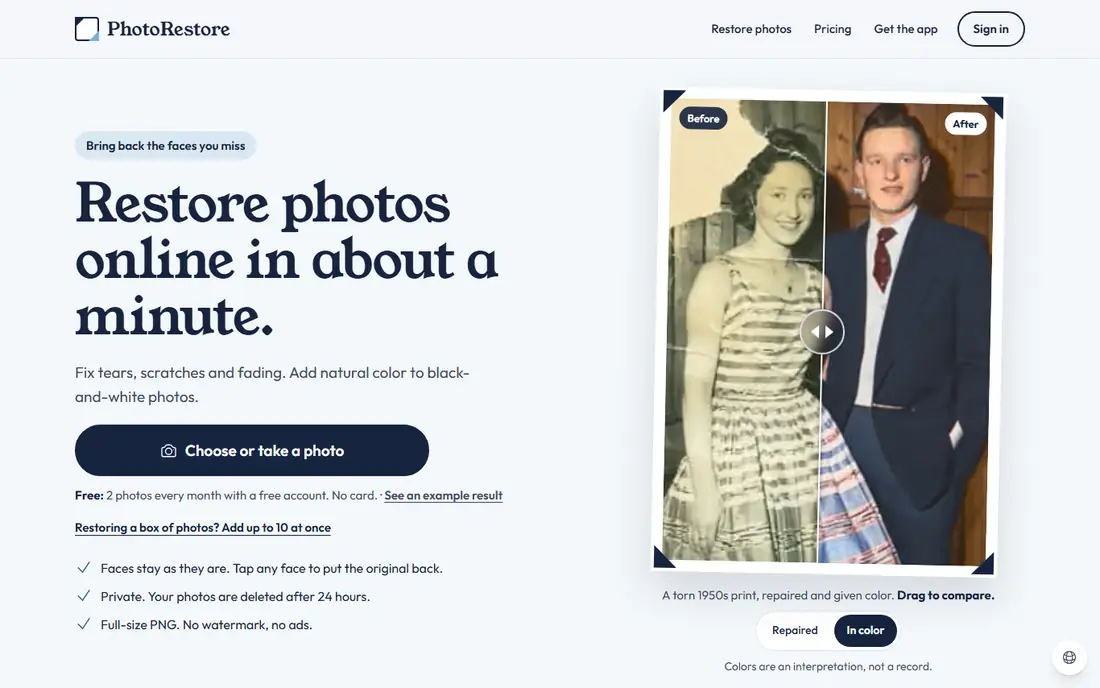
PhotoRestore.io is the best free starting point for old photos, because it offers full restoration in the browser without requiring an account for basic use. Upload a scan, run the restoration, and download the result, which suits a small family project with a handful of prints. The workflow is simple enough for non-technical users.
The limit is control. PhotoRestore.io is a one-click tool, so badly torn photos or complex damage may need manual repair elsewhere. It also processes photos online, so keep sensitive originals in mind and read the privacy terms. For most faded, scratched or discolored photos, it is the first free tool to try.
- No account needed for basic use
- Handles fading, scratches and color
- Simple browser workflow
- Browser quality varies by photo
- No mobile app depth of larger editors
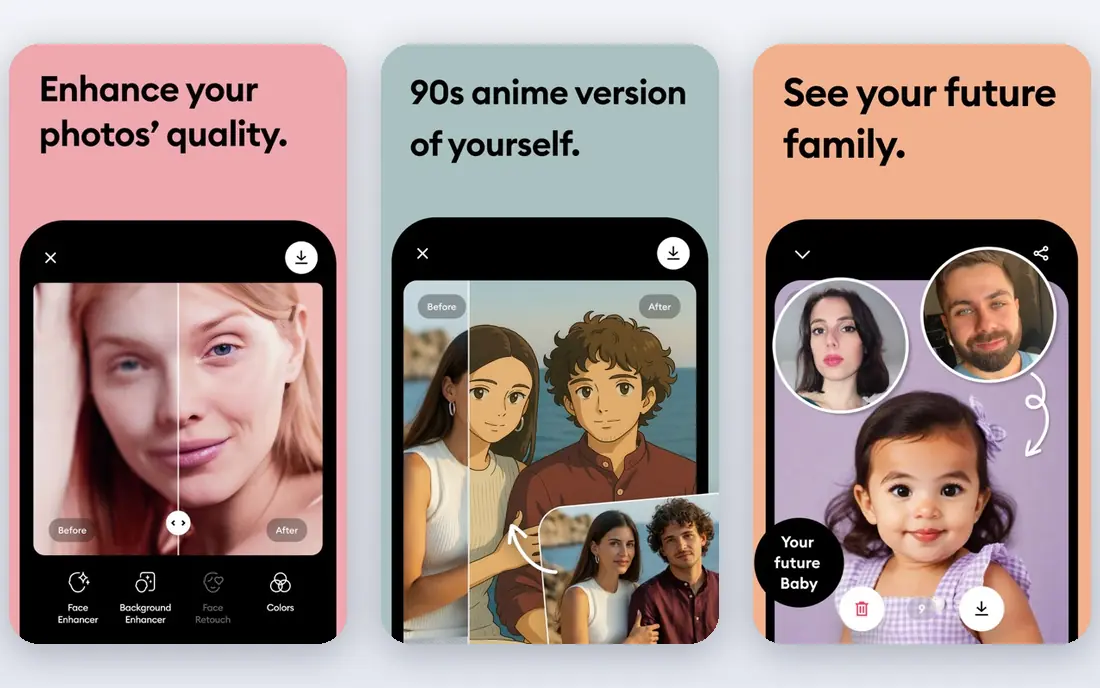
Remini built its name on faces. Upload a blurry or faded portrait, and the app rebuilds eyes, skin and hair in seconds, with colorization for black and white photos. For a single family portrait you want to share, few tools get there faster, and the mobile app makes it easy to work from a phone scan.
The catch is cost and accuracy. The free tier works like a trial, with ads, daily limits and possible watermarks, and paid plans start around $6.99 per week, which adds up quickly for a large archive. Remini can also invent facial detail that was never in the original, so keep the original scan and check the result against it. Use Remini for faces, and a cheaper tool for the rest of the batch.
- Strong face enhancement
- Very fast results
- Simple mobile app
- Free tier has ads and daily limits
- Weekly billing adds up fast
PicWish combines photo restoration with enhancement, background cleanup and batch processing, which suits users who want one tool for a whole folder of scans. The interface is simple, results are fast, and the free tier covers everyday jobs such as fixing fading, blur and light scratches.
The free tier has daily limits, so a large archive will need a paid month at about $5.99 per month or a higher plan. PicWish also works best with a clean, high-resolution scan, so scan at the highest quality your scanner allows before uploading. For beginners who want a simple, affordable restoration tool, PicWish is a strong pick.
- Easy restoration plus enhancement
- Batch tools
- Clear free tier
- Free tier has daily limits
- Best results need a good scan
Fotor is a broad photo editor with a restoration tool, which makes it useful when a photo needs repair plus cropping, color correction and printing prep. The browser workflow is fast, the free tier covers basic restoration, and Pro at $8.99 per month adds more credits and editing tools.
The trade is focus. Fotor is not a specialist restoration app, so badly damaged photos may need a dedicated tool such as VanceAI or manual editing. For lightly damaged photos that also need general editing, Fotor is convenient, since you can finish the whole job in one place without learning a specialist app.
- Browser-based restoration and editing
- Templates and batch tools
- Easy for non-experts
- Restoration is one feature among many
- Free tier has limits
insMind offers a free all-in-one toolkit for restoration, enhancement, colorization and denoise, which covers most everyday old photo jobs in one browser tool. It is a good choice for users who want to test several fixes on the same photo without signing up for multiple services.
The limits are typical for free tools: credits, resolution and quality can vary by photo, and insMind lacks the manual control of a desktop editor for torn or creased prints. For a quick, free pass over a family album, it is a practical option. For a print you plan to frame, compare its result with a specialist tool before choosing the final version.
- Free restoration, enhancement, colorization and denoise
- Simple browser use
- Good for quick jobs
- Free tier limits and quality vary
- Less control than desktop editors
VanceAI Photo Restorer is a specialist browser tool for old photos, handling fading, scratches and blur in one click, with batch processing for larger archives. The free tier gives a small number of credits to test it, and paid plans start around $4.95 per month, which is affordable for a single archive project.
The honest limit is the free tier. A handful of credits will not finish a large album, so plan to pay for one month if you have many photos. VanceAI also processes photos online, so read the privacy terms for sensitive family images. For a focused restoration job with printable results, VanceAI is one of the best value paid options here.
- One-click scratch and fade repair
- Batch processing
- Printable output options
- Free credits are limited
- Best value needs a paid plan
MyHeritage suits family historians who want restoration inside a wider archive. Its photo tools enhance and colorize old photos, and the results sit alongside family trees, records and albums, which makes it easy to share a restored photo with relatives in context. The free tier covers a limited number of photos, enough to test the quality.
The limit is cost for full use. Full photo features and genealogy tools need a paid plan, with pricing that varies by plan, so we list it as See website. For a user who only wants restoration, a cheaper specialist tool will be better. For a family historian building an archive, MyHeritage adds context that a standalone restorer cannot match.
- Photo enhancement and colorization
- Family tree and archive tools
- Good for genealogy work
- Full features need a paid plan
- Free photo count is limited
Hotpot.ai offers simple web-based restoration and colorization without an account for basic use, which makes it a low-friction option for a quick fix. Upload a photo, run the tool, and download the result, with no app install or sign-up needed for the core job.
The trade is control and consistency. Hotpot.ai is best for lightly damaged photos, and heavily torn or faded images may need a specialist tool or manual repair. Pricing varies by plan, so we list it as See website. For a fast, free check on a single photo, Hotpot.ai is worth trying before paying elsewhere.
- No account needed for basic use
- Simple restoration and colorization
- Fast results
- Limited manual control
- Quality varies on heavily damaged photos
Photomyne solves the step before restoration: getting photos out of albums and into digital form. Its phone app scans a whole album page at once, auto-crops each photo, and saves them as individual images. That speed matters when you face boxes of albums, since scanning one photo at a time can take weeks.
The catch is that Photomyne is a scanning and sharing tool first, and a restoration tool second. For the best results, pair it with a restorer such as PhotoRestore.io, Remini or VanceAI after scanning. The yearly price is $59.99, with a short free trial. For a large digitizing project, Photomyne plus a free restorer is a practical combination.
- Scans whole album pages by phone
- Auto-crops multiple photos
- Sharing and slideshow tools
- Restoration is secondary to scanning
- Yearly price is higher than browser tools
How we picked these
We compared official pricing pages, app store listings and feature pages for photo restoration tools that are live in October 2026, and we kept only tools with a usable free tier or free trial for old photo restoration. We favored tools that handle faces, scratches, fading and color, and we noted limits such as credits, watermarks and weekly billing. Where pricing varied by plan or platform, we wrote See website rather than guessing.
What to check before you restore
Start with the scan, not the app. Scan prints at the highest resolution your scanner allows, save the original file separately, and work only on copies. A good scan gives every tool a better chance, while a low-quality phone photo of a print limits even the best AI.
Check faces carefully
AI tools can invent detail in faces, especially on badly damaged portraits. Compare the restored face with the original, and be cautious about sharing a restored image as a historical record when detail has been invented. For important family photos, keep both versions and note which one is the AI restoration.
Plan for a large archive
For a small batch, free tiers may be enough. For a large album, pick one paid month, batch your best scans, and cancel after the project. That approach costs far less than a weekly plan left running, and it lets you compare two tools on the same photos before committing.
Frequently asked questions
What is the best free app to restore old photos?
PhotoRestore.io is the most generous free option, with browser restoration and no account needed for basic use. PicWish, Fotor and insMind also offer usable free tiers. Remini is best for faces, but its free tier is limited and its paid plans use weekly billing.
Can I restore old photos for free?
Yes, within limits. Free tiers cover fading, light scratches, blur and colorization for a small number of photos. Large archives, high-resolution output and badly damaged prints usually need a paid month or manual editing. Start free, test on your most important photos, then pay only if the limits block you.
Will AI change the faces in old photos?
It can. AI restoration rebuilds detail from patterns, so it may invent features that were not in the original, especially on blurry or damaged faces. Always keep the original scan, compare the result carefully, and treat the restored image as an enhancement, not an exact historical record.
What is the best app to restore old photos for free on a phone?
Remini and Photomyne are the best phone options, with Remini for face restoration and Photomyne for scanning albums. PicWish and Fotor also offer mobile apps for restoration and editing. For a single phone scan, start with Remini free tier, then compare with a browser tool.
How do I scan old photos for restoration?
Use a flatbed scanner at the highest resolution available, or a scanning app such as Photomyne for album pages. Save the original scan separately, work on copies, and avoid glare and shadows in phone scans. A clean scan improves every restoration tool.
Is it safe to upload family photos to restoration websites?
Web tools process photos on their servers, which is how the AI works. Read the vendor privacy policy, avoid uploading highly sensitive images to a free tool you do not trust, and prefer local desktop tools for private photos. For most family albums, a reputable web tool is fine, provided you keep the originals safe.
Sources
See where you really rank - block by block
ProMapRanker scans Google Maps across a grid of your service area. Simple monthly plans from $19, white-label on every plan.
Start freeKeep reading
 zscaler alternatives
Best Zscaler Alternatives in 2026
Looking for zscaler alternatives? We compare 9 SASE and zero trust platforms on architecture, data protection, pricing, and fit for your network and team.
Read → zapier alternatives free
Best Zapier Alternatives Free in 2026
Nine automation tools for zapier alternatives free in 2026, all with genuinely free tiers, plus free plan limits, starting prices and upgrade paths explained.
Read → which platform is best for online reputation
Which Platform Is Best for Online Reputation in 2026
Wondering which platform is best for online reputation? We compare 8 review, listing, and response tools for small and multi-location businesses and agencies.
Read →