 ProMapRanker
Best App to Remove Objects From Photos in 2026

Key takeaways
- TouchRetouch is the most focused tool in this list, because object removal is its whole job, not one feature inside a larger editor.
- Snapseed is the best free general editor with a healing tool, while Adobe Lightroom and Photoshop Express suit photographers who already use Adobe tools.
- AI fill tools in YouCam Perfect, PhotoDirector and Fotor handle larger areas better than a simple clone stamp, but they still need a careful selection.
- Only edit photos you own or have permission to edit, and never use these tools to mislead people about what a photo shows.
Quick comparison
| Pick | Great for | Pricing starts at | Free tier | |
|---|---|---|---|---|
 TouchRetouch | Dedicated object removal | See website | No | Visit |
 Snapseed | Free general editing with healing | Free | Yes | Visit |
 Adobe Photoshop Express | Quick Adobe edits on mobile | Free | Yes | Visit |
 Adobe Lightroom | Photo organisation plus healing | Free | Yes | Visit |
 PhotoDirector | AI removal plus full editing | Free | Yes | Visit |
 YouCam Perfect | AI object removal for selfies and scenes | Free | Yes | Visit |
 Fotor | Online and mobile AI eraser | Free | Yes | Visit |
 Cleanup.pictures | Fast web based cleanup | Free | Yes | Visit |
 Inpaint | Simple web object removal | See website | Free trial | Visit |
The best app to remove objects from photos
We compared official app listings and feature pages, and we kept only legitimate photo editing tools that are live in October 2026. Edit only photos you own or have permission to edit, and never use removal tools to mislead viewers, alter evidence, or create a false impression of a person or scene.

TouchRetouch is our pick when removal is the main task, because every tool in the app points at it. Paint over an object with the brush, draw around it with the lasso, or trace a power line with the line tool, and the app fills the area from the surrounding pixels. For small distractions such as signs, bins, wires and photobombers at the edge of a frame, it is fast and accurate.
The clone stamp helps when automatic fill struggles, such as an object touching another object or sitting on a patterned background. You can copy clean pixels over the problem area by hand. TouchRetouch is a paid app, and pricing varies by store, so we list it as See website. Pair it with a general editor for exposure and colour, and use it as the cleanup step in between.
- Brush, lasso and line removal tools built for this job
- Clone stamp for tricky areas
- Simple focused interface
- Paid app with no full free plan
- Not a general photo editor, so you still need another app for colour and exposure
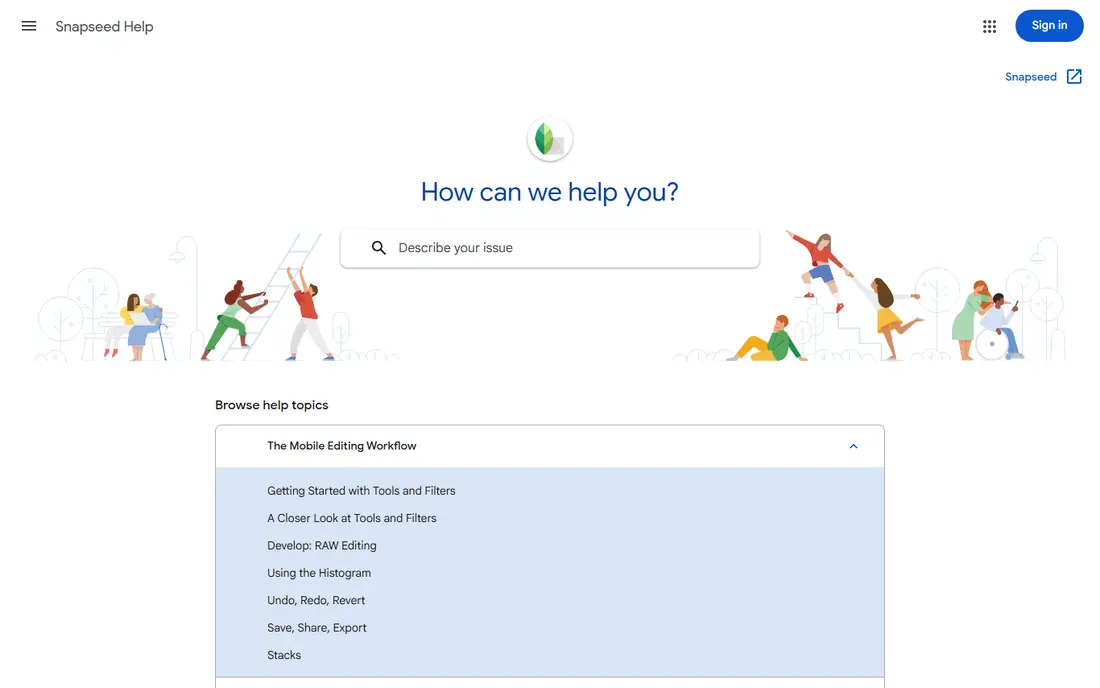
Snapseed is Google's free photo editor, and it is the best free option when removal is only part of the job. The healing tool removes small distractions, while selective editing, tuning and filters handle the rest of the photo. Edits are non destructive, so you can reopen a photo weeks later and undo a change.
Snapseed has no standalone official homepage, so we link to Google's official Snapseed support page rather than an unofficial site. That also means there is no subscription to manage and no ads or watermarks to work around. For larger objects or complex backgrounds, a dedicated remover such as TouchRetouch will do a cleaner job, but Snapseed covers everyday cleanup for free.
- Free with no subscription
- Healing tool for small removals
- More than 30 editing tools and non destructive edits
- Healing is general, not a dedicated AI object remover
- No standalone homepage, use Google support pages for help
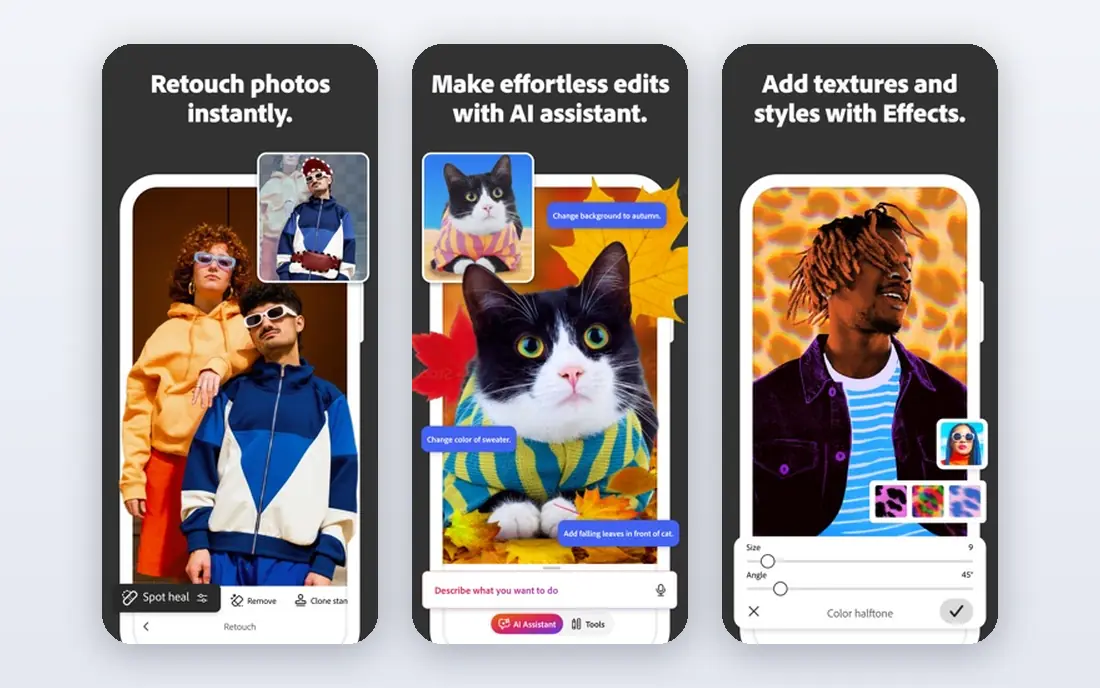
Photoshop Express suits people who want a quick, reliable mobile editor from Adobe. You can crop, adjust light and colour, and use healing tools to clean up small spots and distractions. The interface is built for phone editing, so a cleanup that would take several steps on desktop can be done in a few taps.
The free tier covers the basics, while premium features sit behind a subscription. If you already use Adobe tools on desktop, Photoshop Express fits that workflow. If removal is your only need, TouchRetouch will be more direct, but Photoshop Express is the better all round mobile editor.
- Familiar Adobe editing tools on mobile
- Healing and spot removal for small fixes
- Easy sharing to social apps
- Some advanced features need a subscription
- Object removal is less focused than TouchRetouch
Lightroom is the pick for photographers who take many photos and want organisation as well as editing. You can sort, rate and batch edit a shoot, then use the healing brush to remove spots, dust and small distractions. That combination matters when you return from a trip with hundreds of photos and need to clean up the keepers.
The mobile app is free to start, while cloud storage and premium tools need a paid plan. Lightroom is not the fastest tool for a single large object removal, but for a photographer who already manages photos in Lightroom, the healing tools keep the whole job in one place.
- Strong photo organisation and batch editing
- Healing brush for spots and distractions
- RAW support
- Full cloud features need a subscription
- Removal tools are part of a larger workflow
PhotoDirector from CyberLink combines AI removal with a full editor, which makes it a good choice when a photo needs more than cleanup. Paint over an object, let the AI fill the background, and then adjust colour, layers or effects without switching apps. That breadth suits creators who edit photos for social posts, blogs or small business use.
The free tier lets you test the basics, while premium AI features need a paid plan. Check the current plan details before you subscribe, because AI credits and feature limits vary. For a single quick removal on a phone, a focused app may be faster, but PhotoDirector is strong when removal is one step in a larger edit.
- AI object removal for larger areas
- Full editing, layers and effects
- Works on mobile and desktop
- Some AI features need a subscription
- The full feature set can feel large for a quick cleanup
YouCam Perfect is known as a selfie editor, but its AI object removal tool is useful for general photos too. Paint over an unwanted person, sign or object, and the tool fills the area based on the surrounding background. That makes it a good option for travel and event photos where a stranger has walked into the frame.
The free tier limits AI removal use, and full ad free editing needs a subscription, with monthly and yearly options listed on the app store. Use YouCam Perfect for your own photos and for honest cleanup, such as removing a distraction from a holiday snap, not for altering a photo in a way that misleads viewers about what happened.
- AI object removal that paints over people, text and glare
- Many selfie and beauty tools
- Easy sharing
- AI removal use is limited on the free tier
- Subscription needed for ad free full editing
Fotor suits people who prefer to edit in a browser rather than install another app. Its AI eraser removes bystanders, watermarks and unwanted objects while rebuilding the background behind them, and the same platform offers design tools for social posts and marketing images. That makes it useful for small business owners who edit product and lifestyle photos.
Free use is limited, and some AI features need credits or a paid plan, so check the current pricing page before a large batch. Results are best on clear backgrounds and smaller objects; complex patterns still need a careful selection and sometimes a second pass.
- AI eraser for bystanders, watermarks and buildings
- Works in a browser as well as on mobile
- Batch and design tools
- Some AI features need credits or a subscription
- Web results vary with background complexity
Cleanup.pictures is the fastest option in this list when you only need one quick fix. Open the site, upload a photo, brush over the distraction, and download the result. There is no account setup for basic use, which makes it handy for a single travel photo or a product shot with a stray object in the background.
The free version limits resolution and advanced features, and a paid plan is needed for higher quality exports and larger use. For a detailed edit with layers or precise cloning, use TouchRetouch or PhotoDirector instead. For a quick cleanup, Cleanup.pictures is hard to beat for speed.
- No app install needed
- Brush over an object and it fills the background
- Fast for small cleanups
- Free version limits resolution and features
- Less control than a desktop editor for complex edits
Inpaint is a simple web tool for removing small objects without learning a full editor. Select the object, run the removal, and check the result before downloading. It works best on plain or lightly patterned backgrounds, such as a clear sky, a wall or a beach, where the fill has clean pixels to copy.
Large objects on busy backgrounds are its weakness, and you may need several passes or a different tool. Pricing varies by version, so we list it as See website. Inpaint is a good backup tool for simple jobs, and a useful test case before you pay for a more advanced remover.
- Simple brush and lasso selection in a browser
- Good for small objects on plain backgrounds
- No complex editor to learn
- Struggles with large objects on busy backgrounds
- Pricing varies by version and licence
How we picked these
We compared official app listings and feature pages, and we kept only legitimate editing tools that are live in October 2026. We excluded tools built for non consensual or misleading image manipulation, and we excluded unofficial Snapseed sites in favour of Google's support page. We weighted removal quality on small and large objects, ease of selection, export quality, and whether the tool fits a phone, a browser or a desktop workflow.
How to remove an object cleanly
Start with the smallest selection that covers the object, and zoom in so you do not paint over nearby details you want to keep. Try automatic fill first, then use a clone stamp or a second pass for edges that look smudged. Check the result at full size, not only on a small phone preview, because artefacts that look fine small can show up in a print or a large post.
Save a copy of the original before you edit, and keep the edited photo honest: removing a bin from a holiday photo is cleanup, while removing a person or object to change what a photo appears to show is a different matter. Only edit photos you own or have permission to edit, and label an edited image when the context requires it.
Frequently asked questions
What is the best app to remove object from photo?
TouchRetouch is the best dedicated app for object removal, while Snapseed is the best free general editor with a healing tool. For AI removal of larger areas, PhotoDirector, YouCam Perfect and Fotor are stronger than a simple clone tool.
What are the best apps to remove objects from photos?
The strongest set is TouchRetouch for dedicated removal, Snapseed for free general editing, Adobe Lightroom and Photoshop Express for Adobe users, and PhotoDirector, YouCam Perfect and Fotor for AI fill. Cleanup.pictures and Inpaint are good web options for quick jobs.
What is the best tool to remove objects from photos?
The best tool depends on where you edit. On a phone, TouchRetouch or YouCam Perfect are direct choices. In a browser, Cleanup.pictures or Fotor are fast. On desktop, PhotoDirector or Lightroom fit a larger editing workflow.
Is Snapseed free?
Yes, Snapseed is free with no subscription, no in app purchases and no ads, according to Google's listings and recent coverage. Use Google's official support page for help, since Snapseed has no standalone homepage.
Can I remove people from photos?
Yes, you can remove a person from a photo you own, such as a stranger in a travel shot, using the tools above. Only edit photos you own or have permission to edit, and do not use removal tools to mislead people or to alter a photo in a harmful way.
Why does object removal sometimes look blurry?
Removal works by filling an area from surrounding pixels, so busy patterns, shadows and edges are harder to rebuild than plain backgrounds. A careful selection, a smaller object, and a second pass with a clone stamp usually give a cleaner result.
Sources
- https://www.touchretouch.com
- https://support.google.com/snapseed
- https://www.adobe.com/products/photoshop-express.html
- https://www.adobe.com/products/photoshop-lightroom.html
- https://www.cyberlink.com/products/photo-director
- https://www.youcam.com
- https://www.fotor.com
- https://cleanup.pictures
- https://www.theinpaint.com
See where you really rank - block by block
ProMapRanker scans Google Maps across a grid of your service area. Simple monthly plans from $19, white-label on every plan.
Start freeKeep reading
 zscaler alternatives
Best Zscaler Alternatives in 2026
Looking for zscaler alternatives? We compare 9 SASE and zero trust platforms on architecture, data protection, pricing, and fit for your network and team.
Read → zapier alternatives free
Best Zapier Alternatives Free in 2026
Nine automation tools for zapier alternatives free in 2026, all with genuinely free tiers, plus free plan limits, starting prices and upgrade paths explained.
Read → which platform is best for online reputation
Which Platform Is Best for Online Reputation in 2026
Wondering which platform is best for online reputation? We compare 8 review, listing, and response tools for small and multi-location businesses and agencies.
Read →