 ProMapRanker
Best App to Manage Subscriptions in 2026


Automatic detection and cancellation · Pricing starts at: $7 per month
Key takeaways
- Rocket Money is our pick for automatic detection, since it scans linked accounts for recurring charges.
- Bobby and ReSubs suit people who do not want to link a bank account and prefer manual entry.
- Monarch Money and YNAB suit people who want subscription tracking inside a full budgeting system.
- PocketGuard and Copilot Money sit between those groups, with spending views plus subscription lists.
- This is not financial advice, and linking a bank account means checking security and data terms first.
Quick comparison
| Pick | Great for | Pricing starts at | Free tier | |
|---|---|---|---|---|
| Rocket Money | Automatic detection and cancellation | $7 per month | Yes | Visit |
 Monarch Money | Full budgeting dashboard | $99.99 per year | Free trial | Visit |
 PocketGuard | Spending and subscription views | $74.99 per year | Yes | Visit |
 Bobby | Manual tracking without bank linking | See website | Yes | Visit |
 ReSubs | Manual tracking without bank access | See website | Yes | Visit |
 YNAB | Strict budgeting with subscription tracking | $109 per year | Free trial | Visit |
 Copilot Money | iPhone budgeting with subscription views | $95 per year | Free trial | Visit |
 Empower | Free net worth and spending views | Free | Yes | Visit |
The best app to manage subscriptions
We compared automatic detection, manual entry, cancellation help, and price. Our pick for most people is Rocket Money if you are comfortable linking accounts, and Bobby if you are not.

Rocket Money, formerly Truebill, finds subscriptions you may have forgotten. Link a bank or card account, and it lists recurring charges with monthly totals in one dashboard. That automatic view is its main advantage over manual trackers, since forgotten charges are the ones that cost most over a year.
The free tier tracks and lists, but it does not cancel for you. Premium adds done-for-you cancellation and bill negotiation, with pricing on a sliding scale starting at $7 per month. Check current negotiation terms before you pay, since success fees and plan terms have changed over time.
- Scans linked accounts for recurring charges
- Free tier shows subscription totals
- Premium adds cancellation help and bill negotiation
- Cancellation and negotiation are paid features
- Premium price varies on a sliding scale
- Requires bank linking for automatic detection
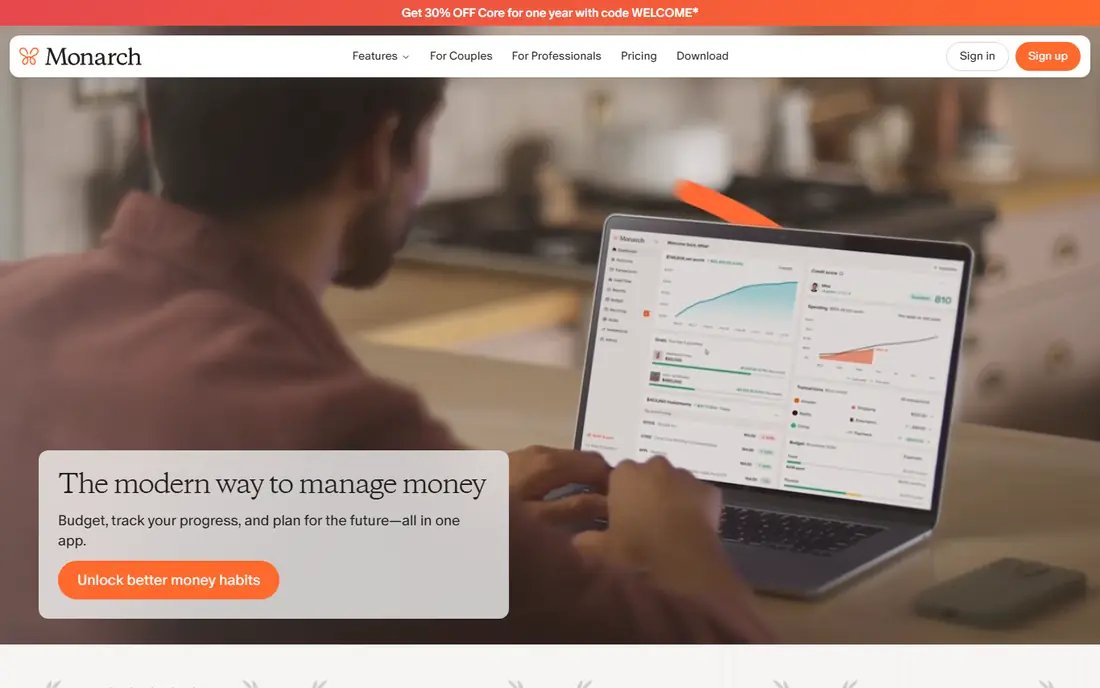
Monarch Money suits people who want subscription tracking as part of a wider money system. You see budgets, accounts, investments, and recurring charges in one place, and you can share the dashboard with a partner. Bill reminders help you catch renewals before they hit.
It is not the cheapest way to list subscriptions alone. If you only want a subscription list, Bobby or Rocket Money free tier will cost less. If you already want a full budgeting dashboard, Monarch adds subscription tracking without a second app.
- Clean dashboard for budgets, net worth, and subscriptions
- Shared budgeting for partners
- Bill reminders and reports
- No lasting free tier
- Annual price is higher than a single-purpose tracker
- Bank linking needed for automatic views

PocketGuard answers a simple question: after bills and subscriptions, what can you safely spend? Its subscription list sits next to that spending view, so you can see the effect of each recurring charge. That link between subscriptions and daily spending is useful when you decide what to cut.
Cancellation help is lighter than Rocket Money Premium, so expect to cancel some services yourself. Still, for awareness plus budgeting in one app, PocketGuard is a balanced choice at a lower annual price than Monarch.
- Simple view of what is safe to spend
- Subscription list alongside budgets
- Free tier for basic tracking
- Deeper features require Plus
- Automatic detection depends on linked accounts
- Less cancellation help than Rocket Money Premium
Bobby is for people who want control without sharing bank access. You enter each subscription, its price, and its renewal date, and the app shows totals by week, month, and year. That manual habit takes a few minutes to set up, but it keeps your financial data out of a linked account system.
The weakness is obvious: Bobby cannot find a charge you forgot to enter. It works best if you set aside time each month to review statements and update the list. For privacy-minded users, that trade is worth it.
- No bank account needed
- Simple manual entry
- One-time purchase option in app stores
- No automatic detection
- You must enter each subscription and renewal date
- Fewer budgeting features than Monarch or YNAB
ReSubs follows the same privacy-first idea as Bobby, with a focus on subscription tracking rather than full budgeting. You add subscriptions manually, set renewal reminders, and see totals without linking a bank account. That simplicity suits users who only want one job done well.
It will not replace a budgeting app, and it will not catch forgotten charges on its own. Pair it with a monthly statement review, and it stays accurate. If bank linking is a deal-breaker for you, ReSubs is a strong alternative to Rocket Money.
- Subscription tracking without bank access
- Clear renewal reminders
- Privacy-focused approach
- No automatic bank detection
- Smaller feature set than full budgeting apps
- Check current plan terms in the app store
YNAB, short for You Need A Budget, treats subscriptions as scheduled spending inside a full budget. You assign money to each subscription before the month starts, which makes the cost visible rather than abstract. That method helps people who want to cut spending, not just list it.
New users need time to learn the method, and the annual price is high if you only want a subscription list. If you already budget with YNAB, its subscription handling is a bonus. If you do not want a budgeting method, choose a simpler tracker instead.
- Clear method for assigning every dollar
- Scheduled transactions for subscriptions
- Strong reporting and goal tools
- Learning curve for new users
- No lasting free tier
- Subscription tracking is part of budgeting, not a standalone feature
Copilot Money is built for Apple users who want a clean, fast budgeting app. It categorizes transactions, surfaces recurring charges, and presents budgets in a clear dashboard. The design feels lighter than Monarch for users who live in the Apple ecosystem.
Android users should look elsewhere, since Copilot focuses on iPhone and Mac. There is no lasting free tier, so use the trial to test bank connections and categorization. For iPhone users who want subscription views inside a polished budget app, Copilot is a good fit.
- Clean iPhone design
- Automatic categorization
- Subscription and recurring transaction views
- IPhone and Mac focus, with limited Android support
- No lasting free tier
- Bank linking needed for automatic detection
Empower, formerly Personal Capital, offers a free dashboard that pulls accounts together and shows spending and net worth. Recurring charges appear in transaction views, which helps you spot subscriptions alongside other spending. For a free overview, it is hard to beat on price.
It is not a dedicated cancellation service, so you will cancel unwanted subscriptions yourself. Advisory upsells also appear in the product, though core tracking remains free. Use Empower for awareness, and pair it with a dedicated tracker if you want cancellation help.
- Free dashboard for accounts, net worth, and spending
- Recurring transaction views
- No monthly fee for core tracking
- Subscription cancellation help is limited
- Budgeting tools are lighter than YNAB or Monarch
- Upsells for advisory services
How we picked these
We compared official pricing pages, app store listings, and published guides for subscription tools. A tool made this list only if it could list and total subscriptions in a current product, either by automatic detection or by manual entry. We did not list defunct apps, and we did not treat a general spreadsheet as an app.
We also split the list by privacy and scope. Some readers will link a bank account for automatic detection, while others will not. Both groups get real options here, and the trade-offs are stated plainly. Prices are shown as published annual or monthly figures where vendors list them, and as See website where terms vary.
How to audit your subscriptions in one hour
Start with a statement, not an app. Open your last two bank and card statements and highlight every recurring charge. Then open your email for renewal notices, since annual subscriptions often hide between monthly ones. That hour of work gives any app a clean starting list.
Decide on bank linking first
Automatic detection saves time, but it requires account access through a service such as Plaid. Read the privacy terms, check what data is stored, and use two-factor authentication on the app and your bank. If that access feels wrong for you, choose Bobby or ReSubs and review statements monthly instead.
Cancel, pause, or rotate
Not every subscription needs cancelling. Some services allow pausing, and streaming services often allow cancelling and restarting without a fee. Check the renewal date before you act, since annual plans may not refund the unused term. Keep a note of what you cancelled and when, so you can restart a service you actually miss.
Set a monthly reminder
Subscriptions creep back through free trials and new sign-ups. Set a monthly reminder to review your list, check for price rises, and remove trials you did not convert. A tracker helps only if you open it, so tie the review to payday or the first day of the month.
Frequently asked questions
What is the best app for subscription management?
Rocket Money is our pick if you want automatic detection and cancellation help, while Bobby is our pick if you prefer manual tracking without bank linking. Monarch Money is our pick if you want subscriptions inside a full budgeting dashboard.
What are the best apps to manage subscriptions without a bank account?
Bobby and ReSubs both track subscriptions without bank access, using manual entry and renewal reminders. They cannot find forgotten charges on their own, so pair them with a monthly statement review.
Is Rocket Money free?
Rocket Money offers a free tier that tracks subscriptions and spending from linked accounts. Premium, starting at $7 per month on a sliding scale, adds cancellation help and bill negotiation. Check current Premium terms before you pay.
Can an app cancel subscriptions for me?
Rocket Money Premium offers done-for-you cancellation for many services, though some providers still require you to confirm or complete steps yourself. Manual trackers such as Bobby and ReSubs show you what to cancel, but you contact the provider yourself.
How do I find subscriptions I forgot about?
Linking an account in Rocket Money, Monarch, or PocketGuard surfaces recurring charges from transaction history. Without linking, review two months of bank and card statements and search email for renewal notices and trial confirmations.
Is it safe to link my bank account to a subscription app?
Reputable apps use bank-connection services and encryption, and you should still check privacy terms and enable two-factor authentication. If you are unsure, use a manual tracker and review statements yourself instead of linking accounts.
Sources
See where you really rank - block by block
ProMapRanker scans Google Maps across a grid of your service area. Simple monthly plans from $19, white-label on every plan.
Start freeKeep reading
 zscaler alternatives
Best Zscaler Alternatives in 2026
Looking for zscaler alternatives? We compare 9 SASE and zero trust platforms on architecture, data protection, pricing, and fit for your network and team.
Read → zapier alternatives free
Best Zapier Alternatives Free in 2026
Nine automation tools for zapier alternatives free in 2026, all with genuinely free tiers, plus free plan limits, starting prices and upgrade paths explained.
Read → which platform is best for online reputation
Which Platform Is Best for Online Reputation in 2026
Wondering which platform is best for online reputation? We compare 8 review, listing, and response tools for small and multi-location businesses and agencies.
Read →