 ProMapRanker
Best App to Hide Photos in 2026

Key takeaways
- LockMyPix is the strongest standalone vault for verified per-file encryption, while Keepsafe suits users who want cloud backup with their vault.
- Google Photos Locked Folder and Samsung Secure Folder are the best built-in options, because they use system-level protection already on your phone.
- Proton Drive and Cryptee suit users who want end-to-end encrypted storage across devices, not just a hidden album on one phone.
- No vault replaces good habits: use a strong device passcode, keep backups, and never use these apps to conceal wrongdoing or non-consensual material.
Quick comparison
| Pick | Great for | Pricing starts at | Free tier | |
|---|---|---|---|---|
 Keepsafe | Cloud-backed photo vault | Free | Yes | Visit |
 LockMyPix | Verified per-file encryption | Free | Yes | Visit |
 Google Photos Locked Folder | Built-in Android and iOS hiding | Free | Yes | Visit |
 Samsung Secure Folder | Galaxy system vault | Free | Yes | Visit |
 Proton Drive | Encrypted cross-device storage | Free | Yes | Visit |
 Inner Gallery | One-time purchase iPhone vault | See website | No | Visit |
 Vault | Simple photo and video vault | Free | Yes | Visit |
 Cryptee | Encrypted private documents | See website | Yes | Visit |
 Aegis Gallery | Local encrypted gallery | See website | Yes | Visit |
The best apps to hide photos
These apps are for hiding your own photos from casual viewers, such as when you hand your phone to a friend, a child, or a colleague. They are not tools for concealing wrongdoing, and they must never be used to hide non-consensual material or evidence of harm. We compared official app pages, encryption descriptions, and backup options for each option below, and we focused on whether photos are truly encrypted, where backups live, and what happens if you lose your phone or password.

Keepsafe is the most widely used dedicated photo vault, and its appeal is simple: lock photos and videos behind a PIN or fingerprint, and back them up to a private cloud so a lost phone does not mean lost photos. Albums, cloud sync, and recovery options make it practical for users who switch phones often.
The trade-off is cloud trust. Even with encryption, a cloud vault means your photos leave your device, so users who want local-only storage should look at LockMyPix or a built-in folder instead. Keepsafe also needs a premium plan for full cloud storage. For a convenient, backed-up vault, it remains a solid choice.
- PIN, pattern, and fingerprint protection
- Encrypted private cloud backup
- Albums and cloud sync across devices
- Cloud backup means trusting a vendor with encrypted copies
- Premium needed for full storage and features
LockMyPix is our pick for users who care most about real encryption, not just a hidden album. Independent reviews describe per-file AES-256 encryption, which means each photo is encrypted on its own, so files pulled from storage are unreadable without the key. That is a stronger claim than many vault apps make, and it matters if a phone is lost or examined.
The downside is polish and price for cloud features. The free local vault is strong, but encrypted cloud sync sits in premium, and the interface is functional rather than slick. For a standalone vault where encryption is the priority, LockMyPix is the most defensible choice on this list.
- Per-file AES-256 encryption described in independent reviews
- Local vault option
- Premium adds encrypted cloud sync
- Premium needed for cloud sync
- Interface is more utilitarian than Keepsafe
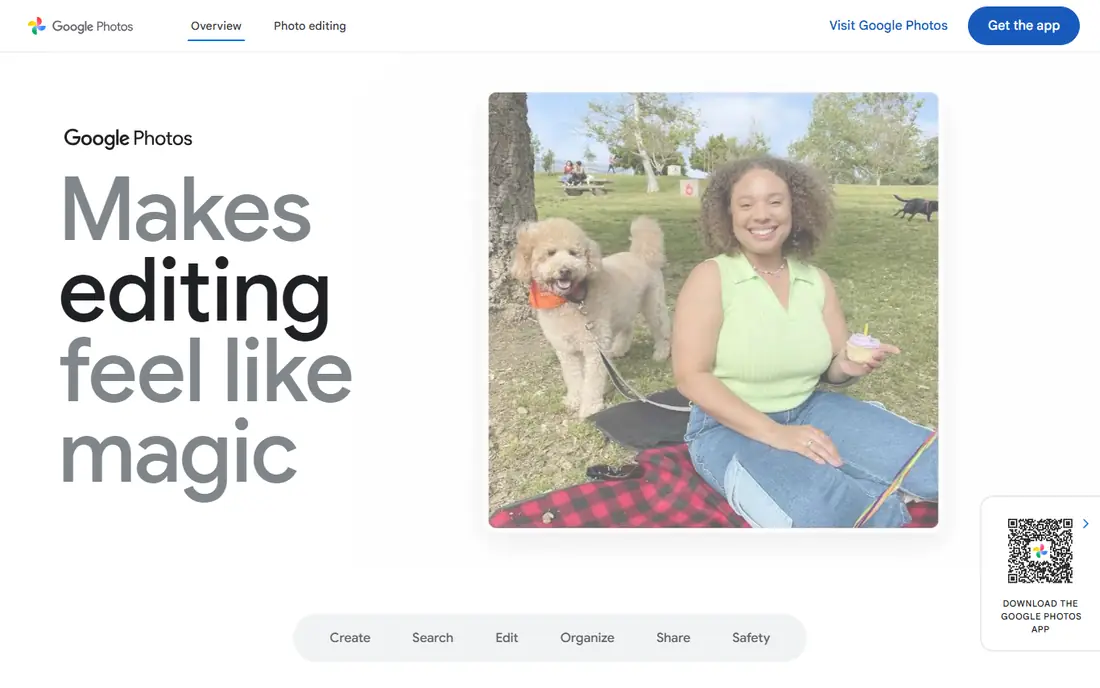
Google Photos Locked Folder is the easiest option for many Android and iOS users, because it is already in an app they use. Photos moved to Locked Folder do not appear in the main photo grid, memories, or shared albums, and they are protected by device lock. That stops casual browsing when someone scrolls through your gallery.
The limit is that it is a locked folder, not a separate encrypted vault with its own password in most setups. It also does not back up locked items to the cloud in the same way as normal photos, by design, so a lost phone can mean lost locked photos if you have no other backup. Use it for casual privacy, and use a true vault or encrypted drive for sensitive copies you must keep.
- Built into Google Photos
- Items in Locked Folder are not shown in the main grid or shared albums
- Device lock protects access
- No separate vault password beyond device lock in many setups
- Cloud backup for locked items is limited by design
Samsung Secure Folder is the strongest built-in option for Galaxy owners. It creates a separate, encrypted space on the phone, protected by biometrics or a PIN, where you can store photos, files, and even separate copies of apps. Because it works at system level, it is harder for a casual viewer to stumble into than a simple hidden album.
The obvious limit is device. Secure Folder only works on Samsung Galaxy phones, so Pixel, iPhone, and other Android users need a different option. Galaxy owners should set it up first, before downloading a third-party vault, since it offers stronger separation with no extra app cost.
- Hardware-backed, system-level separation on Galaxy phones
- Biometric protection
- Separate apps and files inside the folder
- Only available on Samsung Galaxy devices
- Setup takes a few steps for new users
Proton Drive suits users who want photos encrypted and available on several devices, not just hidden on one phone. Files are end-to-end encrypted, so the provider cannot read them in plain form, and you can access them from a phone, browser, or desktop. That cross-device access is useful for users who work on more than one device.
The trade-off is that Proton Drive is a secure drive, not a photo vault app with album hiding tricks. It will not disguise itself as another app, and free storage is limited, so heavy photo users will need a paid plan. For encrypted storage you control across devices, it is one of the best options available.
- End-to-end encrypted storage
- Works across phones, web, and desktop
- Swiss-based privacy policies from the vendor
- A drive is not a gallery vault with decoy modes
- Free storage is limited
Inner Gallery is a good iPhone option for users who dislike subscriptions. Reviews describe per-file encryption with optional end-to-end encrypted iCloud sync, and a one-time purchase model rather than a monthly fee. That combination appeals to users who want a vault they pay for once and keep.
The limits are platform and scale. Inner Gallery is iPhone-focused, so Android users need another pick, and its smaller user base means fewer public guides than Keepsafe. For an iPhone user who wants a paid-once vault with strong encryption claims, it is worth a close look.
- Per-file encryption described in reviews
- Optional end-to-end encrypted iCloud sync
- One-time purchase instead of a subscription
- IPhone-focused
- No free tier for full features
- Smaller user base than Keepsafe
Vault, long listed in app stores as a photo and video vault, offers a simple way to hide photos behind a password or fingerprint, with bulk import and folder organization. Premium features in some listings include intruder photos when a wrong password is entered, and a disguised interface option. That simplicity suits users who want a basic vault without learning a new system.
The catch is that older vault apps have had mixed security reviews over the years, and features vary by store version. Users should check the current listing, read the privacy policy, and prefer a vault with clear encryption claims, like LockMyPix, for sensitive material. Vault is best for casual hiding, not for high-sensitivity storage.
- Simple PIN and fingerprint vault for photos and videos
- Bulk import and folder tools
- Intruder photo features on premium
- Older vault model with cloud features that need checking
- Security claims vary by version and store listing
Cryptee is an encrypted document and photo tool that suits users who want privacy for files, notes, and images together. Its end-to-end encryption and open source client claims appeal to privacy-focused users, and it works in a browser as well as on mobile, which helps users who do not want to rely on one phone app.
The trade-off is workflow. Cryptee is built for documents first, so importing, browsing, and organizing a large photo library feels less smooth than Keepsafe or LockMyPix. For users who want one encrypted place for sensitive documents and selected photos, it is a strong, principled choice. For a pure photo vault, a dedicated app fits better.
- End-to-end encrypted documents and photos
- Open source client code in vendor descriptions
- Works in a browser and on mobile
- A document tool first, not a gallery vault
- Photo workflow is less slick than dedicated vault apps
Aegis Gallery is a local encrypted gallery option mentioned in recent Android privacy guides, aimed at users who want photos encrypted on the device without cloud upload. It offers gallery-style browsing inside a protected vault, which feels more natural than a file manager for photo collections. Local-only use also removes cloud trust from the equation.
The limits are scale and documentation. Aegis is smaller and less widely reviewed than Keepsafe or LockMyPix, so users should check the current store listing, permissions, and backup options before trusting it with irreplaceable photos. For an Android user who wants a local gallery vault, it is a promising option to test with non-critical photos first.
- Local encryption focus for Android users
- Gallery-style browsing inside a vault
- No cloud required for core use
- Smaller and less documented than the leaders
- Availability and pricing vary by store listing
How we picked these
We compared official app pages, encryption descriptions, and backup options for each app, and we checked that each app still offers photo hiding, vault, or encrypted storage in October 2026. We favored apps with clear encryption claims, built-in system options, or end-to-end encrypted storage, and we stated plainly where an app offers only casual hiding rather than true encryption. We included only legitimate privacy vaults for your own photos, with a plain note that these apps must never be used to conceal wrongdoing or non-consensual material.
What to check before you choose
First, decide whether you need true encryption or just casual hiding, since a hidden album and an encrypted vault are not the same. Next, check backup: a local-only vault protects privacy but risks total loss if you forget a password or lose a phone, so keep an encrypted backup you control. Finally, check permissions, cloud settings, and intruder features, and use a strong, unique vault password that differs from your device passcode where the app allows it.
Frequently asked questions
What is the best app to hide photos?
LockMyPix is the best standalone vault for encryption, Keepsafe is best for cloud-backed vault use, and Google Photos Locked Folder is best for casual built-in hiding. Samsung Secure Folder is best for Galaxy owners who want system-level separation.
What are the best apps to hide photos on iPhone?
Inner Gallery and LockMyPix suit iPhone users who want encryption, Keepsafe suits users who want cloud backup, and Google Photos Locked Folder suits users who want a built-in option. Check iCloud backup settings, since a vault backup can change where copies live.
What is the best hidden photo app for Android?
Samsung Secure Folder is best on Galaxy phones, Google Photos Locked Folder is best for most other Android phones, and LockMyPix and Keepsafe are the best standalone vaults. Aegis Gallery is a local option worth testing for Android users who want no cloud upload.
Are photo vault apps really secure?
It depends on the app. True vaults use per-file encryption, while simple hidden albums only remove photos from the main gallery view. Check encryption claims, cloud backup settings, and independent reviews, and do not treat a hidden album as secure storage for highly sensitive material.
Can I recover photos if I forget my vault password?
Often, no, especially for local encrypted vaults with no cloud backup or recovery key. That is by design for privacy, but it means you must keep a backup you control and store recovery details safely. Check each app recovery policy before you move irreplaceable photos into a vault.
Sources
See where you really rank - block by block
ProMapRanker scans Google Maps across a grid of your service area. Simple monthly plans from $19, white-label on every plan.
Start freeKeep reading
 zscaler alternatives
Best Zscaler Alternatives in 2026
Looking for zscaler alternatives? We compare 9 SASE and zero trust platforms on architecture, data protection, pricing, and fit for your network and team.
Read → zapier alternatives free
Best Zapier Alternatives Free in 2026
Nine automation tools for zapier alternatives free in 2026, all with genuinely free tiers, plus free plan limits, starting prices and upgrade paths explained.
Read → which platform is best for online reputation
Which Platform Is Best for Online Reputation in 2026
Wondering which platform is best for online reputation? We compare 8 review, listing, and response tools for small and multi-location businesses and agencies.
Read →