 ProMapRanker
Best App to Download YouTube Videos for Free in 2026


Official offline playback in the app · Pricing starts at: $15.99 per month
Key takeaways
- YouTube Premium is the only straightforward lawful route to offline YouTube playback inside the YouTube app, and it should be the first option for most readers.
- Downloading a video you do not own, or that is not public-domain or Creative Commons licensed, without the rights holder permission, is not covered by this article.
- The other tools here fit lawful cases only, such as your own uploads, public-domain material, Creative Commons material used under its licence, and videos a creator has made available for download.
- Free desktop tools vary in ease and upkeep, so pick a maintained tool from its official site and check its licence terms before each use.
Quick comparison
| Pick | Great for | Pricing starts at | Free tier | |
|---|---|---|---|---|
| YouTube Premium | Official offline playback in the app | $15.99 per month | Free trial | Visit |
 YouTube Studio | Downloading your own uploads | Free | Yes | Visit |
 Google Takeout | Exporting your own YouTube data | Free | Yes | Visit |
 4K Video Downloader | Desktop downloads of lawful material | Free | Yes | Visit |
 yt-dlp | Command-line downloads for advanced users | Free | Yes | Visit |
 JDownloader | Free desktop downloads and link handling | Free | Yes | Visit |
 ClipGrab | Simple free desktop downloads | Free | Yes | Visit |
 VLC media player | Playing and saving lawful streams you can access | Free | Yes | Visit |
 Internet Archive | Public-domain and Creative Commons video | Free | Yes | Visit |
The best app to download youtube videos for free
We compared official feature pages, pricing pages, app store listings, and public documentation for tools that can save video for offline use. This article covers lawful use only. Do not use any tool here to download copyrighted YouTube videos without the rights holder permission, and do not use tools marketed for bypassing YouTube protections to take other creators work. If you are unsure about rights, use YouTube Premium offline playback, which keeps viewing inside the YouTube app, or ask the creator for permission.
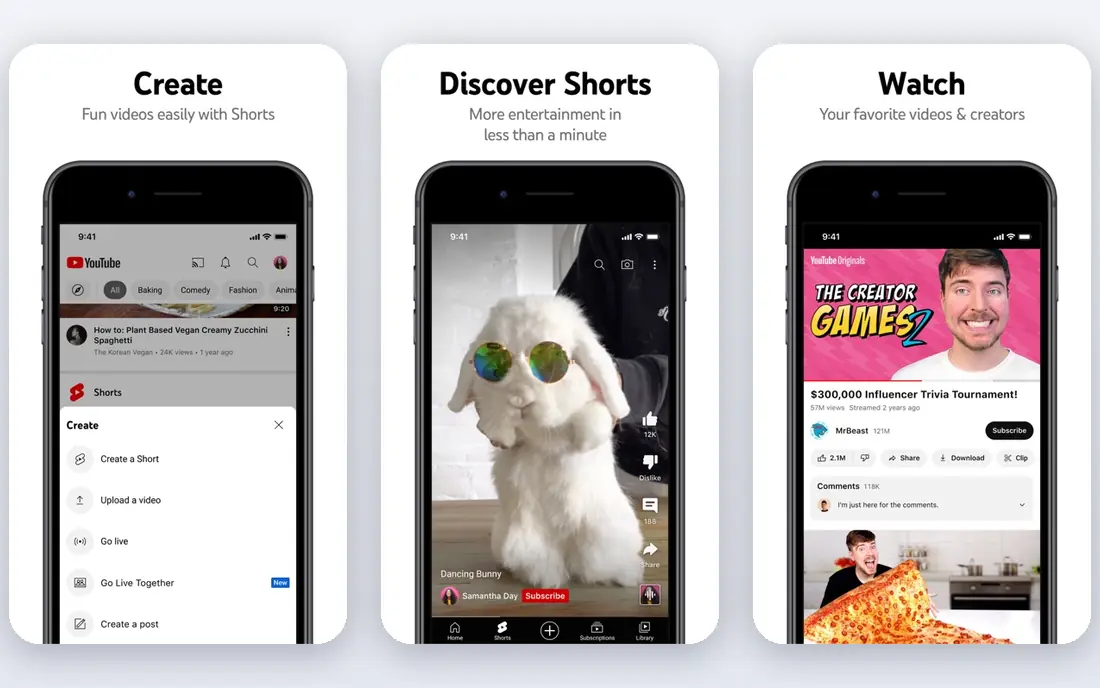
YouTube Premium is our first pick because it is the official route. Subscribers can save videos or playlists in the YouTube app for offline playback, with quality options that depend on the source video, and the same subscription adds ad-free viewing, background play, and YouTube Music Premium. That bundle suits travelers, commuters, and anyone who watches a lot on a phone or tablet.
The limits are part of the design. Downloads are tied to the app and the subscription, not to standalone video files you can move anywhere, and the cheaper Premium Lite plan does not include offline downloads. If you want a file you own, Premium is not the tool, and you should look at the own-content options below instead. For lawful offline watching inside YouTube, Premium is the simplest answer.
- Official offline downloads inside the YouTube app
- Ad-free viewing and background play included
- YouTube Music Premium included
- Downloads stay inside the app and need a subscription
- Premium Lite does not include offline downloads
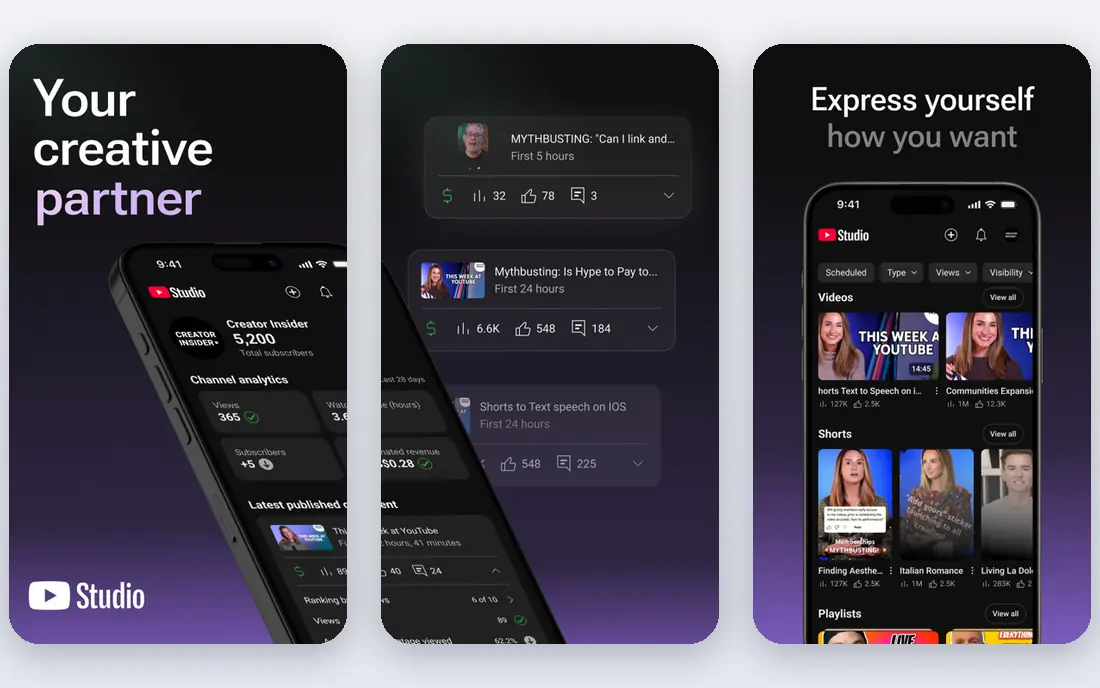
YouTube Studio is the right tool for creators who need their own work back. Channel owners can download their own uploaded videos from Studio, which helps when an original file is lost, when a backup is needed, or when a video must be re-edited. Because the content is yours, rights questions do not arise in the same way as with other creators work.
The limit is scope. Studio does not give you other creators videos, and it is not a general download app. Creators should still keep local backups of originals, since Studio downloads may differ in quality from the master file. For a creator backing up a channel, though, Studio is free, official, and easy to find.
- Official route to download your own videos
- Free for channel owners
- Keeps your original uploads accessible
- Only works for your own channel content
- Not a general YouTube downloader
Google Takeout lets you export your own YouTube uploads and related data from your Google account. That makes it a strong choice for a full channel backup, a move to a new workflow, or a personal archive of work you created. The export arrives as files you can store yourself, which differs from Premium downloads that stay inside the app.
The trade-off is speed and granularity. A large channel export can take time to prepare, and Takeout is built for account data rather than grabbing one video in seconds. It also covers only your own content, not other creators videos. For a creator who wants a complete, lawful backup, Takeout is the thorough option.
- Official export of your own uploads and data
- Free for Google account holders
- Useful for full channel backups
- Export process can be slow for large channels
- Not meant for single-video quick downloads
4K Video Downloader is a desktop app for Windows, Mac, and Android that suits users who want a clear interface for saving lawful material, such as their own videos, public-domain clips, or Creative Commons videos used under their licence terms. Playlist handling, quality choices up to high resolutions, and Smart Mode presets reduce repeated setup for regular lawful archiving.
The limits are the free tier and the responsibility that comes with a general downloader. Occasional use fits the free Starter tier, while heavy or commercial use needs a paid licence, and the tool itself does not grant rights to other creators work. Use it only where you own the video, where the licence allows downloading, or where the creator has made the video available for download, and keep that check for every video.
- Polished desktop interface with playlist and quality options
- Smart Mode for saved format presets
- Free Starter tier for occasional use
- Free tier has quantity limits
- Full features need a paid licence
- No iOS app listed on the vendor site
yt-dlp is the open-source command-line engine behind many download tools, and it suits advanced users, archivists, and developers who need precise control. Format selection, subtitles, metadata, and playlist handling are all available from the terminal, and the tool is free with frequent releases. For a lawful archive of your own content or public-domain material, that control is hard to match.
The catch is usability. There is no graphical interface, so a user who wants one-click downloads should pick a desktop app instead, and merging separate video and audio streams needs an extra tool installed. yt-dlp also does not grant rights, so the same lawful-use rule applies to every command. If you are comfortable in a terminal and you respect rights, it is the most capable free option here.
- Free and open source
- Granular format, subtitle, and metadata control
- Scriptable for lawful archiving workflows
- Terminal only with no graphical interface
- Needs extra setup for merging video and audio
JDownloader is a free, open-source download manager that suits users who need to handle many links at once for lawful material, such as their own files or public-domain collections. It runs on Windows, Mac, and Linux, and it can queue, pause, and organise downloads in a way a browser alone cannot. That batch handling helps archivists and creators with large own-content libraries.
The downside is polish. The interface is functional rather than pretty, and new users need time to learn its settings. Always download JDownloader from its official site, since unofficial installers can add unwanted extras. As with every general tool here, use it only for material you own or are licensed to download, not for other creators copyrighted videos.
- Free for Windows, Mac, and Linux
- Handles many links at once
- Useful for lawful bulk archiving from your own sources
- Interface feels dated and takes time to learn
- Setup needs care to avoid bundled extras from unofficial installers
ClipGrab suits beginners who want a simple, free desktop downloader for occasional lawful use. The interface uses a few tabs for search, downloads, and settings, so a user can paste a link for their own video or a Creative Commons video and save it without learning a command line. It runs on Windows, Mac, and Linux, which covers most desktop setups.
The limits are choice and upkeep. Format and quality options are simpler than those in larger tools, and past releases have shown gaps between platforms, with the Mac build trailing Windows at times. That matters less for occasional lawful downloads, but a user who needs high-resolution or batch control should look at the desktop options above. Always use the official site for the installer.
- Free and lightweight with a simple interface
- Built-in search for lawful sources
- Runs on Windows, Mac, and Linux
- Fewer format and quality options than larger tools
- Mac version has trailed Windows in past releases
VLC media player is best known as a free player, but it can also save network streams that you have lawful access to, which makes it a useful tool for creators and archivists working with their own streams or public sources. It runs on most platforms, plays almost any format, and costs nothing, so it is a handy addition to any lawful workflow.
The catch is that VLC is not built as a one-click YouTube downloader. Saving a stream takes manual steps, and the workflow will feel technical to a casual user. It also does not change rights rules, so a stream you can watch is not automatically a stream you may keep. Use VLC for lawful sources you control or are licensed to use, and keep Premium for ordinary offline YouTube viewing.
- Free and open source media player
- Can save streams you have lawful access to
- Plays almost any file type once saved
- Download workflow is manual and technical
- Not a dedicated YouTube download app
Internet Archive is the lawful library in this list. It hosts public-domain films, Creative Commons videos, and community uploads where download is part of the item terms, and it suits teachers, researchers, and creators looking for material they can legally reuse. Each item page shows its licence and file options, so a user can check reuse terms before downloading.
The limit is scope. Internet Archive is not YouTube, and it does not hold recent commercial videos, so it cannot replace Premium for current YouTube watching. Licence terms also vary by item, so a free download does not always mean free reuse in a new project. Check the item licence, credit the creator where required, and use the Archive for what it is best at, which is lawful, openly licensed material.
- Large library of public-domain and Creative Commons video
- Free downloads where the item licence allows
- Useful for research and teaching
- Not a YouTube tool and does not cover recent commercial videos
- Licence terms vary by item and must be checked
How we picked these
We compared official feature pages, pricing pages, app store listings, and public documentation for tools that support offline video in a lawful way. We put YouTube Premium first as the official offline option, then official own-content routes, then general desktop tools framed strictly for own, public-domain, or Creative Commons material. We left out tools marketed for bypassing YouTube protections to take copyrighted videos, link-shortener download sites, and modified YouTube apps, since those do not fit a lawful-use list.
How to stay on the right side of the rules
Start by asking who owns the video. If you made it, you can download it through Studio or Takeout. If it is public-domain, check that the specific copy is truly public-domain in your country. If it is Creative Commons, read the licence for download, reuse, and credit rules, since some licences forbid commercial use or changes. If none of those apply, use Premium offline playback inside the app instead of saving a file.
Next, be careful with installers and claims. Download desktop tools only from their official sites, avoid sites that promise free downloads of any video with no rights check, and do not install modified YouTube apps that bypass subscriptions or protections. Those routes can carry malware, break YouTube terms, and put your account at risk. When a tool asks you to paste a link, pause and confirm you have a lawful reason for that specific video.
Finally, keep records for your own projects. Note the source, licence, and creator credit for any public-domain or Creative Commons clip you reuse, and keep your own originals backed up outside YouTube. That habit protects your work, makes reuse simple, and keeps a lawful archive useful over time.
Frequently asked questions
What is the best app to download youtube videos for free?
YouTube Premium is the best official option for offline playback, though it is a paid subscription with a trial, not a free file downloader. For free lawful file downloads, YouTube Studio and Google Takeout cover your own uploads, while Internet Archive covers public-domain and Creative Commons video. General desktop tools here are only for lawful material you own or are licensed to download.
Can I download any YouTube video for free?
No. Downloading copyrighted videos without the rights holder permission is not lawful, even if a tool makes it technically possible. This article covers Premium offline viewing, your own uploads, public-domain material, and Creative Commons material used under its licence. When in doubt, watch inside YouTube or ask the creator.
Does YouTube Premium let me keep video files?
No, Premium downloads stay inside the YouTube app for offline playback and are tied to the subscription. They are not standalone files you can move to another player or editor. If you need a file of your own video, use YouTube Studio or Google Takeout to export your own upload.
Is yt-dlp legal to use?
yt-dlp itself is free, open-source software, and its legality depends on how you use it and on local law. Using it for your own videos, public-domain material, or Creative Commons material under its licence is a lawful use case. Using it to take copyrighted videos without permission is not covered by this article and can breach YouTube terms and copyright law.
Where can I find videos I can legally download?
Internet Archive hosts public-domain and Creative Commons video with licence terms on each item page. YouTube also has Creative Commons licensed videos and creators who allow downloads, but you must check each video licence and the creator terms before saving. When a licence is unclear, treat the video as not available for download.
Sources
See where you really rank - block by block
ProMapRanker scans Google Maps across a grid of your service area. Simple monthly plans from $19, white-label on every plan.
Start freeKeep reading
 worlds best local seo company
8 Worlds Best Local SEO Companies for Map Pack Growth in 2026
Compare the worlds best local seo company options for Google Business Profile work, citations, reviews, and multi-location rankings and reporting in 2026.
Read → world's best web hosting company
World's Best Web Hosting Company in 2026
Searching for the world's best web hosting company? We compared 10 hosts on price, renewal rates, speed, and support to help you choose well today in 2026.
Read → who's got the best nanny tax services
Who's Got the Best Nanny Tax Services in 2026
We answer who's got the best nanny tax services, comparing full filing, back taxes, software, and pricing so families can handle nanny taxes correctly.
Read →