 ProMapRanker
Best App to Download YouTube Videos in 2026

Key takeaways
- YouTube Premium is the only fully official route for offline viewing of other creators videos, and it keeps downloads inside the YouTube app.
- YouTube Studio and Google Takeout are the free, official routes for downloading your own uploads as files you can keep and reuse.
- 4K Video Downloader Plus, ClipGrab, yt-dlp, and JDownloader are general download tools, and they should only be used for content you own or have clear permission to save.
- VLC and VideoProc suit users who already edit or convert video, but neither replaces an official offline viewing plan for everyday watching.
Quick comparison
| Pick | Great for | Pricing starts at | Free tier | |
|---|---|---|---|---|
 YouTube Premium | Official offline viewing | $15.99 per month | Free trial | Visit |
 YouTube Studio | Downloading your own uploads | Free | Yes | Visit |
 Google Takeout | Exporting your own channel data | Free | Yes | Visit |
 4K Video Downloader Plus | Playlists of permitted content | Free | Yes | Visit |
 ClipGrab | Simple desktop downloads | Free | Yes | Visit |
 yt-dlp | Scripted archiving by power users | Free | Yes | Visit |
 JDownloader | Batch downloads from many sites | Free | Yes | Visit |
 VideoProc Converter | Download plus convert and edit | See website | Free trial | Visit |
 VLC Media Player | Playing and saving permitted streams | Free | Yes | Visit |
The best app to download YouTube videos
This guide covers legal use only: your own videos, public domain content, Creative Commons content where the licence allows saving, and official offline viewing. Do not use any tool here to copy a creator video you do not own and do not have permission to save, and always follow YouTube terms of service.
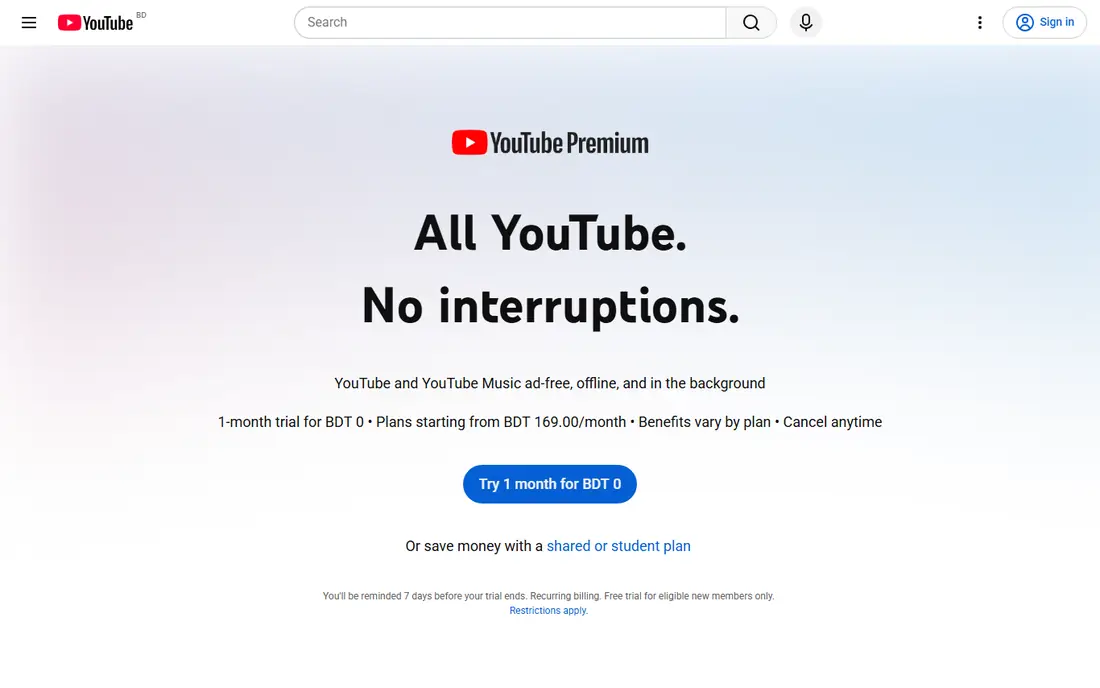
YouTube Premium is the first option we recommend for most viewers, because it is the official way to save videos for offline viewing. You tap download in the YouTube app, choose a quality, and watch later without a connection, with no extra software and no grey-area downloader site. It also removes ads and adds background play.
The limit is control. Premium downloads live inside the YouTube app, they are not regular MP4 files you can move to an editor or a hard drive, and they can expire or need a periodic connection check. If you need a file for editing, you need a different route, and only for content you own or have permission to save. We would pick Premium for travel, commuting, and everyday offline watching, and we would not present it as a file download tool.
- Official downloads inside the YouTube app
- Ad-free viewing and background play
- Includes YouTube Music Premium
- Downloads stay inside the app and are not MP4 files
- Subscription cost adds up
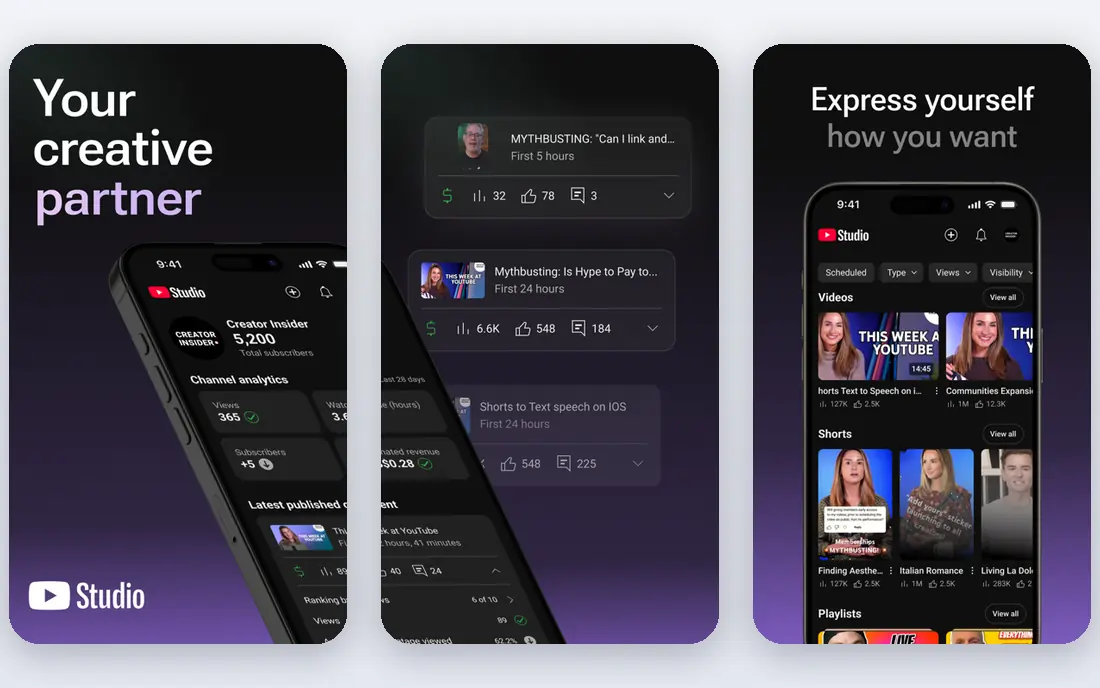
YouTube Studio is the official tool for a creator who wants a copy of their own video back. From your channel dashboard you can download your own eligible uploads as MP4 files, which you can then back up, re-edit, or reuse on another platform you control. It is free, it needs no third-party software, and it avoids the legal and security risks of a random downloader site.
The limit is scope. YouTube Studio does not give you a file for another creator video, and some uploads may have restrictions based on format or rights. It is also a manual, one-video-at-a-time job for most creators, rather than a batch archive tool. We would pick YouTube Studio for any creator who needs their own videos back, and we would pair it with Google Takeout for a full channel export.
- Free and official for your own channel
- Downloads your own videos as MP4 files
- No extra software
- Only works for your own eligible uploads
- Quality depends on the original upload
Google Takeout lets you export your own Google data, including your YouTube videos and related channel data, as a downloadable archive. For a creator who wants a full backup, or who is moving platforms, that bulk export is more practical than downloading one video at a time from Studio. You choose the data types, Google prepares the archive, and you download it when it is ready.
The trade-off is size and patience. A channel with many long videos produces a large archive that takes time to prepare and download, and Takeout is not designed for grabbing a single clip quickly. It is also strictly for your own data. We would pick Google Takeout for a periodic full backup of your own channel, and Studio for a quick single-video download.
- Free official export of your own YouTube data
- Covers videos and channel info
- Useful for backups
- Export can be large and slow
- Not a tool for single-video downloads
4K Video Downloader Plus is a desktop app for downloading video and audio from sites including YouTube, with format and quality choices and support for playlists. For a user with a clear legal basis, such as their own videos, public domain material, or Creative Commons content that allows saving, it is more practical than a browser tool because it handles playlists and higher qualities in one place. The free Starter plan covers basic personal use, with paid plans adding more concurrent downloads and features.
The limits are important. The free plan caps how many items you can download, and paid lifetime licences apply to the current Plus version, not automatically to a future restructured product. The tool itself does not check rights for you, so the user must check the licence before saving anything. We would pick it for a permitted playlist archive, and we would not use it to copy copyrighted creator videos without permission.
- Free Starter plan
- Playlist and channel downloads for permitted content
- Quality and format choices
- Free plan has quantity limits
- Lifetime licences apply to the current version only
ClipGrab is the simplest desktop downloader on this list. It has a built-in search, a clean four-tab interface, and format choices that cover the common needs for a permitted download, such as MP4 or MP3 extraction. It runs on Windows, Mac, and Linux, and it is free, which makes it a good first desktop tool for an occasional user who does not want a command line.
The weakness is depth. ClipGrab offers fewer format and quality options than 4K Video Downloader Plus or yt-dlp, and its Mac version has trailed the Windows version, with a beta release for newer Mac systems. It can also break temporarily when YouTube changes its site, which is true of most downloaders. We would pick ClipGrab for simple, occasional downloads of permitted content, and we would choose a deeper tool for large archives.
- Free and simple interface
- Built-in search
- Runs on Windows, Mac, and Linux
- Fewer format options than larger tools
- Mac version has been in beta
yt-dlp is a free, open source command-line downloader that many other tools build on. It supports a very large number of sites, handles playlists, subtitles, and format selection, and can be scripted to archive a permitted collection on a schedule. For an archivist, a researcher, or a creator backing up their own public domain or Creative Commons collection, that scriptability is unmatched by a simple desktop app.
The cost is skill. yt-dlp has no graphical interface, so a user must be comfortable in a terminal, and it needs ffmpeg installed to merge separate video and audio streams into a high-quality file. It is also not a phone tool. We would pick yt-dlp for a technical user archiving permitted content at scale, and we would steer a beginner to ClipGrab or 4K Video Downloader Plus first.
- Free and open source
- Supports many sites
- Scriptable for playlists and archives
- Command line only with no graphical interface
- Needs ffmpeg for merged formats
JDownloader is a free, open source download manager that handles batches of links from many sites, including YouTube for permitted content. You paste a set of links, JDownloader checks what is available, and it downloads the set with pause, resume, and queue controls. That batch handling suits a large permitted archive.
The interface is dated and busier than ClipGrab, and first-time setup needs more attention, including choosing the right link-grabber settings. It is also a general download manager, not a YouTube-only tool, so its YouTube handling can change when a site changes. We would pick JDownloader for batch work across many sites, and we would keep the legal check on every batch: only content you own or have permission to save.
- Free and open source
- Batch link handling
- Works across many sites
- Interface feels dated
- Setup takes more care than a simple downloader
VideoProc Converter, from Digiarty, combines downloading with conversion, compression, and basic editing in one desktop app. For a creator who downloads their own video and then needs to convert it for another platform, trim it, or compress it for upload, that all-in-one flow saves a second tool. It supports high resolutions and uses hardware acceleration on supported machines, which speeds up conversion.
The downside is price and scope. VideoProc is a paid product with a trial, not a free downloader, and a user who only needs a single permitted download will find ClipGrab or yt-dlp simpler and cheaper. Its download function is also only one part of a larger converter, so a pure downloader may feel more direct. We would pick VideoProc for a creator who needs download plus conversion and editing in one place, for content they own or have permission to use.
- Download, convert, and edit in one desktop app
- Supports high resolutions
- Hardware acceleration
- Paid product with a trial rather than a full free tier
- More tool than a simple downloader needs
VLC Media Player is best known as a free player that handles almost any video format, but it can also open a network stream and save it to a file in some cases. For a user who already uses VLC daily, that ability can cover a simple permitted stream save without installing a new downloader. It runs on Windows, Mac, Linux, and mobile, and it is maintained by the non-profit VideoLAN project.
The limit is that VLC is not a downloader. Saving a stream needs manual steps, it does not handle YouTube playlists or channel downloads like a dedicated tool, and success varies by source and format. It should only be used for streams you have a clear right to save. We would pick VLC as a handy extra for a permitted stream you are already playing, not as the main tool for a video archive.
- Free and open source
- Plays almost any format
- Can save a network stream you have rights to
- Not a dedicated downloader
- Stream saving needs manual steps and varies by source
How we picked these
We compared official pricing pages, feature pages, and public documentation for YouTube download and offline viewing tools that are live in October 2026, and we checked each tool against a legal-use frame: official offline viewing, downloading your own uploads, or saving public domain and Creative Commons content with permission. We favoured official tools first, then established desktop and open source tools, and we left out downloader sites marketed for copying copyrighted videos and tools with no clear vendor or safety record. We did not download copyrighted creator videos for this guide, and we did not claim hands-on testing that did not happen.
What to check before you download anything
Start with rights. Ask if you own the video, if it is in the public domain, or if its Creative Commons licence allows saving and reuse on your terms. If none of those apply, use YouTube Premium for offline viewing inside the app, or ask the creator for permission. A tool that can download a file does not give you a right to keep or reuse it.
Next, check the file you actually get. Premium downloads stay in the app, Studio gives you an MP4 of your own upload, and desktop tools give you a file you can move and edit. If you need to edit, back up, or upload elsewhere, you need a file route and a legal basis, not just an offline viewing plan. Check quality and format before a large batch, because a low-quality download cannot be improved later.
Finally, stay safe with software. Download desktop tools only from their official sites, avoid random downloader websites that push extra installers, and keep the tool updated, because YouTube changes can break downloads and old versions can carry security risks. If a site asks for your Google password to download a video, stop and use an official route instead.
Frequently asked questions
What is the best app to download YouTube videos?
For most viewers, YouTube Premium is the best option, because it is official and simple for offline viewing. For a creator who needs a file, YouTube Studio is the best free official route for your own uploads. For a permitted playlist or archive, 4K Video Downloader Plus or ClipGrab are practical desktop choices, with yt-dlp for power users.
Can I download YouTube videos for free?
Yes, in limited legal cases. YouTube Studio and Google Takeout let you download your own uploads for free, and ClipGrab, yt-dlp, and JDownloader are free tools for permitted content. YouTube Premium offers a free trial, but ongoing offline viewing needs a subscription. There is no free official route to get an MP4 file of another creator video without permission.
Is it legal to download YouTube videos?
It depends on the content, the method, and the rights holder permission. Downloading your own videos is fine, and public domain or Creative Commons content may allow saving under its licence terms. Downloading a copyrighted creator video without permission, and reusing or sharing it, can breach YouTube terms and copyright law. When in doubt, use Premium for viewing or ask for permission.
What is the best software to download YouTube videos on a PC?
For a simple desktop workflow, ClipGrab is the easiest free start, and 4K Video Downloader Plus adds playlist handling and more format control. For batch or scripted work, yt-dlp and JDownloader are stronger, and VideoProc adds conversion and editing. The best software to download YouTube videos depends on if you need a single file, a playlist, or an edited output.
Do Premium downloads work as MP4 files?
No. YouTube Premium downloads stay inside the YouTube app for offline playback and do not appear as MP4 files in your phone gallery or computer folders. If you need an MP4 file for editing or backup, use YouTube Studio or Google Takeout for your own uploads, or a desktop tool for content you have a clear right to save.
Why do free downloader sites sometimes fail?
YouTube changes its site regularly, which breaks third-party downloaders until they update, and some free sites also carry deceptive ads or extra installers. Use official tools first, download desktop tools only from their official sites, and keep them updated. If a download fails, check for an update before trying a different random site.
Sources
See where you really rank - block by block
ProMapRanker scans Google Maps across a grid of your service area. Simple monthly plans from $19, white-label on every plan.
Start freeKeep reading
 zscaler alternatives
Best Zscaler Alternatives in 2026
Looking for zscaler alternatives? We compare 9 SASE and zero trust platforms on architecture, data protection, pricing, and fit for your network and team.
Read → zapier alternatives free
Best Zapier Alternatives Free in 2026
Nine automation tools for zapier alternatives free in 2026, all with genuinely free tiers, plus free plan limits, starting prices and upgrade paths explained.
Read → which platform is best for online reputation
Which Platform Is Best for Online Reputation in 2026
Wondering which platform is best for online reputation? We compare 8 review, listing, and response tools for small and multi-location businesses and agencies.
Read →