 ProMapRanker
Best App for Paycheck Budgeting in 2026

Key takeaways
- Paycheck budgeting works best when bills are matched to the pay date that funds them, not spread evenly across a calendar month.
- BudgetSpoke is the most pay-cycle specific option here, while YNAB and Goodbudget adapt strong general methods to irregular pay.
- Bank sync saves time, but manual entry apps suit people who want tighter control or who distrust automatic connections.
- This article is general information only and is not financial advice; check an app's current price and bank support before subscribing.
Quick comparison
| Pick | Great for | Pricing starts at | Free tier | |
|---|---|---|---|---|
 BudgetSpoke | Budgeting by paycheck | See website | See website | Visit |
 YNAB | Hands-on zero-based budgeting | $14.99 per month | Free trial (34 days) | Visit |
 Monarch Money | Households and net worth | $14.99 per month | Free trial (7 days) | Visit |
 Goodbudget | Envelope budgeting | Free | Yes | Visit |
 EveryDollar | Simple zero-based budgeting | Free | Yes | Visit |
 PocketGuard | A simple safe-to-spend figure | Free | Yes | Visit |
 Quicken Simplifi | Cash-flow forecasting | $6.99 per month | Free trial | Visit |
 Rocket Money | Subscriptions and spending | Free | Yes | Visit |
 Copilot Money | Apple users and design | $13 per month | Free trial | Visit |
The best apps for paycheck budgeting
We looked for apps that handle real pay cycles, including weekly, biweekly, and semi-monthly pay, and that help you see what is safe to spend after upcoming bills. The list mixes dedicated pay-cycle tools with strong general budget apps that adapt well to paycheck planning.

BudgetSpoke is the closest match to the paycheck budgeting idea on this list. It aligns every plan to your actual pay cycles and gives one safe-to-spend number that already accounts for upcoming bills and what future cycles need carried over. That framing helps when rent falls just before payday or when two earners are paid on different schedules.
The trade-off is maturity and scale. BudgetSpoke does not have the long track record or large support community of YNAB or Monarch, so check its current import options, device support, and pricing before moving a full budget across. For people whose main problem is timing, not tracking, its pay-cycle focus is worth that extra check.
- Plans by actual pay cycles
- Supports multiple earners on different schedules
- Shows a safe-to-spend figure after bills
- Smaller and newer than the big budget apps
- Bank import relies on statement uploads rather than live sync in some flows
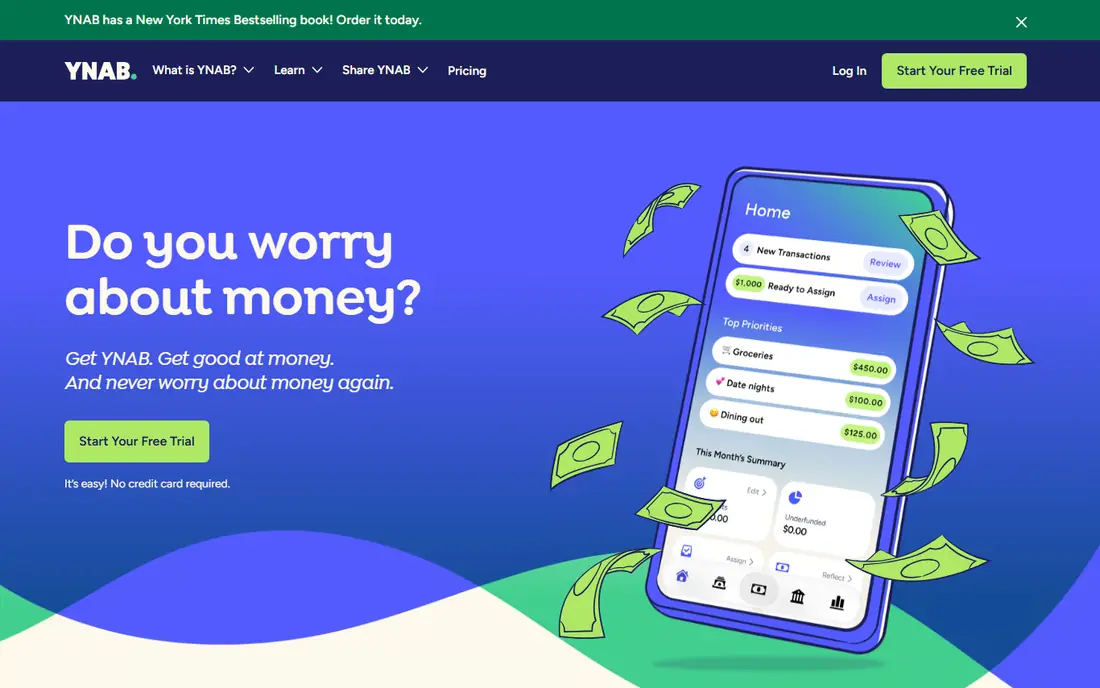
YNAB, short for You Need A Budget, asks you to assign each paycheck to categories before you spend it. That discipline suits paycheck budgeting because it forces a decision at payday: which bills, savings goals, and spending categories does this check cover, and what waits for the next one. Its rules for handling true expenses also help with bills that arrive quarterly or once a year.
The cost is effort and price. At $14.99 per month or $109 per year, YNAB is among the pricier options here, and the method takes a few weeks to feel natural. People who stick with it often say the habit changes spending, but people who want a quick dashboard may find the daily attention too much.
- Clear method for giving every dollar a job
- Strong debt payoff and goal tools
- Bank sync plus manual entry
- No free tier beyond the trial
- Setup takes real effort in the first weeks
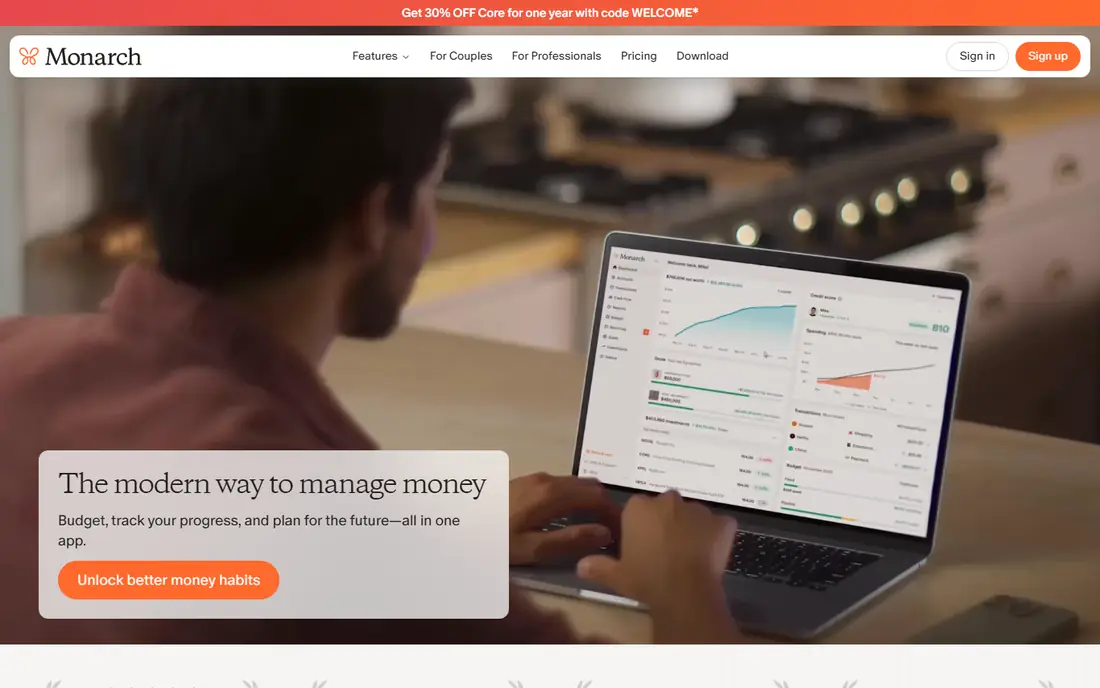
Monarch Money suits households that want one view of accounts, budgets, bills, and net worth. It connects with many banks and lets partners share a budget while keeping some accounts private, which helps when two paychecks feed one household plan. Custom budgets can be shaped around pay dates, even though Monarch is not built only for pay cycles.
The catch is price and scope. At $14.99 per month or $99.99 per year, with only a short trial, Monarch is a commitment. If you only need a paycheck plan and nothing else, a cheaper envelope or manual app may do the same job. If you want the full money picture in one place, Monarch earns its place.
- Clean dashboard across accounts
- Shared budgets for couples and households
- Net worth and investment views
- No free plan beyond the trial
- More tool than some paycheck-only users need
Goodbudget turns the old cash envelope method into a digital plan. You fill envelopes for rent, food, transport, and savings from each paycheck, then spend only what each envelope holds. That structure maps neatly to paycheck budgeting, since you can refill envelopes on payday and see at a glance which categories are empty before the next check.
The limit is automation. The free tier requires manual entry, and bank sync is a Premium feature for US banks, at $10 per month or $80 per year. Manual entry suits people who want to feel each transaction, but it can fall behind during busy weeks. If you keep up with it, Goodbudget is one of the clearest ways to stop spending money already promised to a bill.
- Simple envelope method
- Free tier with 20 envelopes
- Works well for couples who share envelopes
- Free tier has no bank sync
- Manual entry takes discipline
EveryDollar keeps zero-based budgeting simple. You list income, assign it to categories until the remaining amount reaches zero, and track spending against that plan. For paycheck budgeting, you can build the plan around each check and adjust categories when a bill moves or income changes. The free version is genuinely usable for manual budgeters.
The weakness is the Premium paywall for bank connections. If you want transactions to import automatically, you need the paid tier, which costs more than some rivals. People who enter transactions by hand will not miss that feature, but people with many accounts may find manual entry slow.
- Easy zero-based setup
- Free manual version
- Clear monthly budget view
- Bank sync requires Premium
- Premium is $17.99 per month or $79.99 per year
PocketGuard answers one question well: after bills, savings, and goals, what can I spend today. That safe-to-spend figure is the heart of paycheck budgeting, since it stops you from treating money promised to rent as free cash. Linked accounts and bill tracking help keep that figure honest, and the interface stays simple enough for daily checks.
The free tier gives a taste rather than the full tool, and the Plus plan adds the deeper features most regular users will want. PocketGuard is also less of a method teacher than YNAB or Goodbudget. If you want a number and a nudge, it works. If you want a full budgeting system, pair it with a written plan for each paycheck.
- Clear leftover figure after bills and goals
- Bank sync on paid tiers
- Simple daily view
- Free tier is limited
- Plus is $12.99 per month or $74.99 per year
Quicken Simplifi stands out for forecasting. Instead of only showing past spending, it projects where cash is heading, which helps when a lean paycheck is coming or a large bill is due mid-cycle. Its spending plan, watchlists, and reports suit people who want to spot trouble weeks ahead rather than at the end of the month.
The trade-off is structure and billing. Simplifi is billed annually at $6.99 per month, and first-year offers change often, so check the current checkout price. It also lacks the strict envelope or zero-based method of Goodbudget and YNAB. For paycheck timing and forecasting, though, its forward view is a real strength.
- Forward-looking spending plan and projections
- Reports and net worth views
- Bank sync included
- No free tier
- Annual billing only on the standard plan
- Less envelope structure than rivals
Rocket Money helps paycheck budgets in a different way: it finds money leaking out between paychecks. Subscription tracking, spending alerts, and bill views make it easier to see why a check disappears faster than expected. Cancelling a forgotten subscription can free more cash than a new budget category, especially for households with many small recurring charges.
The limit is depth. Rocket Money is not a full zero-based or envelope budget app, so it works best alongside a plan rather than as the plan itself. Its Premium price is chosen by the user within a range, so read the current terms before assuming a fixed cost. Use it to clean up recurring spending, then move the savings into your paycheck plan.
- Finds subscriptions and recurring charges
- Free tier for tracking
- Premium adds bill negotiation help
- Budgeting is lighter than dedicated budget apps
- Premium pricing varies, typically $7 to $14 per month
Copilot Money is the most polished option here for iPhone, iPad, and Mac users. It connects accounts, categorizes spending, and presents budgets in a clear visual style that makes regular checks pleasant rather than a chore. That matters for paycheck budgeting, since a plan you avoid checking will not protect the next check.
The boundary is platform. There is no Android app, so Android households should look elsewhere. Copilot also costs $13 per month or $95 per year after its trial, which is a real commitment for a tracking-first tool. Apple users who value design and automation may find it worth it, but hands-on method seekers may prefer YNAB.
- Clean design and smart categorization
- Strong Apple device support
- Detailed spending insights
- No Android app
- $95 per year or $13 per month with no free tier beyond a trial
How we picked these
We compared official pricing pages, pay-cycle features, bank sync, manual entry options, and household sharing. We favored apps that handle irregular or multiple pay schedules, show money left after upcoming bills, or offer a clear method for assigning each paycheck. We left out apps that only track past spending with no forward plan, since paycheck budgeting needs a view of what comes next.
How to build a paycheck budget that holds
Start by listing every bill with its due date, then match each bill to the paycheck that arrives before it. That simple mapping prevents the most common paycheck problem: spending early in the cycle on money needed later. Keep a small buffer category for bills that move by a day or two, and fund it first when a check is larger than usual.
Handle irregular pay without guessing
If pay varies, budget from your lowest recent paycheck rather than your best one. Treat extra income as a bonus for savings or debt, not as part of the base plan. For two earners, build one combined timeline with both pay dates marked, so a bill is never assigned to a check that has not arrived yet. Review the plan on each payday, not only at month end, and move money between categories openly when plans change.
Frequently asked questions
What is the best app for budgeting paychecks?
BudgetSpoke is the most paycheck-specific app here, since it plans by pay cycle and shows a safe-to-spend figure. YNAB is a strong choice if you want a proven method, and Goodbudget suits envelope budgeters. The best choice depends on how much automation you want and how much time you will spend on the plan each payday.
How is paycheck budgeting different from monthly budgeting?
Monthly budgeting spreads income across a calendar month, while paycheck budgeting assigns each bill to a specific pay date. That difference matters when bills cluster early in the month or when pay arrives biweekly, creating months with three checks. Paycheck budgeting keeps timing visible, so you do not spend money that a later bill still needs.
Can I budget by paycheck if my income changes each month?
Yes, but use a conservative base figure and treat extra pay as flexible money for savings or debt. Apps with manual entry or flexible budgets, such as Goodbudget and YNAB, handle variable income well. Update the plan on each payday, and keep a buffer for weeks when income falls short.
Is there a free app for budgeting paychecks?
Goodbudget, EveryDollar, PocketGuard, and Rocket Money all offer free tiers, though bank sync and deeper features often require payment. BudgetSpoke pricing should be checked on its site, since plans change. Start free, test the pay-cycle workflow for two full pay periods, and pay only if the paid features save time.
Do paycheck budgeting apps replace a bank account or financial advice?
No, they organize money you already have and help you plan spending. They do not provide personal financial advice, and they do not change your income or bills. If debt, tax, or benefits questions arise, speak with a qualified adviser. This article is general information only and is not financial advice.
Sources
See where you really rank - block by block
ProMapRanker scans Google Maps across a grid of your service area. Simple monthly plans from $19, white-label on every plan.
Start freeKeep reading
 zscaler alternatives
Best Zscaler Alternatives in 2026
Looking for zscaler alternatives? We compare 9 SASE and zero trust platforms on architecture, data protection, pricing, and fit for your network and team.
Read → zapier alternatives free
Best Zapier Alternatives Free in 2026
Nine automation tools for zapier alternatives free in 2026, all with genuinely free tiers, plus free plan limits, starting prices and upgrade paths explained.
Read → which platform is best for online reputation
Which Platform Is Best for Online Reputation in 2026
Wondering which platform is best for online reputation? We compare 8 review, listing, and response tools for small and multi-location businesses and agencies.
Read →