 ProMapRanker
Best App for Employee Time Clock in 2026

Key takeaways
- Homebase is the best free starting point for a single location with up to 10 employees, with scheduling and time tracking in one app.
- Deputy suits compliance heavy shift teams, while Connecteam suits mobile first crews who need chat and forms alongside clock ins.
- QuickBooks Time is the natural pick if you already run QuickBooks payroll, since it removes the export step.
- Compare billing units carefully, since some apps charge per user, some per location, and some add a base fee.
Quick comparison
| Pick | Great for | Pricing starts at | Free tier | |
|---|---|---|---|---|
 Homebase | Free scheduling plus time clock | Free | Yes | Visit |
 Deputy | Compliance heavy shift teams | $5 per user per month | Free trial | Visit |
 Connecteam | Mobile first crews | Free | Yes | Visit |
 QuickBooks Time | QuickBooks payroll users | $20 plus $10 per user per month | Free trial | Visit |
 Clockify | Simple time tracking at low cost | Free | Yes | Visit |
 Buddy Punch | Stopping buddy punching | $19 plus $4.99 per user per month | Free trial | Visit |
 When I Work | Shift scheduling on a budget | $2.50 per user per month | Free trial | Visit |
 Jibble | Free verified clock ins | Free | Yes | Visit |
 OnTheClock | GPS verified punches, simple pricing | $5 plus $4 per employee per month | Free trial | Visit |
The best app for employee time clock
We compared official pricing pages, product pages, and feature lists for time clock apps live in the US in October 2026. We kept apps that offer real employee clock in and out, timesheets, and payroll ready reports, not just general project timers.

Homebase is the easiest free start for a small restaurant, shop, or clinic. The free plan covers scheduling and time tracking for one location with up to 10 employees, and paid plans start at $24 per location per month on annual billing. That flat model keeps costs predictable as you add staff at one site.
The limits appear when you grow to several locations, since each site adds cost, and payroll is a separate add on. For a single site team that wants hiring, scheduling, time clock, and payroll links in one place, Homebase is our pick for most small teams.
- Free plan for one location and up to 10 employees
- Scheduling and payroll add on in one app
- Flat per location paid pricing
- Per location pricing can add up for multi site teams
- Payroll is a paid add on
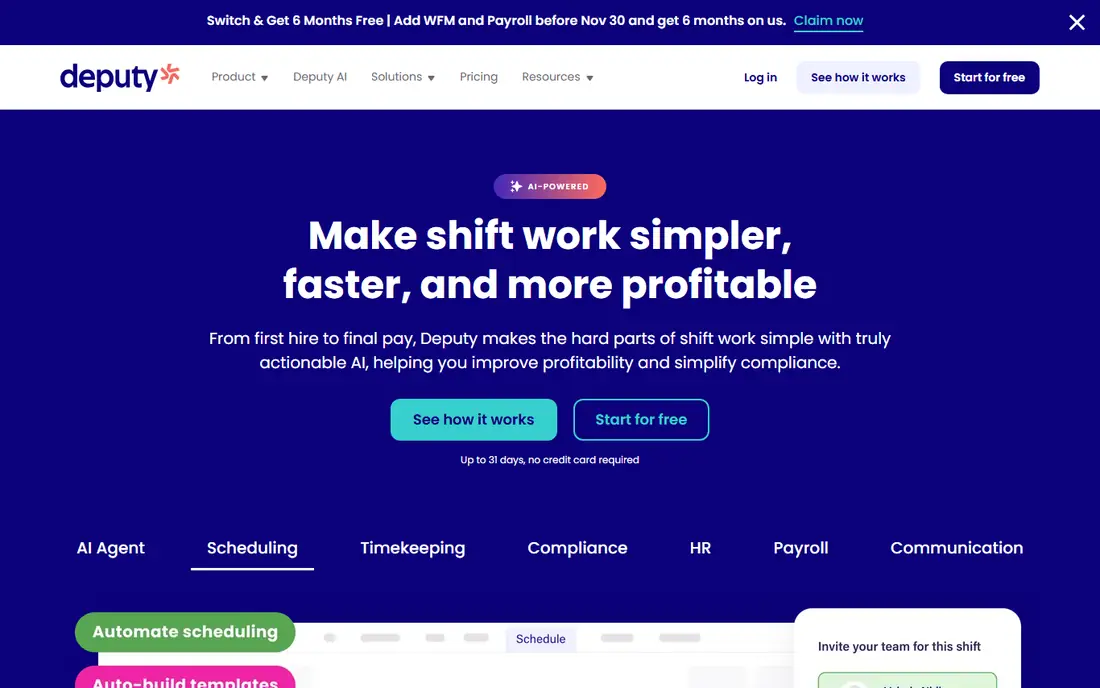
Deputy suits hospitality, retail, and care teams that must follow break, overtime, and scheduling rules. It starts at $5 per user per month, with a monthly minimum, and offers a 31 day trial. Scheduling, time clock, and compliance checks sit in one workflow, so managers catch issues before payroll runs.
Small teams should watch the minimum spend, since a handful of staff may still hit the floor price. If you run shifts across sites, deal with fair workweek style rules, or need strong audit trails, Deputy earns its price.
- Strong scheduling and compliance tools
- Break and overtime rules
- Broad payroll integrations
- No permanent free plan
- Monthly minimum can lift costs for tiny teams

Connecteam is built for frontline staff who live on phones, not desks. The free plan covers up to 10 users, and paid plans start at $29 per month for the first 30 users. Alongside the time clock, you get team chat, forms, checklists, and training, which reduces the need for separate crew apps.
The hub model means you pay for feature bundles, so check which hub holds the time clock features you need. For field, retail, and service crews who need communication plus clock ins, Connecteam is a strong all in one pick.
- Free plan for up to 10 users
- Chat, forms, and training alongside time clock
- GPS clock ins
- Hub based pricing can confuse buyers
- Advanced features sit in higher hubs
QuickBooks Time, formerly TSheets, is the obvious choice if payroll already runs in QuickBooks. Pricing starts at $20 per month plus $10 per user per month, with a 30 day trial, and timesheets flow into payroll and job costing without manual exports. That link alone can save hours each pay period.
The catch is the requirement for paid QuickBooks Online, so the total cost is higher than the headline time clock price. If you already pay for QuickBooks, this is the smoothest fit. If you do not, another app here will cost less overall.
- Direct link to QuickBooks payroll and invoicing
- GPS tracking and mileage on higher tiers
- Timesheet approvals
- Requires paid QuickBooks Online
- No permanent free plan
Clockify suits teams that need clean time tracking without a full scheduling suite. The free plan covers unlimited users in many listings, with paid plans starting at $3.49 per user per month for extras such as approvals and advanced reports. Staff can clock in from web or mobile, and managers get timesheets ready for payroll.
If your main need is shift planning, swaps, and compliance rules, Clockify will feel thin next to Deputy or Homebase. If your main need is accurate hours, project time, and low cost, Clockify is hard to beat.
- Generous free plan
- Simple timer and timesheet views
- Paid plans from $3.49 per user per month
- Weaker shift scheduling than Deputy or Homebase
- Kiosk features are more basic
Buddy Punch focuses on verified clock ins. Pricing is $19 per month plus $4.99 per user per month on annual billing, with a 14 day trial. Facial recognition, GPS, and photo capture at clock in help stop one employee clocking in for another, which matters for hourly teams with shared devices.
The base plus per user model means small teams pay a floor price even with few staff. For teams where time theft, early clock ins, or location checks are a real cost, the verification tools justify the price.
- Facial recognition and GPS options
- Strong punch verification
- Overtime and PTO tracking
- No permanent free plan
- Base fee plus per user fee adds up for larger teams
When I Work is a scheduling first app with a time clock add on, and that order matters. The base price is $2.50 per user per month, with a 14 day trial, which makes it one of the cheapest shift tools here. Staff can pick up open shifts, swap with approval, and message the team in the app.
Budget carefully, because time tracking costs extra on top of the base price, so the final bill depends on the add on you choose. For shift heavy teams that care most about coverage and swaps, and who accept an add on for clock ins, When I Work is good value.
- Low per user price
- Easy shift swaps and open shifts
- Team messaging
- Time clock is a paid add on
- No permanent free plan
Jibble stands out for a free plan that still includes verified clock ins. Staff can clock in with facial recognition or GPS, managers get timesheets, and the app works on phones and shared tablets. Paid plans start at $4.99 per user per month for advanced features.
The free tier will not cover every payroll workflow, and larger teams will likely need a paid plan for approvals and deeper reports. For a small team that wants verified punches at no cost to start, Jibble is worth testing first.
- Free plan with facial recognition and GPS
- Works on shared kiosk devices
- Payroll integrations
- Paid plans needed for advanced reports and approvals
- Newer brand than some rivals
OnTheClock keeps the model simple: $5 per month plus $4 per employee per month, with a 30 day trial. You get GPS verified clock ins, photo options, PTO tracking, and reports you can hand to payroll. The interface is plain, which many small business owners prefer.
Scheduling depth is thinner than in Deputy or Homebase, so teams that need complex shift planning should look there first. For a small team that wants reliable, verified hours and a predictable bill, OnTheClock is a solid, low fuss pick.
- Simple base plus per employee pricing
- GPS and photo verification
- Payroll ready reports
- No permanent free plan
- Fewer scheduling extras than Homebase or Deputy
How we picked these
We compared official pricing pages, product pages, and feature lists for apps live in the US in October 2026. We kept only apps with real employee clock in, timesheets, and payroll exports or integrations, and we mixed free, low cost, and compliance focused options. We did not claim hands on use, and prices can vary by billing term and team size, so confirm the quote for your headcount.
How to choose a time clock app
Start with how your staff actually work. Desk free crews need a mobile app and a shared kiosk mode. Office and hybrid teams may only need web and mobile timers. Field crews need GPS and offline friendly clock ins, while retail and restaurant teams need scheduling and swaps in the same app. Pick the work pattern first, then the feature list.
Next, price the whole team, not the headline rate. A $2.50 per user app with a paid time clock add on can cost more than a flat per location plan for a 20 person site. A base plus per user plan can cost more than a per hub plan for a 30 person crew. Run the math for your current headcount and for the headcount you expect in six months.
Finally, test the payroll handoff before you commit. Run one real pay period in parallel with your old method, check overtime, breaks, PTO, and location rules, and confirm the export matches your payroll system. Also check wage and hour rules for your state and city, since scheduling notice and break rules vary. A trial that ends with a clean payroll export is worth more than a long feature list.
Frequently asked questions
What is the best free employee time clock app?
Homebase is best for a single location with up to 10 employees, with free scheduling and time tracking. Jibble and Clockify are also strong free starting points, with Jibble offering verified clock ins free.
Which time clock app is best for small businesses?
Homebase suits most small single site teams, while Connecteam suits mobile crews and QuickBooks Time suits QuickBooks payroll users. The best pick depends on whether scheduling, mobile chat, or payroll links matter most.
Do time clock apps work for remote employees?
Yes. Most apps here offer mobile clock ins with GPS and photo options, which work for remote and field staff. Check GPS rules and privacy policies, and tell staff what location data is collected and when.
Can a time clock app replace payroll software?
No, not on its own. Time clock apps track hours and export timesheets, but payroll software still calculates pay, taxes, and filings. Homebase, Deputy, and QuickBooks Time link to payroll, which reduces manual work.
What is buddy punching, and how do apps stop it?
Buddy punching is when one employee clocks in for another. Apps reduce it with facial recognition, photo capture, GPS checks, and unique PINs or device rules. Buddy Punch, Jibble, and OnTheClock focus on these checks.
How much does an employee time clock app cost?
Costs range from free for small teams to roughly $2.50 to $10 per user per month, plus base fees on some plans. Always price your full team, including add ons for time tracking, scheduling, and payroll.
Sources
See where you really rank - block by block
ProMapRanker scans Google Maps across a grid of your service area. Simple monthly plans from $19, white-label on every plan.
Start freeKeep reading
 zscaler alternatives
Best Zscaler Alternatives in 2026
Looking for zscaler alternatives? We compare 9 SASE and zero trust platforms on architecture, data protection, pricing, and fit for your network and team.
Read → zapier alternatives free
Best Zapier Alternatives Free in 2026
Nine automation tools for zapier alternatives free in 2026, all with genuinely free tiers, plus free plan limits, starting prices and upgrade paths explained.
Read → which platform is best for online reputation
Which Platform Is Best for Online Reputation in 2026
Wondering which platform is best for online reputation? We compare 8 review, listing, and response tools for small and multi-location businesses and agencies.
Read →