 ProMapRanker
Best App for Counting Macros in 2026

Key takeaways
- MyNetDiary and Cronometer let you set gram targets free, while MyFitnessPal and Lose It reserve gram targets for paid plans.
- MacroFactor suits people who want targets that adjust weekly from weight and intake, but it has no free tier.
- A large food database helps, but verified entries matter more than raw size, because user entries can contain errors.
- This article gives general information only, not medical advice, and you should talk with a clinician or dietitian about personal targets.
Quick comparison
| Pick | Great for | Pricing starts at | Free tier | |
|---|---|---|---|---|
 MyFitnessPal | Largest food database | Free | Yes | Visit |
 MacroFactor | Adaptive macro coaching | $71.99 per year | No | Visit |
 Cronometer | Micronutrients and verified foods | Free | Yes | Visit |
 MyNetDiary | Free gram targets, no ads | Free | Yes | Visit |
 Lose It | Beginner-friendly logging | Free | Yes | Visit |
 Carb Manager | Low-carb and keto macros | Free | Yes | Visit |
 Yazio | Clean design with fasting tools | Free | Yes | Visit |
 Eat This Much | Meal plans built to macros | Free | Yes | Visit |
 MyMacros+ | Simple macro tracking | Free | Yes | Visit |
The best app for counting macros
These apps track protein, carbohydrate, and fat in grams, with food logging, barcode scanning, and custom targets. We compared official feature pages, pricing pages, and app store listings, with a focus on gram targets, database quality, logging speed, and price. This article gives general information only, not medical advice.
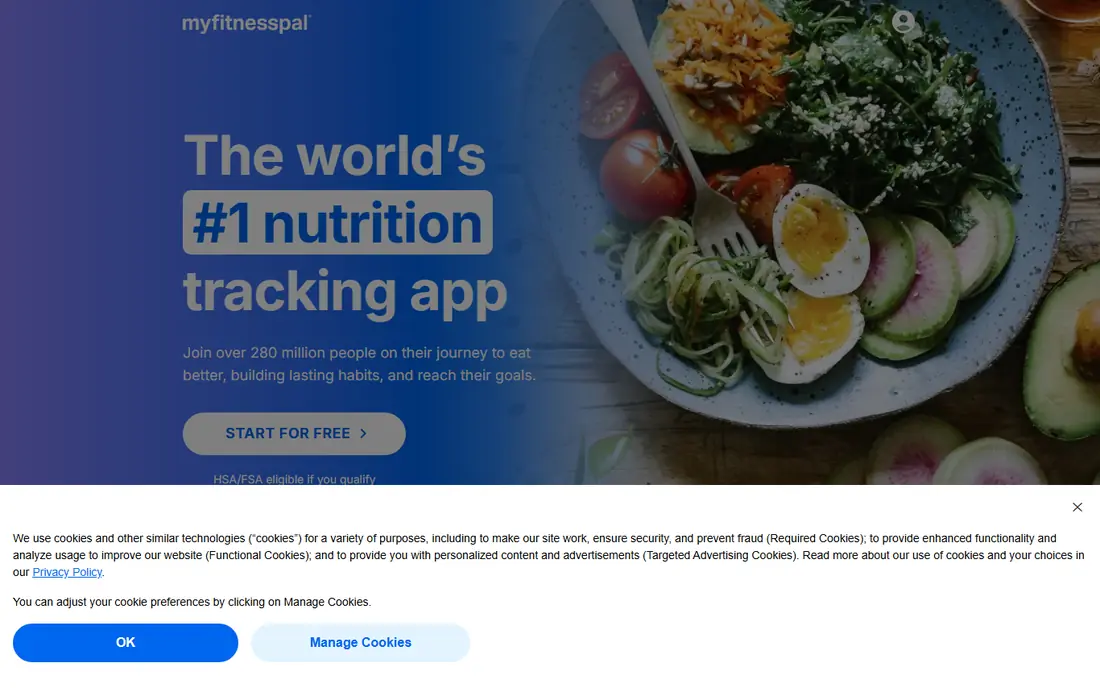
MyFitnessPal is our pick for most people who want the widest food coverage, because its database, often listed at 20.5 million foods, makes it easy to find branded items and restaurant meals. The free tier covers basic macro tracking by percentage, with food search, weight tracking, and community features. Premium is listed at $79.99 per year, or $19.99 per month, with Premium Plus at $99.99 per year in recent summaries.
The catch is that the features many macro trackers need most, gram targets, per-meal targets, and barcode scanning, sit behind Premium. User-submitted entries also vary in accuracy, so check nutrition labels for foods you eat often. If you already use MyFitnessPal and know its database, Premium may be worth it. If you want gram targets free, MyNetDiary or Cronometer will save you money.
- Very large food database
- Wide device and app integrations
- Meal and recipe logging
- Gram targets and barcode scanning need Premium
- Free tier has ads
- User entries vary in accuracy
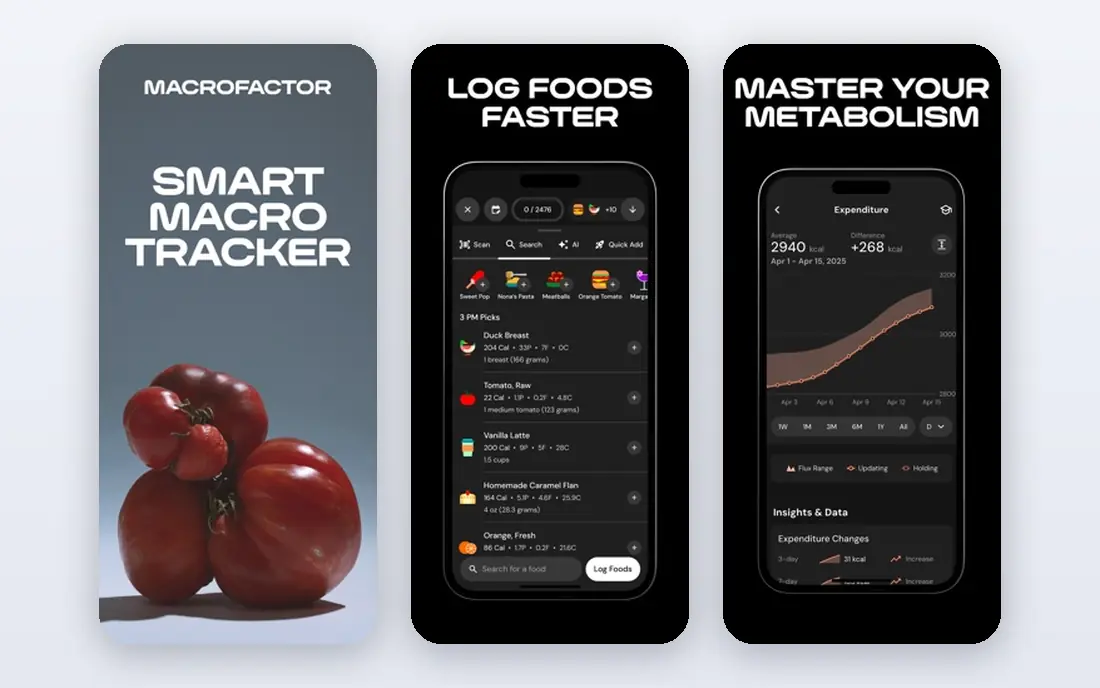
MacroFactor suits experienced trackers who want coaching without a human coach. You log food and weight, and the app recalculates your expenditure and macro targets each week from what you actually ate and how your weight changed. That adaptive approach helps when a fixed target stops matching your progress, and it avoids the guesswork of a one-time calculator. Pricing is listed at $11.99 per month, $47.99 for six months, or $71.99 per year, with a 7-day trial and no free tier.
The downside is cost and commitment. Beginners who are still learning to log may find the price hard to justify, and the lack of a free tier means you must pay to test it beyond the trial. MacroFactor also lacks some recipe import tools found in other apps. If you track consistently and want targets that move with your data, MacroFactor is the strongest coaching app here.
- Targets adjust weekly from intake and weight
- Verified food database
- Fast logging and expenditure estimates
- No free tier
- No recipe URL import in published summaries
- Paid-only access can deter new trackers

Cronometer is the best pick if you care about nutrient detail beside macros. The free tier lets you set gram targets, scan barcodes, and track protein, carbs, and fat with micronutrient detail from verified sources, including USDA and NCCDB data in published summaries. Gold is listed at $59.99 per year, or $10.99 per month, and adds custom charts, a macro scheduler, and voice and photo logging.
The trade is speed and polish. Cronometer logging can feel slower than MyNetDiary or Lose It, and the learning curve is steeper when you first set targets and charts. For people tracking iron, calcium, vitamins, or amino acids beside macros, that depth is worth it. For a quick daily macro check, a lighter app may feel faster, but Cronometer gives you the most complete nutrition picture free.
- Gram targets free
- Verified food database
- Up to 95 nutrients tracked, including micronutrients
- Free tier has ads
- Voice and photo logging need Gold
- Logging can feel slower than lighter apps
MyNetDiary is our pick for value, because it gives you the core macro tools free without ads. You can set protein, carb, and fat targets by grams or percentage, scan barcodes, use basic voice logging, and track up to 108 nutrients where data exists, all on the free tier in recent summaries. Premium is listed at $59.99 per year, with Premium Plus at $99.99 per year and a lifetime option at $179.99.
That free depth makes MyNetDiary a strong first app for new macro trackers. Its verified food database, listed at over 2 million foods, is smaller than MyFitnessPal, so you may need to add some branded items by hand. Premium adds meal scan photo logging, diet plans, and a GLP-1 companion, which suit specific needs rather than general macro tracking. For most readers, the free tier covers the job well.
- Gram or percentage targets free
- Barcode scanning free
- Ad-free free tier with verified foods
- Smaller database than MyFitnessPal
- Premium meal plans need paid tiers
- Less community content than rivals
Lose It suits beginners who want macro tracking without a steep setup. The app walks you through a calorie and macro goal, offers barcode scanning, and keeps daily logging simple with recent foods, meals, and recipes. The free tier covers basic tracking, while Premium is listed at $79.99 per year in recent summaries, with some summaries listing $39.99 for older annual plans, so check the current store price before you pay.
The main limit is that full custom macro control sits behind Premium, so free users get percentage-based goals rather than precise gram targets for each macro. That is fine for a first month of tracking, but serious macro trackers will hit the limit fast. If ease matters more than gram-level control, Lose It is a friendly start. If grams matter from day one, choose MyNetDiary or Cronometer.
- Simple, friendly design
- Barcode scanning and meal logging
- Goal and weight tracking
- Custom macro targets need Premium
- Free tier has ads
- Nutrient detail is thinner than Cronometer
Carb Manager is the best pick for low-carb and keto macro tracking, because it is built around net carbs, keto ratios, and low-carb meal planning. The free tier covers daily macro targets, food logging, and community recipes without third-party ads in recent summaries, while Premium is listed at $39.99 per year. That makes it one of the cheapest premium options here for its niche.
For a general macro tracker who eats a mixed diet, Carb Manager still works, but its design leans toward keto, and some general features feel secondary. Per-meal and day-of-week targets need Premium, so check whether you need that level of planning. If your macro plan is low-carb or keto, Carb Manager is the clearest fit. If not, a general app will feel more neutral.
- Free daily macro targets
- Keto and low-carb tools
- Net carb tracking and meal plans
- Best value is for low-carb users
- Per-meal and day-of-week targets need Premium
- Free tier can feel focused on keto
Yazio suits people who want a clean, calm tracker that also handles fasting windows. The free tier covers basic food logging, a macro dashboard, and barcode scanning, with a fasting timer that pairs well with time-restricted eating plans. Pro is listed at $6.99 per month or $47.90 per year in recent summaries, with full macro detail and custom targets behind Pro.
The limit is that the free macro view is less complete than MyNetDiary or Cronometer, so you may need Pro to get the gram-level control you want. Yazio design and recipe content are strengths, and the app feels less cluttered than larger rivals. If you track macros and fasting together and value a simple interface, Yazio is worth a trial. If grams free matter most, start elsewhere.
- Clean macro dashboard
- Free barcode scanning
- Fasting timer built in
- Full macro detail and custom targets need Pro
- Database is smaller than MyFitnessPal
- Pro pricing varies by store
Eat This Much solves a different problem: it plans meals that hit your protein, carb, and fat targets, rather than asking you to log after you eat. You set targets, dietary limits, and household size, and the app builds a day or week of meals with a grocery list. The free tier covers a day at a time, while Premium is listed at $5 per month billed annually in recent summaries.
That planning approach helps people who struggle with meal prep or cooking for a family, because portions are settled before you cook. The trade is logging flexibility: if you eat out often or improvise meals, a logging-first app like MyNetDiary will fit better. For home cooks who want a week that already hits their numbers, Eat This Much is a practical companion to a logger, or a replacement for one.
- Builds meal plans to exact macro targets
- Scales meals for households
- Grocery lists from plans
- Free plan covers one day at a time
- Premium needed for full weeks
- Planning focus, not just logging
MyMacros+ suits people who want a macro-first app without the extra diet, community, and content layers of larger apps. You set protein, carb, and fat targets, log foods, and see daily totals and remaining grams at a glance. The app is free to start, with a paid tier often listed around $2.99 per month in recent summaries for extra features.
The downside is ecosystem size. MyMacros+ has fewer integrations, a smaller community, and less micronutrient depth than Cronometer or MyFitnessPal. That simplicity is also its appeal: there is little to learn, and the macro view stays front and center. If you want a focused, low-cost tracker and do not need meal plans or coaching, MyMacros+ is a fair, simple pick.
- Simple macro-first design
- Custom targets
- Food database and barcode tools
- Smaller community and fewer integrations than big rivals
- Premium features vary by store
- Less nutrient depth than Cronometer
How we picked these
We compared official feature pages, pricing pages, and app store listings, and we kept only apps that still operate in October 2026 and truly track all three macros by gram or percentage. We included free gram-target apps, adaptive coaching, keto tools, and meal planning, so readers can match the app to their diet style and budget. Where annual prices differed across summaries, we noted the range and advised checking the current store price.
How to set targets without guessing
Start with a target from a clinician, dietitian, or a reputable calculator, not from a random social media post, and remember that this article gives general information only, not medical advice. Track for two weeks before you judge a target, because early logging errors and water weight changes can mislead you. If you have a medical condition, a history of disordered eating, or you are pregnant, talk with a clinician before you start macro tracking.
Logging habits that last
Log as you eat, weigh foods when you are learning portions, and save frequent meals as recipes or favorites. Check labels for foods you eat often, because database errors add up over a week. Review weekly totals rather than a single day, and do not chase a perfect day: a consistent average matters more than one high or low meal.
Frequently asked questions
What is the best app for counting macros for beginners?
MyNetDiary is a strong beginner pick because gram targets, barcode scanning, and verified foods are free, with no ads on the free tier. Lose It is also friendly, though gram targets need Premium. Start with MyNetDiary free, and only pay for coaching or meal plans if you need them later.
Can I count macros free?
Yes, MyNetDiary, Cronometer, MyFitnessPal, Lose It, Carb Manager, and Yazio all offer free macro tracking. The difference is what is free: MyNetDiary and Cronometer offer gram targets free, while MyFitnessPal and Lose It reserve gram targets for Premium. Check the free tier before you commit to a paid plan.
Which macro app is best for keto?
Carb Manager is the best pick for keto and low-carb macro tracking, with net carb tracking, keto ratios, and low-carb meal plans. Its free tier covers daily targets, while Premium adds per-meal and day-of-week planning. For a general macro plan, MyNetDiary or Cronometer will feel more neutral.
Do macro apps adjust targets automatically?
MacroFactor adjusts targets weekly from your intake and weight data, which is its main strength. Most other apps keep targets fixed until you change them, though some offer diet plans that set targets from your goal. If you want automatic adjustment, MacroFactor is the clearest choice, with a paid-only model.
Is macro tracking safe for everyone?
Macro tracking is a general nutrition tool, not medical advice, and it is not suitable for everyone. People with a history of disordered eating, certain medical conditions, or specific dietary needs should talk with a clinician or registered dietitian before tracking. Use tracking as an educational tool, take breaks when needed, and focus on overall eating patterns rather than a single day.
Sources
See where you really rank - block by block
ProMapRanker scans Google Maps across a grid of your service area. Simple monthly plans from $19, white-label on every plan.
Start freeKeep reading
 zscaler alternatives
Best Zscaler Alternatives in 2026
Looking for zscaler alternatives? We compare 9 SASE and zero trust platforms on architecture, data protection, pricing, and fit for your network and team.
Read → zapier alternatives free
Best Zapier Alternatives Free in 2026
Nine automation tools for zapier alternatives free in 2026, all with genuinely free tiers, plus free plan limits, starting prices and upgrade paths explained.
Read → which platform is best for online reputation
Which Platform Is Best for Online Reputation in 2026
Wondering which platform is best for online reputation? We compare 8 review, listing, and response tools for small and multi-location businesses and agencies.
Read →