 ProMapRanker
Best App for Budgeting and Tracking Expenses in 2026

Key takeaways
- This article is general information only, not financial advice. An app can show spending clearly, but it cannot decide what you should spend.
- YNAB suits hands-on budgeters who want a zero-based method, while Monarch Money suits households who want a full money picture in one place.
- EveryDollar, Goodbudget, and Rocket Money offer genuinely useful free tiers, so start free if you are unsure about paying for a budget app.
- Bank sync saves time, but manual entry often builds better awareness, so pick the method you will actually keep using.
- Check bank connection coverage for your banks before paying, since sync quality varies and is the most common source of frustration.
Quick comparison
| Pick | Great for | Pricing starts at | Free tier | |
|---|---|---|---|---|
 YNAB | Zero-based budgeting | $14.99 per month | Free trial | Visit |
 Monarch Money | Households and full picture | $14.99 per month | No | Visit |
 EveryDollar | Simple zero-based budgeting | Free | Yes | Visit |
 Rocket Money | Subscriptions and spending | Free | Yes | Visit |
 Goodbudget | Envelope budgeting | Free | Yes | Visit |
 PocketGuard | Simple safe-to-spend number | $12.99 per month | No | Visit |
 Quicken Simplifi | Spending plans and reports | $5.99 per month | No | Visit |
 Copilot Money | Apple users and design | $13.00 per month | No | Visit |
 Empower | Free net worth tracking | Free | Yes | Visit |
 Tiller | Spreadsheet budgeting | $79.00 per year | No | Visit |
The best app for budgeting and tracking expenses
Budgeting apps differ in philosophy more than in features. Some ask you to give every dollar a job before the month starts, some use envelopes, and some simply show where money went. The apps below cover those styles, so choose by method first and by price second.
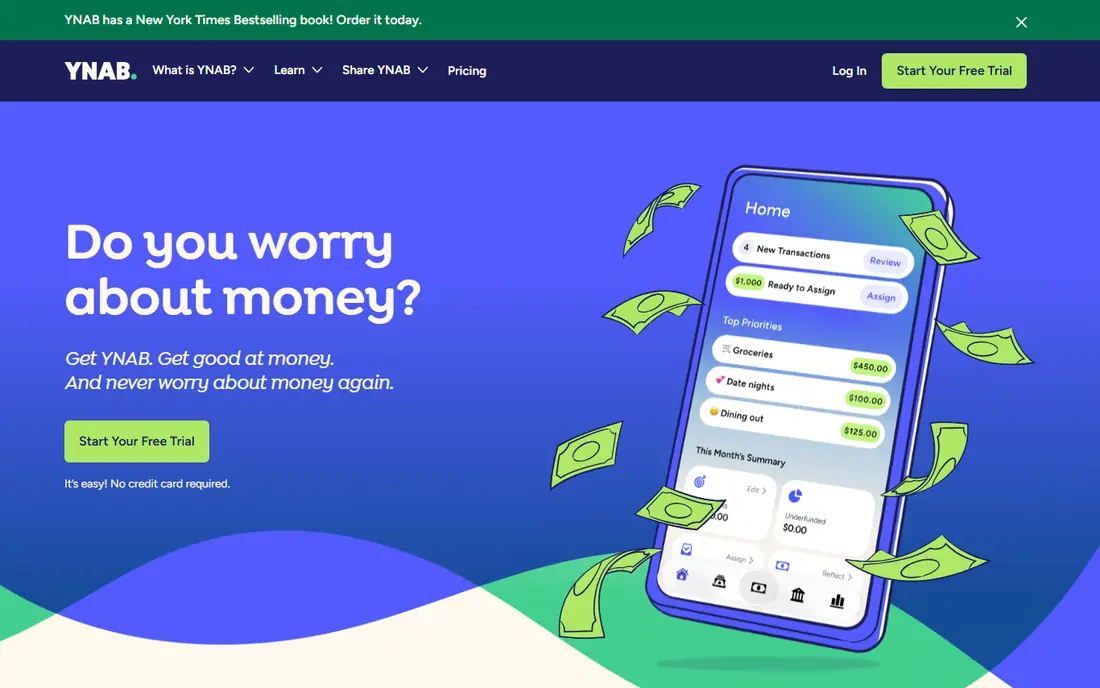
YNAB, short for You Need A Budget, asks you to assign every dollar you own to a category before you spend it. That rule sounds strict, but it forces a useful question each month: what is this money actually for. Goals, scheduled transactions, and debt payoff tools sit on top of that method, and the app updates balances as you record spending.
The first weeks feel like homework, because YNAB requires active choices rather than passive tracking. Users who stick with it often say the method changes how they think about money, while users who want a quiet tracker may find it too involved. Try the 34-day trial fully before paying, and judge it on whether your spending decisions change, not on how pretty the charts look.
- Clear zero-based method with rules that guide spending
- Goal and debt payoff tools
- 34-day free trial and free year for eligible students
- Learning curve in the first two weeks
- No free tier after the trial, so the method must earn its subscription
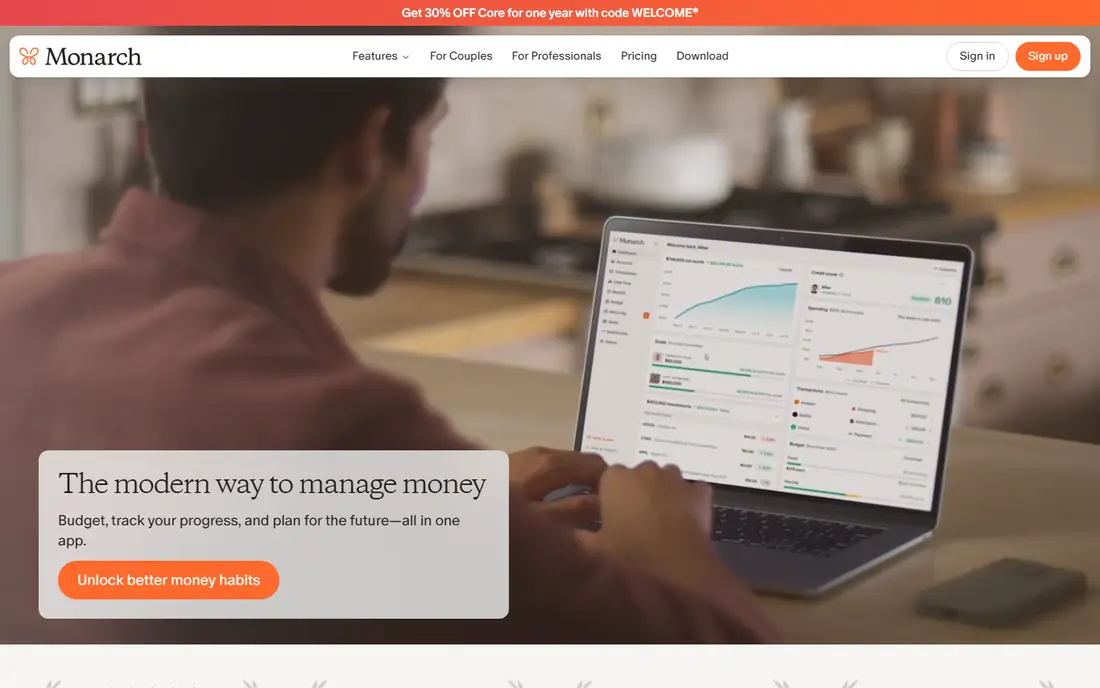
Monarch Money is the closest current match to what many former Mint users want: all accounts in one place, with budgeting, cash flow, investments, and net worth shown together. Couples can share a household view without sharing every detail, and custom categories and reports help households that want a detailed picture. Bank sync covers a wide range of US banks and credit cards.
The cost is the main decision point. Monarch charges a monthly or annual subscription with no free tier, so it suits households who will open it weekly and use the full dashboard. If you only want to track spending in one account, a free app such as Rocket Money or EveryDollar may cover your needs for less.
- Budgeting, accounts, investments, and net worth in one dashboard
- Partner sharing for couples and households
- Strong categorization and reports
- No free tier, only a short trial
- Price is higher than simple trackers, so casual users may not need the full suite
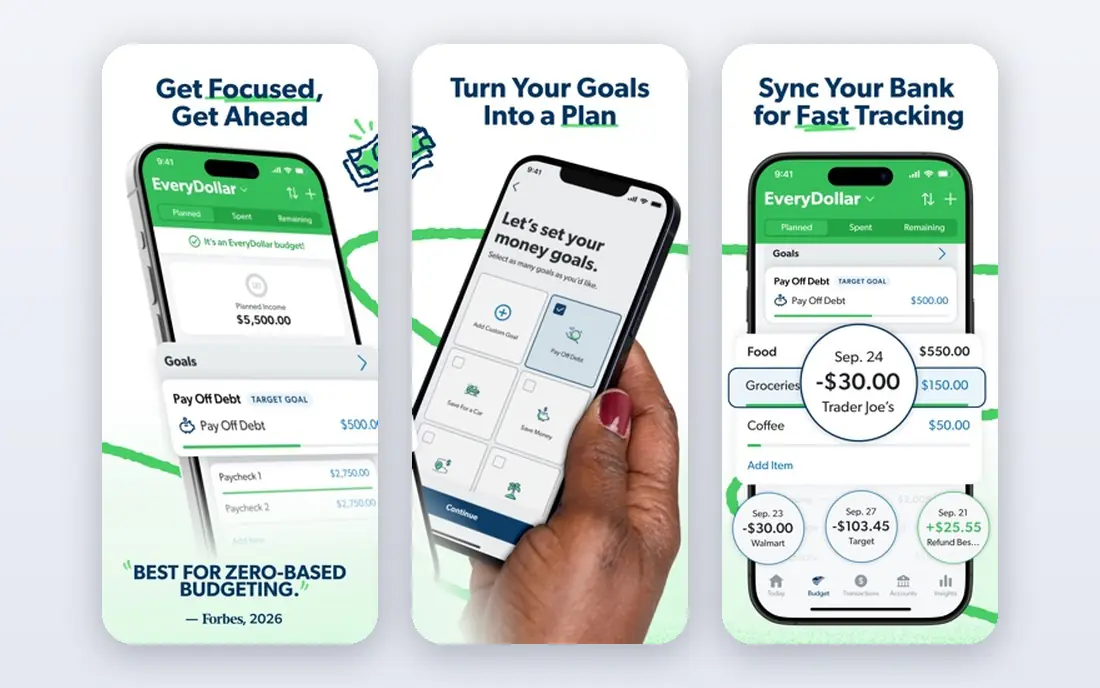
EveryDollar follows the zero-based method in its simplest form: plan each dollar, track spending against the plan, and adjust during the month. The free plan covers manual budgeting well, with a clean layout that avoids the clutter of full financial dashboards. That simplicity helps beginners who feel overwhelmed by apps with investment and net worth sections.
Manual entry is both the strength and the limit. Entering transactions by hand builds awareness, but it takes time, and busy users may fall behind. Premium adds bank sync and automatic transaction import, so start free, and upgrade only if manual entry becomes the reason you stop budgeting.
- Free manual zero-based budgeting
- Simple layout that is easy to learn
- Premium plan adds bank sync for users who want automation
- Bank connection requires the paid premium plan
- Free plan needs manual entry for every transaction
Rocket Money starts from a different question: what are you already paying for without noticing. The free plan tracks spending, finds recurring subscriptions, and alerts you to bills, which helps users cut waste before building a full budget. Premium adds custom budgets, savings goals, and help with canceling subscriptions and negotiating bills.
If your main problem is forgotten subscriptions, Rocket Money is the fastest fix on this list. If your main problem is planning each month in detail, YNAB or EveryDollar will serve you better. Many users keep Rocket Money free for subscription checks even after choosing another app for budgeting.
- Free spending tracking and subscription detection
- Alerts for bills and unusual spending
- Premium adds budgeting and bill negotiation help
- Budgeting features are thinner than YNAB or Monarch on the free plan
- Bill negotiation takes a share of savings where that service is used
Goodbudget brings the classic envelope method to a phone: you divide money into envelopes for groceries, rent, transport, and other categories, then spend only what each envelope holds. That visual limit helps people who overspend in one category while ignoring others, and the free plan with 20 envelopes covers a basic household budget. Couples can share envelopes across devices, which suits partners who budget together.
The free plan requires manual entry and caps the number of envelopes, so larger households may need the paid plan for more envelopes and bank sync. If the envelope method clicks for you, those limits are worth paying for. If it feels restrictive, a zero-based or tracking app may fit better.
- Digital envelope method that mirrors cash envelopes
- Free plan with up to 20 envelopes
- Sync across two devices for couples on the free plan
- Free plan caps envelopes and accounts
- Bank sync requires the paid plan, so free users enter transactions manually
PocketGuard answers one question quickly: after bills and savings goals, how much can I spend safely right now. That single number suits users who find full budgets tedious but still want a guardrail against overspending. The app links accounts, tracks bills and subscriptions, and shows spending by category in a simple layout.
Users who want detailed category planning may find PocketGuard too light, since its strength is simplicity, not control. A short trial helps here: if the safe-to-spend number changes your daily choices, the subscription earns its place. If you ignore that number, a free tracker may do the same job.
- Clear safe-to-spend figure after bills, goals, and spending
- Simple layout for users who dislike detailed budgets
- Bill and subscription tracking
- Free tier is limited, so full use needs a paid plan
- Less detailed planning than YNAB for users who want category control
Quicken Simplifi suits users who want a clear spending plan without the strict rules of zero-based budgeting. You set a plan, track spending against it, and see projected balances that show whether upcoming bills fit your cash flow. Reports and watchlists add context without turning budgeting into a daily chore.
Simplifi is more dashboard than method, which is a strength for passive trackers and a weakness for users who need structure to change habits. Check the billing terms at signup, since first-year promotional pricing can renew at a higher standard rate. For a low-cost, hands-off overview, Simplifi is a strong pick.
- Spending plans, projected balances, and reports in one dashboard
- Long Quicken history in personal finance
- Watchlists for bills and subscriptions
- Annual billing model can surprise users who expect monthly billing
- Less of a strict budgeting method than YNAB
Copilot Money is the design-led choice for Apple households, with automatic transaction categorization, budgeting tools, and a clean view of cash flow and investments. The app feels closer to a well-designed consumer product than to traditional finance software, which helps users who open it often and want clarity at a glance.
The platform limit is decisive: Copilot works on iPhone and Mac, with no Android app, so mixed-device households should look elsewhere. Price is also a factor, since there is no free tier. If your household is Apple-only and you value design and automation, Copilot is worth a trial.
- Polished design and automatic categorization
- Strong for iPhone and Mac users
- Budgeting, cash flow, and investment tracking in one app
- No Android app, so Android households cannot use it fully
- No free tier, only a trial period
Empower, formerly Personal Capital, offers a free personal dashboard that tracks accounts, net worth, cash flow, and investments in one place. For users who mainly want to see where they stand, rather than plan every dollar, Empower covers the tracking job without a subscription. Spending categories and cash flow views help spot trends over time.
Budgeting is the weaker side. Empower shows spending well, but it does not enforce a zero-based or envelope method, so users who need structure should pair it with YNAB, EveryDollar, or Goodbudget. Expect occasional prompts about Empower wealth management services, which are separate from the free dashboard.
- Free dashboard for accounts, net worth, cash flow, and investments
- Budgeting and spending views included
- No subscription for the core dashboard
- Budgeting tools are less detailed than YNAB or Monarch
- Expect prompts about paid wealth management services
Tiller suits people who already think in spreadsheets and want bank feeds without giving up control. Connect accounts, and transactions flow into Google Sheets or Excel, where you can build any budget, chart, or report you want. Templates help you start, but the real value is flexibility: no app forces a method on you.
That freedom is also the cost. Tiller needs setup, category maintenance, and comfort with formulas, and it offers no hand-holding for beginners. If you enjoy spreadsheets, Tiller is the most powerful tool on this list. If you want an app to guide you, choose YNAB or Monarch instead.
- Automatic bank feeds into Google Sheets or Excel
- Full control over categories, formulas, and reports
- Strong for users who love spreadsheets
- Still a spreadsheet, so it needs setup and upkeep
- No guided budgeting method or polished mobile app experience
How we picked these
We compared official pricing and feature pages, plus recent budgeting guides that checked vendor sites in October 2026, and we kept only apps that serve US users for budgeting and expense tracking. We excluded Mint, which Intuit shut down, and we favored a mix of free trackers, zero-based and envelope methods, household dashboards, and spreadsheet tools. Prices vary by billing period and promotion, so check the vendor site before paying, and note that first-year promotional rates may renew higher.
How to choose a budgeting app you will keep using
Pick a method before you pick an app, because the method decides whether you open the app in month three. Zero-based budgeting suits hands-on planners, envelopes suit cash-style spenders, and simple tracking suits users who mainly want awareness. If you hate the method, no design or feature set will save the habit.
Test bank sync during the trial
Connect your main bank and credit cards during any trial, and watch for missing transactions, duplicate entries, or slow updates over a full week. Sync problems are the top reason users quit budgeting apps, and they show up only after real use. If sync fails for a key account, try another app before paying, since coverage varies by bank and by app.
Start with one account set, not every account
Add checking, main credit cards, and bills first, and leave investments and old accounts for later. A smaller, accurate setup builds trust in the numbers, while a huge setup with errors makes the app feel unreliable. Once the core setup works for a month, add the rest gradually.
Review weekly, not daily
Check your budget once a week, adjust categories that ran over, and move money between envelopes or categories before the month ends. Daily checking can feel like a chore, while monthly checking comes too late to fix overspending. A short weekly review, even ten minutes, keeps the budget honest without taking over your evenings.
Frequently asked questions
What is the best app for budgeting and expense tracking?
YNAB suits hands-on zero-based budgeters, Monarch Money suits households who want a full money picture, and Rocket Money suits users who want free spending and subscription tracking. The best app depends on your method, your household, and whether you will use bank sync or manual entry.
What are the best budgeting apps for tracking expenses?
YNAB, Monarch Money, EveryDollar, Rocket Money, and Goodbudget all track expenses well, with different methods behind the tracking. YNAB and EveryDollar use zero-based planning, Goodbudget uses envelopes, and Rocket Money focuses on spending and subscriptions.
What is the best budgeting and expense tracking app for couples?
Monarch Money suits couples best on this list, thanks to shared household views, custom categories, and a full dashboard. Goodbudget also works well for couples who prefer envelopes and want to share a budget across two devices.
Is there a good free budgeting app?
Yes, Rocket Money, EveryDollar, and Goodbudget all offer useful free tiers for tracking and basic budgeting, while Empower offers a free net worth and spending dashboard. Free tiers usually need manual entry or have limits, so check what is included before relying on a free plan alone.
Is YNAB worth the price?
YNAB is worth the price if the zero-based method changes your spending decisions and you use the app regularly through the month. If you want only passive tracking, a free app such as Rocket Money or Empower may give you the same awareness for less.
What happened to Mint as a budgeting app?
Intuit shut down Mint, and former Mint users were pointed toward Credit Karma, which does not offer the same budgeting tools. Monarch Money, Simplifi, and Empower are common replacements, depending on whether you want a full dashboard, a spending plan, or free tracking.
Sources
- https://www.ynab.com
- https://www.monarchmoney.com
- https://www.ramseysolutions.com/ramseyplus/everydollar
- https://www.rocketmoney.com
- https://goodbudget.com
- https://pocketguard.com
- https://www.quicken.com/simplifi
- https://copilot.money
- https://www.empower.com
- https://www.tillerhq.com
- https://www.joltjournal.com/finance/best-budgeting-apps/
- https://www.nextchapterfinancialcoaching.com/resources/best-budgeting-apps.html
See where you really rank - block by block
ProMapRanker scans Google Maps across a grid of your service area. Simple monthly plans from $19, white-label on every plan.
Start freeKeep reading
 zscaler alternatives
Best Zscaler Alternatives in 2026
Looking for zscaler alternatives? We compare 9 SASE and zero trust platforms on architecture, data protection, pricing, and fit for your network and team.
Read → zapier alternatives free
Best Zapier Alternatives Free in 2026
Nine automation tools for zapier alternatives free in 2026, all with genuinely free tiers, plus free plan limits, starting prices and upgrade paths explained.
Read → which platform is best for online reputation
Which Platform Is Best for Online Reputation in 2026
Wondering which platform is best for online reputation? We compare 8 review, listing, and response tools for small and multi-location businesses and agencies.
Read →