 ProMapRanker
Best Apartment Finder App in 2026

Key takeaways
- Renters should search on at least two apps, since no single app lists every apartment in a city.
- Zillow Rentals and Apartments.com together cover most large US markets, while Zumper and Rent.com add rental-only depth.
- Always verify a listing with the property manager before paying any fee, since rental scams target popular apps.
- Saved searches and instant alerts matter more than a pretty map, because good apartments move fast in tight markets.
Quick comparison
| Pick | Great for | Pricing starts at | Free tier | |
|---|---|---|---|---|
 Zillow Rentals | Largest rental search with alerts | Free | Yes | Visit |
 Apartments.com | Apartment-focused listings and tours | Free | Yes | Visit |
 Realtor.com | Rentals plus sale listings in one search | Free | Yes | Visit |
 Zumper | Fast rental applications | Free | Yes | Visit |
 Trulia | Neighborhood detail with rental search | Free | Yes | Visit |
 Redfin | Rentals from a brokerage with tour booking | Free | Yes | Visit |
 Rent.com | Rental-only search with rewards | Free | Yes | Visit |
 HotPads | Map-first apartment search | Free | Yes | Visit |
The best apartment finder app
We compared official app pages, store listings, and published features for rental search apps available to US renters. The best app to find apartments is the one that lists homes in your city, alerts you fast, and lets you contact a manager without friction. All apps in this list are free for renters to browse.
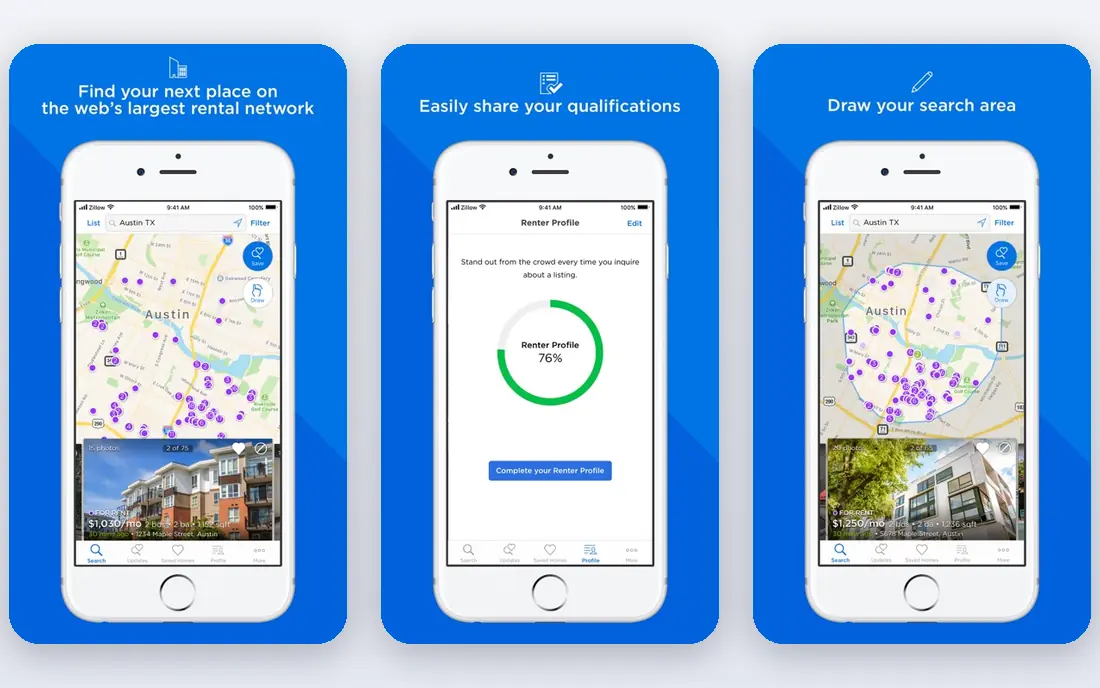
Zillow Rentals is the first app most renters should install. It covers apartments, houses, condos, and townhomes for rent, with filters for price, bedrooms, pets, parking, and laundry. Saved searches send instant alerts when a matching home appears, and a renter profile lets you apply to multiple properties with shared details.
The catch is that a listing is only as fresh as the manager who posted it. A home can look available after it has already been rented, so contact the manager and confirm before you plan a visit. Use rent estimates as a starting point for fair pricing, not as a final judgment on a home.
- Large rental inventory
- Saved searches and instant alerts
- Renter profile and in-app applications
- Listing freshness varies by manager
- Some listings are also for sale
- Application fees still apply per property
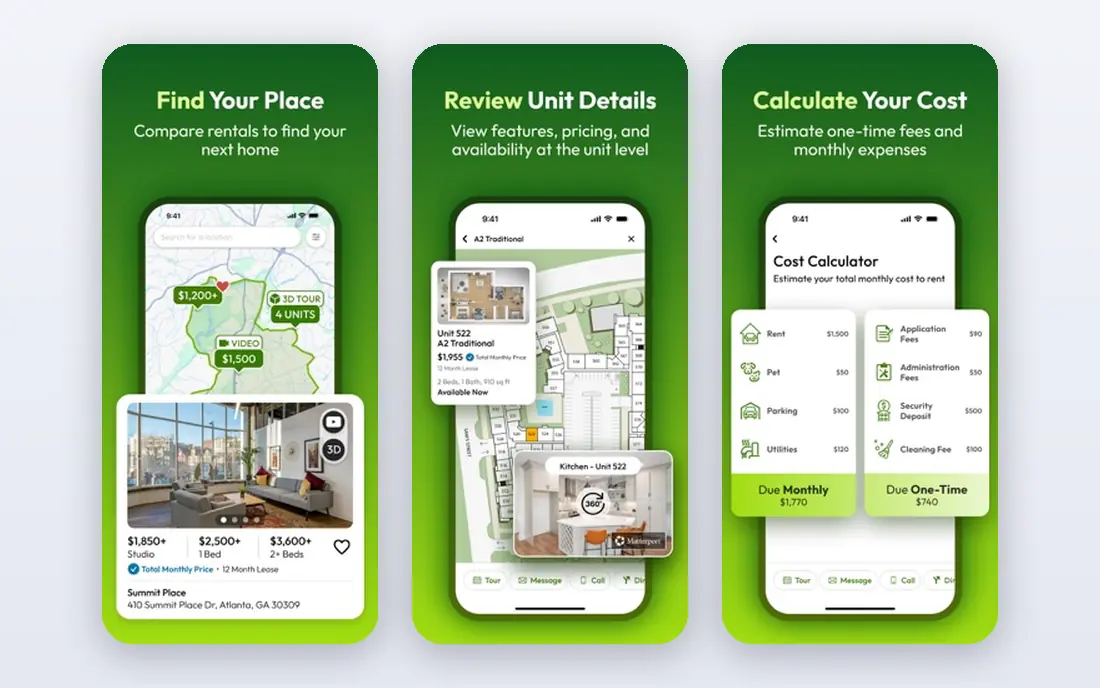
Apartments.com focuses on apartments rather than trying to cover every home type, and that focus shows in its listings. Photos, floor plans, amenity lists, and virtual tours are common, which helps a renter shortlist homes before driving across town. Saved homes, alerts, and a clean map view make the search easy to manage.
House hunters will find fewer single-family rentals here than on Zillow, and coverage is stronger in larger cities. For apartment renters, though, it is the best second app after Zillow, and the pair together catch most new listings in a market. Check the property website as well, since some managers post extra detail there.
- Apartment-focused inventory
- Photos, floor plans, and virtual tours
- Alerts and saved homes
- House rentals are thinner than on Zillow
- Some markets are better covered than others
- Tour booking varies by property
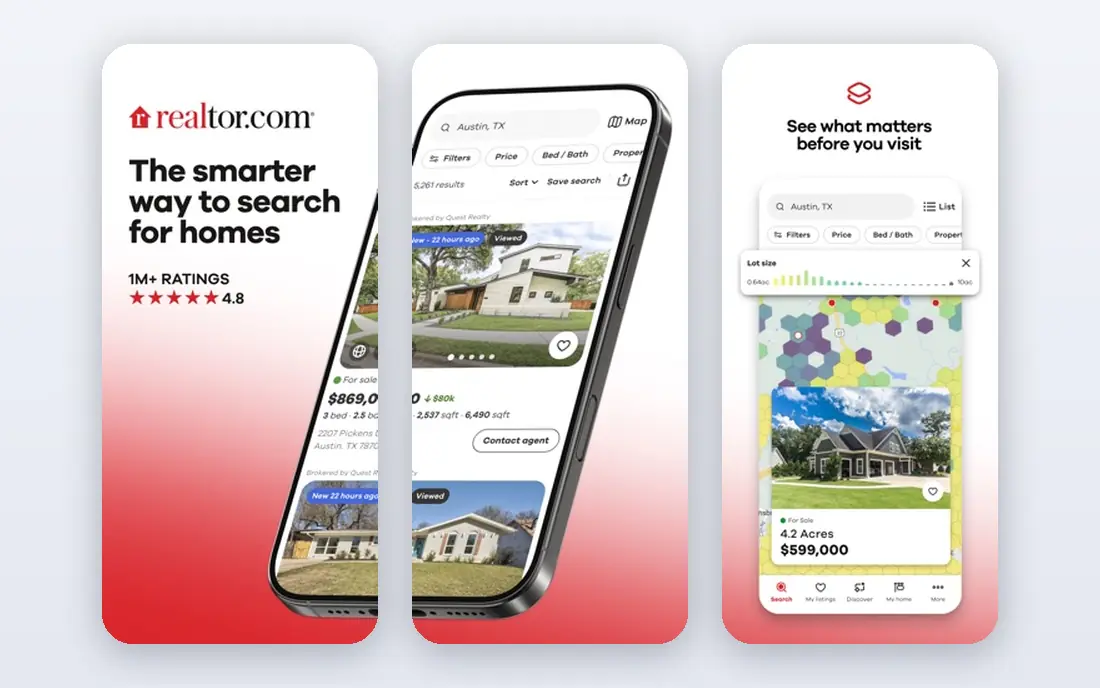
Realtor.com is useful when your plans are not yet fixed. You can search rentals and homes for sale in the same app, compare neighborhoods, and contact an agent for a tour. Listing data comes from a large broker network, so many homes appear here quickly after they are posted.
Rental-specific tools are thinner than on Zumper or Apartments.com, and the app will often suggest an agent even when you only want a landlord contact. Use it as a broad check, especially if you might buy later, and keep Zillow or Apartments.com as your main rental tracker.
- Large listing network
- Rental and sale search in one app
- Agent contact and tour tools
- Rental filters are less deep than rental-only apps
- Some listings duplicate other sites
- Agent prompts are frequent
Zumper is built for speed. Its rental-only search, instant alerts, and single application that can go to multiple properties suit a renter in a fast market. The interface is simple, and the map view makes it easy to compare a cluster of homes in one neighborhood.
Inventory is the limit: in smaller cities, Zumper may list far fewer homes than Zillow. Some applications still need a screening report, and fees for that report are set by the property, not by Zumper. In a large city with tight supply, it is a strong primary app; elsewhere, use it as a backup alert source.
- Rental-only focus
- Instant alerts
- One application for multiple properties
- Coverage varies by city
- Some listings require a paid screening report
- Smaller inventory in small towns
Trulia, part of the Zillow group, adds neighborhood context to a rental search: commute views, nearby amenities, and local detail that help a newcomer judge an area. Rental listings, saved searches, and alerts work much like Zillow, so a renter who likes Trulia maps can use it as a main app.
Because it shares a parent company with Zillow, many listings will look familiar. That overlap is not a flaw if you prefer Trulia layout, but it means Trulia alone is not a second independent source. Pair it with Apartments.com or Zumper for a wider net, and verify prices and availability with the manager.
- Neighborhood maps and local detail
- Rental and sale listings
- Saved searches and alerts
- Owned by the same company as Zillow, so listings overlap
- Rental depth varies
- Some data is estimated
Redfin is best known for home sales, but its rental search is clean and useful, with tour booking and market data that help a renter judge whether a price is fair. Listing pages are clear, and the app handles saved homes and alerts well. For a renter who may buy in the next year, Redfin keeps both searches in one place.
Rental volume is the drawback. In many cities, Redfin lists fewer rentals than Zillow or Apartments.com, so it should not be your only app. Use it when you want tour help or price context, and use a rental-first app for the daily alert sweep.
- Tour booking tools
- Price history and market data
- Clean listing pages
- Rental inventory is smaller than Zillow
- Brokerage focus suits buyers more
- Coverage varies by market
Rent.com keeps the search focused on rentals, with filters for commute time, amenities, and pet policies. Some leases signed through the site offer a reward, which is a small bonus rather than a reason to pick a home. The layout is simple, and saved searches work as expected.
The trade-off is size. Rent.com will not match Zillow inventory in every city, and reward terms need a careful read before you count on them. As a third app in a search, it can surface a listing the big sites missed, and that one extra lead can matter in a tight market.
- Rental-only listings
- Search by commute and amenities
- Rewards for some signed leases
- Smaller inventory than the largest sites
- Rewards have conditions
- Some markets are thin
HotPads suits renters who think in maps. Draw a boundary around a neighborhood, filter by price and bedrooms, and watch listings inside that shape. That drawn-boundary search is handy for a commute corridor or a school zone that does not match a city border. Saved searches and alerts complete a solid free tool.
HotPads is part of the Zillow group, so many listings duplicate Zillow. Its detail pages can also be thinner than Apartments.com for amenities and tours. Use it for map-based discovery, then confirm details on the property site or with the manager before you apply.
- Map-first search with drawn boundaries
- Rental listings across home types
- Saved searches
- Part of the Zillow group, so overlap is common
- Listing detail varies
- Smaller brand presence
How we picked these
We compared official app pages and store listings for rental search apps available to US renters in October 2026. We favored apps that are free to browse, list real rental homes (not only rooms or short stays), and offer saved searches and alerts. We left out short-term stay platforms, roommate-only apps, and landlord-only tools. We did not claim hands-on testing; our comparison rests on vendor pages, listings, and public reviews.
How to search without missing good apartments
Set a firm budget, bedroom count, and commute limit before you open any app, then build saved searches that match those limits exactly. Turn on instant alerts for your top two apps, and check new listings the same day they appear. In a fast market, a same-day message to the manager matters more than a perfect filter set.
Scams, fees, and visits
Never pay an application fee, deposit, or holding fee before you have verified the property and the person collecting the money. Be wary of prices far below nearby homes, managers who refuse a visit, and requests to pay by gift card or wire transfer. Visit in person when you can, check that the unit matches the photos, and read the lease for fees, parking, pet rules, and renewal terms before you sign.
Frequently asked questions
What is the best app to find apartments?
Zillow Rentals is the best starting app for most renters, thanks to inventory size and alerts. Apartments.com is the best second app for apartment-focused listings and tours. Using both together catches more new listings than either app alone, and Zumper adds speed in large cities.
Are apartment finder apps free for renters?
Yes, browsing, saved searches, and alerts are free on the apps in this list. Landlords pay to list in many cases, while renters may still pay application and screening fees set by each property. Those fees are separate from the app, so ask the manager what they charge before you apply.
How do I avoid rental scams?
Verify the listing with the property manager or owner, visit the unit when possible, and never send money before a visit and a lease review. Watch for below-market prices, copied photos, and pressure to pay quickly by wire or gift card. If a deal feels rushed or secretive, walk away and report the listing to the app.
Should I use one app or several?
Use at least two apps with instant alerts, since listings appear on different sites at different times. A good pair is Zillow Rentals plus Apartments.com, with Zumper added in large cities. Keep one shortlist across apps, and note which app you found each home on so you can follow up fast.
When should I start searching for an apartment?
Start four to eight weeks before your move in most cities, and earlier in college towns or tight markets where leases turn over on a fixed date. Set alerts early, tour as soon as a strong match appears, and have pay stubs, references, and ID ready so you can apply the same day.
Sources
See where you really rank - block by block
ProMapRanker scans Google Maps across a grid of your service area. Simple monthly plans from $19, white-label on every plan.
Start freeKeep reading
 zoho inventory alternatives
6 Alternatives to Zoho Inventory, Compared on Price and Fit
Zoho Inventory alternatives: 6 tools compared on price, free plans and fit. Katana leads the list for manufacturers. Fit and flaws are laid out for each entry.
Read → zoho crm alternatives
Best Zoho CRM Alternatives (2026)
Need Zoho CRM alternatives? We compare 7 tools on cost, free access and who each suits. Every pick gets a straight assessment. Built for quick decisions.
Read → zelle alternatives
Best Zelle Alternatives in 2026
Compare the best Zelle alternatives for sending money to friends, paying sellers and moving funds abroad, with honest notes on fees, speed and safety in 2026.
Read →